Google Forms vs involve.me: Which Is Better in 2026?
Google Forms and involve.me serve entirely different purposes despite both letting you collect responses. Google Forms is a free, no-frills data collection tool — part of Google Workspace, used by millions for surveys, quizzes, and simple forms. involve.me is a paid interactive content platform — built for marketing teams who want quizzes, calculators, funnels, and lead capture experiences that drive engagement.
This comparison isn't about which form builder is better. It's about whether you need free data collection (Google Forms) or paid interactive marketing content (involve.me). Here's how to decide.
Who Are These Platforms?
Google Forms launched in 2008 as part of Google Docs (now Google Workspace). It's completely free for anyone with a Google account, with no paid tier for individual users. Google Workspace business plans ($7-25/user/month) add admin controls but the form builder itself is identical. Google Forms emphasises simplicity — anyone can create a form in minutes with zero learning curve.
involve.me was founded in 2019 in Vienna, Austria. It's a startup focused on interactive content for lead generation and marketing engagement. The platform specialises in quizzes, calculators, surveys, payment pages, and multi-step funnels designed to engage visitors and convert them into leads. involve.me targets marketing teams, agencies, and SaaS companies who need more than basic data collection.
Quick Verdict
Choose Google Forms if:
- You need a free, simple tool for surveys and data collection
- Google Sheets integration is your primary data destination
- Internal team surveys, feedback, or quick polls are the use case
- You want zero cost and zero learning curve
Choose involve.me if:
- You need interactive quizzes, calculators, or lead funnels
- Marketing engagement and conversion rates matter
- Brand design quality is important for customer-facing content
- You need A/B testing and conversion analytics
Feature Comparison
Side-by-side across every feature category.
| Feature | Google Forms | involve.me |
|---|---|---|
| Form Building | ||
| Document-style editor | No | No |
| AI form creation | Yes | Yes starter |
| Field types | 11 | Yes |
| Multi-page forms | Yes | Yes |
| Guided mode (one question at a time) | No | Yes |
| Conditional logic | Yes | Yes starter |
| Calculations field | No | Yes starter |
| AI calculations assistant | No | No |
| Scoring | Yes | Yes starter |
| Answer piping | No | Yes starter |
| Pre-filling and hidden fields | Yes | Yes pro |
| Save and resume | No | No |
| Auto-close by number | Yes | No |
| Auto-close by date | Yes | No |
| Appointment/booking field | No | Yes starter |
| Signature field | No | Yes business |
| Color picker field | No | No |
| API-powered dropdowns | No | No |
| Google address search | No | No |
| File uploads | Yes | No |
| Payments | ||
| Stripe payments | No | Yes starter |
| PayPal payments | No | No |
| Square payments | No | No |
| Braintree payments | No | No |
| Google Pay | No | No |
| Product sales (eCommerce) | No | No |
| Subscriptions | No | Yes starter |
| Coupons and discounts | No | Yes |
| Custom pricing rules | No | Yes starter |
| Tax calculations | No | No |
| Quotes/invoices | No | No |
| Refunds | No | No |
| 3D Secure | No | No |
| Design & Customization | ||
| Template gallery | 20+ | Yes |
| Rich media (images, GIFs, videos) | Yes | Yes |
| Unsplash and Giphy integration | No | No |
| Image editor | No | No |
| Adobe Creative Cloud | No | No |
| Language translation | No | Yes |
| Advanced theming | No | Yes |
| Custom form URL | No | Yes starter |
| Custom domains | No | Yes starter |
| Custom HTML & CSS | No | Yes business |
| Remove branding | No | Yes pro |
| Custom email domains | Yes Business Starter | Yes pro |
| Analytics | ||
| Submission results and reports | Yes | Yes |
| AI report insights | No | Yes starter |
| Paperform analytics | No | Yes pro |
| Google Analytics & Facebook Pixel | No | Yes |
| Custom analytics scripts | No | Yes pro |
| Partial submissions | No | Yes pro |
| Collaboration | ||
| Multi-user accounts | Yes | Yes pro |
| User permissions and management | Yes | Yes pro |
| Advanced permissions & admin | Yes Business Starter | Yes enterprise |
| Form sharing (templates) | Yes | Yes |
| Spaces and tag management | No | No |
| Security | ||
| SOC 2 Type II | Yes | Yes |
| GDPR compliant | Yes | Yes |
| SSL encryption | Yes | Yes |
| Two-factor authentication | Yes | Yes |
| Enforce 2FA for all users | Yes Business Starter | No |
| SSO (SAML) | Yes Business Plus | Yes enterprise |
| reCAPTCHA | No | No |
| Local data residency | Yes Business Plus | No |
| Custom S3 storage (BYO) | No | No |
| Custom S3 storage | No | No |
| Integrations & API | ||
| Native integrations | No | No |
| Zapier | Yes | Yes starter |
| Make (Integromat) | Yes | No |
| Webhooks | No | Yes business |
| Standard API | Yes | Yes business |
| Business API | No | No |
| WordPress plugin | No | Yes |
| oEmbed support | No | No |
| 2000+ integrations | No | No |
Where Google Forms Wins

Completely Free
Google Forms costs nothing. No submission limits, no form limits, no feature gates, no branding to remove. Every feature is available to everyone with a Google account. involve.me has a limited free plan; its useful features require $29-59+/month. For teams where cost is the primary consideration, Google Forms is unbeatable — you can't compete with free.
Universal Familiarity
Nearly everyone has used Google Forms. The interface is instantly recognisable, the learning curve is zero, and respondents trust Google's brand. For internal team surveys, customer feedback forms, and event registrations, this familiarity means higher completion rates — respondents don't hesitate with an interface they already know. involve.me's interactive content requires respondents to engage with an unfamiliar experience, which can help (novelty) or hurt (friction) depending on context.
Google Sheets Integration
Every Google Form response automatically populates a connected Google Sheet in real time. No configuration, no Zapier, no export step. For teams that analyse data in spreadsheets, this seamless connection is a genuine workflow advantage. involve.me can push data to sheets via integrations, but it's never as instant or reliable as Google's native connection.
Collaboration
Multiple team members can edit a Google Form simultaneously — the same real-time collaboration that defines Google Docs. Share, comment, suggest, and co-build forms with standard Google Workspace permissions. involve.me supports team collaboration on higher-tier plans, but Google's real-time co-editing is more fluid and available to everyone for free.
Where involve.me Wins
Interactive Marketing Content
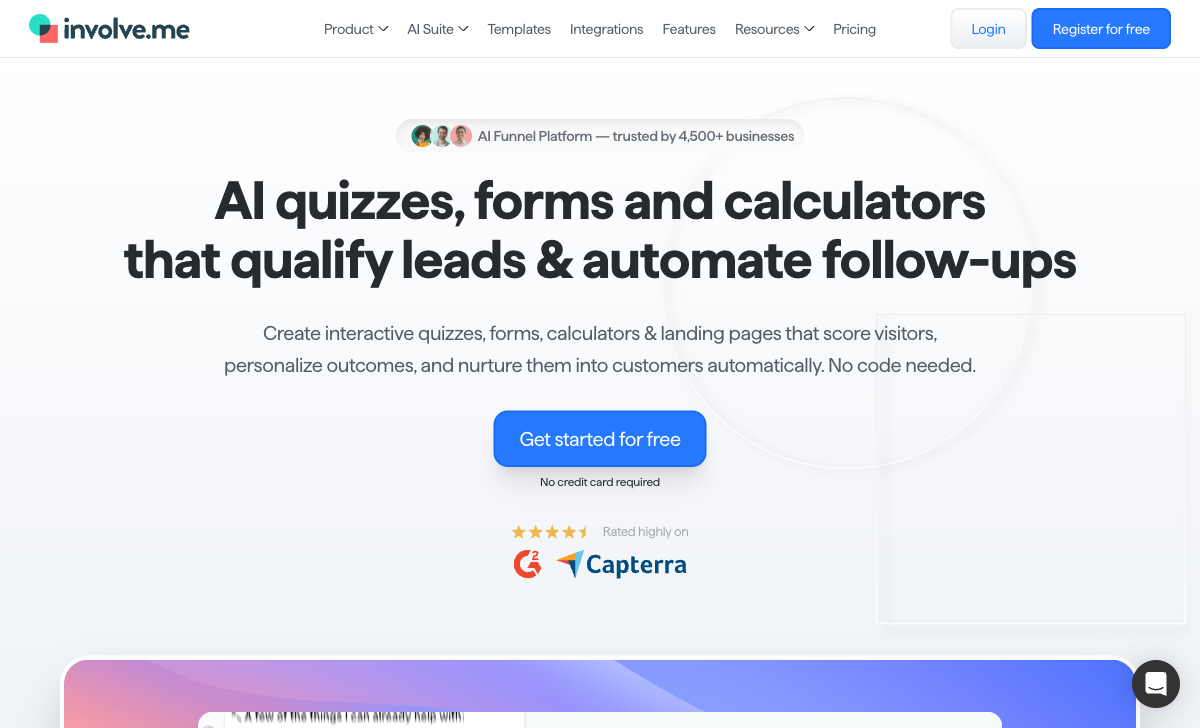
involve.me creates content types Google Forms cannot: personality quizzes with branching outcomes, ROI calculators with dynamic results, product recommendation funnels, and multi-step lead qualification journeys. These aren't forms — they're interactive experiences designed to engage, qualify, and convert visitors. Google Forms collects data; involve.me creates engagement. For marketing teams, this distinction drives measurable differences in conversion rates.
Visual Design and Branding
involve.me produces branded, visually polished content with custom colours, fonts, images, animations, and designed outcome pages. The outputs look like professional marketing collateral. Google Forms looks like Google Forms — functional but generic, with limited colour customisation and no design freedom. For customer-facing content where brand perception matters, involve.me creates a significantly better impression.
Conversion Analytics and A/B Testing
involve.me provides funnel analytics (drop-off rates, completion rates), A/B testing (compare variations), and engagement metrics. These tools help marketing teams optimise conversion rates over time. Google Forms shows basic response summaries and charts — useful for data analysis but not conversion optimisation. If you're trying to maximise form completions and lead quality, involve.me gives you the instruments to iterate.
Payment Collection
involve.me supports Stripe payments for product sales, subscriptions, and one-time charges directly within interactive content. Google Forms has no native payment processing. For businesses that want to combine lead qualification with payment collection in a single flow, involve.me handles both.
Pricing Comparison
| Tier | Google Forms | involve.me | Key Difference |
|---|---|---|---|
| Free | Full features, no limits | Limited features, involve.me branding | Google is fully free; involve.me free is a trial |
| Starter | Still free | $29/mo — remove branding, more features | involve.me costs $29/mo for what Google does free (plus interactivity) |
| Professional | Google Workspace: $7-25/user/mo (admin features) | $59/mo — A/B testing, analytics, integrations | involve.me Pro adds marketing tools Google doesn't offer |
Google Forms
involve.me
| Product | Plan | Monthly Price | Annual Price (per month) | Free Plan | Free Trial | Limits |
|---|---|---|---|---|---|---|
| Google Forms | Free (Personal) | Free | Free | Yes | 14 days | forms: Unlimited, submissions: Unlimited, storage: 15 GB (shared across Google Drive), users: 1, file uploads: Included in 15 GB storage |
| Google Forms | Business Starter | $7/mo | $7/mo billed annually | forms: Unlimited, submissions: Unlimited, storage: 30 GB per user, users: Up to 300, file uploads: Included in storage | ||
| Google Forms | Business Standard | $14/mo | $14/mo billed annually | forms: Unlimited, submissions: Unlimited, storage: 2 TB per user, users: Up to 300, file uploads: Included in storage | ||
| Google Forms | Business Plus | $22/mo | $22/mo billed annually | forms: Unlimited, submissions: Unlimited, storage: 5 TB per user, users: Up to 300, file uploads: Included in storage | ||
| involve.me | Free | Free | Free | Yes | 14 days | forms: Unlimited (draft), submissions: 50/month, users: 1 |
| involve.me | Starter | $49/mo | $29/mo billed annually | forms: 5 live funnels, submissions: 1,000/month, users: 1 | ||
| involve.me | Pro | $99/mo | $59/mo billed annually | forms: 15 live funnels, submissions: 5,000/month, users: 3 | ||
| involve.me | Business | $199/mo | $129/mo billed annually | forms: 30 live funnels, submissions: 15,000/month, users: 5 |
What Users Say
Google Forms is universally praised for being free, simple, and reliable. Criticism focuses on limited design options and lack of advanced features. involve.me receives positive reviews for visual quality, interactive content types, and marketing-specific capabilities, with criticism around pricing for smaller teams and occasional builder complexity. The review patterns reflect the market split perfectly: Google Forms wins on accessibility; involve.me wins on capability for marketing use cases.
Where Both Fall Short
- Calculation engine: Neither offers an Excel-style calculation engine for dynamic pricing, conditional scoring, or computed outputs that flow across form elements and integrations.
- Payment breadth: Google Forms has no payments. involve.me supports Stripe only. Neither offers multiple payment gateways, product catalogues, or eCommerce features.
- E-signatures: Neither platform includes built-in e-signature capabilities for contracts or agreements.
- Template volume: Google Forms has a small template gallery. involve.me has a moderate library. Neither approaches comprehensive template coverage.
Consider Paperform
If you want the simplicity of Google Forms with the visual quality and interactivity of involve.me, Paperform bridges both worlds. Its document-style editor creates forms that look like designed landing pages — not traditional form widgets. An Excel-style calculation engine powers dynamic pricing, quizzes, assessments, and scoring. Five payment gateways (Stripe, PayPal, Square, Braintree, Google Pay) come standard on every plan including free.
Paperform is bootstrapped and profitable since 2016, starting at $29/month with a free tier, 30,000+ templates, built-in e-signatures (Papersign), and Google Sheets integration. It handles data collection, interactive content, and payments in one platform.
Try Paperform free | Google Forms alternatives | involve.me alternatives
The Verdict
Choose Google Forms for free data collection. Surveys, feedback forms, registrations, internal polls — if the goal is collecting responses simply and free, Google Forms is the right tool. It's the world's most accessible form builder for a reason.
Choose involve.me for interactive marketing content. If you need quizzes that qualify leads, calculators that demonstrate ROI, or funnels that convert visitors into customers, involve.me creates experiences Google Forms cannot replicate. The $29-59/month investment is justified when engagement and conversion metrics are the success criteria.
These tools don't really compete. Google Forms is a utility — fast, free, universal. involve.me is a marketing tool — visual, interactive, conversion-focused. Using Google Forms for marketing quizzes would be underperforming. Using involve.me for a quick team survey would be overspending. Choose based on the job, not the category.
Frequently Asked Questions
Is involve.me worth paying for when Google Forms is free?
It depends on what you're building. If you need a basic survey, feedback form, or data collection tool, Google Forms does the job perfectly at zero cost. If you need interactive marketing content — quizzes with personalised results, ROI calculators, product recommendation funnels, or branded lead capture experiences — involve.me creates content that Google Forms simply cannot. The value of involve.me isn't replacing Google Forms for data collection; it's creating interactive experiences that engage visitors and convert them into leads. If engagement and conversion are metrics you care about, involve.me justifies its cost.
Can Google Forms create quizzes like involve.me?
Google Forms has a quiz mode — it can score multiple-choice answers and show correct/incorrect feedback. But it's limited to educational-style quizzes. involve.me creates personality quizzes (branching paths to different outcomes), scored assessments with weighted criteria, product recommendation quizzes, and interactive calculators with visual result pages. The quiz experience in involve.me is designed for marketing engagement — visual, branded, shareable. Google Forms quizzes look like Google Forms. For classroom quizzes, Google Forms works fine. For marketing quizzes that drive leads and engagement, involve.me is in a different category.
Does involve.me integrate with Google Sheets?
Yes. involve.me supports Google Sheets integration through Zapier and native connections, allowing form submissions and quiz results to flow into spreadsheets. involve.me also integrates with CRMs, email marketing tools, and analytics platforms. However, Google Forms' native Google Sheets integration is seamless and instant — every submission appears in a connected spreadsheet with zero configuration. If Google Sheets is your primary data destination, Google Forms' native integration is more reliable and requires no third-party tools.
Which is better for surveys: Google Forms or involve.me?
For straightforward surveys — employee feedback, customer satisfaction, event evaluations — Google Forms is better. It's free, fast to build, and everyone knows how to use it. For interactive surveys with visual elements, branching paths to personalised outcomes, and conversion-optimised designs, involve.me produces more engaging results. The distinction is between data collection (Google Forms excels) and interactive experience (involve.me excels). If you need a 95% response rate on a simple employee survey, Google Forms wins. If you need a 30% higher engagement rate on a customer-facing brand survey, involve.me wins.
Sources & References
- involve.me Review: Interactive Content Platform — G2, 2026
- Best Free Form Builders in 2026 — TechRadar, 2026
Last updated March 21, 2026
Ready to try Paperform?
Create beautiful forms, payment pages, and workflows — no code required.