Formstack vs Jotform vs Wufoo: Which Form Builder Wins in 2026?
All three launched in 2006, but they've drifted apart. Formstack wins on enterprise workflow and Salesforce depth, Jotform wins on feature breadth and value, and Wufoo wins on simplicity and a low entry price. For most teams Jotform is the strongest all-rounder. If you want modern design alongside payments, logic, and workflows without the trade-offs, Paperform beats all three.
These are three of the longest-running names in form building, each founded in 2006, and anyone shortlisting "classic" general-purpose form builders runs into all three. Twenty years have pulled them in different directions. Formstack grew into a private-equity-owned workplace platform stacking documents, eSignatures, and Salesforce workflows on top of forms. Jotform stayed independent and bootstrapped, and kept adding capability: more fields, more integrations, and more payment gateways than anyone else. Wufoo was acquired by SurveyMonkey in 2011 and has stayed deliberately simple ever since.
Below we put all three against the dimensions that settle a purchase: pricing, integrations and API, conditional logic, payments, and compliance, with current figures pulled from each product. Then we lay out exactly when to choose which, and what to reach for when none of these three quite fits.
Quick verdict: who each one is for
 Formstack
Best for: Salesforce-centric mid-market and enterprise teams that need document generation, eSignatures, and HIPAA-grade workflows in one platform, and have the budget the suite demands.
 Jotform
Best for: teams that want the widest feature set for the money (40+ payment gateways, native mobile apps, HIPAA on Gold) and don't mind a busy interface or the occasional rough edge.
 Wufoo
Wufoo
Best for: individuals and small teams who want a cheap, no-fuss builder for straightforward registration, contact, and survey forms, and don't need logic depth, AI, or modern design.
Three takes on the same idea
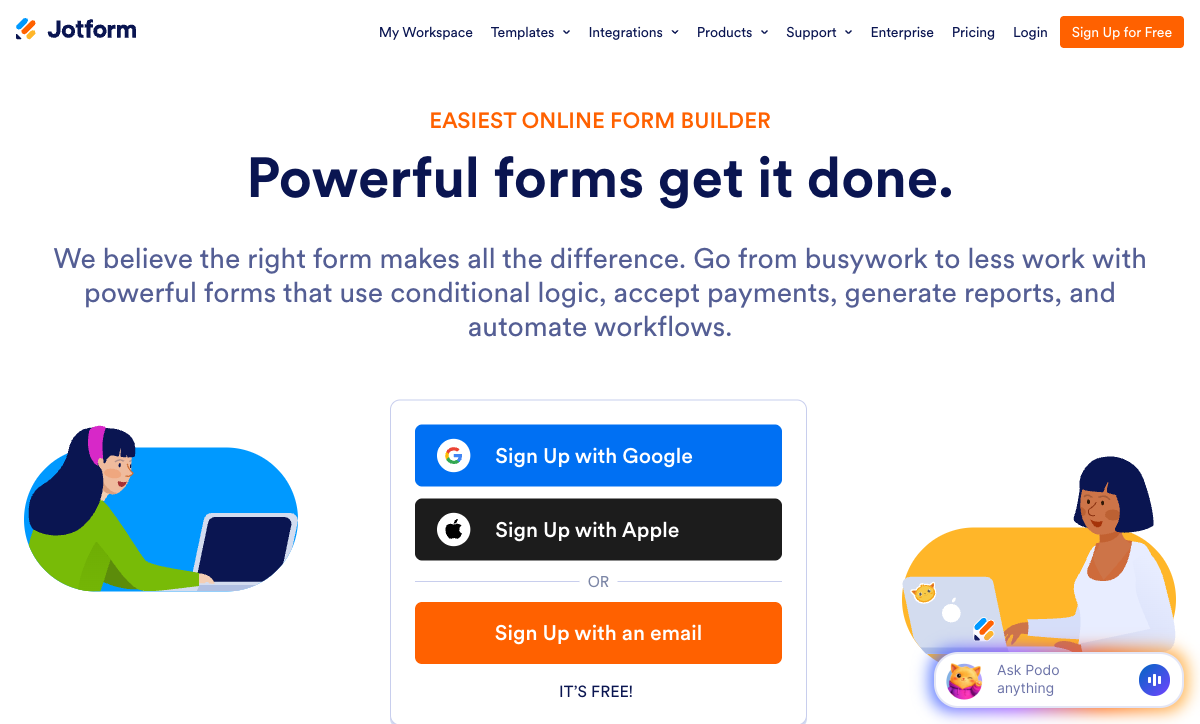
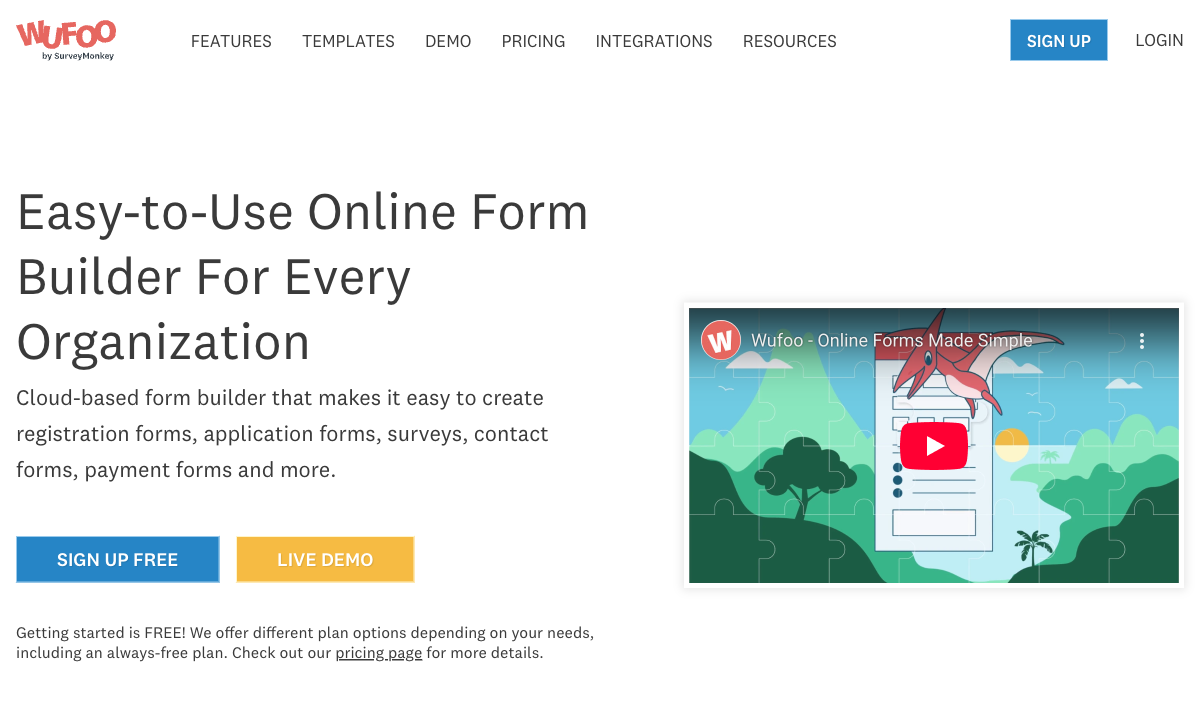
All three started from the same premise: drag-and-drop form building, no code. Twenty years later they look nothing alike. Put them side by side and the divergence is immediate.
Feature comparison
Every category across all three, side by side. The payments, conditional logic, and platform-products rows are where two decades of diverging strategy turn into a real capability gap.
| Feature | Formstack | Jotform | Wufoo |
|---|---|---|---|
| Form Building | |||
| Drag-and-drop builder | Yes forms | Yes starter | No |
| AI form creation | Yes forms | Yes starter | No |
| Field types | 15 | 30+ (starter) | Yes |
| Multi-page forms | Yes forms | Yes starter | Yes starter |
| Guided mode (one question at a time) | Yes forms | Yes starter | No |
| Conditional logic | Yes forms | Yes starter | Yes starter |
| Calculations field | Yes forms | Yes starter | No |
| AI calculations assistant | No | No | No |
| Scoring | No | Yes starter | No |
| Answer piping | Yes forms | Yes starter | No |
| Pre-filling and hidden fields | Yes forms | Yes starter | Yes starter |
| Save and resume | Yes forms | Yes starter | No |
| Auto-close by number | No | Yes starter | Yes starter |
| Auto-close by date | No | Yes starter | Yes starter |
| Appointment/booking field | No | Yes starter | No |
| Signature field | Yes suite | Yes starter | No |
| Color picker field | No | No | No |
| API-powered dropdowns | Yes forms | No | No |
| Google address search | No | No | No |
| Document-style editor | No | No | No |
| File uploads | No | Yes starter | Yes starter |
| Form widgets | No | Yes starter | No |
| Template gallery | No | 20,000+ (starter) | No |
| 400+ templates | No | No | Yes |
| Payments | |||
| Stripe payments | Yes forms | Yes starter | Yes professional |
| PayPal payments | Yes forms | Yes starter | Yes professional |
| Square payments | No | Yes starter | Yes professional |
| Braintree payments | No | Yes starter | Yes professional |
| Google Pay | No | Yes starter | No |
| Product sales (eCommerce) | No | Yes starter | No |
| Subscriptions | No | Yes starter | No |
| Coupons and discounts | Yes forms | Yes starter | No |
| Custom pricing rules | Yes forms | Yes starter | No |
| Tax calculations | No | Yes starter | No |
| Quotes/invoices | No | No | No |
| Refunds | No | No | No |
| 3D Secure | No | No | No |
| 40+ payment gateways | No | Yes starter | No |
| No transaction fees | No | Yes starter | No |
| Authorize.net payments | No | No | Yes professional |
| Design & Customization | |||
| Template gallery | Yes forms | 20,000+ (starter) | Yes |
| Rich media (images, GIFs, videos) | Yes forms | Yes starter | No |
| Unsplash and Giphy integration | No | No | No |
| Image editor | No | No | No |
| Adobe Creative Cloud | No | No | No |
| Language translation | No | Yes starter | No |
| Advanced theming | Yes forms | Yes starter | Yes starter |
| Custom form URL | Yes forms | No | Yes starter |
| Custom domains | Yes forms | Yes enterprise | No |
| Custom HTML & CSS | Yes forms | Yes starter | Yes starter |
| Remove branding | Yes forms | Yes bronze | Yes starter |
| Custom email domains | No | No | No |
| Form themes | No | Yes starter | No |
| Theme designer | No | No | Yes |
| Analytics | |||
| Submission results and reports | Yes forms | Yes starter | Yes |
| AI report insights | No | No | No |
| Paperform analytics | Yes forms | No | No |
| Google Analytics & Facebook Pixel | Yes forms | No | No |
| Custom analytics scripts | No | No | No |
| Partial submissions | Yes forms | No | No |
| Form analytics | No | Yes starter | No |
| Google Analytics integration | No | Yes starter | Yes professional |
| Collaboration | |||
| Multi-user accounts | Yes forms | Yes bronze | Yes professional |
| User permissions and management | Yes forms | Yes enterprise | Yes professional |
| Advanced permissions & admin | Yes enterprise | Yes enterprise | No |
| Form sharing (templates) | Yes forms | No | No |
| Spaces and tag management | Yes forms | No | No |
| Form sharing | No | Yes starter | Yes |
| Assign forms | No | Yes enterprise | No |
| Security | |||
| SOC 2 Type II | No | Yes enterprise | Yes |
| GDPR compliant | Yes forms | Yes starter | Yes |
| SSL encryption | Yes forms | Yes starter | Yes |
| Two-factor authentication | Yes forms | Yes starter | No |
| Enforce 2FA for all users | Yes enterprise | No | No |
| SSO (SAML) | Yes enterprise | Yes enterprise | No |
| reCAPTCHA | Yes forms | Yes starter | Yes |
| Local data residency | No | No | No |
| Custom S3 storage (BYO) | No | No | No |
| HIPAA compliant | No | Yes gold | No |
| 256-bit SSL | No | Yes starter | No |
| Data residency | No | Yes enterprise | No |
| Form encryption | No | Yes starter | No |
| PCI DSS | No | Yes starter | Yes |
| Field encryption | No | No | Yes professional |
| Password protection | No | No | Yes professional |
| Integrations & API | |||
| 2000+ integrations | No | No | No |
| Zapier | Yes forms | Yes starter | Yes starter |
| Make (Integromat) | No | Yes starter | No |
| Webhooks | Yes forms | Yes starter | Yes starter |
| Standard API | Yes forms | No | No |
| Business API | Yes enterprise | No | No |
| WordPress plugin | Yes forms | Yes starter | Yes |
| oEmbed support | No | No | No |
| Native integrations | No | 150+ (starter) | Yes starter |
| API | No | Yes starter | Yes |
| Salesforce AppExchange | No | Yes starter | No |
| Embed options | No | Yes starter | Yes |
| Mobile apps | No | Yes starter | No |
The five dimensions that decide it
Marketing pages aside, the choice between these three almost always comes down to five questions. Here is where each one lands.
Pricing
Wufoo's paid plans start at $16.25/month (annual), Jotform's at $34/month (annual) with a free tier, and Formstack's at $83/month (annual) with no free plan at all. Wufoo is the cheapest headline number but caps fields and gates payments to its $33.25 Professional tier. Jotform's free Starter unlocks every feature on 5 forms; its Bronze tier covers 1,000 submissions a month. Formstack reserves document generation and eSignatures for its $250/month Suite, and its Capterra value-for-money rating of 3.7/5 reflects how steep the entry point feels for plain form building.
Integrations & API
Jotform offers 150+ native integrations, Formstack 250+, and Wufoo a much smaller catalog; all three expose a REST API. Formstack's headline count is high and its Salesforce integration is genuinely deep (native forms, document generation, and Shield compatibility), but it has no Make/Integromat connector. Jotform reaches CRMs, marketing tools, and a Salesforce AppExchange listing natively. Wufoo's standout is generous API access, available even on its free plan at 100 requests/day and scaling to 100,000/day, though its native integration list is the thinnest of the three.
Conditional logic
Jotform and Formstack both offer field-level logic and calculation fields; Wufoo limits you to 50 lines of branching logic (just 3 rules on the free plan). Formstack includes conditional logic and calculating fields from its entry Forms plan. Jotform's logic and calculations are available from the free Starter tier, though reviewers note that advanced rules can behave inconsistently on busy forms and the interface gets crowded. Wufoo's hard 50-rule ceiling is restrictive enough that reviewers report splitting forms in two to work around it. It handles simple branching but stops well short of real workflows.
Payments
Jotform supports 40+ payment processors, Wufoo supports three (Stripe, PayPal, Authorize.net), and Formstack supports two (Stripe, PayPal). Jotform's breadth is unmatched here, with no added transaction fees, though payment submissions are capped per plan. Wufoo gates payments behind its Professional tier ($33.25/mo) and stops at basic charges. Formstack collects through PCI-compliant fields but offers no product catalog, subscriptions, or tax calculation. None of the three is a real eCommerce engine; they take payments but don't run a store.
Compliance (HIPAA / GDPR / SOC 2)
All three are GDPR and CCPA compliant. Formstack and Jotform offer HIPAA compliance (Jotform on its Gold tier and above, with a BAA); Wufoo is not HIPAA compliant and will not sign a BAA. Jotform and Wufoo both hold independent SOC 2 and PCI DSS certifications, and Jotform adds ISO 27001. Formstack notably does not hold an independent SOC 2 Type II certificate; it leans on its AWS infrastructure's SOC compliance instead. For PHI specifically, treat Jotform Gold or Formstack as the floor, and rule Wufoo out entirely.
Formstack: a workflow platform that happens to build forms
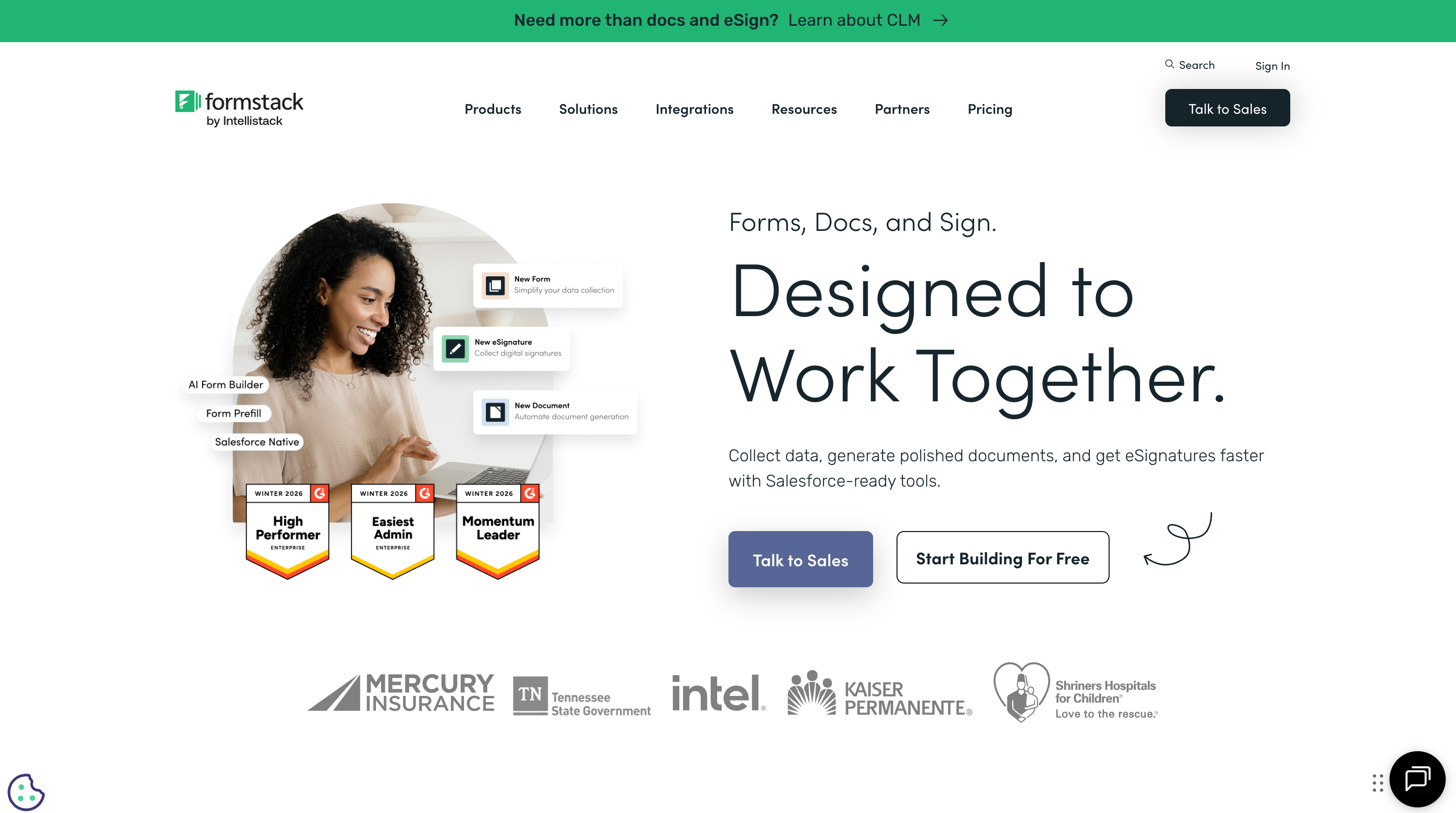
Formstack has spent years repositioning away from "form builder" toward "workplace productivity platform," and on its own terms it succeeds. The Suite plan combines Formstack Forms, Documents, and Sign into a single account, so a single submission can flow into a generated PDF and out for signature without leaving the platform. Its Salesforce integration is the deepest of the three by a clear distance, covering native Salesforce forms, document generation inside Salesforce, and Salesforce Shield compatibility, and it carries HIPAA compliance with AES-256 encryption, which is why healthcare and financial-services teams shortlist it. Built-in conversion analytics with field-level bottleneck reports round out a capable mid-market toolkit. It holds a 4.5 on G2.
The catch is cost and polish. At $83/month annual for 25 forms and one user, with documents and eSignatures locked behind the $250/month Suite, Formstack prices like enterprise software, and its 3.7/5 Capterra value rating shows buyers feel it. The builder interface draws frequent "clunky" and "dated" criticism, and support is a recurring sore point: a 1.6/5 Trustpilot rating, email-only channels, and reports of difficult cancellations. Several form-building staples are missing too, including native appointment booking, a color picker, and quiz scoring. Formstack rewards the team that will use the whole suite; for everyone else, much of what they pay for sits idle.
Jotform: the broadest toolkit of the three
Among these three, Jotform is the one that does the most. Bootstrapped to roughly $144.9M in annual revenue and 35+ million users with no outside funding, it has spent two decades stacking capability: 40+ payment gateways, 150+ integrations, native iOS and Android apps for offline collection, a Salesforce AppExchange listing, and a surrounding suite of products including Tables, Sign, Apps, Workflows, and AI Agents. Every feature is available on the free Starter plan; only the limits (5 forms, 100 submissions) scale with price, which is why it's the genuine zero-cost option here and the #1 Online Form Builder on G2 with a 4.7 rating. Against Formstack's gated suite and Wufoo's thin feature set, Jotform's "everything, on every plan" model is its real edge.
The flip side of accumulating features for twenty years is that not all of them are equally solid. Reviewers regularly report that advanced widgets, custom fields, and complex conditional logic can be glitchy or behave inconsistently, and that the interface grows visually crowded as forms get complicated. Support response times draw frequent complaints. There are hard ceilings too: even the Gold plan ($99/mo) caps at 100 forms, and every tier from Starter to Gold is single-user, with true multi-user collaboration reserved for Enterprise. Jotform hands you more levers than either competitor here, and a few of them don't pull as cleanly as the spec sheet promises.
Wufoo: simple, cheap, and showing its age
Wufoo's appeal is that it asks almost nothing of you. The drag-and-drop builder is the easiest to learn of the three (rated 4.3–4.4 for ease of use), the $16.25/month Starter plan is the cheapest paid entry here, and its 400+ templates cover the common cases: registration, contact, surveys, and RSVPs. Generous API access, available even on the free plan at 100 requests/day, is a genuine bright spot that more expensive tools don't always match. For an individual or a small team that needs a straightforward form up quickly and cheaply, Wufoo gets out of the way, which is exactly what its 3+ million users came for.
But simplicity here shades into limitation, and the product has barely moved since its 2011 acquisition by SurveyMonkey. There's no AI form creation, no calculations, no scoring, no answer piping, no save-and-resume, and no signature or booking fields, all of which are now standard elsewhere. Conditional logic stops at 50 lines (3 rules on the free plan), payments are gated to the $33.25 Professional tier and limited to three processors, and the free plan caps every form at just 10 fields. There's no HIPAA compliance, no eSignature product, and no workflow automation. As a subsidiary that receives little ongoing investment, Wufoo is stable but stagnant: fine for basic jobs, a poor fit for anything that needs to grow.
See them in action
If you'd rather watch than read, this independent walkthrough builds a payment form in Formstack from scratch. It's a useful look at how the most workflow-oriented of the three handles a job all three claim to do, and a baseline for judging how much extra capability the others give you.
Pricing comparison
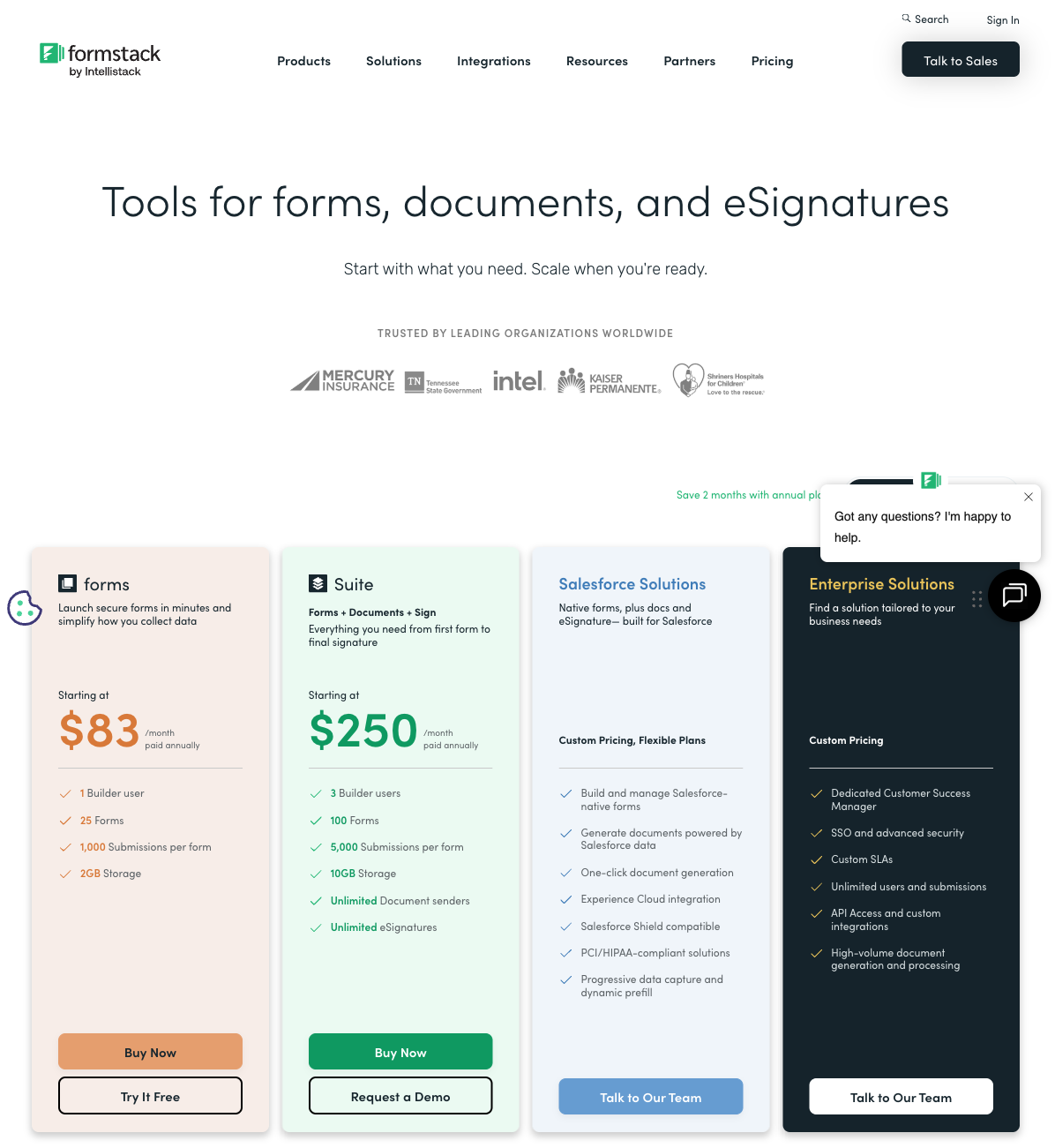
Read the limits as carefully as the headline price, because the three meter completely differently. Wufoo and Formstack both cap submissions and forms per tier; Jotform meters by monthly submissions with per-tier ceilings and a free plan that unlocks every feature. At the entry tier, Wufoo's $16.25/month is the cheapest number but the most limited, Jotform's free-to-$34 range offers the broadest value, and Formstack's $83/month floor only makes sense once you're using the surrounding suite.
Formstack
Jotform
| Product | Plan | Monthly Price | Annual Price (per month) | Free Plan | Free Trial | Limits |
|---|---|---|---|---|---|---|
| Formstack | Forms | $99/mo | $83/mo billed annually | No | 14 days | forms: 25, submissions: 1,000/form, storage: 2 GB, users: 1, file uploads: 2 GB |
| Formstack | Suite | $299/mo | $250/mo billed annually | forms: 100, submissions: 5,000/form, storage: 10 GB, users: 3, file uploads: 10 GB | ||
| Jotform | Starter | Free | Free | Yes | No | forms: 5, submissions: 100/month, storage: 100 MB, users: 1 |
| Jotform | Bronze | $39/mo | $34/mo billed annually | forms: 25, submissions: 1,000/month, storage: 1 GB, users: 1 | ||
| Jotform | Silver | $49/mo | $39/mo billed annually | forms: 50, submissions: 2,500/month, storage: 10 GB, users: 1 | ||
| Jotform | Gold | $129/mo | $99/mo billed annually | forms: 100, submissions: 10,000/month, storage: 100 GB, users: 1 | ||
| Wufoo | Free | Free | Free | Yes | No | forms: 5, submissions: 100/month, storage: N/A, users: 1 |
| Wufoo | Starter | $16.25/mo | $16.25/mo billed annually | forms: 10, submissions: 1,000/month, storage: 1 GB, users: 1 | ||
| Wufoo | Professional | $33.25/mo | $33.25/mo billed annually | forms: Unlimited, submissions: 5,000/month, storage: 5 GB, users: 5 | ||
| Wufoo | Advanced | $83.25/mo | $83.25/mo billed annually | forms: Unlimited, submissions: 25,000/month, storage: 10 GB, users: 20 | ||
| Wufoo | Ultimate | $210.25/mo | $210.25/mo billed annually | forms: Unlimited, submissions: 200,000/month, storage: 20 GB, users: 60 |
What users say
Jotform leads the trio on review platforms, with a 4.7 on both G2 and Capterra and the #1 spot in G2's Online Form Builder category; praise for its breadth is tempered by complaints about support speed and feature reliability. Wufoo lands a respectable 4.2–4.4, earning consistent credit for ease of use and equally consistent notes about its dated design and thin feature set. Formstack splits hardest: a solid 4.5 on G2 but a 4.0 on Capterra and a striking 1.6 on Trustpilot, where billing and cancellation complaints dominate. The pattern across all three is that no single platform earns clean marks on capability, polish, and support at once.
The verdict: a decision tree
- Choose Formstack if you're a Salesforce-centric mid-market or enterprise team that will genuinely use document generation, eSignatures, and HIPAA-grade workflows together, and the $250/month Suite cost is justified by consolidating those tools.
- Choose Jotform if you want the most capability per dollar (40+ payment gateways, native mobile apps, HIPAA on Gold, and every feature available free) and can live with a busy interface and the occasional unreliable widget.
- Choose Wufoo if the forms are simple, the budget is tight, and you need something live fast: basic registration, contact, and survey forms where logic depth, AI, payments, and modern design don't matter.
The honest summary: Jotform is the safest default of the three for most teams, Formstack earns its premium only inside a Salesforce-heavy workflow, and Wufoo is a budget tool you'll likely outgrow. The mistake is asking any of them to stretch past their lane: Formstack for a single cheap form, Wufoo for a payment-and-logic-heavy intake, or Jotform for a polished, conversion-critical landing form where its dated output costs you.
The tie-breaker: Paperform skips the compromise
The trouble with this matchup is that each option asks you to give something up. Formstack has the workflow suite but a dated builder and an enterprise price. Jotform has the feature breadth but a cluttered interface and uneven reliability. Wufoo offers simplicity and a low price but very little under the hood. Paperform was built to avoid forcing that trade.
Its document-style editor produces forms that look like landing pages rather than the "stuck in 2017" output these three are criticized for, and an Excel-style calculation engine runs scoring, pricing, and routing logic across questions, pages, emails, and integrations. That reaches well past Wufoo's 50-rule ceiling and behaves more consistently than Jotform's advanced logic. Its five-gateway payment engine (Stripe, PayPal, Square, Braintree, Google Pay) ships with full eCommerce (products, subscriptions, coupons, tax, refunds) on the free plan, where Wufoo gates payments to a paid tier and Formstack stops at basic collection. And the workflow-suite pitch that justifies Formstack's price comes built in: Papersign (eSignatures) and Stepper (AI-native workflow automation) are bundled at no extra cost, not reserved for a $250/month plan.
Paperform is SOC 2 Type II certified and GDPR compliant, bootstrapped and independent like Jotform, with 2,000+ integrations and 30,000+ templates, the largest library in the category. Paid plans start at $24/month annual, below Jotform Bronze and a fraction of Formstack Forms, with unlimited forms on every plan including free. One honest caveat: if HIPAA is a hard requirement, Paperform isn't HIPAA compliant today, so a regulated healthcare team should weigh Jotform Gold or Formstack instead.
For the head-to-head detail, see Paperform vs Formstack, Paperform vs Jotform, and Paperform vs Wufoo. Comparing just two of these three? See Formstack vs Jotform, Jotform vs Wufoo, or Formstack vs Wufoo. For the wider field, the best form builders ranking covers every option.
Frequently Asked Questions
Is Formstack, Jotform, or Wufoo the cheapest way to start collecting forms?
Wufoo is the cheapest paid entry at $16.25/month annual, Jotform starts at $34/month (annual) with a real free plan, and Formstack is the most expensive by a wide margin at $83/month annual with no free tier. The number you actually pay depends on what you need, though. Wufoo's Starter tier caps every form at 100 fields and gives you no payments and only a handful of logic rules, so most businesses outgrow it fast. Jotform's free Starter plan unlocks every feature on 5 forms and 100 submissions a month, which makes it the genuine zero-cost option of the three. Formstack charges enterprise prices ($83/mo for 25 forms, one user) and reserves its document and eSignature products for the $250/month Suite plan. If predictable SMB pricing is the goal, Paperform starts at $24/month annual with unlimited forms on every plan including free, undercutting Jotform Bronze and Formstack Forms while bundling payments, eSignatures, and workflow automation in.
Which one is HIPAA compliant — Formstack, Jotform, or Wufoo?
Formstack and Jotform can be HIPAA compliant; Wufoo cannot and will not sign a BAA. Formstack offers HIPAA-compliant forms with AES-256 encryption as a paid capability and has built much of its healthcare reputation on Cleveland Clinic-style deployments. Jotform includes HIPAA compliance with a signed BAA on its Gold tier ($99/month annual) and Enterprise; lower paid plans cannot legally collect protected health information. Wufoo, as a SurveyMonkey subsidiary, explicitly does not support HIPAA, so it is ruled out for any healthcare form touching PHI. All three carry GDPR and CCPA; Jotform and Wufoo also hold SOC 2 and PCI DSS, while Formstack relies on its AWS infrastructure's SOC compliance rather than an independent Formstack SOC 2 Type II certificate. For the lowest-cost HIPAA path between these three, Jotform Gold and Formstack are the only candidates.
Does Formstack, Jotform, or Wufoo handle payments and eCommerce best?
Jotform supports 40+ payment gateways, Formstack supports two (Stripe and PayPal), and Wufoo supports three (Stripe, PayPal, Authorize.net) but only on its Professional tier ($33.25/month). Jotform is the clear winner on processor choice, though its payment submissions are capped per plan (100/month on Bronze, 1,000/month on Gold). Formstack handles payments through PCI-compliant fields but offers no product catalog, subscriptions, or tax calculation, so it's collection rather than commerce. Wufoo gates payments behind a paid tier and stops at basic charges. None of the three is a true eCommerce engine. Paperform supports five gateways (Stripe, PayPal, Square, Braintree, Google Pay) with products, subscriptions, coupons, tax, and refunds built into the form, available on the free plan rather than locked behind a premium tier.
Is Wufoo or Jotform a better fit for a small business that just needs reliable forms?
For a small business with simple needs, Wufoo is the faster tool to learn but the one you'll outgrow soonest, while Jotform is more capable but heavier. Wufoo's drag-and-drop builder has the gentlest learning curve here (rated 4.3–4.4 for ease of use), and its $16.25/month Starter tier is genuinely cheap, but it tops out at 50 lines of conditional logic, has no AI form creation, no calculations, no save-and-resume, and no signature or booking fields. Jotform gives you all of those plus 150+ integrations and native mobile apps, at the cost of a more cluttered interface that reviewers say grows visually crowded on complex forms. If "reliable and simple" is the brief but you don't want a feature ceiling, see our Jotform vs Wufoo breakdown for the head-to-head, or weigh Paperform against Wufoo for a modern editor at a comparable price.
Why is Formstack so much more expensive than Jotform or Wufoo?
Formstack prices like an enterprise workflow platform rather than a form builder, and that's the deliberate positioning. Its $83/month Forms plan buys 25 forms and a single user, where Wufoo's $16.25/month and Jotform's free Starter cover comparable form-building needs, and Formstack's Capterra value-for-money rating sits at 3.7/5 as a result. What you're paying for is the surrounding suite: document generation, Formstack Sign, deep Salesforce integration, and workflow automation, most of which only unlock on the $250/month Suite or Enterprise tiers. For a Salesforce-centric mid-market team that will actually use document generation and eSignatures, that bundle can justify the cost. For a business that simply needs forms, it's expensive for what you get, which is why buyers comparing the three often shortlist a lower-cost all-in-one like Paperform, which folds eSignatures (Papersign) and workflow automation (Stepper) in at no extra charge.
Which of Formstack, Jotform, or Wufoo is the safest long-term bet?
All three launched in 2006 and have two-decade track records, but their ownership tells very different stories. Jotform is bootstrapped, profitable, and independent, running on roughly $144.9M annual revenue with 35+ million users and no outside investors, making it the most self-determined of the three. Formstack is private-equity owned (now under the Intellistack umbrella) and has shifted attention toward a separate CLM product stack, which can signal that its older form products receive less ongoing investment. Wufoo has been a SurveyMonkey/Momentive subsidiary since its $35M acquisition in 2011, and reviewers consistently describe its product development as stagnant, with no meaningful UX refresh in years. For a vendor unlikely to let the form product drift, Jotform's independence is the strongest signal here.
When should I skip all three of Formstack, Jotform, and Wufoo?
Skip them when you need a modern, on-brand respondent experience and the capability to run payments, logic, and workflows, without enterprise pricing or a dated builder. Each of these three forces a compromise: Formstack has the workflow suite but a clunky, "stuck in 2017" interface and a high price; Jotform has the broadest feature list but a cluttered UI and inconsistent reliability on advanced widgets; Wufoo is simple and cheap but feature-thin and visibly aging. Paperform sidesteps all three trade-offs with a document-style editor that produces landing-page-quality forms, an Excel-style calculation engine that runs scoring and pricing logic across the whole form, five payment gateways with full eCommerce, and Papersign plus Stepper bundled in. See Paperform vs Formstack, Paperform vs Jotform, and Paperform vs Wufoo for the head-to-head detail. The one honest caveat: if HIPAA is mandatory, Paperform isn't HIPAA compliant today, so a healthcare team should weigh Jotform Gold or Formstack instead.
Sources & References
- Formstack Review 2025: Could It Be Right for You? — Website Planet, 2025
- Formstack Review: Pros, Cons, Features, and Pricing — The CX Lead, 2025
- Jotform Review 2026: Pricing, Features, Pros & Cons, Ratings & More — Research.com, 2026
- Wufoo Expert & User Reviews — Features, Pricing, Pros & Cons + Best Alternatives — FormEpic, 2025
- 10 Best Wufoo Alternatives & Competitors — ClickUp, 2025
Last updated June 26, 2026
Ready to try Paperform?
Create beautiful forms, payment pages, and workflows — no code required.