Formstack vs HubSpot Forms: Which Is Better in 2026?
Formstack and HubSpot Forms aren't really competitors — they're tools built for different jobs that happen to share the word "forms." Formstack is an enterprise data collection platform: forms, document generation, e-signatures, and compliance certifications starting at $83/month. HubSpot Forms is a lead capture feature embedded inside HubSpot's CRM and marketing platform — free at the basic level, but advanced features require Marketing Hub plans costing $20-3,600+/month.
The question isn't which form builder is better. It's whether you need a standalone form platform or CRM-native lead capture. This comparison helps you decide which model fits your actual workflow.
Who Are These Platforms?
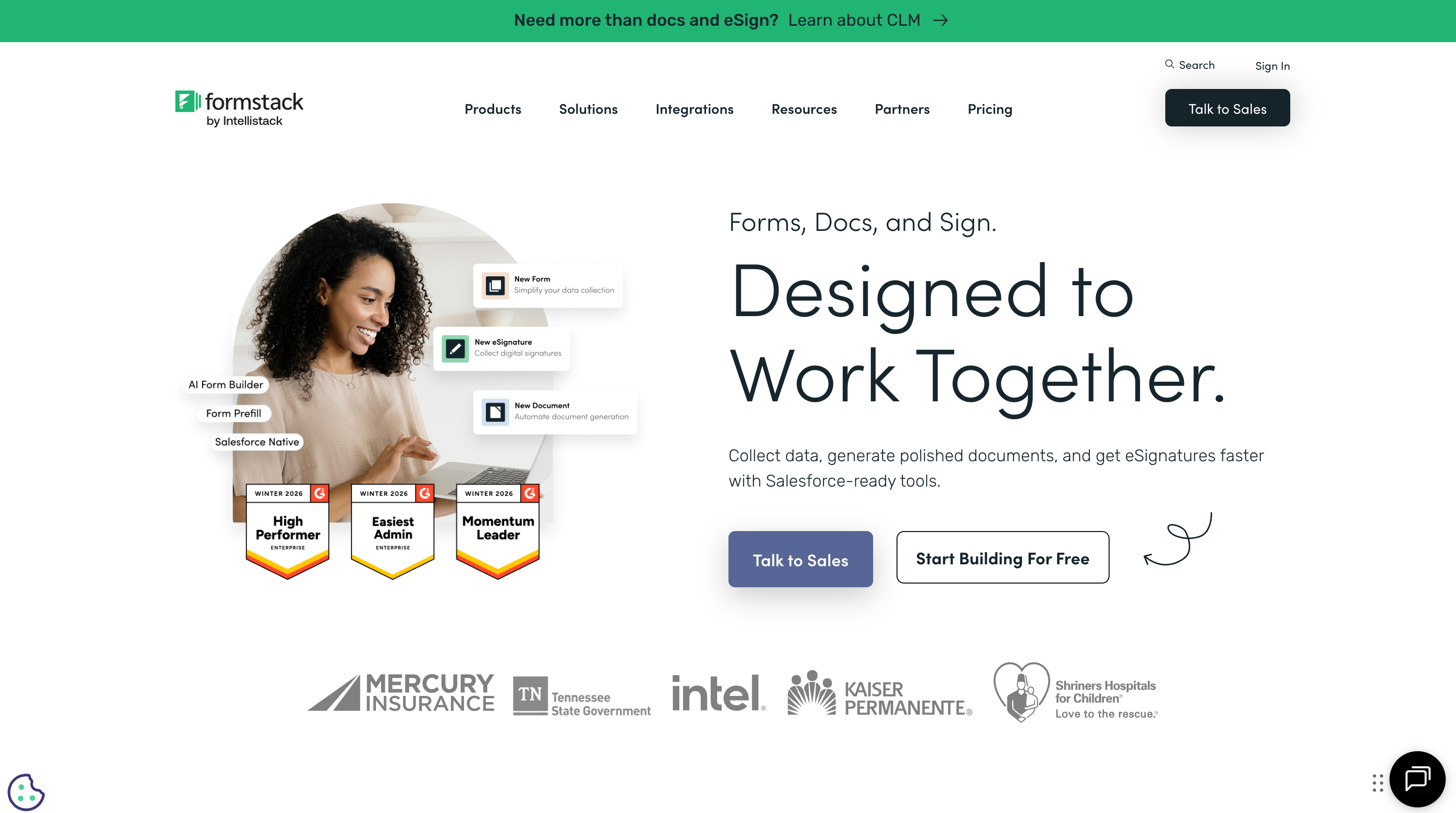
Formstack was founded in 2006 as a form builder and evolved into an enterprise workflow platform through acquisitions. Now backed by Silversmith Capital Partners (private equity), it offers three products: Formstack Forms, Formstack Documents, and Formstack Sign. The target market is mid-market and enterprise teams needing compliance, document automation, and data collection beyond marketing.
HubSpot Forms is a feature within HubSpot's broader platform, not a standalone product. HubSpot was founded in 2006 in Cambridge, Massachusetts, went public in 2014 (NYSE: HUBS), and has grown into a dominant CRM and marketing automation platform. Forms are the entry point — free to use, designed to feed contacts into HubSpot CRM, and deeply integrated with email automation, landing pages, and sales pipelines. The forms themselves are simple by design; the value is in what happens after submission.
Quick Verdict
Choose Formstack if:
- You need forms for non-marketing purposes (HR, compliance, payments)
- HIPAA, SOC 2, or enterprise compliance is required
- You need document generation or e-signature workflows
- You want a standalone form platform, not tied to a CRM
Choose HubSpot Forms if:
- You already use (or plan to use) HubSpot CRM
- Lead capture and marketing automation are primary use cases
- You want free forms with CRM integration included
- Progressive profiling and smart content matter for conversion
Feature Comparison
Side-by-side across every feature category.
| Feature | Formstack | HubSpot Forms |
|---|---|---|
| Form Building | ||
| Drag-and-drop builder | Yes forms | No |
| AI form creation | Yes forms | No |
| Field types | 15 | No |
| Multi-page forms | Yes forms | Yes starter |
| Guided mode (one question at a time) | Yes forms | No |
| Conditional logic | Yes forms | Yes professional |
| Calculations field | Yes forms | No |
| AI calculations assistant | No | No |
| Scoring | No | No |
| Answer piping | Yes forms | No |
| Pre-filling and hidden fields | Yes forms | Yes |
| Save and resume | Yes forms | No |
| Auto-close by number | No | No |
| Auto-close by date | No | No |
| Appointment/booking field | No | No |
| Signature field | Yes suite | No |
| Color picker field | No | No |
| API-powered dropdowns | Yes forms | No |
| Google address search | No | No |
| Document-style editor | No | No |
| Question types | No | Yes |
| File uploads | No | Yes |
| Payments | ||
| Stripe payments | Yes forms | Yes starter |
| PayPal payments | Yes forms | No |
| Square payments | No | No |
| Braintree payments | No | No |
| Google Pay | No | No |
| Product sales (eCommerce) | No | No |
| Subscriptions | No | No |
| Coupons and discounts | Yes forms | No |
| Custom pricing rules | Yes forms | No |
| Tax calculations | No | No |
| Quotes/invoices | No | No |
| Refunds | No | No |
| 3D Secure | No | No |
| Design & Customization | ||
| Template gallery | Yes forms | Yes |
| Rich media (images, GIFs, videos) | Yes forms | No |
| Unsplash and Giphy integration | No | No |
| Image editor | No | No |
| Adobe Creative Cloud | No | No |
| Language translation | No | No |
| Advanced theming | Yes forms | Yes starter |
| Custom form URL | Yes forms | No |
| Custom domains | Yes forms | No |
| Custom HTML & CSS | Yes forms | Yes starter |
| Remove branding | Yes forms | Yes starter |
| Custom email domains | No | No |
| Analytics | ||
| Submission results and reports | Yes forms | Yes |
| AI report insights | No | No |
| Paperform analytics | Yes forms | No |
| Google Analytics & Facebook Pixel | Yes forms | Yes |
| Custom analytics scripts | No | No |
| Partial submissions | Yes forms | No |
| Drop-off analysis | No | No |
| Conversion analytics | No | Yes professional |
| Collaboration | ||
| Multi-user accounts | Yes forms | Yes |
| User permissions and management | Yes forms | Yes starter |
| Advanced permissions & admin | Yes enterprise | Yes enterprise |
| Form sharing (templates) | Yes forms | Yes |
| Spaces and tag management | Yes forms | No |
| Workspace organization | No | No |
| Security | ||
| SOC 2 Type II | No | Yes |
| GDPR compliant | Yes forms | Yes |
| SSL encryption | Yes forms | Yes |
| Two-factor authentication | Yes forms | Yes |
| Enforce 2FA for all users | Yes enterprise | No |
| SSO (SAML) | Yes enterprise | Yes enterprise |
| reCAPTCHA | Yes forms | No |
| Local data residency | No | No |
| Custom S3 storage (BYO) | No | No |
| HIPAA compliant | No | No |
| Data residency | No | Yes enterprise |
| Custom S3 storage | No | No |
| Integrations & API | ||
| 2000+ integrations | No | No |
| Zapier | Yes forms | Yes starter |
| Make (Integromat) | No | Yes starter |
| Webhooks | Yes forms | Yes starter |
| Standard API | Yes forms | No |
| Business API | Yes enterprise | No |
| WordPress plugin | Yes forms | Yes |
| oEmbed support | No | No |
| Native integrations | No | Yes |
| API | No | Yes |
| Embed options | No | Yes |
Where Formstack Wins
Form Building Depth
As a dedicated form platform, Formstack offers significantly more form-building capabilities: advanced conditional logic with multiple conditions per rule, file upload fields with large size limits, multi-page forms with save-and-resume, prefill from URL parameters or databases, and calculation fields. HubSpot Forms is intentionally simple — basic field types, single-layer conditional logic, and limited customisation. If you need complex forms with branching logic, file collection, or multi-step workflows, Formstack is the more capable builder.
Enterprise Compliance
Formstack provides SOC 2 Type II, HIPAA with BAA, SSO/SAML, and data encryption — the full enterprise compliance stack for regulated industries. HubSpot offers SOC 2 and GDPR compliance but does not offer HIPAA-compliant forms. For healthcare, financial services, or government teams collecting sensitive data, Formstack's compliance certifications are a hard requirement that HubSpot can't meet.
Document Generation and E-Signatures
Formstack's document automation pipeline — form submission triggers document merge, which triggers e-signature routing — is a workflow HubSpot simply doesn't offer. HubSpot can generate quotes and proposals through its Sales Hub, but it doesn't have a general-purpose document templating engine. For teams that need to turn form data into contracts, invoices, or compliance documents, Formstack has no equivalent in HubSpot's stack.
Where HubSpot Forms Wins
Free CRM Integration
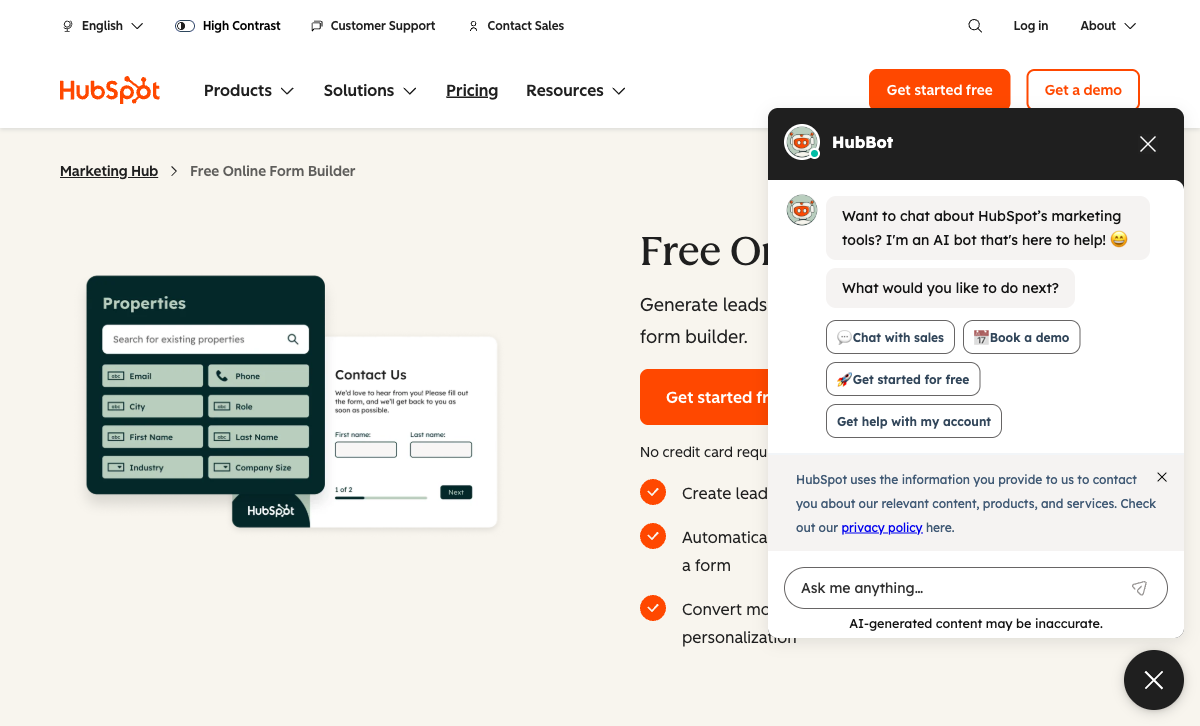
HubSpot's free tier includes forms and CRM — every submission automatically creates or updates a contact record, with full history, activity timeline, and deal association. Formstack can send data to CRMs via integrations, but there's no native CRM and no free tier. For teams starting from zero who need both forms and a CRM, HubSpot's free offering is genuinely compelling. You get lead capture and contact management without paying anything.
Marketing Automation Pipeline
A HubSpot form submission triggers an entire marketing machine: automated email sequences, lead scoring updates, lifecycle stage changes, sales notifications, and attribution tracking. The form is the entry point to a sophisticated automation engine. Formstack can trigger basic email notifications and Zapier workflows, but it doesn't have a native marketing automation layer. For marketing teams, HubSpot's post-submission capabilities are vastly more powerful than anything Formstack offers.
Progressive Profiling
HubSpot's progressive profiling dynamically changes which fields appear based on what the CRM already knows about a visitor. A returning lead sees different questions than a first-time visitor — reducing form friction and collecting incremental data over multiple interactions. Formstack has conditional logic but not CRM-aware progressive profiling. For lead nurturing strategies, this is a genuine HubSpot advantage.
Ecosystem Scale
HubSpot is a publicly traded company (market cap $25B+) with over 200,000 customers. The App Marketplace has 1,500+ integrations. The community, documentation, partner ecosystem, and hiring pool are massive. Formstack is a solid mid-market product, but it doesn't command the same ecosystem depth or market permanence. For organisations making long-term platform bets, HubSpot's scale reduces risk.
Pricing Comparison
Pricing is not directly comparable — Formstack sells forms; HubSpot sells a platform with forms included.
| Tier | Formstack | HubSpot Forms | Key Difference |
|---|---|---|---|
| Free | No free plan | Unlimited forms + free CRM | HubSpot offers free forms; Formstack requires $83/mo minimum |
| Starter | $83/mo — forms with basic workflows | $20/mo — Marketing Hub Starter (removes branding) | HubSpot Starter is 75% cheaper but forms are basic |
| Professional | $125/mo — more submissions, features | $890/mo — Marketing Hub Pro (advanced forms, automation) | Full HubSpot marketing costs 7x Formstack but includes the entire platform |
Formstack
HubSpot Forms
| Product | Plan | Monthly Price | Annual Price (per month) | Free Plan | Free Trial | Limits |
|---|---|---|---|---|---|---|
| Formstack | Forms | $99/mo | $83/mo billed annually | No | 14 days | forms: 25, submissions: 1,000/form, storage: 2 GB, users: 1, file uploads: 2 GB |
| Formstack | Suite | $299/mo | $250/mo billed annually | forms: 100, submissions: 5,000/form, storage: 10 GB, users: 3, file uploads: 10 GB | ||
| HubSpot Forms | Free | Free | Free | Yes | 14 days | forms: Unlimited, submissions: Unlimited, users: 2 |
| HubSpot Forms | Marketing Hub Starter | $20/mo | $20/mo billed annually | forms: Unlimited, submissions: Unlimited, users: Per seat | ||
| HubSpot Forms | Marketing Hub Professional | $890/mo | $890/mo billed annually | forms: Unlimited, submissions: Unlimited, users: 3 included (additional seats extra) | ||
| HubSpot Forms | Marketing Hub Enterprise | $3600/mo | $3600/mo billed annually | forms: Unlimited, submissions: Unlimited, users: 5 included (additional seats extra) |
What Users Say
HubSpot scores well on G2 (4.4/5) with praise for its CRM integration and marketing automation, though users frequently criticise the steep price jump from Starter to Professional tiers. Formstack averages around 4.2/5 with strengths in compliance and versatility, but recurring feedback about high pricing for what is essentially a form builder. The review patterns confirm the target market split: marketers love HubSpot; operations and compliance teams prefer Formstack.
Where Both Fall Short
- Design quality: Neither produces visually stunning forms. HubSpot forms are minimal by design; Formstack forms are functional but utilitarian. Neither approaches the design quality of purpose-built page builders.
- Calculation engine: Neither offers Excel-style calculations for dynamic pricing, conditional scoring, or computed outputs across form elements.
- Payment processing: Formstack supports basic Stripe/PayPal payments. HubSpot handles payments through its Commerce Hub but not through forms natively. Neither offers a full eCommerce stack with multiple gateways, subscriptions, and tax calculations.
Consider Paperform
If you need more form-building power than HubSpot offers but don't need Formstack's enterprise compliance stack, Paperform bridges the gap. Its document-style editor creates forms that look like designed landing pages. An Excel-style calculation engine powers dynamic pricing, scoring, and conditional logic. Five payment gateways (Stripe, PayPal, Square, Braintree, Google Pay) come standard on every plan including free.
Paperform integrates with HubSpot CRM via Zapier and direct integrations, giving you superior form building while still feeding your CRM. Bootstrapped and profitable since 2016, starting at $29/month with a free tier, 30,000+ templates, and built-in e-signatures.
Try Paperform free | Formstack alternatives | HubSpot Forms alternatives
The Verdict
Choose HubSpot Forms if marketing lead capture is your primary use case and you use (or plan to use) HubSpot CRM. The free forms + CRM combination is unbeatable for getting started, and the marketing automation pipeline transforms simple form submissions into sophisticated lead nurturing workflows. The forms themselves are basic, but the post-submission value is enormous.
Choose Formstack if you need forms for purposes beyond marketing. Compliance data collection, HR intake, document generation, e-signature workflows, and payment processing are all areas where Formstack's dedicated form platform outperforms HubSpot's marketing-focused forms. The $83/month price buys genuine capability that HubSpot doesn't offer.
These tools solve different problems. If you're deciding between them, the answer is almost certainly determined by whether your primary form use case is marketing (HubSpot) or operations (Formstack). Both companies were founded in 2006 — Formstack is PE-backed while HubSpot is publicly traded — and both are stable long-term platform choices.
Frequently Asked Questions
Are HubSpot Forms really free?
Yes — HubSpot offers free forms as part of its free CRM. You get unlimited forms, unlimited submissions, and basic form analytics at no cost. The catch: free forms include HubSpot branding, and you only get basic form features. Advanced features like smart content, progressive profiling, and dependent fields require HubSpot Marketing Hub paid plans ($20-3,600+/month). The free forms are genuinely usable for lead capture, but if you need the advanced form features, you're buying the full Marketing Hub — not just a form tool.
Can Formstack integrate with HubSpot CRM?
Yes. Formstack offers a native HubSpot integration that maps form submissions to HubSpot contacts, deals, and custom objects. This means you can use Formstack's superior form-building capabilities while still feeding data into HubSpot CRM. For teams already invested in HubSpot's CRM but frustrated by its form builder's limitations, Formstack-to-HubSpot is a viable approach. However, you lose HubSpot's native form features like progressive profiling and smart content, which depend on form data being collected natively within HubSpot.
Which is better for lead generation?
HubSpot Forms wins for lead generation, decisively. Forms are one piece of HubSpot's lead generation machine: landing pages, email automation, lead scoring, lifecycle stages, attribution reporting, and CRM — all natively connected. A form submission in HubSpot automatically creates a contact, triggers workflows, updates lead scores, and feeds attribution models. Formstack collects data effectively but doesn't have a native marketing automation or CRM layer. For pure lead generation, HubSpot's integrated approach is more powerful. For data collection beyond marketing — applications, compliance forms, payment processing — Formstack is more flexible.
Is Formstack or HubSpot Forms better for non-marketing use cases?
Formstack, by a wide margin. HubSpot Forms is purpose-built for marketing lead capture — it excels at contact forms, demo requests, newsletter signups, and gated content. For HR intake forms, compliance questionnaires, patient registration, payment collection, document generation, or e-signature workflows, HubSpot Forms lacks the features and flexibility. Formstack supports these non-marketing use cases with conditional logic, document generation, e-signatures, and compliance certifications (SOC 2, HIPAA). If your forms serve purposes beyond marketing, Formstack is the more capable platform.
Sources & References
- HubSpot Forms vs Formstack: Feature Comparison — G2, 2026
- Best Form Builders for Lead Generation — HubSpot, 2026
Last updated March 21, 2026
Ready to try Paperform?
Create beautiful forms, payment pages, and workflows — no code required.