Formstack vs Google Forms: Which Is Better in 2026?
This comparison is less about which form builder is "better" and more about whether you need an enterprise workflow platform or a free data collection tool. Formstack costs $83/month minimum, has no free tier, and bundles forms with document generation, e-signatures, and compliance certifications. Google Forms is completely free, unlimited, and requires nothing more than a Google account.
The question isn't which has more features — Formstack obviously does. The question is whether you actually need those features, or whether Google Forms' simplicity and zero cost make it the smarter choice for your specific situation.
Who Are These Platforms?
Formstack was founded in 2006 in Indianapolis. It has evolved from a form builder into an enterprise workplace productivity platform with three core products: Formstack Forms, Formstack Documents (formerly WebMerge), and Formstack Sign. Venture-funded and enterprise-focused, Formstack targets regulated industries and organisations that need compliance certifications, document automation, and integrated workflows. Its pricing and feature set reflect this positioning.
Google Forms launched in 2008 as part of Google's productivity suite. It's not a standalone product or company — it's a free utility within Google Workspace, maintained by one of the world's largest technology companies. Google Forms is designed for simplicity: create a form, collect responses, view them in Sheets. It doesn't try to be an enterprise platform, and that's precisely what makes it useful for the majority of form use cases.
Quick Verdict
Choose Formstack if:
- You need SOC 2 Type II or HIPAA compliance
- You need to generate documents from form submissions
- You need built-in e-signatures
- You require enterprise security (SSO, audit trails, role-based access)
Choose Google Forms if:
- You need simple, reliable data collection at zero cost
- You're in the Google ecosystem (Sheets, Drive, Calendar)
- Budget is a constraint or you can't justify $83/month for forms
- You need real-time collaborative form building
Feature Comparison
Side-by-side across every feature category.
| Feature | Formstack | Google Forms |
|---|---|---|
| Form Building | ||
| Drag-and-drop builder | Yes forms | No |
| AI form creation | Yes forms | Yes |
| Field types | 15 | 11 |
| Multi-page forms | Yes forms | Yes |
| Guided mode (one question at a time) | Yes forms | No |
| Conditional logic | Yes forms | Yes |
| Calculations field | Yes forms | No |
| AI calculations assistant | No | No |
| Scoring | No | Yes |
| Answer piping | Yes forms | No |
| Pre-filling and hidden fields | Yes forms | Yes |
| Save and resume | Yes forms | No |
| Auto-close by number | No | Yes |
| Auto-close by date | No | Yes |
| Appointment/booking field | No | No |
| Signature field | Yes suite | No |
| Color picker field | No | No |
| API-powered dropdowns | Yes forms | No |
| Google address search | No | No |
| Document-style editor | No | No |
| File uploads | No | Yes |
| Payments | ||
| Stripe payments | Yes forms | No |
| PayPal payments | Yes forms | No |
| Square payments | No | No |
| Braintree payments | No | No |
| Google Pay | No | No |
| Product sales (eCommerce) | No | No |
| Subscriptions | No | No |
| Coupons and discounts | Yes forms | No |
| Custom pricing rules | Yes forms | No |
| Tax calculations | No | No |
| Quotes/invoices | No | No |
| Refunds | No | No |
| 3D Secure | No | No |
| Design & Customization | ||
| Template gallery | Yes forms | 20+ |
| Rich media (images, GIFs, videos) | Yes forms | Yes |
| Unsplash and Giphy integration | No | No |
| Image editor | No | No |
| Adobe Creative Cloud | No | No |
| Language translation | No | No |
| Advanced theming | Yes forms | No |
| Custom form URL | Yes forms | No |
| Custom domains | Yes forms | No |
| Custom HTML & CSS | Yes forms | No |
| Remove branding | Yes forms | No |
| Custom email domains | No | Yes Business Starter |
| Analytics | ||
| Submission results and reports | Yes forms | Yes |
| AI report insights | No | No |
| Paperform analytics | Yes forms | No |
| Google Analytics & Facebook Pixel | Yes forms | No |
| Custom analytics scripts | No | No |
| Partial submissions | Yes forms | No |
| Collaboration | ||
| Multi-user accounts | Yes forms | Yes |
| User permissions and management | Yes forms | Yes |
| Advanced permissions & admin | Yes enterprise | Yes Business Starter |
| Form sharing (templates) | Yes forms | Yes |
| Spaces and tag management | Yes forms | No |
| Security | ||
| SOC 2 Type II | No | Yes |
| GDPR compliant | Yes forms | Yes |
| SSL encryption | Yes forms | Yes |
| Two-factor authentication | Yes forms | Yes |
| Enforce 2FA for all users | Yes enterprise | Yes Business Starter |
| SSO (SAML) | Yes enterprise | Yes Business Plus |
| reCAPTCHA | Yes forms | No |
| Local data residency | No | Yes Business Plus |
| Custom S3 storage (BYO) | No | No |
| Integrations & API | ||
| 2000+ integrations | No | No |
| Zapier | Yes forms | Yes |
| Make (Integromat) | No | Yes |
| Webhooks | Yes forms | No |
| Standard API | Yes forms | Yes |
| Business API | Yes enterprise | No |
| WordPress plugin | Yes forms | No |
| oEmbed support | No | No |
| Native integrations | No | No |
Where Formstack Wins
Compliance Certifications
Formstack's most significant advantage over Google Forms is compliance. SOC 2 Type II certification and HIPAA compliance with BAAs are available on enterprise plans. For organisations in healthcare, finance, government, or legal — where form data handling must meet specific regulatory standards and pass procurement audits — Formstack provides the documentation and infrastructure that Google Forms lacks. Google Workspace can be configured for HIPAA with a BAA, but it requires more administrative overhead and doesn't include SOC 2 certification for the forms product specifically.
Document Generation
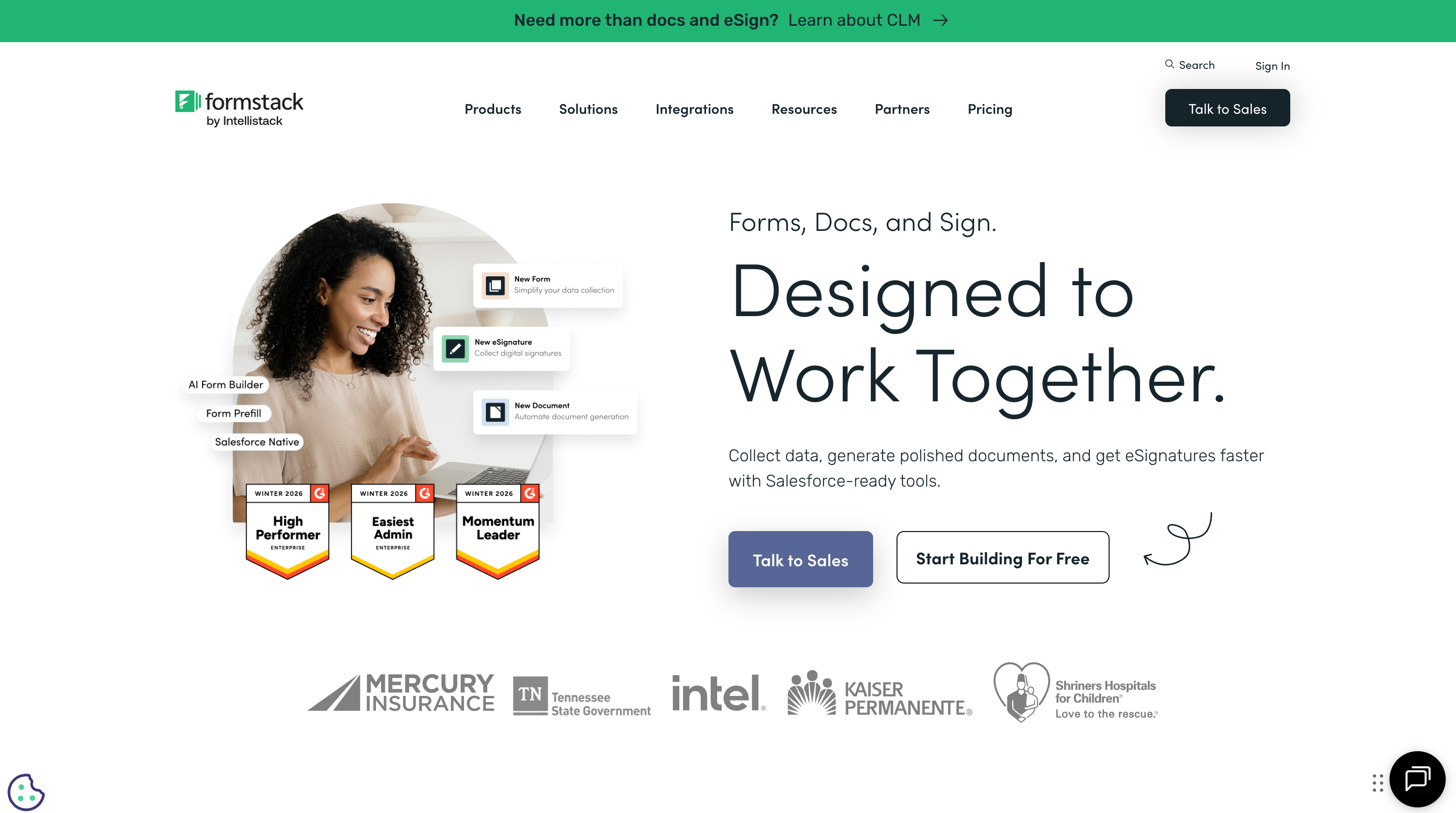
Formstack Documents transforms form submissions into formatted documents — contracts, invoices, proposals, reports — using templates with merge fields, conditional sections, and multi-format output. This is a production-grade document automation engine. Google Forms has no document generation capability; you'd need Google Apps Script or a third-party add-on to achieve basic mail merge functionality. For workflows where the form is the starting point for document creation, Formstack provides an integrated pipeline that Google requires custom development to replicate.
E-Signatures
Formstack Sign enables e-signature collection integrated directly with forms and documents. A form submission can trigger a document merge, which produces a contract, which is sent for digital signature — all within the Formstack platform. Google Forms has no signature capability at all. Businesses using Google Forms alongside DocuSign or HelloSign for signatures are maintaining two separate systems that Formstack consolidates into one.
Advanced Conditional Logic and Routing
Formstack offers multi-step conditional logic, field-level rules, submission routing, and approval workflows. Form submissions can be routed to different approvers based on field values, triggering different document templates or notification chains. Google Forms has basic conditional logic (go to section based on answer), but it's limited to simple branching — no approval workflows, no submission routing, no cascading conditional rules across multiple fields.
Payment Processing
Formstack supports payment collection through Stripe and PayPal on higher-tier plans. Google Forms has no native payment processing at all. For forms that need to collect registration fees, order payments, or donations, Formstack can handle it natively while Google Forms requires a separate payment tool.
Where Google Forms Wins

Completely Free and Unlimited
This is Google Forms' defining advantage. Unlimited forms, unlimited fields, unlimited submissions, unlimited storage (via Sheets) — all at zero cost. No trial period, no feature gates, no submission caps. Formstack's cheapest plan is $83/month. For any use case where Google Forms' feature set is sufficient, every dollar spent on Formstack is unnecessary. Most surveys, feedback forms, registrations, and data collection tasks fall into this category.
Google Ecosystem Integration
Responses flow automatically into Google Sheets. Forms live in Google Drive alongside your other documents. Event forms connect to Google Calendar. Educational forms integrate with Google Classroom. For organisations already in the Google ecosystem, Forms is the frictionless default — no new accounts, no new systems, no integration setup. Formstack integrates with Google tools through connectors, but it's never as seamless as native Google-to-Google connectivity.
Real-Time Collaboration
Multiple people can edit a Google Form simultaneously, with real-time sync and commenting. This is the Google Docs collaboration model applied to form building. Formstack supports team access but not real-time concurrent editing at the same level. For teams that build forms collaboratively — marketing teams drafting surveys, HR teams reviewing application forms — Google's collaboration model is faster and more familiar.
Quiz and Assessment Mode
Google Forms includes built-in quiz functionality: auto-grading, point values, answer explanations, and grade release settings. Teachers, trainers, and L&D teams can create self-grading assessments for free. Formstack has no dedicated quiz mode — you'd need to configure conditional logic and notifications to simulate assessment functionality. For education and training, Google's built-in quiz mode is a genuine feature advantage.
Zero Learning Curve
Google Forms can be used by anyone who can use a Google Doc. There's almost no learning curve — add a question, choose a type, share the link. Formstack's more powerful features come with a steeper learning curve, particularly for document templates and workflow automation. For organisations that need non-technical staff to create forms quickly, Google Forms' simplicity is a productivity advantage.
Pricing Comparison
The starkest pricing gap in the form builder category: free vs $83+/month.
| Tier | Formstack | Google Forms | Key Difference |
|---|---|---|---|
| Free | No free plan | Unlimited forms, fields, and submissions | Google Forms is fully featured at $0; Formstack starts at $83 |
| ~$7/user/mo | N/A | Google Workspace: custom domain, admin controls, 30GB storage | Workspace adds business features; core Forms unchanged |
| ~$83/mo | Starter: 20 forms, 1,000 submissions (forms only) | N/A (still free and unlimited) | Formstack's entry price buys workflow features Google lacks |
| Enterprise | Custom: SOC 2, HIPAA, docs, e-sign, SSO | Workspace Enterprise: advanced admin, DLP, Vault | Formstack: form workflow compliance. Google: platform-wide admin |
Formstack
Google Forms
| Product | Plan | Monthly Price | Annual Price (per month) | Free Plan | Free Trial | Limits |
|---|---|---|---|---|---|---|
| Formstack | Forms | $99/mo | $83/mo billed annually | No | 14 days | forms: 25, submissions: 1,000/form, storage: 2 GB, users: 1, file uploads: 2 GB |
| Formstack | Suite | $299/mo | $250/mo billed annually | forms: 100, submissions: 5,000/form, storage: 10 GB, users: 3, file uploads: 10 GB | ||
| Google Forms | Free (Personal) | Free | Free | Yes | 14 days | forms: Unlimited, submissions: Unlimited, storage: 15 GB (shared across Google Drive), users: 1, file uploads: Included in 15 GB storage |
| Google Forms | Business Starter | $7/mo | $7/mo billed annually | forms: Unlimited, submissions: Unlimited, storage: 30 GB per user, users: Up to 300, file uploads: Included in storage | ||
| Google Forms | Business Standard | $14/mo | $14/mo billed annually | forms: Unlimited, submissions: Unlimited, storage: 2 TB per user, users: Up to 300, file uploads: Included in storage | ||
| Google Forms | Business Plus | $22/mo | $22/mo billed annually | forms: Unlimited, submissions: Unlimited, storage: 5 TB per user, users: Up to 300, file uploads: Included in storage |
What Users Say
Google Forms benefits from universal adoption — virtually everyone with a Google account has used it. Reviews praise simplicity, reliability, and the price (free). Criticisms focus on limited design customisation and lack of advanced features. Formstack reviews highlight compliance, document workflows, and enterprise features as strengths, with pricing and complexity as recurring complaints. The review profiles reflect the different audiences: Google Forms serves everyone; Formstack serves enterprise buyers.
Where Both Fall Short
- No calculation engine: Neither platform offers an Excel-style calculation engine for dynamic pricing, conditional scoring, or computed values. Both handle basic question logic but lack computational depth.
- Limited design freedom: Google Forms looks like Google Forms — minimal customisation. Formstack's forms are functional but visually utilitarian. Neither produces forms that could serve as branded landing pages.
- No multi-gateway payments: Formstack supports Stripe and PayPal on paid plans. Google Forms supports nothing. Neither offers the 5+ gateway support, subscriptions, coupons, or product catalogues that dedicated payment-focused form builders provide.
- No document-style editor: Neither allows free-form page building with text, images, and fields coexisting as a designed document.
The Verdict
Use Google Forms unless you have a specific reason not to. It's free, unlimited, reliable, and sufficient for the vast majority of form use cases. Surveys, feedback, registrations, quizzes, data collection — Google Forms handles all of these without costing a cent.
Choose Formstack when you need what Google can't provide: SOC 2 or HIPAA compliance certifications, automated document generation from form data, built-in e-signatures, complex approval workflows, or enterprise-grade security controls. These are legitimate requirements for certain organisations, and Formstack's $83+/month pricing is justified when these features are genuinely needed.
The mistake to avoid: paying for Formstack when Google Forms would suffice. If your forms collect data, feed it into a spreadsheet, and that's the end of the workflow — Google Forms does that perfectly for free. Formstack's value begins where the form submission triggers complex downstream processes.
Consider Paperform
If Google Forms is too limited but Formstack's $83/month enterprise pricing feels excessive, Paperform occupies the middle ground. Starting with a free tier, Paperform offers what neither platform provides: a document-style editor that creates forms resembling designed landing pages, an Excel-style calculation engine for dynamic pricing and conditional logic, and five payment gateways (Stripe, PayPal, Square, Braintree, Google Pay) on every plan.
Built-in e-signatures (Papersign), workflow automation (Stepper), 30,000+ templates, and 2,000+ integrations deliver enterprise-grade capability without enterprise pricing. Bootstrapped and profitable since 2016, Paperform bridges the gap between free simplicity and expensive compliance.
Try Paperform free | Formstack alternatives | Google Forms alternatives
Frequently Asked Questions
Can Google Forms handle HIPAA-compliant data collection?
Not in its standard form. Google Forms with a Google Workspace Business or Enterprise plan can be configured with a BAA (Business Associate Agreement) for HIPAA compliance, but it requires specific Google Workspace configuration and administrative controls. Formstack offers HIPAA compliance as a built-in feature on enterprise plans, with SOC 2 Type II certification, encryption at rest, and dedicated compliance documentation. For healthcare organisations, Formstack's compliance is more straightforward to implement and audit. Google Workspace's HIPAA configuration requires more IT administration.
Is Formstack worth $83/month when Google Forms is free?
It depends on what "worth" means for your use case. If you need simple data collection — surveys, feedback, registrations — Google Forms is genuinely sufficient, and paying $83/month for Formstack would be wasteful. But if you need compliance certifications (SOC 2, HIPAA), document generation from form data, e-signatures, workflow automation with approval chains, or enterprise security features (SSO, audit trails), Google Forms simply cannot do these things at any price. Formstack's value is in the workflow that happens after the form submission, not the form itself.
Which integrates better with other business tools?
It depends on your stack. Google Forms integrates natively with the Google ecosystem — Sheets, Drive, Calendar, Classroom, and Workspace — with zero configuration. For anything outside Google, you need Zapier or Apps Script. Formstack offers native integrations with Salesforce, HubSpot, Mailchimp, Microsoft 365, and many enterprise tools, plus Zapier connectivity. If you're a Google-first organisation, Google Forms' native integration is unbeatable. If you use Salesforce, HubSpot, or enterprise CRMs, Formstack's native connectors are more relevant.
Can Google Forms generate documents from submissions?
Not natively. Google Forms can send submissions to Google Sheets, and from there you can use Google Apps Script or third-party add-ons (like Autocrat or Document Studio) to merge data into Google Docs templates. It works, but it's a manual setup requiring technical knowledge. Formstack Documents is a dedicated, production-grade document merge engine — templates with conditional logic, batch generation, multi-format output, and no coding required. For occasional document generation, Google's workaround is adequate. For systematic, high-volume document automation, Formstack Documents is purpose-built.
Which is better for team collaboration?
Google Forms is better for real-time form building collaboration — multiple editors can work on the same form simultaneously, just like Google Docs. Formstack is better for structured team workflows — role-based access controls, approval chains, audit trails, and permission management across forms, documents, and signatures. For a team collaboratively building a single form, Google is faster. For an organisation managing hundreds of forms with different access levels and compliance requirements, Formstack's administrative controls are essential.
Sources & References
- Formstack vs Google Forms: Comparison Overview — G2, 2026
- Best Enterprise Form Builders — 2026 Buyer Guide — Capterra, 2026
- Google Forms: Everything You Need to Know — Google Workspace, 2026
Last updated March 21, 2026
Ready to try Paperform?
Create beautiful forms, payment pages, and workflows — no code required.