Formsite vs WPForms: Dated SaaS vs Modern WordPress Plugin in 2026
Formsite and WPForms target overlapping audiences through completely different models. Formsite, founded in 1998 and acquired by Formstack in December 2023, is a standalone SaaS form builder — your forms live on Formsite's servers. WPForms, launched in 2016 by Awesome Motive (the company behind WPBeginner), is a WordPress plugin with 6+ million active installations — forms live inside your WordPress site.
The comparison is shaped by platform choice: if you run WordPress, WPForms is the native tool built specifically for your environment. If you do not have a website, Formsite works standalone. But even accounting for platform differences, WPForms offers a more modern experience at a dramatically lower price point.
Quick Verdict
Choose Formsite if:
- You do not have a WordPress site and need standalone form hosting
- You need HIPAA compliance for healthcare data
- You need Save and Return for long multi-session forms
- You need workflow automation with conditional routing
Choose WPForms if:
- Your site runs on WordPress
- You want the easiest form builder for WordPress (6M+ installs)
- You want significantly lower pricing ($49.50/year vs $252/year)
- You want native WordPress integration with data in your database
- You want a modern, actively developed builder
Feature Comparison
A legacy standalone SaaS tool versus the most popular WordPress form plugin.
| Feature | Formsite | WPForms |
|---|---|---|
| Form Building | ||
| Document-style editor | No | No |
| AI form creation | Yes professional | Yes basic |
| Field types | Yes | Yes basic |
| Multi-page forms | Yes | Yes basic |
| Guided mode (one question at a time) | No | Yes pro |
| Conditional logic | Yes | Yes basic |
| Calculations field | Yes | Yes pro |
| AI calculations assistant | No | No |
| Scoring | Yes | Yes pro |
| Answer piping | Yes | No |
| Pre-filling and hidden fields | Yes | Yes basic |
| Save and resume | Yes professional | Yes pro |
| Auto-close by number | Yes | Yes basic |
| Auto-close by date | Yes | Yes basic |
| Appointment/booking field | No | No |
| Signature field | Yes professional | Yes pro |
| Color picker field | No | No |
| API-powered dropdowns | No | No |
| Google address search | No | Yes pro |
| Payments | ||
| Stripe payments | Yes professional | Yes pro |
| PayPal payments | Yes professional | Yes pro |
| Square payments | No | Yes pro |
| Braintree payments | Yes professional | No |
| Google Pay | No | No |
| Product sales (eCommerce) | No | No |
| Subscriptions | No | Yes pro |
| Coupons and discounts | No | Yes pro |
| Custom pricing rules | Yes | Yes pro |
| Tax calculations | No | No |
| Quotes/invoices | No | No |
| Refunds | No | No |
| 3D Secure | No | No |
| Design & Customization | ||
| Template gallery | Yes | Yes pro |
| Rich media (images, GIFs, videos) | Yes professional | Yes basic |
| Unsplash and Giphy integration | No | No |
| Image editor | No | No |
| Adobe Creative Cloud | No | No |
| Language translation | No | Yes basic |
| Advanced theming | Yes | Yes basic |
| Custom form URL | No | Yes pro |
| Custom domains | No | Yes basic |
| Custom HTML & CSS | Yes | Yes basic |
| Remove branding | Yes professional | Yes basic |
| Custom email domains | No | No |
| Analytics | ||
| Submission results and reports | Yes | Yes basic |
| AI report insights | No | No |
| Paperform analytics | No | No |
| Google Analytics & Facebook Pixel | No | No |
| Custom analytics scripts | No | No |
| Partial submissions | No | Yes pro |
| Collaboration | ||
| Multi-user accounts | Yes business | Yes basic |
| User permissions and management | Yes business | Yes pro |
| Advanced permissions & admin | No | Yes elite |
| Form sharing (templates) | Yes | Yes basic |
| Spaces and tag management | No | No |
| Security | ||
| SOC 2 Type II | No | No |
| GDPR compliant | Yes | Yes basic |
| SSL encryption | Yes | Yes basic |
| Two-factor authentication | Yes enterprise | No |
| Enforce 2FA for all users | No | No |
| SSO (SAML) | No | No |
| reCAPTCHA | Yes professional | Yes basic |
| Local data residency | No | Yes |
| Custom S3 storage | No | No |
| HIPAA compliance | Yes enterprise | No |
| Integrations & API | ||
| 2000+ integrations | Yes professional | Yes pro |
| Zapier | Yes professional | Yes pro |
| Make (Integromat) | No | Yes pro |
| Webhooks | Yes professional | Yes elite |
| Standard API | Yes professional | No |
| Business API | No | No |
| WordPress plugin | Yes | Yes |
| oEmbed support | No | No |
Where Formsite Wins

No WordPress Required
Formsite works completely standalone. Create an account, build forms, share links. No website, hosting, domain, or technical knowledge needed. WPForms requires a WordPress installation — which means hosting costs, domain registration, WordPress maintenance, plugin updates, and security management. For users who want forms without a website, Formsite removes the infrastructure requirement.
HIPAA Compliance
Formsite offers HIPAA compliance on the Enterprise plan ($209/month). WPForms does not offer HIPAA compliance — WordPress's open architecture and varied hosting environments make standardised HIPAA certification impractical. For healthcare organisations collecting Protected Health Information through forms, Formsite is an option WPForms is not.
Save and Return
Formsite's native Save and Return lets respondents save progress on long forms and finish later. WPForms has a Save and Resume add-on available on Pro plans and above, but Formsite's implementation has been refined over decades and handles multi-session completion reliably out of the box.
Workflow Automation
Formsite includes conditional routing and approval workflows on Business plans. WPForms does not have native workflow automation — it connects to external automation tools via Zapier or webhooks. For internal processes requiring manager approvals or sequential review of form submissions, Formsite offers built-in workflow capabilities.
Where WPForms Wins
WordPress-Native Integration
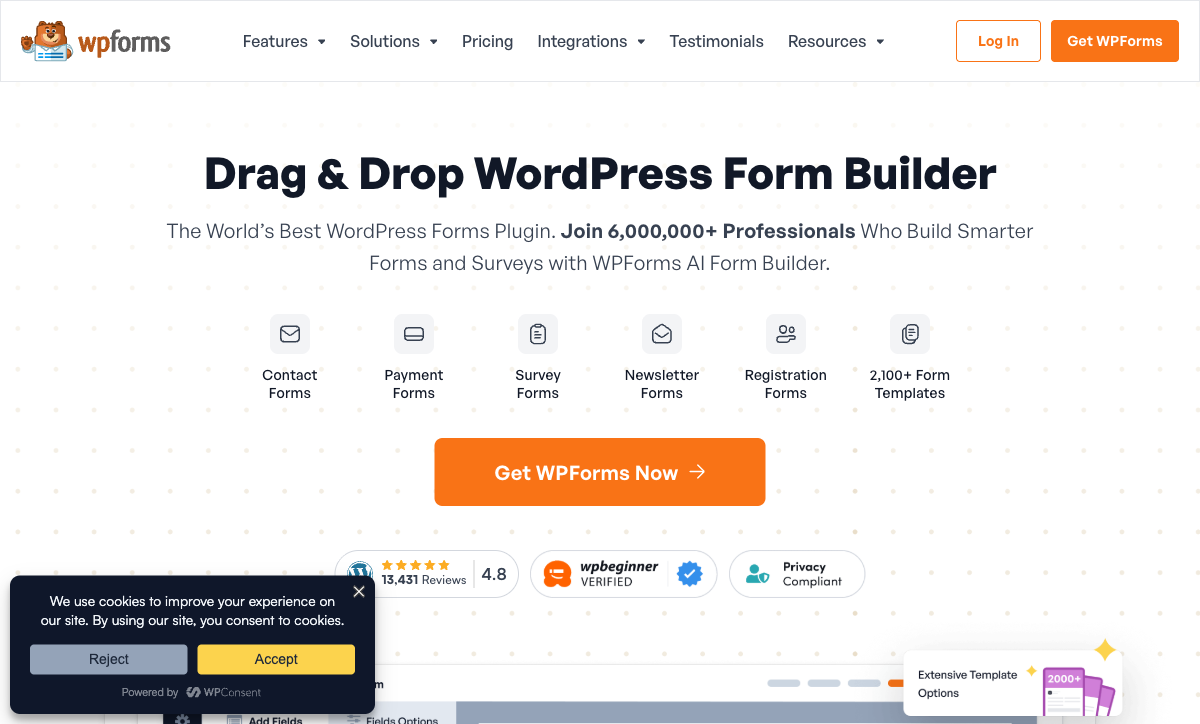
WPForms is built for WordPress. Forms are created inside the WordPress admin, rendered natively on your pages (no iframes), styled by your theme, and submissions are stored in your database. The Gutenberg block and widget integration means adding forms to pages takes seconds. Formsite forms on WordPress sites are always embedded elements — iframes that feel separate from the page and often require styling workarounds.
Dramatically Lower Pricing
WPForms Basic is $49.50/year. Formsite Personal is $252/year. WPForms Plus (multi-site, marketing integrations) is $99.50/year. WPForms Pro (payments, surveys, all add-ons) is $199.50/year. Even WPForms' most feature-rich Pro plan costs less annually than Formsite's entry-level paid plan. The value gap is stark — WPForms delivers more features at every price point.
Modern, Beginner-Friendly Builder
WPForms is consistently rated the easiest WordPress form plugin to use. The drag-and-drop builder is clean, intuitive, and modern. Templates are well-designed with clear categorisation. Non-technical WordPress users can create professional forms in minutes. Formsite's builder is functional but visually dated, with an interface that feels like older enterprise software. For teams that value ease of use, WPForms is a generation ahead.
6 Million+ Active Installations
WPForms has over 6 million active WordPress installations with a 4.9/5 rating across 13,000+ reviews on WordPress.org. That adoption scale means extensive documentation, community support, third-party tutorials, and proven compatibility with the WordPress ecosystem. Formsite's user base is a fraction of that size, with correspondingly less community support and resources.
Conversational Forms
WPForms offers a Conversational Forms add-on that presents questions one at a time in a distraction-free, full-page layout — similar to Typeform's approach. Formsite only offers traditional multi-field forms with no one-question-at-a-time option. For surveys and lead capture where completion rates matter, conversational forms can significantly improve engagement.
Active Development and Large Team
WPForms is backed by Awesome Motive, a large WordPress company with multiple successful products and a team of 300+ employees. Formsite has 2-10 employees and was acquired by Formstack. The development velocity difference is obvious — WPForms ships regular updates, new add-ons, and features. Formsite's update cadence has slowed under new ownership.
Where Formsite Falls Short
- Dated interface: Builder and output feel like products from the mid-2000s. WPForms' modern builder is a generation ahead.
- 5x more expensive: Formsite Personal ($252/year) costs more than WPForms Basic ($49.50/year) with fewer features.
- Acquired by Formstack: Uncertain product future since December 2023 acquisition.
- Iframe embedding: Forms on external websites feel disconnected and require styling workarounds.
- Restrictive free plan: 5 forms, 10 results per form. WPForms Lite is free with more generous capabilities.
- No conversational mode: Only traditional multi-field forms.
- Tiny team: 2-10 employees versus Awesome Motive's 300+.
- No AI capabilities: No AI form generation or intelligent features.
Where WPForms Falls Short
- WordPress only: Requires a WordPress installation. Not an option for non-WordPress sites or users without websites.
- No HIPAA compliance: Cannot be used for healthcare PHI collection.
- Hosting responsibility: You manage hosting, security, updates, and backups.
- No standalone form URLs: Cannot generate hosted form links without a WordPress page.
- No workflow automation: No native approval chains or routing workflows.
- Plugin conflicts: WordPress ecosystem can cause compatibility issues with caching and page builder plugins.
Pricing Comparison
WPForms' annual licensing is dramatically cheaper than Formsite's monthly SaaS pricing.
| Tier | Formsite | WPForms | Key Difference |
|---|---|---|---|
| Free | 5 forms, 10 results/form | WPForms Lite: unlimited forms, basic features | WPForms Lite is more usable than Formsite's restrictive free tier |
| Entry | Personal: $252/yr, 5 forms, 500 results/form | Basic: $49.50/yr, unlimited forms, basic features | WPForms is 80% cheaper with unlimited forms |
| Mid-tier | Professional: $408/yr, payments, API | Pro: $199.50/yr, payments, surveys, all add-ons | WPForms Pro costs half as much with more features |
| Top tier | Enterprise: $2,508/yr, HIPAA, SLA | Elite: $299.50/yr, unlimited sites, priority support | Formsite Enterprise costs 8x more than WPForms Elite |
Formsite
WPForms
| Product | Plan | Monthly Price | Annual Price (per month) | Free Plan | Free Trial | Limits |
|---|---|---|---|---|---|---|
| Formsite | Free | Free | Free | Yes | 14 days | forms: 5, submissions: 10 per form, storage: 50 MB, users: 1 |
| Formsite | Personal | $21/mo | $20.83/mo billed annually | forms: 5, submissions: 500 per form, storage: 500 MB, users: 1 | ||
| Formsite | Professional | $34/mo | $33.33/mo billed annually | forms: 10, submissions: 1,000 per form, storage: 1 GB, users: 1 | ||
| Formsite | Business | $59/mo | $58.33/mo billed annually | forms: 25, submissions: 2,500 per form, storage: 2 GB, users: 2 | ||
| Formsite | Business + | $84/mo | $83.33/mo billed annually | forms: 100, submissions: 10,000 per form, storage: 4 GB, users: 6 | ||
| Formsite | Enterprise | $209/mo | $208.33/mo billed annually | forms: 1000, submissions: 50,000 per form, storage: 10 GB, users: 21 | ||
| WPForms | Lite (Free) | Free | Free | Yes | 14 days | forms: Unlimited, submissions: Unlimited, users: Unlimited |
| WPForms | Basic | Not listed | $4.13/mo billed annually | forms: Unlimited, submissions: Unlimited, users: Unlimited | ||
| WPForms | Plus | Not listed | $8.29/mo billed annually | forms: Unlimited, submissions: Unlimited, users: Unlimited | ||
| WPForms | Pro | Not listed | $16.63/mo billed annually | forms: Unlimited, submissions: Unlimited, users: Unlimited | ||
| WPForms | Elite | Not listed | $24.96/mo billed annually | forms: Unlimited, submissions: Unlimited, users: Unlimited |
What Users Say
WPForms has an exceptional review profile: 4.9/5 across 13,000+ reviews on WordPress.org, with consistent praise for ease of use, reliability, and customer support. It is one of the highest-rated WordPress plugins of any category. Formsite averages 4.3-4.5/5 across ~180 reviews, with reliability praised but the dated interface consistently criticised. The 70x difference in review volume reflects the scale difference between these products.
Consider Paperform
If you want standalone SaaS convenience without Formsite's dated experience, Paperform is the modern alternative. Its document-style editor creates forms that look like designed landing pages — embeddable on any website including WordPress. Every plan includes five payment gateways (Stripe, PayPal, Square, Braintree, Google Pay), an Excel-style calculation engine, built-in e-signatures via Papersign, and 30,000+ templates. No WordPress required, no dated interface. Founded in 2016, bootstrapped and profitable. See the full form builders ranking.
Frequently Asked Questions
Should I use Formsite or WPForms for my WordPress site?
WPForms. If your website runs on WordPress, WPForms is designed specifically for that environment. It integrates natively as a WordPress plugin — forms are built in your WordPress admin, styled by your theme, and data stays in your database. Formsite is a standalone SaaS tool that embeds via iframe or link, which means forms feel disconnected from your site. WPForms also costs less: the Basic plan is $49.50/year versus Formsite's Personal at $252/year. The only reason to choose Formsite on a WordPress site is HIPAA compliance, which WPForms does not offer.
Which is more beginner-friendly?
WPForms is famous for its beginner-friendliness — it is consistently rated the easiest WordPress form plugin to use. The drag-and-drop builder is intuitive, templates are clear, and the interface is modern. Formsite's builder is functional but dated, with an interface that feels like older web software. For users new to form building, WPForms provides a smoother onboarding experience. The trade-off is that WPForms requires WordPress, while Formsite works standalone without any website.
Does WPForms have better payment processing than Formsite?
WPForms supports Stripe and PayPal on the Pro plan ($99.50/year) and adds Square and Authorize.Net on Elite ($249.50/year). Formsite supports Stripe, PayPal, Braintree, and Authorize.Net on Professional ($408/year). WPForms delivers comparable payment gateway support at a lower annual cost. WPForms Pro with Stripe and PayPal costs $99.50/year; Formsite with the same gateways costs $408/year — a 4x price difference. Neither matches purpose-built payment form tools like Paperform (five gateways on every plan including free).
Can I use Formsite if I do not have a website?
Yes. Formsite hosts your forms on its own domain — you get a Formsite URL for each form that you can share directly via email, social media, or messaging. No website required. WPForms requires a WordPress installation with hosting and a domain. If you do not have a website and do not want to set one up, Formsite (or other SaaS alternatives like Jotform, Google Forms, or Paperform) works independently. If you have WordPress, WPForms is the better choice.
Sources & References
- WPForms Review: Best WordPress Form Plugin? — WPBeginner, 2025
- Best Online Form Builders Compared — EmailToolTester, 2026
Last updated March 21, 2026
Ready to try Paperform?
Create beautiful forms, payment pages, and workflows — no code required.