Formsite vs Gravity Forms: Dated SaaS vs WordPress Plugin in 2026
This is a comparison between two fundamentally different architectures. Formsite is a standalone SaaS form builder — founded in 1998, one of the oldest on the internet, acquired by Formstack in December 2023. Your forms live on Formsite's servers, embedded on your site via iframe or accessed through Formsite-hosted URLs. Gravity Forms is a WordPress plugin — installed directly in your WordPress admin, with forms rendered natively on your site and data stored in your database.
The choice often comes down to platform: if you run WordPress, Gravity Forms integrates natively. If you do not have a website or use a non-WordPress platform, Formsite works independently. But beyond platform fit, the products differ significantly in pricing, features, design quality, and development trajectory.
Quick Verdict
Choose Formsite if:
- You do not have a WordPress site and need a standalone form tool
- You need HIPAA compliance ($209/month Enterprise tier)
- You need Save and Return for multi-session form completion
- You want hosted forms without managing any website infrastructure
Choose Gravity Forms if:
- Your site runs on WordPress
- You want native WordPress integration with full data control
- You want significantly lower pricing (starting at $59/year)
- You need an extensive add-on ecosystem for payments, CRMs, and automation
- You want forms that render natively on your site, not in iframes
Feature Comparison
A standalone SaaS legacy tool versus a WordPress-native plugin with a thriving ecosystem.
| Feature | Formsite | Gravity Forms |
|---|---|---|
| Form Building | ||
| Document-style editor | No | No |
| AI form creation | Yes professional | No |
| Field types | Yes | No |
| Multi-page forms | Yes | Yes Basic |
| Guided mode (one question at a time) | No | Yes Elite |
| Conditional logic | Yes | Yes Basic |
| Calculations field | Yes | Yes Basic |
| AI calculations assistant | No | No |
| Scoring | Yes | Yes Elite |
| Answer piping | Yes | Yes Basic |
| Pre-filling and hidden fields | Yes | Yes Basic |
| Save and resume | Yes professional | Yes Basic |
| Auto-close by number | Yes | No |
| Auto-close by date | Yes | No |
| Appointment/booking field | No | No |
| Signature field | Yes professional | Yes Elite |
| Color picker field | No | No |
| API-powered dropdowns | No | No |
| Google address search | No | No |
| Drag-and-drop builder | No | Yes Basic |
| 30+ field types | No | Yes Basic |
| Payments | ||
| Stripe payments | Yes professional | Yes Pro |
| PayPal payments | Yes professional | Yes Pro |
| Square payments | No | Yes Pro |
| Braintree payments | Yes professional | No |
| Google Pay | No | Yes Pro |
| Product sales (eCommerce) | No | Yes Basic |
| Subscriptions | No | Yes Pro |
| Coupons and discounts | No | Yes Elite |
| Custom pricing rules | Yes | No |
| Tax calculations | No | No |
| Quotes/invoices | No | No |
| Refunds | No | Yes Pro |
| 3D Secure | No | Yes Pro |
| Design & Customization | ||
| Template gallery | Yes | Yes Basic |
| Rich media (images, GIFs, videos) | Yes professional | Yes Basic |
| Unsplash and Giphy integration | No | No |
| Image editor | No | No |
| Adobe Creative Cloud | No | No |
| Language translation | No | Yes Basic |
| Advanced theming | Yes | Yes Basic |
| Custom form URL | No | No |
| Custom domains | No | No |
| Custom HTML & CSS | Yes | Yes Basic |
| Remove branding | Yes professional | Yes Basic |
| Custom email domains | No | Yes Elite |
| Analytics | ||
| Submission results and reports | Yes | Yes Basic |
| AI report insights | No | No |
| Paperform analytics | No | No |
| Google Analytics & Facebook Pixel | No | Yes Elite |
| Custom analytics scripts | No | Yes Basic |
| Partial submissions | No | Yes Elite |
| Collaboration | ||
| Multi-user accounts | Yes business | Yes Basic |
| User permissions and management | Yes business | Yes Basic |
| Advanced permissions & admin | No | No |
| Form sharing (templates) | Yes | Yes Basic |
| Spaces and tag management | No | No |
| Security | ||
| SOC 2 Type II | No | No |
| GDPR compliant | Yes | Yes Basic |
| SSL encryption | Yes | Yes Basic |
| Two-factor authentication | Yes enterprise | No |
| Enforce 2FA for all users | No | No |
| SSO (SAML) | No | No |
| reCAPTCHA | Yes professional | Yes Basic |
| Local data residency | No | Yes Basic |
| Custom S3 storage | No | No |
| HIPAA compliance | Yes enterprise | No |
| Custom S3 storage (BYO) | No | No |
| Integrations & API | ||
| 2000+ integrations | Yes professional | No |
| Zapier | Yes professional | Yes Pro |
| Make (Integromat) | No | No |
| Webhooks | Yes professional | Yes Elite |
| Standard API | Yes professional | Yes Basic |
| Business API | No | No |
| WordPress plugin | Yes | Yes Basic |
| oEmbed support | No | No |
| 50+ official add-ons | No | Yes Basic |
| Stepper workflow automation | No | No |
Where Formsite Wins

No Website Required
Formsite hosts your forms on its own infrastructure. You do not need a website, domain, hosting provider, or any technical setup. Create an account, build a form, share the link. For freelancers, small organisations, or anyone who needs forms without a website, Formsite removes the infrastructure requirement entirely. Gravity Forms requires a WordPress installation, which means hosting, a domain, SSL, updates, and maintenance.
HIPAA Compliance
Formsite offers HIPAA compliance on the Enterprise plan at $209/month. Gravity Forms does not offer HIPAA compliance — WordPress's open architecture and varied hosting environments make HIPAA certification impractical. For healthcare organisations collecting Protected Health Information, Formsite addresses a need Gravity Forms cannot.
Save and Return
Formsite lets respondents save progress and return later to complete long forms. Gravity Forms has partial save via third-party add-ons (Gravity Flow, Save and Continue), but it is not as seamless as Formsite's native implementation. For complex application forms that require multi-session completion, Formsite handles this well out of the box.
Where Gravity Forms Wins
WordPress-Native Integration
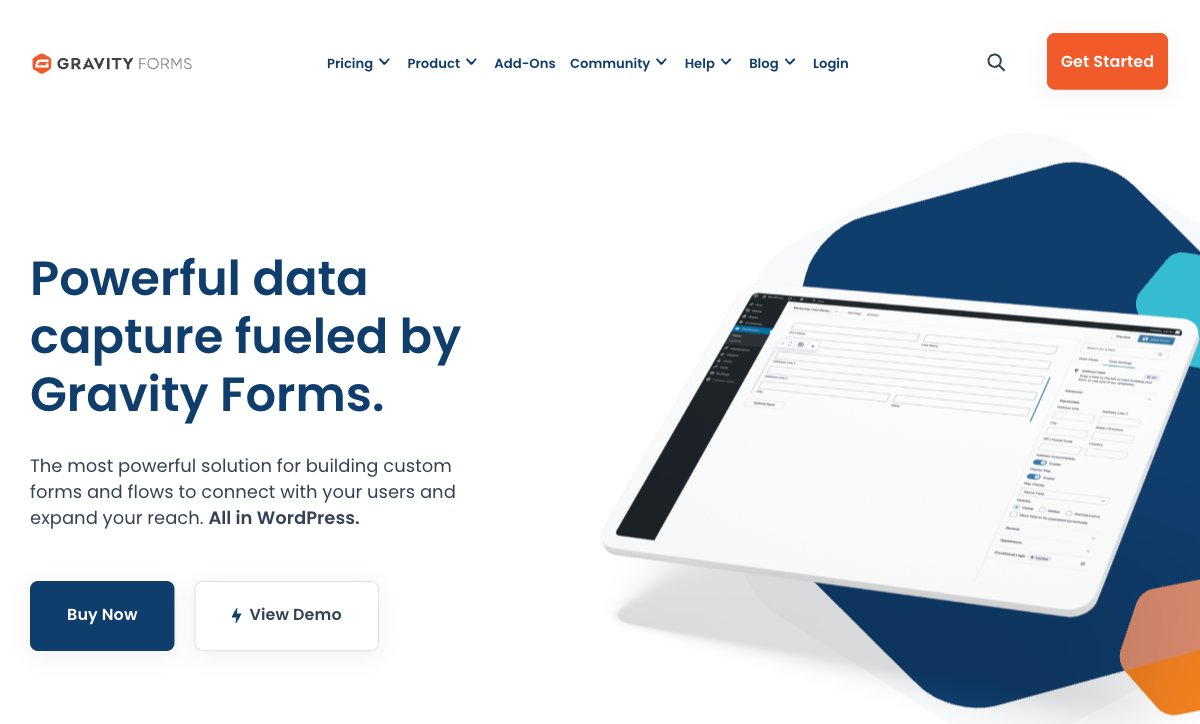
Gravity Forms lives inside WordPress. Forms are created in the WordPress admin, rendered natively on your pages (no iframes), and submissions are stored in your WordPress database. You control the data, the design inherits your theme's styles, and the entire experience is seamless. Formsite forms embedded on a WordPress site always feel like a foreign element — they load in iframes or require visitors to leave your site.
Dramatically Lower Pricing
Gravity Forms Basic license is $59/year for one site. Pro is $159/year for three sites. Elite is $259/year for unlimited sites. Formsite's cheapest paid plan is $252/year ($21/month). Even Gravity Forms' most expensive license costs roughly the same as Formsite's cheapest paid plan. When you factor in features — Gravity Forms includes payments on all licenses — the value gap widens further.
Massive Add-On Ecosystem
Gravity Forms has hundreds of official and third-party add-ons: payment gateways (Stripe, PayPal, Square, Authorize.Net, Mollie, 2Checkout), CRM integrations (Salesforce, HubSpot, Zoho), email marketing (Mailchimp, ActiveCampaign, ConvertKit), workflow automation (Gravity Flow), and more. Formsite has integrations with major platforms, but the breadth and depth of Gravity Forms' WordPress ecosystem is unmatched. Need a niche integration? There is probably a Gravity Forms add-on for it.
Data Ownership and Control
With Gravity Forms, your form data lives in your WordPress database on your hosting. You control access, backups, exports, and retention. Formsite stores your data on its servers — you are dependent on their infrastructure, their backup policies, and their continued operation. Post-acquisition by Formstack, Formsite's data stewardship future is less certain. For organisations that prioritise data sovereignty, Gravity Forms' self-hosted model is inherently more controllable.
Form Design Integration
Gravity Forms inherits your WordPress theme's styles. With CSS and theme integration, forms look like a natural part of your site. Formsite forms have their own styling system that is dated and difficult to customise. The visual quality of Gravity Forms output depends on your theme, but it is consistently more modern-looking than Formsite's default output.
Where Formsite Falls Short
- Dated interface: Builder and output feel like products from 2005. Gravity Forms' admin is functional and modern by comparison.
- Acquired by Formstack: Uncertain product future under new ownership since December 2023.
- 2-3x more expensive: Formsite's paid plans cost significantly more than Gravity Forms licenses for comparable or fewer features.
- Restrictive free plan: 5 forms, 10 results per form. Essentially unusable for real work.
- Payments locked behind $34/month: Gravity Forms includes payment gateways on all licenses ($59/year).
- No AI capabilities: No AI form generation or intelligent features.
- Tiny team: 2-10 employees limits development velocity and support.
Where Gravity Forms Falls Short
- WordPress only: Requires a WordPress installation. Not an option for non-WordPress sites or users without websites.
- No HIPAA compliance: WordPress's architecture makes HIPAA certification impractical.
- Hosting responsibility: You manage hosting, security, updates, and backups. SaaS tools like Formsite handle infrastructure.
- No hosted form links: Cannot generate a standalone form URL without a WordPress page. Formsite provides hosted URLs for each form.
- Plugin conflicts: WordPress plugin ecosystem can cause compatibility issues, especially with caching, security, and page builder plugins.
Pricing Comparison
Gravity Forms' annual licensing is dramatically cheaper than Formsite's monthly SaaS pricing.
| Tier | Formsite | Gravity Forms | Key Difference |
|---|---|---|---|
| Entry | Personal: $21/mo ($252/yr) | Basic: $59/yr, 1 site, payments included | Gravity Forms is 77% cheaper with more features |
| Mid-tier | Professional: $34/mo ($408/yr), payments | Pro: $159/yr, 3 sites, all add-ons | Gravity Forms is 61% cheaper with broader functionality |
| Top tier | Enterprise: $209/mo ($2,508/yr), HIPAA | Elite: $259/yr, unlimited sites, priority support | Formsite's HIPAA costs nearly 10x Gravity Forms' top tier |
Formsite
Gravity Forms
| Product | Plan | Monthly Price | Annual Price (per month) | Free Plan | Free Trial | Limits |
|---|---|---|---|---|---|---|
| Formsite | Free | Free | Free | Yes | 14 days | forms: 5, submissions: 10 per form, storage: 50 MB, users: 1 |
| Formsite | Personal | $21/mo | $20.83/mo billed annually | forms: 5, submissions: 500 per form, storage: 500 MB, users: 1 | ||
| Formsite | Professional | $34/mo | $33.33/mo billed annually | forms: 10, submissions: 1,000 per form, storage: 1 GB, users: 1 | ||
| Formsite | Business | $59/mo | $58.33/mo billed annually | forms: 25, submissions: 2,500 per form, storage: 2 GB, users: 2 | ||
| Formsite | Business + | $84/mo | $83.33/mo billed annually | forms: 100, submissions: 10,000 per form, storage: 4 GB, users: 6 | ||
| Formsite | Enterprise | $209/mo | $208.33/mo billed annually | forms: 1000, submissions: 50,000 per form, storage: 10 GB, users: 21 | ||
| Gravity Forms | Basic | Not listed | $59/mo billed annually | No | 14 days | forms: Unlimited, submissions: Unlimited, storage: WordPress database (self-hosted), users: Unlimited (WordPress users) |
| Gravity Forms | Pro | Not listed | $159/mo billed annually | forms: Unlimited, submissions: Unlimited, storage: WordPress database (self-hosted), users: Unlimited (WordPress users) | ||
| Gravity Forms | Elite | Not listed | $259/mo billed annually | forms: Unlimited, submissions: Unlimited, storage: WordPress database (self-hosted), users: Unlimited (WordPress users) | ||
| Gravity Forms | Nonprofit | Not listed | $129/mo billed annually | forms: Unlimited, submissions: Unlimited, storage: WordPress database (self-hosted), users: Unlimited (WordPress users) |
What Users Say
Gravity Forms maintains strong ratings (4.6-4.7/5) across thousands of reviews, with consistent praise for reliability, the add-on ecosystem, and WordPress integration. Common complaints focus on pricing for the Elite tier and occasional complexity for simple forms. Formsite averages 4.3-4.5/5 across fewer reviews, with reliability praised and the dated interface consistently criticised.
Consider Paperform
If you want the convenience of SaaS (no WordPress required) without Formsite's dated experience, Paperform delivers modern form building with serious business functionality. Its document-style editor creates forms that look like designed landing pages. Every plan includes five payment gateways, an Excel-style calculation engine, built-in e-signatures via Papersign, and 30,000+ templates. Founded in 2016, bootstrapped and profitable — no corporate parent, no acquisition uncertainty. For anyone who needs standalone hosted forms but wants something built in this decade, Paperform is the upgrade. See the full form builders ranking.
Frequently Asked Questions
Should I use Formsite or Gravity Forms for my WordPress site?
If your website runs on WordPress, Gravity Forms is almost certainly the better choice. It integrates natively as a WordPress plugin — forms live inside your WordPress admin, submissions are stored in your WordPress database, and the plugin ecosystem extends functionality with hundreds of add-ons. Formsite is a standalone SaaS tool that embeds via iframe or link, which means forms feel separate from your site. Gravity Forms gives you full control over data, design integration, and WordPress-native workflows. The only reasons to choose Formsite over Gravity Forms on WordPress are HIPAA compliance or Save and Return for long forms.
Which is more cost-effective for a small business?
Gravity Forms starts at $59/year (Basic license) for one site — that is $4.92/month. Formsite's cheapest paid plan is $21/month ($252/year). Even Gravity Forms' Elite license at $259/year (unlimited sites) costs less than Formsite's Professional plan at $408/year. Gravity Forms is significantly cheaper, especially considering it includes payment processing (Stripe, PayPal) on all licenses. Formsite only adds payments at the $34/month tier. For small businesses, Gravity Forms delivers more value per dollar — provided you have a WordPress site.
Does Formsite or Gravity Forms handle payments better?
Gravity Forms includes Stripe and PayPal on all licenses, with additional gateways (Authorize.Net, Square, Mollie, 2Checkout) available as add-ons. Formsite supports Stripe, PayPal, Braintree, and Authorize.Net but only on Professional ($34/month) and above. Gravity Forms provides payment processing at a lower price point with more gateway options when add-ons are included. Neither matches purpose-built eCommerce form tools like Paperform, which includes five gateways on every plan including free.
Can I use Formsite without a website?
Yes — and this is Formsite's primary advantage over Gravity Forms. Formsite is a standalone SaaS platform that hosts your forms on its own domain. You do not need a website, hosting, or any technical setup. Gravity Forms requires a WordPress installation with hosting, a domain, and basic WordPress administration knowledge. For users who want forms without managing a website, Formsite (or other SaaS alternatives like Google Forms, Jotform, or Paperform) is the practical choice.
Sources & References
- Gravity Forms Review: Best WordPress Form Plugin? — WPBeginner, 2025
- Best Form Builder Software Compared — G2, 2026
Last updated March 21, 2026
Ready to try Paperform?
Create beautiful forms, payment pages, and workflows — no code required.