Best FormAssembly Alternatives for 2026
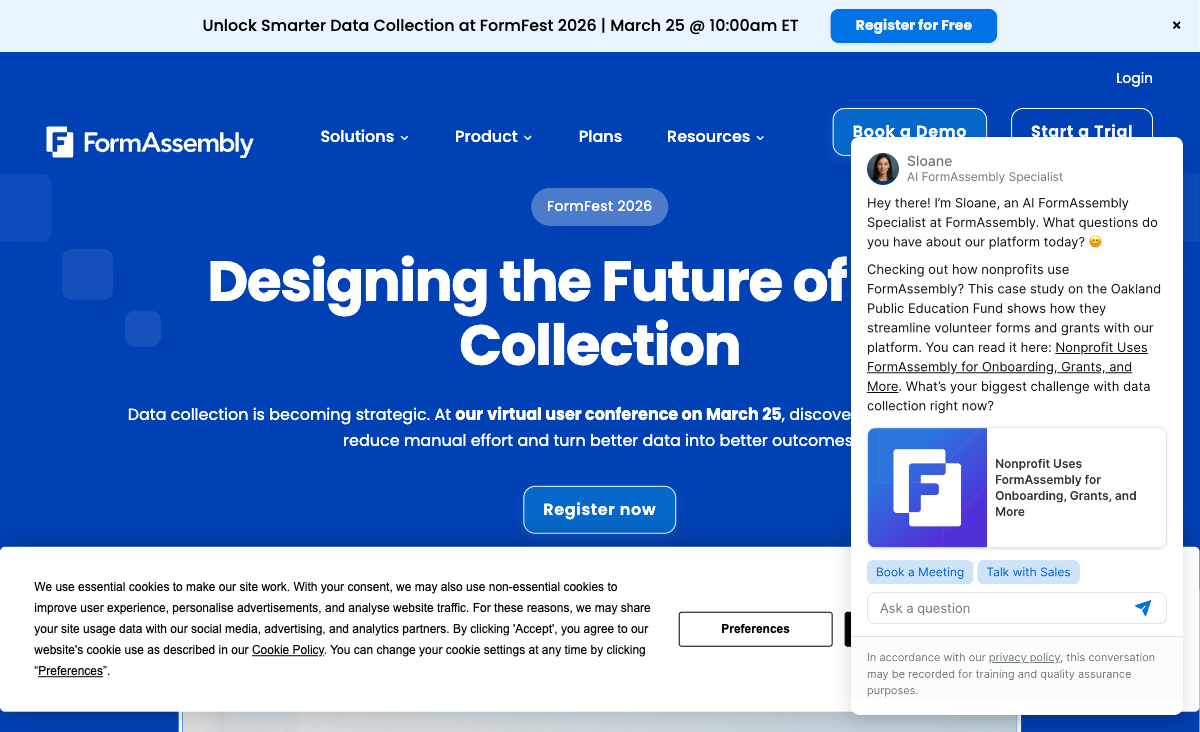
FormAssembly is an enterprise form builder whose value proposition is roughly 90% Salesforce integration. For organizations deep in the Salesforce ecosystem, that integration -- native object mapping, multi-object sync, Agentforce support -- is genuinely the strongest available. The problem is that outside Salesforce, FormAssembly becomes a $59/month form builder with roughly 20 native integrations, no Zapier or Make support, basic design tools, and a steeper learning curve than most competitors.
People start looking for alternatives when they realize they're paying enterprise prices for a narrow tool that doesn't serve their broader workflow needs. No free plan, no PayPal alternative beyond Stripe, no document-style editor, no calculation engine -- the gaps become obvious the moment your use case extends beyond Salesforce data collection. The steep learning curve (G2 ease of use: 4.1/5) compounds the problem for teams with non-technical form builders who need to create and edit forms independently.
The alternatives below offer broader feature sets, lower price points, and wider integration ecosystems. If Salesforce is critical to your workflow, we note which ones still connect to it -- because Salesforce access doesn't have to mean FormAssembly lock-in.
For a head-to-head breakdown, see our Paperform vs FormAssembly comparison. For the broader landscape, see the full form builder ranking.
| Feature | FormAssembly | Paperform | Jotform | Formstack | Cognito Forms | Typeform | Google Forms | 123FormBuilder |
|---|---|---|---|---|---|---|---|---|
| Form Building | ||||||||
| Document-style editor | No | Yes | No | No | No | No | No | No |
| AI form creation | Yes explorer | Yes | Yes starter | Yes forms | No | Yes | Yes | No |
| Field types | Yes explorer | 26+ | 30+ (starter) | 15 | 20+ | 20+ | 11 | Yes |
| Guided mode (one question at a time) | No | Yes | Yes starter | Yes forms | No | Yes | No | No |
| Calculations field | Yes explorer | Yes essentials | Yes starter | Yes forms | Yes | Yes plus | No | Yes basic |
| Payments | ||||||||
| Stripe payments | Yes explorer | Yes | Yes starter | Yes forms | Yes | Yes basic | No | Yes basic |
| PayPal payments | Yes explorer | Yes | Yes starter | Yes forms | Yes team | No | No | Yes basic |
| Square payments | No | Yes | Yes starter | No | Yes team | No | No | No |
| Braintree payments | No | Yes | Yes starter | No | No | No | No | No |
| Google Pay | No | Yes | Yes starter | No | No | No | No | No |
| Design & Customization | ||||||||
| Template gallery | Yes explorer | 30,000+ | 20,000+ (starter) | Yes forms | Yes | 1,500+ | 20+ | Yes |
| Unsplash and Giphy integration | No | Yes | No | No | No | Yes | No | No |
| Image editor | No | Yes | No | No | No | No | No | No |
| Adobe Creative Cloud | No | Yes | No | No | No | No | No | No |
| Language translation | No | Yes | Yes starter | No | Yes pro | Yes basic | No | No |
| Analytics | ||||||||
| Submission results and reports | Yes explorer | Yes | Yes starter | Yes forms | Yes | Yes | Yes | No |
| AI report insights | No | Yes pro | No | No | No | Yes business | No | No |
| Workflow analytics | Yes explorer | No | No | No | No | No | No | No |
| Google Analytics & Facebook Pixel | No | Yes essentials | No | Yes forms | Yes pro | Yes basic | No | No |
| Custom analytics scripts | No | Yes pro | No | No | No | Yes basic | No | No |
| Collaboration | ||||||||
| Form sharing (templates) | Yes explorer | Yes | No | Yes forms | Yes | Yes | Yes | No |
| Spaces and tag management | No | Yes | No | Yes forms | No | No | No | No |
| Form sharing | No | No | Yes starter | No | No | No | No | Yes |
| Assign forms | No | No | Yes enterprise | No | No | No | No | No |
| Workspace organization | No | No | No | No | No | Yes | No | No |
| Security | ||||||||
| SOC 2 Type II | Yes explorer | Yes | Yes enterprise | No | No | Yes | Yes | No |
| Enforce 2FA for all users | Yes enterprise | Yes business | No | Yes enterprise | No | No | Yes Business Starter | No |
| reCAPTCHA | Yes explorer | Yes | Yes starter | Yes forms | Yes | Yes business | No | Yes |
| Local data residency | Yes enterprise | Yes enterprise | No | No | No | No | Yes Business Plus | No |
| Custom S3 storage (BYO) | No | Yes business | No | No | No | No | No | No |
| Integrations & API | ||||||||
| Zapier | No | Yes | Yes starter | Yes forms | Yes | Yes basic | Yes | Yes |
| Make (Integromat) | No | Yes | No | No | Yes | Yes basic | Yes | No |
| Webhooks | Yes explorer | Yes pro | Yes starter | Yes forms | Yes | Yes basic | No | Yes basic |
| Standard API | Yes explorer | Yes pro | No | Yes forms | No | No | Yes | No |
| Business API | No | Yes business | No | Yes enterprise | No | No | No | No |
| Additional Products | ||||||||
| Jotform Tables | No | No | Yes starter | No | No | No | No | No |
| Jotform Sign | No | No | Yes starter | No | No | No | No | No |
| Jotform Apps | No | No | Yes starter | No | No | No | No | No |
| Jotform Workflows | No | No | Yes starter | No | No | No | No | No |
| Jotform Report Builder | No | No | Yes starter | No | No | No | No | No |
 #1 Paperform -- Best Overall FormAssembly Alternative

Where FormAssembly is built for one ecosystem, Paperform is built for any ecosystem. Its 2,000+ integrations via Zapier, Make, webhooks, and API connect to Salesforce, HubSpot, Google Sheets, Slack, Mailchimp, and virtually anything else -- from a single form submission. That breadth eliminates FormAssembly's most painful limitation: the inability to simultaneously feed data to tools outside Salesforce.
Paperform's calculation engine is the feature FormAssembly has no answer for. These are Excel-style formulas that compute dynamic pricing, scores, tax amounts, and conditional totals -- driving logic across questions, pages, confirmation emails, integrations, and success pages. They're the backbone of order forms, quote calculators, and scoring systems that would require custom development on FormAssembly.
Five native payment gateways (Stripe, PayPal, Square, Braintree, Google Pay) ship on every plan including free -- FormAssembly supports only Stripe and PayPal. The document-style editor creates forms that look like designed pages, not generic data collection widgets. And at $24/month (Essentials), Paperform costs less than half of FormAssembly's $59/month Explorer plan. Bootstrapped and profitable since 2016, with no investor pressure to raise prices.
Beyond the core form builder, Paperform includes Papersign for e-signatures with legally binding audit trails and Stepper for AI-native workflow automation -- both at no additional cost. FormAssembly offers single-signer eSignatures on Explorer but multi-signer requires the custom-priced Team plan. For organizations that need data collection, document signing, and workflow routing in one platform, Paperform consolidates what FormAssembly splits across tiers and separate tools.
The template library seals it: 30,000+ professionally designed templates versus FormAssembly's limited collection. Payment forms, calculators, booking systems, client intake workflows -- Paperform has ready-made starting points for use cases FormAssembly doesn't even target. Combined with AI form creation that generates forms from natural language prompts, the time-to-launch is dramatically shorter.
- Pricing: Free plan available; Essentials from $24/month
- Best for: Any use case beyond Salesforce-specific data collection
- Key advantage over FormAssembly: 2,000+ integrations, 5 payment gateways, Excel-style calculations, and a free plan -- at 59% lower entry cost
 #2 Jotform -- Largest Feature Set and Template Library

Jotform is the feature-breadth alternative. With 20,000+ templates, 40+ payment gateways, conditional logic, e-signatures, approval workflows, and a native Salesforce connector, it covers more surface area than any other platform on this list. If you're leaving FormAssembly because you need broader capabilities, Jotform is the warehouse approach: it has almost everything, even if individual features aren't always as polished as dedicated alternatives.
Jotform's free tier (5 forms, 100 submissions/month) gives you more to work with than FormAssembly's 14-day trial. Paid plans start at $39/month -- still cheaper than FormAssembly's entry point. The native Salesforce integration is less deep than FormAssembly's multi-object mapping, but for standard lead capture and contact creation, it works. Bootstrapped with $144.9M annual revenue and 35M+ users -- unquestionably stable.
Where Jotform particularly shines for FormAssembly migrants is gateway coverage. If you process payments through multiple gateways or need region-specific payment processors, Jotform's 40+ options dwarf FormAssembly's Stripe-and-PayPal limitation. Approval workflows, PDF generation, and a mobile app builder add enterprise utility without the enterprise price tag. The trade-off is that the interface can feel overwhelming -- navigating 20,000+ templates and dozens of feature panels requires patience.
- Pricing: Free (5 forms, 100 submissions); Starter from $39/month
- Best for: Users who need maximum feature breadth and a large template library
- Key advantage over FormAssembly: 40+ payment gateways, 20,000+ templates, native Salesforce connector, and a free plan
 #3 Formstack -- Closest Enterprise Workflow Alternative
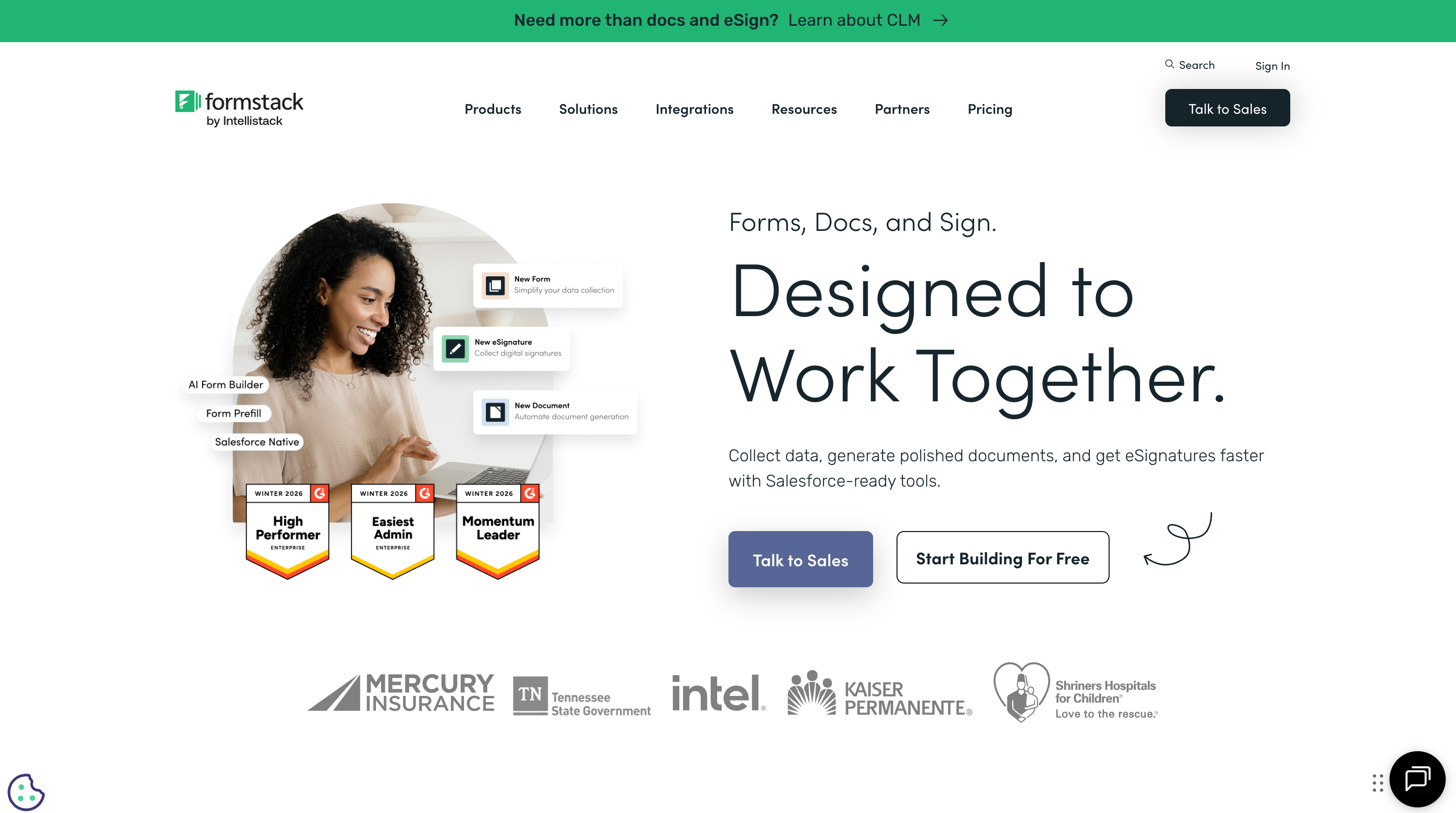
If FormAssembly's enterprise positioning matters but Salesforce-only integration doesn't, Formstack is the closest alternative. It bundles forms, document generation (Formstack Documents), and electronic signatures (Formstack Sign) into an integrated workflow platform. For organizations that need the full cycle -- collect data, generate contracts, get signatures -- Formstack's suite reduces vendor sprawl.
Formstack also offers HIPAA compliance and SOC 2 on enterprise plans, providing a partial compliance alternative to FormAssembly. Its native Salesforce integration is less deep than FormAssembly's but covers standard CRM workflows. For teams that need enterprise features and are willing to pay enterprise prices, Formstack fills the gap.
The trade-off is cost: Formstack starts at $83/month with no free tier, making it even more expensive than FormAssembly at the entry level. Individual components are solid but not best-in-class in any single category. Formstack also owns Formsite (acquired 2023), giving it additional form-building infrastructure. Best suited for enterprise teams who need the complete document workflow and are willing to pay for it.
- Pricing: No free plan; Forms from $83/month (annual)
- Best for: Enterprise teams needing forms + document generation + e-signatures
- Key advantage over FormAssembly: Integrated document generation and e-signature workflow without Salesforce dependency
 #4 Cognito Forms -- Best Value Alternative
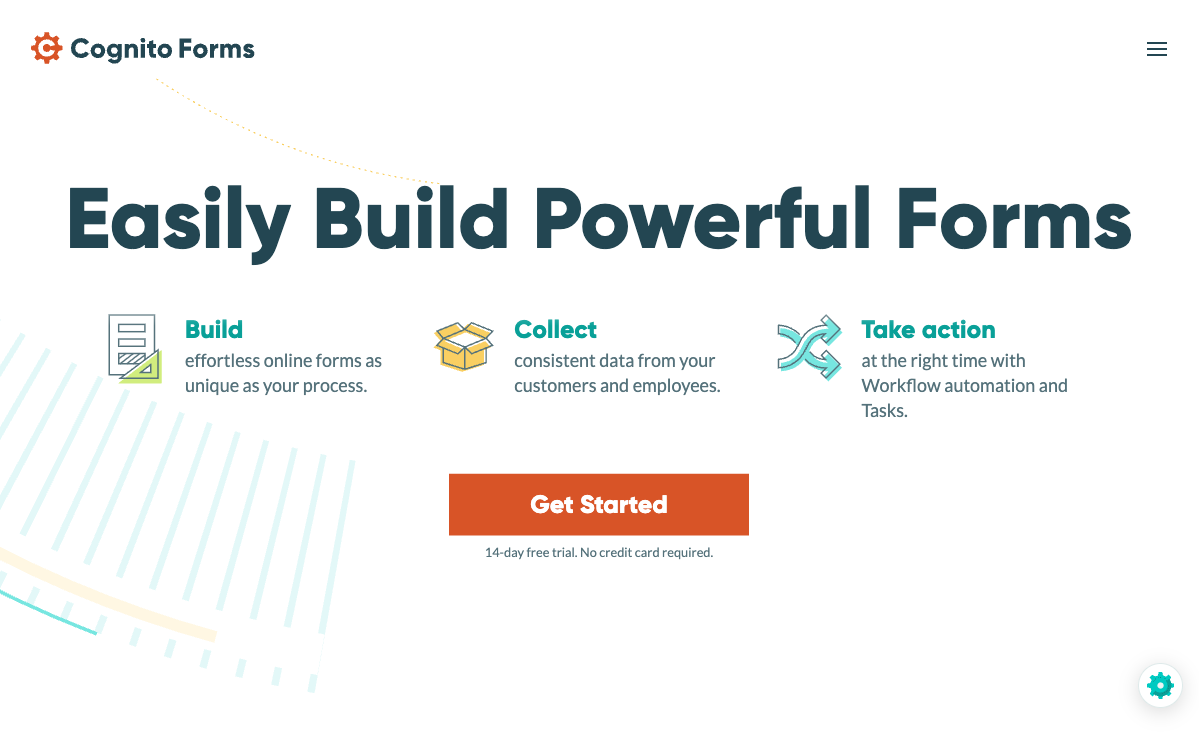
Cognito Forms is the budget-friendly counterpoint to FormAssembly's pricing. Its free tier includes unlimited forms, conditional logic, calculations, e-signatures, and Stripe payments -- features that FormAssembly reserves for its $59/month plan. Paid tiers start at just $15/month. For organizations that found FormAssembly too expensive for their actual needs, Cognito Forms delivers surprising depth at a fraction of the cost.
The limitation is visual polish. Cognito's forms are functional and data-efficient but won't impress brand-conscious stakeholders. If you're leaving FormAssembly because of price rather than design, Cognito Forms is the strongest value play. Bootstrapped and profitable, with a loyal user base that values substance over style.
For FormAssembly users on the $59/month Explorer plan who mainly need form logic, calculations, and basic payment processing, Cognito Forms is the most dramatic cost reduction available -- from $59/month to $0/month with comparable core functionality. The savings compound over months and years, especially for organizations running multiple form projects.
- Pricing: Free (100 submissions/month, Stripe payments); Pro from $15/month
- Best for: Budget-conscious teams who need calculations, e-signatures, and logic without enterprise pricing
- Key advantage over FormAssembly: Free plan with Stripe payments, calculations, and unlimited forms -- at $0 vs $59/month
Where FormAssembly Still Wins
Fairness demands acknowledging FormAssembly's genuine strengths. If any of these are your primary requirements, FormAssembly may still be the right tool:
- Deepest Salesforce integration: Native object mapping, multi-object sync, prefilling from Salesforce records, and Agentforce support. No middleware integration matches this depth for complex Salesforce data models.
- FedRAMP High authorization: The only form builder with FedRAMP High -- required for US government agencies. No alternative offers this.
- Broadest compliance coverage: HIPAA with BAA, PCI DSS Level 1, SOC 2, GDPR, FERPA, and FedRAMP in one platform. Regulated industries may need this combination.
- Enterprise track record: Founded 2006, trusted by Southwest Airlines, Amazon, CVS Health, Harvard University. Two decades of enterprise deployment provides procurement confidence.
- Fai AI for form import: FormAssembly's Fai AI creates forms from PDFs, images, and spreadsheets -- useful for digitizing legacy paper forms. No alternative matches this specific capability.
Who Should Switch from FormAssembly
If you're currently using FormAssembly, these signals suggest an alternative may serve you better:
- You don't use Salesforce: FormAssembly's $59/month entry price is impossible to justify without Salesforce. Paperform at $24/month delivers more features for general-purpose form building.
- You use Salesforce lightly: If your Salesforce integration is basic (create leads, update contacts), Zapier-based connections from Paperform or Jotform work fine at lower cost.
- Your team finds FormAssembly difficult: The 4.1/5 G2 ease-of-use score reflects a genuine usability gap. If non-technical team members struggle, Paperform's document-style editor is more intuitive.
- You need more than 2 payment gateways: FormAssembly supports Stripe and PayPal only. If you need Square, Braintree, or Google Pay, you need an alternative.
- You need integrations beyond Salesforce: With roughly 20 native integrations and no Zapier/Make, FormAssembly is severely limited for multi-tool workflows.
- You want a free plan: FormAssembly offers only a 14-day trial. Alternatives like Paperform, Jotform, and Cognito Forms offer permanent free tiers.
- Design matters for your forms: FormAssembly's builder produces functional but visually basic forms. For brand-facing forms, Paperform or Typeform deliver significantly better aesthetics.
Quick Pricing Summary
| Platform | Free Plan | Entry Paid Plan | Key Limit |
|---|---|---|---|
| FormAssembly | No (14-day trial) | $59/mo (Explorer) | 3 active workflows, branding on forms |
| Paperform | Yes (30 subs, 5 gateways) | $24/mo (Essentials) | Unlimited forms, 100 subs/mo |
| Jotform | Yes (5 forms, 100 subs) | $39/mo (Starter) | 25 forms, 1,000 subs/mo |
| Formstack | No | $83/mo (annual) | 25 forms per account |
| Cognito Forms | Yes (unlimited forms, Stripe) | $15/mo (Pro) | 2,000 submissions/mo |
| Typeform | Yes (10 responses/mo) | $25/mo (Basic) | 100 responses/mo, no payments |
| Google Forms | Yes (unlimited) | N/A (always free) | No payments, no logic, no branding |
| 123FormBuilder | Yes (5 forms, 100 subs) | $19/mo annual (Gold) | 20 forms, 2,000 subs/mo |
Full Feature Comparison
Every feature across all alternatives, grouped by category. Paperform is highlighted for reference.
| Feature | FormAssembly | Paperform | Jotform | Formstack | Cognito Forms | Typeform | Google Forms | 123FormBuilder |
|---|---|---|---|---|---|---|---|---|
| Form Building | ||||||||
| Document-style editor | No | Yes | No | No | No | No | No | No |
| AI form creation | Yes explorer | Yes | Yes starter | Yes forms | No | Yes | Yes | No |
| Field types | Yes explorer | 26+ | 30+ (starter) | 15 | 20+ | 20+ | 11 | Yes |
| Multi-page forms | Yes explorer | Yes | Yes starter | Yes forms | Yes | Yes basic | Yes | Yes |
| Guided mode (one question at a time) | No | Yes | Yes starter | Yes forms | No | Yes | No | No |
| Conditional logic | Yes explorer | Yes | Yes starter | Yes forms | Yes | Yes basic | Yes | Yes |
| Calculations field | Yes explorer | Yes essentials | Yes starter | Yes forms | Yes | Yes plus | No | Yes basic |
| AI calculations assistant | No | Yes essentials | No | No | No | No | No | No |
| Scoring | No | Yes essentials | Yes starter | No | Yes | Yes plus | Yes | No |
| Answer piping | Yes explorer | Yes | Yes starter | Yes forms | Yes | Yes basic | No | Yes basic |
| Pre-filling and hidden fields | Yes explorer | Yes essentials | Yes starter | Yes forms | Yes | Yes basic | Yes | Yes |
| Save and resume | Yes explorer | Yes | Yes starter | Yes forms | Yes pro | No | No | Yes basic |
| Auto-close by number | Yes explorer | Yes essentials | Yes starter | No | Yes | Yes basic | Yes | Yes |
| Auto-close by date | Yes explorer | Yes pro | Yes starter | No | Yes | Yes basic | Yes | Yes |
| Appointment/booking field | No | Yes | Yes starter | No | No | Yes basic | No | No |
| Signature field | Yes explorer | Yes | Yes starter | Yes suite | Yes team | No | No | Yes basic |
| Color picker field | No | Yes | No | No | No | No | No | No |
| API-powered dropdowns | Yes team | Yes business | No | Yes forms | Yes | No | No | No |
| Google address search | No | Yes business | No | No | Yes | No | No | No |
| File uploads | No | Yes | Yes starter | No | Yes | Yes basic | Yes | No |
| Drag-and-drop builder | No | No | Yes starter | Yes forms | No | No | No | No |
| Form widgets | No | No | Yes starter | No | No | No | No | No |
| Template gallery | No | No | 20,000+ (starter) | No | No | No | No | No |
| AI follow-up questions | No | No | No | No | No | Yes business | No | No |
| Video questions | No | No | No | No | No | Yes basic | No | No |
| Payments | ||||||||
| Stripe payments | Yes explorer | Yes | Yes starter | Yes forms | Yes | Yes basic | No | Yes basic |
| PayPal payments | Yes explorer | Yes | Yes starter | Yes forms | Yes team | No | No | Yes basic |
| Square payments | No | Yes | Yes starter | No | Yes team | No | No | No |
| Braintree payments | No | Yes | Yes starter | No | No | No | No | No |
| Google Pay | No | Yes | Yes starter | No | No | No | No | No |
| Product sales (eCommerce) | Yes explorer | Yes essentials | Yes starter | No | Yes | No | No | Yes basic |
| Subscriptions | No | Yes essentials | Yes starter | No | No | Yes basic | No | No |
| Coupons and discounts | No | Yes essentials | Yes starter | Yes forms | Yes | No | No | No |
| Custom pricing rules | Yes explorer | Yes essentials | Yes starter | Yes forms | Yes | No | No | Yes basic |
| Tax calculations | No | Yes | Yes starter | No | Yes | No | No | No |
| Quotes/invoices | No | Yes | No | No | Yes team | No | No | Yes basic |
| Refunds | No | Yes | No | No | No | No | No | No |
| 3D Secure | No | Yes | No | No | No | Yes basic | No | No |
| 40+ payment gateways | No | No | Yes starter | No | No | No | No | No |
| No transaction fees | No | No | Yes starter | No | No | No | No | No |
| Design & Customization | ||||||||
| Template gallery | Yes explorer | 30,000+ | 20,000+ (starter) | Yes forms | Yes | 1,500+ | 20+ | Yes |
| Rich media (images, GIFs, videos) | Yes explorer | Yes | Yes starter | Yes forms | Yes | Yes | Yes | Yes |
| Unsplash and Giphy integration | No | Yes | No | No | No | Yes | No | No |
| Image editor | No | Yes | No | No | No | No | No | No |
| Adobe Creative Cloud | No | Yes | No | No | No | No | No | No |
| Language translation | No | Yes | Yes starter | No | Yes pro | Yes basic | No | No |
| Advanced theming | Yes team | Yes pro | Yes starter | Yes forms | Yes pro | Yes plus | No | Yes basic |
| Custom form URL | Yes explorer | Yes pro | No | Yes forms | No | Yes plus | No | No |
| Custom domains | No | Yes pro | Yes enterprise | Yes forms | No | No | No | No |
| Custom HTML & CSS | Yes team | Yes pro | Yes starter | Yes forms | Yes pro | Yes business | No | Yes basic |
| Remove branding | Yes team | Yes pro | Yes bronze | Yes forms | Yes pro | Yes plus | No | Yes basic |
| Custom email domains | No | Yes business | No | No | No | No | Yes Business Starter | No |
| Form themes | No | No | Yes starter | No | No | No | No | No |
| Unsplash/Giphy | No | No | No | No | No | No | No | No |
| Adobe CC | No | No | No | No | No | No | No | No |
| Analytics | ||||||||
| Submission results and reports | Yes explorer | Yes | Yes starter | Yes forms | Yes | Yes | Yes | No |
| AI report insights | No | Yes pro | No | No | No | Yes business | No | No |
| Workflow analytics | Yes explorer | No | No | No | No | No | No | No |
| Google Analytics & Facebook Pixel | No | Yes essentials | No | Yes forms | Yes pro | Yes basic | No | No |
| Custom analytics scripts | No | Yes pro | No | No | No | Yes basic | No | No |
| Partial submissions | No | Yes pro | No | Yes forms | No | Yes plus | No | No |
| Paperform analytics | No | Yes pro | No | Yes forms | No | No | No | No |
| Drop-off analysis | No | Yes pro | No | No | No | Yes business | No | No |
| Form analytics | No | No | Yes starter | No | No | No | No | Yes basic |
| Google Analytics integration | No | No | Yes starter | No | No | No | No | No |
| Submission results | No | No | No | No | No | No | No | Yes |
| AI insights | No | No | No | No | No | No | No | No |
| Google Analytics / Facebook Pixel | No | No | No | No | No | No | No | No |
| Custom scripts | No | No | No | No | No | No | No | No |
| Collaboration | ||||||||
| Multi-user accounts | Yes team | Yes pro | Yes bronze | Yes forms | Yes pro | Yes plus | Yes | Yes basic |
| User permissions and management | Yes team | Yes pro | Yes enterprise | Yes forms | Yes team | Yes plus | Yes | Yes basic |
| Advanced permissions & admin | Yes enterprise | Yes enterprise | Yes enterprise | Yes enterprise | Yes enterprise | Yes enterprise | Yes Business Starter | Yes enterprise |
| Form sharing (templates) | Yes explorer | Yes | No | Yes forms | Yes | Yes | Yes | No |
| Spaces and tag management | No | Yes | No | Yes forms | No | No | No | No |
| Form sharing | No | No | Yes starter | No | No | No | No | Yes |
| Assign forms | No | No | Yes enterprise | No | No | No | No | No |
| Workspace organization | No | No | No | No | No | Yes | No | No |
| Spaces/tags | No | No | No | No | No | No | No | No |
| Security | ||||||||
| SOC 2 Type II | Yes explorer | Yes | Yes enterprise | No | No | Yes | Yes | No |
| GDPR compliant | Yes explorer | Yes | Yes starter | Yes forms | Yes | Yes | Yes | Yes |
| SSL encryption | Yes explorer | Yes | Yes starter | Yes forms | Yes | Yes | Yes | Yes |
| Two-factor authentication | Yes explorer | Yes | Yes starter | Yes forms | Yes | Yes | Yes | Yes |
| Enforce 2FA for all users | Yes enterprise | Yes business | No | Yes enterprise | No | No | Yes Business Starter | No |
| SSO (SAML) | Yes enterprise | Yes business | Yes enterprise | Yes enterprise | Yes enterprise | Yes enterprise | Yes Business Plus | Yes enterprise |
| reCAPTCHA | Yes explorer | Yes | Yes starter | Yes forms | Yes | Yes business | No | Yes |
| Local data residency | Yes enterprise | Yes enterprise | No | No | No | No | Yes Business Plus | No |
| Custom S3 storage (BYO) | No | Yes business | No | No | No | No | No | No |
| HIPAA compliant | No | No | Yes gold | No | No | Yes enterprise | No | No |
| 256-bit SSL | No | No | Yes starter | No | No | No | No | No |
| Data residency | No | No | Yes enterprise | No | No | No | No | Yes enterprise |
| Form encryption | No | No | Yes starter | No | No | No | No | No |
| PCI DSS | No | No | Yes starter | No | No | Yes | No | No |
| ISO 27001 | No | No | No | No | No | Yes | No | No |
| Enforce 2FA | No | No | No | No | No | No | No | No |
| Custom S3 | No | No | No | No | No | No | No | No |
| Integrations & API | ||||||||
| 2000+ integrations | No | No | No | No | No | No | No | No |
| Zapier | No | Yes | Yes starter | Yes forms | Yes | Yes basic | Yes | Yes |
| Make (Integromat) | No | Yes | No | No | Yes | Yes basic | Yes | No |
| Webhooks | Yes explorer | Yes pro | Yes starter | Yes forms | Yes | Yes basic | No | Yes basic |
| Standard API | Yes explorer | Yes pro | No | Yes forms | No | No | Yes | No |
| Business API | No | Yes business | No | Yes enterprise | No | No | No | No |
| WordPress plugin | Yes explorer | Yes | Yes starter | Yes forms | Yes | Yes | No | Yes |
| oEmbed support | Yes explorer | Yes | No | No | Yes | No | No | No |
| Native integrations | No | 2,000+ | 150+ (starter) | No | No | 120+ (basic) | No | No |
| API | No | No | Yes starter | No | No | Yes basic | No | Yes basic |
| Salesforce AppExchange | No | No | Yes starter | No | No | No | No | No |
| Embed options | No | No | Yes starter | No | No | Yes | No | No |
| Mobile apps | No | No | Yes starter | No | No | No | No | No |
| Native integrations (2000+) | No | No | No | No | No | No | No | Yes |
| oEmbed | No | No | No | No | No | No | No | Yes |
| Additional Products | ||||||||
| Jotform Tables | No | No | Yes starter | No | No | No | No | No |
| Jotform Sign | No | No | Yes starter | No | No | No | No | No |
| Jotform Apps | No | No | Yes starter | No | No | No | No | No |
| Jotform Workflows | No | No | Yes starter | No | No | No | No | No |
| Jotform Report Builder | No | No | Yes starter | No | No | No | No | No |
| Jotform AI Agents | No | No | Yes starter | No | No | No | No | No |
| Jotform Store Builder | No | No | Yes starter | No | No | No | No | No |
Pricing Comparison

FormAssembly is among the most expensive entry points in the form builder market. Here's how alternatives compare:
Paperform
FormAssembly
| Product | Plan | Monthly Price | Annual Price (per month) | Free Plan | Free Trial | Limits |
|---|---|---|---|---|---|---|
| FormAssembly | Explorer | $59/mo | Not listed | No | 14 days | forms: Unlimited, submissions: Unlimited, storage: Unlimited, users: 1 standard user |
| FormAssembly | Team | Custom | Not listed | forms: Unlimited, submissions: Unlimited, storage: Unlimited, users: 3 standard + 5 limited users | ||
| FormAssembly | Enterprise | Custom | Not listed | forms: Unlimited, submissions: Unlimited, storage: Unlimited, users: 5 standard + 10 limited users | ||
| FormAssembly | Gov Cloud | Custom | Not listed | forms: Unlimited, submissions: Unlimited, storage: Unlimited, users: 5 standard + 10 limited users | ||
| Paperform | Free | Free | Free | Yes | 14 days | forms: Unlimited, submissions: 30/month, storage: 100 submissions, users: 1, file uploads: 100 MB |
| Paperform | Essentials | $29/mo | $24/mo billed annually | forms: Unlimited, submissions: 100/month, storage: 1,000 submissions, users: 1, file uploads: 1 GB | ||
| Paperform | Pro | $59/mo | $49/mo billed annually | forms: Unlimited, submissions: 1,000/month, storage: 10,000 submissions, users: 3, file uploads: 10 GB | ||
| Paperform | Business | $129/mo | $99/mo billed annually | forms: Unlimited, submissions: 10,000/month, storage: 100,000 submissions, users: 5, file uploads: 100 GB | ||
| Jotform | Starter | Free | Free | Yes | No | forms: 5, submissions: 100/month, storage: 100 MB, users: 1 |
| Jotform | Bronze | $39/mo | $34/mo billed annually | forms: 25, submissions: 1,000/month, storage: 1 GB, users: 1 | ||
| Jotform | Silver | $49/mo | $39/mo billed annually | forms: 50, submissions: 2,500/month, storage: 10 GB, users: 1 | ||
| Jotform | Gold | $129/mo | $99/mo billed annually | forms: 100, submissions: 10,000/month, storage: 100 GB, users: 1 | ||
| Formstack | Forms | $99/mo | $83/mo billed annually | No | 14 days | forms: 25, submissions: 1,000/form, storage: 2 GB, users: 1, file uploads: 2 GB |
| Formstack | Suite | $299/mo | $250/mo billed annually | forms: 100, submissions: 5,000/form, storage: 10 GB, users: 3, file uploads: 10 GB | ||
| Cognito Forms | Individual (Free) | Free | Free | Yes | 14 days | forms: Unlimited, submissions: 100/month, storage: 100 MB, users: 1 |
| Cognito Forms | Pro | $19/mo | $16/mo billed annually | forms: Unlimited, submissions: 2,000/month, storage: 1 GB, users: 2 | ||
| Cognito Forms | Team | $39/mo | $33/mo billed annually | forms: Unlimited, submissions: 10,000/month, storage: 10 GB, users: 5 | ||
| Cognito Forms | Enterprise | $129/mo | $109/mo billed annually | forms: Unlimited, submissions: Unlimited, storage: 100 GB, users: 20 | ||
| Typeform | Free | Free | Free | Yes | No | forms: 10, submissions: 10/month, users: 1 |
| Typeform | Basic | $39/mo | $28/mo billed annually | forms: Unlimited, submissions: 100/month, users: 1 | ||
| Typeform | Plus | $79/mo | $56/mo billed annually | forms: Unlimited, submissions: 1,000/month, users: 3 | ||
| Typeform | Business | $129/mo | $91/mo billed annually | forms: Unlimited, submissions: 10,000/month, users: 5 | ||
| Typeform | Growth Pro | $379/mo | $266/mo billed annually | forms: Unlimited, submissions: Expanded, users: Expanded | ||
| Google Forms | Free (Personal) | Free | Free | Yes | 14 days | forms: Unlimited, submissions: Unlimited, storage: 15 GB (shared across Google Drive), users: 1, file uploads: Included in 15 GB storage |
| Google Forms | Business Starter | $7/mo | $7/mo billed annually | forms: Unlimited, submissions: Unlimited, storage: 30 GB per user, users: Up to 300, file uploads: Included in storage | ||
| Google Forms | Business Standard | $14/mo | $14/mo billed annually | forms: Unlimited, submissions: Unlimited, storage: 2 TB per user, users: Up to 300, file uploads: Included in storage | ||
| Google Forms | Business Plus | $22/mo | $22/mo billed annually | forms: Unlimited, submissions: Unlimited, storage: 5 TB per user, users: Up to 300, file uploads: Included in storage | ||
| 123FormBuilder | Free | Free | Free | Yes | 30 days | forms: 5, submissions: 100/month, storage: 100 MB, users: 1 |
| 123FormBuilder | Gold | $37/mo | $19/mo billed annually | forms: 20, submissions: 2,000/month, storage: 500 MB, users: 1 | ||
| 123FormBuilder | Platinum | $79/mo | $39/mo billed annually | forms: 100, submissions: 10,000/month, storage: 1 GB, users: 5 | ||
| 123FormBuilder | Diamond | $159/mo | $79/mo billed annually | forms: unlimited, submissions: 50,000/month, storage: 10 GB, users: 25 | ||
| 123FormBuilder | Enterprise | $225/mo | Custom | forms: unlimited, submissions: unlimited, storage: unlimited, users: custom |
Review Ratings Across Platforms
Aggregate ratings from G2, Capterra, Trustpilot, and other major review platforms.
How We Evaluated These Alternatives
We compared FormAssembly alternatives across five categories, weighted for users likely leaving FormAssembly:
- Integration breadth (25%): FormAssembly's biggest limitation outside Salesforce is its tiny integration ecosystem (~20 native, no Zapier/Make). We prioritized alternatives that connect to the widest range of tools without middleware restrictions.
- Feature depth (25%): Calculations, payment processing, conditional logic, e-signatures, and template libraries. FormAssembly lacks several features competitors include on lower-priced plans.
- Pricing fairness (20%): Entry cost, free plan availability, and value per dollar. FormAssembly's $59/month no-free-plan model is the baseline; alternatives that deliver more for less score higher.
- Design quality (15%): Visual customization, branding control, and default form aesthetics. FormAssembly's design tools are limited -- alternatives that produce more professional results score higher.
- Platform stability (15%): Company age, funding model, revenue, and acquisition risk. We weight bootstrapped, profitable companies higher as safer long-term bets for platform dependence.
Salesforce Connectivity Across Alternatives
Since many FormAssembly users depend on Salesforce, here's how each alternative handles the CRM connection:
| Platform | Salesforce Connection | Depth |
|---|---|---|
| FormAssembly | Native (advanced connector) | Deepest -- object mapping, multi-object sync, Agentforce |
| Paperform | Zapier, Make, API, webhooks | Functional -- create/update leads, contacts, opportunities |
| Jotform | Native integration | Moderate -- native connector for standard objects |
| Formstack | Native integration | Moderate -- direct connection plus Zapier |
| 123FormBuilder | Native (Platinum+) | Moderate -- native connector on paid plans |
| Cognito Forms | Zapier | Basic -- middleware-dependent |
| Typeform | Zapier, native | Basic -- standard lead/contact creation |
| Google Forms | Zapier (third-party) | Minimal -- requires external automation |
For simple Salesforce workflows (creating leads, updating contacts, logging activities), any alternative with Zapier or Make support works adequately. For complex multi-object data models with dependent relationships and real-time prefilling, FormAssembly's native connector remains unmatched. The decision depends on your Salesforce data model's complexity.
The Verdict
For most businesses, Paperform is the best FormAssembly alternative. It delivers five payment gateways versus two, 2,000+ integrations versus roughly 20, an Excel-style calculation engine that FormAssembly lacks entirely, and a document-style editor that produces forms FormAssembly's builder simply cannot match visually. All at $24/month versus $59/month -- with a free plan to start.
The exception is Salesforce-centric enterprises in regulated industries. If your organization depends on FormAssembly's native multi-object Salesforce mapping and requires HIPAA, FedRAMP, or PCI DSS Level 1 compliance, no alternative on this list fully replaces that combination. Formstack comes closest on the enterprise workflow side, and 123FormBuilder offers HIPAA at a lower price point, but FormAssembly's FedRAMP authorization remains unique.
For everyone else -- small businesses, teams using CRMs other than Salesforce, organizations that need design flexibility, payment processing, or broader integrations -- the alternatives above deliver significantly more value. Start with Paperform vs FormAssembly for the detailed head-to-head, or explore our full form builder ranking.
Tips for Migrating from FormAssembly
If you've decided to switch, here's a practical migration approach:
- Export your submission data first. FormAssembly supports CSV export. Download all historical submissions before canceling your account.
- Document your Salesforce mappings. If you use FormAssembly's Salesforce connector, map out which form fields connect to which Salesforce objects and fields. You'll need this to recreate the integration via Zapier, Make, or native connectors in your new platform.
- Rebuild high-traffic forms first. Start with your most-used forms. Use AI form creation (available in Paperform and Jotform) to accelerate the build by describing your form in natural language.
- Test Salesforce data flow. Before going live, test that form submissions reach the correct Salesforce objects with the right field values. Middleware integrations may need different field mapping than FormAssembly's native connector.
- Keep FormAssembly active during transition. Run both platforms in parallel until you've verified all forms work correctly on the new platform. FormAssembly's 14-day trial won't help here -- budget for one month of overlap.
- Update embed codes. If forms are embedded on your website, update the embed snippets to point to your new platform. Most form builders provide similar embed options (iframe, popup, inline).
- Notify your team. If multiple team members use FormAssembly, coordinate the transition. Share login credentials for the new platform, provide a brief walkthrough of the new editor, and identify who owns which forms during migration.
- Cancel FormAssembly after verification. Only cancel your FormAssembly subscription after confirming all forms are live and working on the new platform, all Salesforce data flows are verified, and all historical data is exported.
Frequently Asked Questions
Why are people looking for FormAssembly alternatives in 2026?
The most common reasons are cost and scope. FormAssembly starts at $59/month with no free plan, which is hard to justify when the platform's primary value -- deep Salesforce integration -- isn't needed. Without Salesforce, what remains is a basic form builder with roughly 20 native integrations, limited design customization, and a steep learning curve (G2 ease of use: 4.1/5). Alternatives like Paperform deliver more features at $24/month, while Jotform and Cognito Forms offer generous free tiers that FormAssembly lacks entirely.
Can I connect to Salesforce without FormAssembly?
Yes. Paperform, Jotform, Formstack, and 123FormBuilder all connect to Salesforce -- Paperform via Zapier and Make, Jotform via native connector, and Formstack and 123FormBuilder via dedicated Salesforce integrations. The trade-off is depth: FormAssembly's native object mapping, multi-object sync, and Agentforce support is deeper than what middleware or lighter native connectors provide. For simple lead-to-Salesforce workflows, any of these alternatives work. For complex multi-object data models, FormAssembly's connector is harder to replace.
What is the cheapest FormAssembly alternative with payment processing?
Cognito Forms offers free Stripe payments on its free plan -- the most affordable option. Paperform includes five payment gateways (Stripe, PayPal, Square, Braintree, Google Pay) on its free plan as well, with full eCommerce features (subscriptions, coupons, tax calculations) from $24/month. FormAssembly supports only Stripe and PayPal with no free tier, making either Cognito Forms or Paperform dramatically cheaper for payment collection.
Does FormAssembly have a free plan?
No. FormAssembly offers only a 14-day free trial before requiring the $59/month Explorer plan. Most alternatives offer permanent free tiers: Paperform (unlimited forms, 30 submissions/month, 5 payment gateways), Jotform (5 forms, 100 submissions), Cognito Forms (unlimited forms, 100 submissions, Stripe payments), and Google Forms (completely free and unlimited). If you need to test a form builder without financial commitment, FormAssembly is the most restrictive option on this list.
Which FormAssembly alternative is best for compliance-heavy industries?
FormAssembly's compliance breadth (HIPAA, PCI DSS Level 1, SOC 2, GDPR, FERPA, FedRAMP High) is genuinely best-in-class. Among alternatives, Formstack offers HIPAA and SOC 2 on enterprise plans. 123FormBuilder provides HIPAA compliance on its Diamond plan ($79/month annual). Cognito Forms offers HIPAA on its Enterprise plan. None match FormAssembly's FedRAMP authorization -- that remains unique. For HIPAA alone, 123FormBuilder is the most affordable alternative. For FedRAMP, there is no alternative.
Is FormAssembly worth $59/month without Salesforce?
For most users, no. Without Salesforce, FormAssembly becomes a mid-range form builder with limited integrations (~20 native, no Zapier or Make), basic design tools, and an above-average learning curve. At $59/month, you're paying enterprise prices for a non-enterprise experience. Paperform at $24/month offers five payment gateways, 2,000+ integrations, Excel-style calculations, a document-style editor, and 30,000+ templates. Jotform at $39/month offers 20,000+ templates and 40+ payment gateways. Both provide materially more value for non-Salesforce use cases.
Which alternative has the best design and customization?
Paperform leads on design. Its document-style editor creates forms that look like professionally designed landing pages -- headings, paragraphs, images, and form fields share the same canvas. Custom CSS, custom domains, Unsplash and Giphy integration, and advanced theming are included. Typeform excels at conversational design with polished one-question-at-a-time experiences. FormAssembly's design capabilities are notably limited -- no document-style editor, no media libraries, no custom domains on standard plans.
Can I migrate my forms from FormAssembly to another platform?
FormAssembly supports CSV export of submission data and has an API for custom migration. However, form structures (logic, field configurations, workflows) must be rebuilt manually in any new platform. Paperform's AI form creation can accelerate rebuilding by generating forms from natural language descriptions of your existing workflows. For Salesforce-connected forms, you'll need to reconfigure the CRM integration in your new platform using Zapier, Make, or native connectors.
What's the best FormAssembly alternative for small businesses?
Paperform is the strongest alternative for small businesses. It starts with a free plan and scales to $24/month (Essentials) with unlimited forms, five payment gateways, Excel-style calculations, and 2,000+ integrations. The document-style editor requires no design skills, and every form doubles as a landing page. FormAssembly's $59/month entry point and Salesforce-centric design make it overbuilt and overpriced for most small business needs.
How do FormAssembly alternatives compare on integrations?
FormAssembly has roughly 20 native integrations with no Zapier or Make support -- the smallest ecosystem on this list outside Google Forms. Paperform connects to 2,000+ apps via Zapier, Make, webhooks, and API. Jotform offers 100+ native integrations plus Zapier. 123FormBuilder claims 4,000+ via Zapier. Formstack offers native connections plus Zapier. The integration gap is FormAssembly's most significant weakness outside its Salesforce niche.
Sources & References
- FormAssembly Reviews and Ratings — G2, 2026
- Best Online Form Builder to Use in 2026 -- Top 20 Tools — EmailToolTester, 2026
- FormAssembly Pricing — FormAssembly, 2026
Last updated March 21, 2026
Ready to try Paperform?
Create beautiful forms, payment pages, and workflows — no code required.