Cognito Forms vs HubSpot Forms: Features vs Ecosystem in 2026
This comparison highlights a classic product choice: a dedicated form builder with deep functionality versus a basic form tool embedded in a massive marketing ecosystem. Cognito Forms is a standalone platform with calculations, conditional logic, payments, eSignatures, and workflow automation — all starting from a free plan. HubSpot Forms is a lead capture tool that's free with HubSpot CRM, but offers minimal form-building capability beyond basic field types.
The right choice depends entirely on your stack. If you live inside HubSpot and primarily need lead capture forms that feed your CRM, HubSpot Forms is the path of least resistance. If you need forms that calculate, process payments, handle complex logic, or serve purposes beyond lead generation, Cognito Forms is the more capable form builder — and it still connects to HubSpot via Zapier or Make.
Who Is Cognito Forms?
Cognito Forms launched in 2013 from Columbia, South Carolina. It's a smaller company (11-50 employees) that built its reputation on powerful calculations, affordable pricing, and HIPAA compliance. The platform extends beyond form building into workflow automation, electronic signatures, document generation, and client portals. Its free plan — with unlimited forms, calculations, and Stripe payments — is one of the most generous in the form builder market.
Who Is HubSpot Forms?
HubSpot Forms is a feature within HubSpot's Marketing Hub, not a standalone product. HubSpot itself was founded in 2006 in Cambridge, Massachusetts, is publicly traded (NYSE: HUBS), and serves over 200,000 customers globally with 10,000+ employees. Forms exist to feed the CRM — every submission automatically creates or updates a contact record, triggers workflows, and connects to HubSpot's email marketing, ads, chatbots, and sales tools. The form builder itself is basic by design: HubSpot's value proposition is the ecosystem, not the form.
Quick Verdict
Choose Cognito Forms if:
- You need calculations, conditional logic, or payment processing
- You want a powerful form builder regardless of your CRM
- You need HIPAA compliance for healthcare forms
- Budget is a priority — more features at lower cost
Choose HubSpot Forms if:
- Your marketing stack is built on HubSpot CRM
- You primarily need lead capture and contact forms
- Automatic CRM contact creation matters more than form features
- You need progressive profiling and smart content (at $890/mo)
Feature Comparison
Side-by-side across every feature category.
| Feature | Cognito Forms | HubSpot Forms |
|---|---|---|
| Form Building | ||
| Document-style editor | No | No |
| AI form creation | Yes | No |
| Field types | 20+ | No |
| Multi-page forms | Yes | Yes starter |
| Guided mode (one question at a time) | No | No |
| Conditional logic | Yes | Yes professional |
| Calculations field | Yes | No |
| AI calculations assistant | No | No |
| Scoring | Yes | No |
| Answer piping | Yes | No |
| Pre-filling and hidden fields | Yes | Yes |
| Save and resume | Yes pro | No |
| Auto-close by number | Yes | No |
| Auto-close by date | Yes | No |
| Appointment/booking field | No | No |
| Signature field | Yes team | No |
| Color picker field | No | No |
| API-powered dropdowns | Yes | No |
| Google address search | Yes | No |
| File uploads | Yes | Yes |
| Question types | No | Yes |
| Form unpublishing | No | Yes |
| Automatic lead enrichment | No | Yes professional |
| Automatic deal creation from forms | No | Yes professional |
| Payments | ||
| Stripe payments | Yes | Yes starter |
| PayPal payments | Yes team | No |
| Square payments | Yes team | No |
| Braintree payments | No | No |
| Google Pay | No | No |
| Product sales (eCommerce) | Yes | No |
| Subscriptions | No | No |
| Coupons and discounts | Yes | No |
| Custom pricing rules | Yes | No |
| Tax calculations | Yes | No |
| Quotes/invoices | Yes team | No |
| Refunds | No | No |
| 3D Secure | No | No |
| Design & Customization | ||
| Template gallery | Yes | Yes |
| Rich media (images, GIFs, videos) | Yes | No |
| Unsplash and Giphy integration | No | No |
| Image editor | No | No |
| Adobe Creative Cloud | No | No |
| Language translation | Yes pro | No |
| Advanced theming | Yes pro | Yes starter |
| Custom form URL | No | No |
| Custom domains | No | No |
| Custom HTML & CSS | Yes pro | Yes starter |
| Remove branding | Yes pro | Yes starter |
| Custom email domains | No | No |
| Analytics | ||
| Submission results and reports | Yes | Yes |
| AI report insights | No | No |
| Paperform analytics | No | No |
| Google Analytics & Facebook Pixel | Yes pro | Yes |
| Custom analytics scripts | No | No |
| Partial submissions | No | No |
| Drop-off analysis | No | No |
| Conversion analytics | No | Yes professional |
| Collaboration | ||
| Multi-user accounts | Yes pro | Yes |
| User permissions and management | Yes team | Yes starter |
| Advanced permissions & admin | Yes enterprise | Yes enterprise |
| Form sharing (templates) | Yes | Yes |
| Spaces and tag management | No | No |
| Workspace organization | No | No |
| Security | ||
| SOC 2 Type II | No | Yes |
| GDPR compliant | Yes | Yes |
| SSL encryption | Yes | Yes |
| Two-factor authentication | Yes | Yes |
| Enforce 2FA for all users | No | No |
| SSO (SAML) | Yes enterprise | Yes enterprise |
| reCAPTCHA | Yes | No |
| Local data residency | No | No |
| Custom S3 storage (BYO) | No | No |
| HIPAA compliant | No | No |
| Data residency | No | Yes enterprise |
| Custom S3 storage | No | No |
| Integrations & API | ||
| Native integrations | No | Yes |
| Zapier | Yes | Yes starter |
| Make (Integromat) | Yes | Yes starter |
| Webhooks | Yes | Yes starter |
| Standard API | No | No |
| Business API | No | No |
| WordPress plugin | Yes | Yes |
| oEmbed support | Yes | No |
| API | No | Yes |
| Embed options | No | Yes |
Where Cognito Forms Wins
A Genuine Form Builder
Cognito Forms is a dedicated form platform with advanced field types, repeating sections, data lookups, formula-based calculations, multi-page forms, and conditional logic that works across all plans including free. HubSpot Forms offers roughly 15 standard CRM field types with no calculations, no scoring, no answer piping, and no document-style editing. For any form that needs to do more than capture a name and email, Cognito Forms is in a different category of capability.
Payment Processing
Cognito Forms includes Stripe payments on its free plan (up to 500 transactions/month), with Square and PayPal available on the Team plan ($39/month). HubSpot only supports payment collection via Stripe on paid plans starting at $20/seat/month, with no other gateway options. For order forms, registration fees, donation collection, or any payment-enabled form, Cognito Forms delivers more gateway options at a lower cost.
HIPAA Compliance
Cognito Forms offers HIPAA compliance with a BAA on its Team plan ($39/month). HubSpot is not HIPAA-compliant — its forms cannot be used for protected health information. Healthcare organisations, therapists, clinics, and any business handling patient data need to look beyond HubSpot for their form needs.
Workflow Suite at an Affordable Price
Cognito Forms' Team plan ($39/month) includes electronic signatures, document generation, workflow tasks, and a client portal. Getting comparable workflow capability in HubSpot requires the Professional plan at $890/month — and even then, HubSpot has no eSignature capability. The cost difference for workflow automation is staggering: $39/month versus $890/month.
Where HubSpot Forms Wins
Native CRM Integration
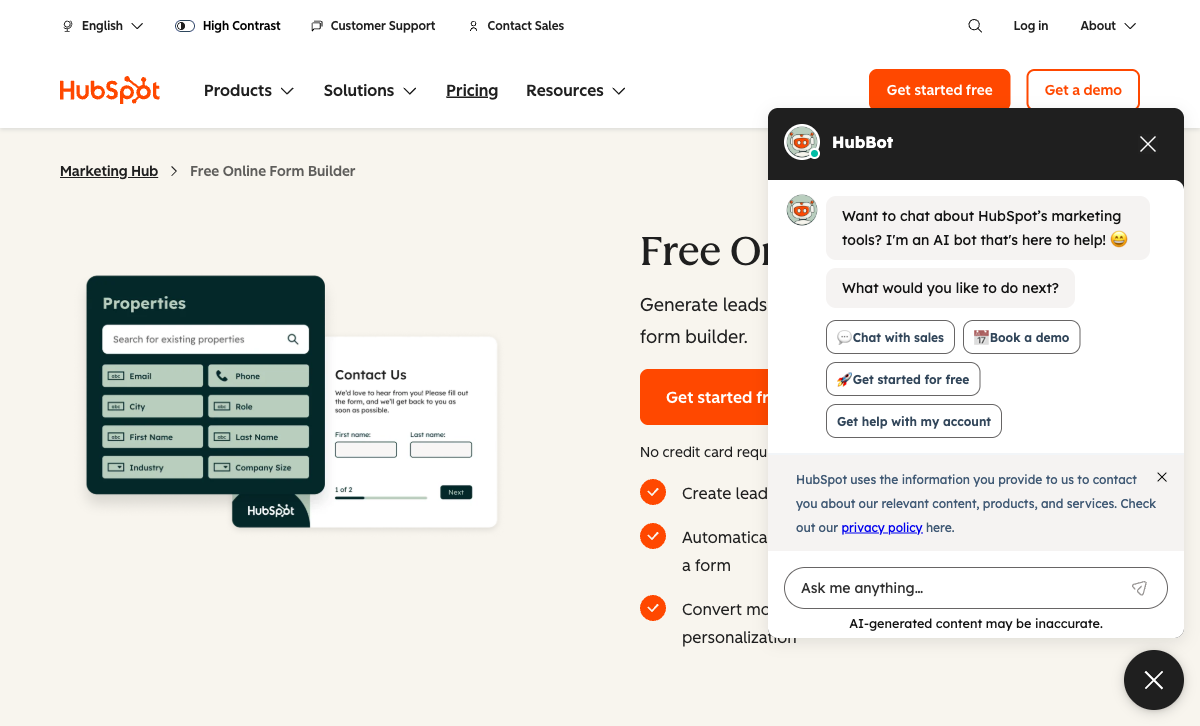
Every HubSpot form submission automatically creates or updates a contact in HubSpot CRM. No Zapier, no webhook configuration, no mapping fields — it just works. Submissions trigger lead scoring, sales notifications, email sequences, and workflow automation natively. For organisations that run their entire marketing and sales operation through HubSpot, this frictionless data flow is genuinely valuable. Cognito Forms requires Zapier or Make to achieve the same CRM connection, which adds a step and potential failure point.
Progressive Profiling
On HubSpot's Professional plan ($890/month), forms can progressively ask different questions on return visits to build richer contact profiles over time. A first visit might ask for name and email; a second visit asks for company and role; a third asks for budget and timeline. Cognito Forms has no equivalent feature — progressive profiling is a HubSpot-specific capability tied to its CRM's contact intelligence.
Enterprise Security and Scale
HubSpot is a publicly traded company with SOC 2 Type II certification, GDPR compliance, data residency options, SSO, and SLA-backed enterprise plans. For large organisations where vendor security posture matters in procurement, HubSpot's credentials are harder to challenge than a smaller private company. Cognito Forms is GDPR and HIPAA compliant but lacks SOC 2 certification.
Where Both Fall Short
- Design flexibility: Cognito Forms produces functional but utilitarian-looking forms. HubSpot Forms are generic and carry HubSpot branding on the free plan. Neither platform offers a document-style editor, rich media embedding (Unsplash, Giphy), or the design freedom of modern form builders.
- Template libraries: Both platforms have limited template offerings compared to dedicated form builders with tens of thousands of templates. HubSpot's templates are focused on lead generation; Cognito Forms' library is broader but not large.
- Limited AI form creation: Cognito Forms added AI-powered form generation from natural language prompts in 2026, though users report it can be slow and generated forms need review. HubSpot has Breeze AI for other products but not for form creation.
- Limited eCommerce: Neither platform supports full eCommerce with subscriptions, recurring payments, coupons, discount codes, tax calculations, and refund management. Cognito Forms offers basic payment collection; HubSpot offers Stripe-only payments on paid plans. Both trail specialised form builders for payment-heavy use cases.
- No guided/conversational mode: Neither offers a one-question-at-a-time conversational form experience optimised for mobile. Both use traditional multi-field form layouts.
Pricing Comparison
Pricing here requires careful apples-to-apples thinking — HubSpot's form cost is embedded in its broader marketing platform pricing.
| Tier | Cognito Forms | HubSpot Forms | Key Difference |
|---|---|---|---|
| Free | Unlimited forms, 100 subs/mo, calculations, Stripe, logic | Unlimited forms and subs, basic fields, HubSpot branding | HubSpot: more volume. Cognito: more features. |
| ~$20/mo | Pro: 2,000 subs, custom CSS, no branding, 2 users | Starter: $20/seat — remove branding, Stripe payments, basic automation | Cognito Forms includes calculations and logic; HubSpot adds CRM automation |
| ~$39/mo | Team: eSignatures, documents, client portal, 5 users | No equivalent tier — jump to $890/mo Professional | Cognito offers workflow tools at a fraction of HubSpot's Professional price |
| Advanced | Enterprise: $129/mo — unlimited subs, SSO, 20 users | Professional: $890/mo — smart forms, A/B testing, advanced automation | 7x price difference; HubSpot's value is the full marketing stack, not forms |
All prices reflect annual billing. HubSpot pricing is per-seat on Starter and includes Marketing Hub features beyond forms.
Important context: HubSpot's pricing is for the entire Marketing Hub platform, not just forms. If you already use HubSpot for email, automation, and CRM, forms are essentially free. If you'd only use HubSpot for forms, the pricing makes no sense — you'd be buying an entire marketing platform for a basic form builder.
Cognito Forms
HubSpot Forms
| Product | Plan | Monthly Price | Annual Price (per month) | Free Plan | Free Trial | Limits |
|---|---|---|---|---|---|---|
| Cognito Forms | Individual (Free) | Free | Free | Yes | 14 days | forms: Unlimited, submissions: 100/month, storage: 100 MB, users: 1 |
| Cognito Forms | Pro | $19/mo | $16/mo billed annually | forms: Unlimited, submissions: 2,000/month, storage: 1 GB, users: 2 | ||
| Cognito Forms | Team | $39/mo | $33/mo billed annually | forms: Unlimited, submissions: 10,000/month, storage: 10 GB, users: 5 | ||
| Cognito Forms | Enterprise | $129/mo | $109/mo billed annually | forms: Unlimited, submissions: Unlimited, storage: 100 GB, users: 20 | ||
| HubSpot Forms | Free | Free | Free | Yes | 14 days | forms: Unlimited, submissions: Unlimited, users: 2 |
| HubSpot Forms | Marketing Hub Starter | $20/mo | $20/mo billed annually | forms: Unlimited, submissions: Unlimited, users: Per seat | ||
| HubSpot Forms | Marketing Hub Professional | $890/mo | $890/mo billed annually | forms: Unlimited, submissions: Unlimited, users: 3 included (additional seats extra) | ||
| HubSpot Forms | Marketing Hub Enterprise | $3600/mo | $3600/mo billed annually | forms: Unlimited, submissions: Unlimited, users: 5 included (additional seats extra) |
What Users Say
Cognito Forms earns high marks for value-for-money (4.7/5 on Capterra) and ease of use, with users praising the calculation engine and generous free plan. HubSpot Forms reviews are mixed — users love the CRM integration but frequently cite the form builder itself as "basic," "limited," and "not as flexible as dedicated design tools." The most common HubSpot Forms complaint: the gap between the free tier's capabilities and the $890/month price tag for advanced form features.
The Verdict
Cognito Forms is the better form builder. It offers more field types, calculations, conditional logic, payments, eSignatures, and workflow tools at a fraction of the cost. For any use case that extends beyond basic lead capture — payment forms, calculators, HIPAA-compliant healthcare forms, client portals — Cognito Forms is the more capable platform.
HubSpot Forms is the better ecosystem play. If your marketing, sales, and service operations run through HubSpot CRM, using HubSpot Forms for lead capture keeps everything in one system. The native CRM integration, progressive profiling, and workflow triggers are genuinely valuable for HubSpot-centric teams — even though the form builder itself is basic.
The practical recommendation: if you use HubSpot CRM and only need lead capture forms, keep HubSpot Forms for that purpose. For everything else — payment forms, calculators, registrations, surveys, HIPAA forms — use a dedicated form builder like Cognito Forms (or Paperform) and connect it to HubSpot via Zapier. You get better forms without sacrificing CRM integration. Many HubSpot users run a dedicated form builder alongside HubSpot Forms for this exact reason.
Consider Paperform
If you need a form builder that combines Cognito Forms' calculation power with design polish that neither platform here offers, Paperform is worth a look. Its document-style editor produces forms that look like designed landing pages. The Excel-style calculation engine powers logic across questions, pages, emails, integrations, and success pages. Five payment gateways (Stripe, PayPal, Square, Braintree, Google Pay) come included on every plan — even free.
Paperform connects to HubSpot natively (plus 2,000+ other tools via Zapier, Make, and direct integrations), so you don't sacrifice CRM connectivity. At $29/month for Essentials, it sits between Cognito Forms and HubSpot on price while often exceeding both on form capability. Founded in 2016, bootstrapped and profitable. See the Cognito Forms alternatives or HubSpot Forms alternatives pages for more.
Frequently Asked Questions
Are HubSpot Forms really free?
Yes — with significant caveats. HubSpot Forms are free with a HubSpot CRM account. You get unlimited forms and unlimited submissions, which sounds excellent on paper. But the free tier carries HubSpot branding on every form, offers only basic field types (~15 CRM fields), no conditional logic, no calculations, and no payment processing. Removing branding requires the Starter plan ($20/seat/month). Advanced features like progressive profiling and A/B testing require Professional at $890/month. Cognito Forms' free plan includes calculations, conditional logic, and Stripe payments — functionality that HubSpot doesn't offer until its $890/month tier.
Can Cognito Forms replace HubSpot Forms for lead generation?
For form building, absolutely — Cognito Forms offers more field types, calculations, conditional logic, and payments. For CRM integration, it depends. Cognito Forms connects to HubSpot via Zapier or Make, so leads can flow into your CRM automatically. What you lose is HubSpot's native features: automatic contact creation, progressive profiling, smart content, and the seamless connection to HubSpot's email, ads, and automation tools. If your marketing stack is built around HubSpot, replacing HubSpot Forms creates friction. If you use a different CRM or need forms that go beyond lead capture, Cognito Forms is the stronger form builder.
Which is better for payment collection?
Cognito Forms, by a wide margin. Its free plan includes Stripe payments for up to 500 transactions/month. The Team plan ($39/month) adds Square and PayPal. HubSpot only supports payment collection via Stripe on its paid Starter plan ($20/seat/month), with no PayPal, Square, or other gateways. Neither platform offers full eCommerce with subscriptions and coupons, but Cognito Forms provides more payment gateway options at a lower price point.
Do I need HubSpot Forms if I already use HubSpot CRM?
Not necessarily. HubSpot Forms are convenient because submissions automatically create CRM contacts, but that convenience comes with a very basic form builder. If your forms need calculations, advanced logic, payment processing, or HIPAA compliance, a dedicated form builder like Cognito Forms connected to HubSpot via Zapier can deliver better forms while still feeding data to your CRM. The trade-off is slightly more setup time versus significantly more form capability.
Sources & References
- HubSpot Forms Review — Pros, Cons, and Alternatives — G2, 2026
- Best Free Form Builders Compared — EmailToolTester, 2026
Updates
We re-audit the form builders we compare on a regular cadence and log every change here — a public record of what changed and when.
- Updated June 4, 2026 — Updated the Cognito Forms AI assessment: it now offers AI-powered form generation from natural language prompts (added in 2026), so the previous claim that Cognito Forms had no AI features at all was corrected to note the new but limited capability.
Last updated June 25, 2026
Ready to try Paperform?
Create beautiful forms, payment pages, and workflows — no code required.