Cognito Forms vs Gravity Forms: SaaS Standalone vs WordPress Plugin in 2026
This comparison isn't just about features — it's about two fundamentally different approaches to form building. Cognito Forms is a standalone SaaS platform: sign up, build forms, embed anywhere, and the platform handles hosting, security, and maintenance. Gravity Forms is a WordPress plugin: powerful and extensible, but locked into the WordPress ecosystem with all the hosting, maintenance, and security responsibilities that entails.
The right choice depends on your infrastructure. If you're already running WordPress and want forms tightly integrated with your site, Gravity Forms is the ecosystem play. If you want zero infrastructure overhead and platform independence, Cognito Forms eliminates the WordPress dependency entirely.
Who Is Cognito Forms?
Cognito Forms was founded in 2013 in Columbia, South Carolina. Now private equity-backed, the platform focuses on workflow-oriented forms with built-in calculations, e-signatures, Stripe payments on the free plan, and HIPAA compliance on enterprise tiers. As a standalone SaaS, Cognito Forms handles all infrastructure — hosting, security, backups, and updates — so users focus on building forms, not managing servers.
Who Is Gravity Forms?
Gravity Forms was created by Rocketgenius, Inc. and has been the premium WordPress form plugin since 2009. It requires a WordPress installation to run and extends through a massive ecosystem of official and third-party add-ons. Gravity Forms is licensed annually ($59-$259/year) and stores form data within your WordPress database. The plugin's extensibility and WordPress-native approach make it the default choice for WordPress developers and agencies, but it carries the overhead of WordPress hosting and maintenance.
Quick Verdict
Choose Cognito Forms if:
- You don't use WordPress or want to leave WordPress
- You want zero infrastructure — no hosting, security, or plugin updates
- Free-tier payments, calculations, and e-signatures matter
- You need HIPAA compliance without managing your own server security
Choose Gravity Forms if:
- Your website runs on WordPress and you want native integration
- You need the extensibility of 200+ official and third-party add-ons
- You prefer data stored in your own database (data ownership)
- WordPress developers on your team can customise with PHP hooks
Feature Comparison
Side-by-side across every feature category.
| Feature | Cognito Forms | Gravity Forms |
|---|---|---|
| Form Building | ||
| Document-style editor | No | No |
| AI form creation | No | No |
| Field types | 20+ | No |
| Multi-page forms | Yes | Yes Basic |
| Guided mode (one question at a time) | No | Yes Elite |
| Conditional logic | Yes | Yes Basic |
| Calculations field | Yes | Yes Basic |
| AI calculations assistant | No | No |
| Scoring | Yes | Yes Elite |
| Answer piping | Yes | Yes Basic |
| Pre-filling and hidden fields | Yes | Yes Basic |
| Save and resume | Yes pro | Yes Basic |
| Auto-close by number | Yes | No |
| Auto-close by date | Yes | No |
| Appointment/booking field | No | No |
| Signature field | Yes team | Yes Elite |
| Color picker field | No | No |
| API-powered dropdowns | Yes | No |
| Google address search | Yes | No |
| File uploads | Yes | No |
| Drag-and-drop builder | No | Yes Basic |
| 30+ field types | No | Yes Basic |
| Payments | ||
| Stripe payments | Yes | Yes Pro |
| PayPal payments | Yes team | Yes Pro |
| Square payments | Yes team | Yes Pro |
| Braintree payments | No | No |
| Google Pay | No | Yes Pro |
| Product sales (eCommerce) | Yes | Yes Basic |
| Subscriptions | No | Yes Pro |
| Coupons and discounts | Yes | Yes Elite |
| Custom pricing rules | Yes | No |
| Tax calculations | Yes | No |
| Quotes/invoices | Yes team | No |
| Refunds | No | Yes Pro |
| 3D Secure | No | Yes Pro |
| Design & Customization | ||
| Template gallery | Yes | Yes Basic |
| Rich media (images, GIFs, videos) | Yes | Yes Basic |
| Unsplash and Giphy integration | No | No |
| Image editor | No | No |
| Adobe Creative Cloud | No | No |
| Language translation | Yes pro | Yes Basic |
| Advanced theming | Yes pro | Yes Basic |
| Custom form URL | No | No |
| Custom domains | No | No |
| Custom HTML & CSS | Yes pro | Yes Basic |
| Remove branding | Yes pro | Yes Basic |
| Custom email domains | No | Yes Elite |
| Analytics | ||
| Submission results and reports | Yes | Yes Basic |
| AI report insights | No | No |
| Paperform analytics | No | No |
| Google Analytics & Facebook Pixel | Yes pro | Yes Elite |
| Custom analytics scripts | No | Yes Basic |
| Partial submissions | No | Yes Elite |
| Collaboration | ||
| Multi-user accounts | Yes pro | Yes Basic |
| User permissions and management | Yes team | Yes Basic |
| Advanced permissions & admin | Yes enterprise | No |
| Form sharing (templates) | Yes | Yes Basic |
| Spaces and tag management | No | No |
| Security | ||
| SOC 2 Type II | No | No |
| GDPR compliant | Yes | Yes Basic |
| SSL encryption | Yes | Yes Basic |
| Two-factor authentication | Yes | No |
| Enforce 2FA for all users | No | No |
| SSO (SAML) | Yes enterprise | No |
| reCAPTCHA | Yes | Yes Basic |
| Local data residency | No | Yes Basic |
| Custom S3 storage (BYO) | No | No |
| Integrations & API | ||
| Native integrations | No | No |
| Zapier | Yes | Yes Pro |
| Make (Integromat) | Yes | No |
| Webhooks | Yes | Yes Elite |
| Standard API | No | Yes Basic |
| Business API | No | No |
| WordPress plugin | Yes | Yes Basic |
| oEmbed support | Yes | No |
| 50+ official add-ons | No | Yes Basic |
| Stepper workflow automation | No | No |
Where Cognito Forms Wins
Zero Infrastructure Overhead
Sign up for Cognito Forms and you're building forms in minutes. No WordPress installation, no hosting provider, no SSL certificates, no plugin updates, no security patches, no database backups. The platform handles everything. Gravity Forms requires an active WordPress site with reliable hosting, security monitoring, regular plugin and core updates, and database maintenance. For non-technical users or teams without WordPress expertise, Cognito Forms eliminates an entire category of operational overhead.
Generous Free Tier
Cognito Forms' free plan includes unlimited forms, 100 submissions/month, Stripe payments, e-signatures, and calculations. Gravity Forms has no free plan — the cheapest license is $59/year (Basic), plus WordPress hosting costs. For budget-conscious users, Cognito Forms offers production-ready forms at zero cost, while Gravity Forms requires upfront investment before you build your first form.
Built-In Calculations
Cognito Forms' calculation engine is central to the platform — formula-based computations that handle dynamic pricing, conditional values, and complex field math on all plans including free. Gravity Forms has pricing fields and basic number calculations, but for complex formulas you'll need add-ons like GravityMath or custom development. Cognito Forms delivers more calculation power out of the box.
Platform Independence
Cognito Forms works on any website — WordPress, Squarespace, Wix, static sites, or standalone hosted pages. Embed via iframe or link directly. Gravity Forms is WordPress-only. If you ever migrate away from WordPress, your forms don't come with you. Cognito Forms' platform independence is a hedge against future website platform changes.
Where Gravity Forms Wins
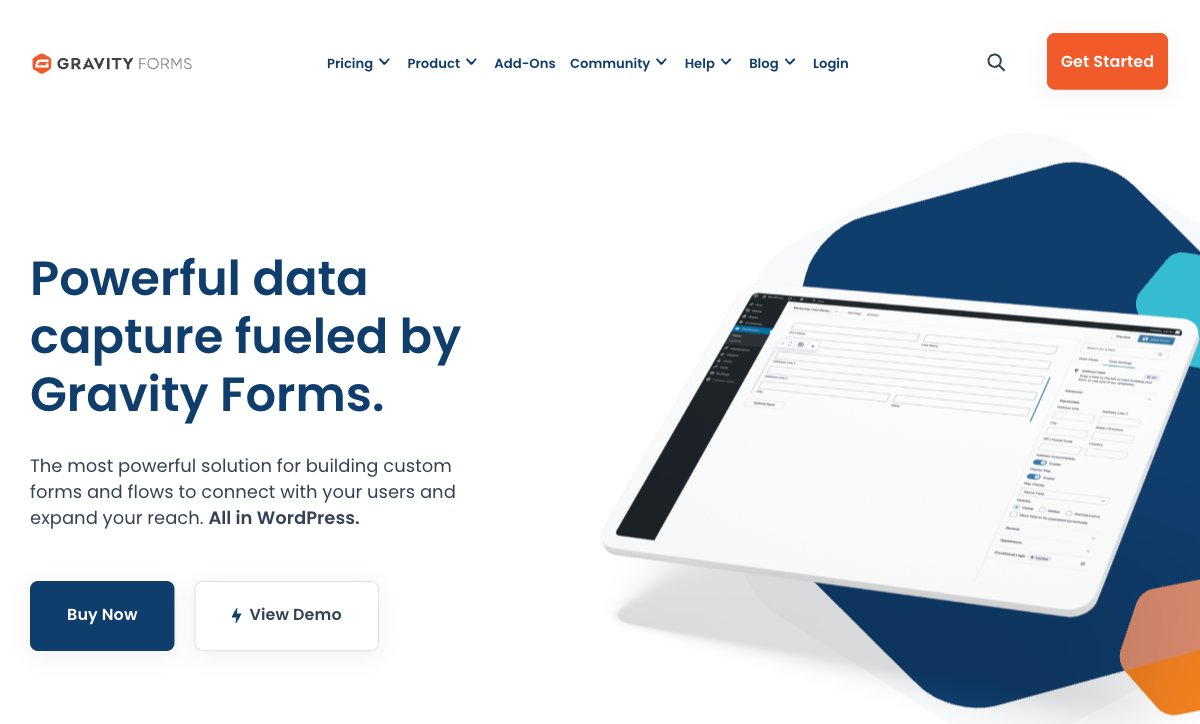
WordPress-Native Integration
Gravity Forms lives inside WordPress. Forms render natively in your theme, submissions are stored in your database, and the plugin integrates with WordPress hooks, filters, and the admin interface. For WordPress sites, this means forms that match your site's design perfectly, data that's accessible through WordPress tools, and workflows that connect to other WordPress plugins. Cognito Forms embeds work well but they're always an external element on a WordPress page.
Massive Add-On Ecosystem
Gravity Forms has 30+ official add-ons and 200+ third-party extensions covering payment gateways, CRM integrations, advanced fields, PDF generation, quiz features, and more. Need a specific integration? There's probably a Gravity Forms add-on for it. Cognito Forms integrates through Zapier and Power Automate — functional but less direct than Gravity Forms' plugin-level connections for WordPress-specific workflows.
Data Ownership
Gravity Forms stores all submission data in your WordPress database — on your hosting, under your control. You own the data physically, not just contractually. Cognito Forms stores data on its servers. For organisations with strict data residency requirements or those who prefer physical control of their data, Gravity Forms' approach is reassuring.
Developer Extensibility
Gravity Forms offers PHP hooks, filters, and a developer API that WordPress developers can use to customise every aspect of form behaviour. Custom field types, conditional processing, custom notifications, and integration logic are all possible through code. Cognito Forms is more of a closed platform — powerful out of the box but less customisable through code for edge cases that fall outside its built-in capabilities.
Pricing Comparison
Direct price comparison is tricky because Gravity Forms doesn't include hosting costs.
| Tier | Cognito Forms | Gravity Forms + Hosting | Key Difference |
|---|---|---|---|
| Free / Entry | Free: unlimited forms, 100 subs, Stripe, e-sigs | Basic: $59/yr + hosting ($60-600/yr) | Cognito is free; Gravity Forms starts at $120+/year total |
| Mid-Tier | Pro: $15/mo ($180/yr) — all-inclusive | Pro: $159/yr + hosting + add-ons | Similar total cost; Cognito includes infrastructure |
| Full-Featured | Team: $39/mo ($468/yr) — workflows, documents | Elite: $259/yr + hosting + premium add-ons | Gravity Forms is cheaper on paper; add-on costs close the gap |
| Enterprise | Enterprise: $129/mo — HIPAA, SSO, managed | No enterprise tier — you manage your own security | Cognito offers managed compliance; Gravity Forms is DIY |
Gravity Forms prices exclude hosting, SSL, maintenance, and third-party add-on costs.
Cognito Forms
Gravity Forms
| Product | Plan | Monthly Price | Annual Price (per month) | Free Plan | Free Trial | Limits |
|---|---|---|---|---|---|---|
| Cognito Forms | Individual (Free) | Free | Free | Yes | 14 days | forms: Unlimited, submissions: 100/month, storage: 100 MB, users: 1 |
| Cognito Forms | Pro | $19/mo | $16/mo billed annually | forms: Unlimited, submissions: 2,000/month, storage: 1 GB, users: 2 | ||
| Cognito Forms | Team | $39/mo | $33/mo billed annually | forms: Unlimited, submissions: 10,000/month, storage: 10 GB, users: 5 | ||
| Cognito Forms | Enterprise | $129/mo | $109/mo billed annually | forms: Unlimited, submissions: Unlimited, storage: 100 GB, users: 20 | ||
| Gravity Forms | Basic | Not listed | $59/mo billed annually | No | 14 days | forms: Unlimited, submissions: Unlimited, storage: WordPress database (self-hosted), users: Unlimited (WordPress users) |
| Gravity Forms | Pro | Not listed | $159/mo billed annually | forms: Unlimited, submissions: Unlimited, storage: WordPress database (self-hosted), users: Unlimited (WordPress users) | ||
| Gravity Forms | Elite | Not listed | $259/mo billed annually | forms: Unlimited, submissions: Unlimited, storage: WordPress database (self-hosted), users: Unlimited (WordPress users) | ||
| Gravity Forms | Nonprofit | Not listed | $129/mo billed annually | forms: Unlimited, submissions: Unlimited, storage: WordPress database (self-hosted), users: Unlimited (WordPress users) |
What Users Say
Both platforms hold strong review ratings. Gravity Forms is praised for its WordPress integration depth and extensibility — WordPress developers consider it the gold standard for forms. Cognito Forms reviewers highlight the generous free tier, calculation engine, and zero maintenance overhead. The split reflects the audience: Gravity Forms for WordPress-committed teams, Cognito Forms for platform-independent users who want managed infrastructure.
Consider Paperform
If Cognito Forms' utilitarian design feels limiting and Gravity Forms' WordPress dependency doesn't suit your stack, Paperform offers a design-forward SaaS alternative. At $29/month (Essentials), Paperform delivers a document-style editor creating forms that look like landing pages, an Excel-style calculation engine powering logic across the entire platform, five payment gateways (Stripe, PayPal, Square, Braintree, Google Pay), built-in eSignatures (Papersign), and workflow automation (Stepper).
Founded in 2016, Paperform is bootstrapped and profitable — no private equity or investor pressure. For teams that want beautiful, standalone forms with powerful calculations and no WordPress dependency, Paperform combines the best of both worlds. See the Cognito Forms alternatives or Gravity Forms alternatives pages for deeper analysis.
Frequently Asked Questions
Can Cognito Forms replace Gravity Forms if I leave WordPress?
Yes, and it's one of the most common migration paths for teams moving away from WordPress. Cognito Forms is a standalone SaaS platform — no hosting, no plugins, no WordPress dependency. You embed forms via iframe or link to hosted form pages. Most Gravity Forms field types have direct Cognito Forms equivalents, and Cognito's calculation engine is comparable for computed fields and conditional logic. The main adjustment is rebuilding any Gravity Forms add-on integrations (CRM connections, payment processors) using Cognito's Zapier or Power Automate connectors.
Is Gravity Forms cheaper than Cognito Forms?
On paper, Gravity Forms' Basic license ($59/year) looks cheaper than Cognito Forms' Pro plan ($15/month = $180/year). But the comparison isn't apples-to-apples. Gravity Forms requires WordPress hosting ($5-50+/month), SSL certificates, plugin maintenance, and security monitoring. Total cost of ownership for a Gravity Forms setup typically runs $120-650/year when you include hosting and maintenance. Cognito Forms' $15/month includes hosting, security, SSL, backups, and maintenance — zero infrastructure overhead. For teams without existing WordPress infrastructure, Cognito Forms is often cheaper in total cost.
Which platform has better calculations?
Cognito Forms has a more capable built-in calculation engine. Its formula-based calculations handle dynamic pricing, conditional values, computed totals, and complex field math across all plans including free. Gravity Forms offers calculations through its pricing fields and conditional logic, but the computation capabilities are more limited without third-party add-ons like GravityMath. For pricing calculators, order forms, and dynamic quoting, Cognito Forms delivers more out of the box.
Does Cognito Forms work with WordPress?
Yes. Cognito Forms can be embedded on any website, including WordPress, via iframe embed codes or direct links. However, it runs as an external SaaS service — form data is stored on Cognito's servers, not in your WordPress database. Gravity Forms stores data within your WordPress installation, which some users prefer for data ownership. If you want forms on WordPress but don't want the maintenance overhead of a WordPress plugin, Cognito Forms' embed approach works well.
Sources & References
- Gravity Forms vs Cognito Forms — Comparison — G2, 2026
- Best WordPress Form Plugins in 2026 — WPBeginner, 2026
Last updated March 21, 2026
Ready to try Paperform?
Create beautiful forms, payment pages, and workflows — no code required.