Best Form Builders for Web Developers in 2026
Most form builder comparisons evaluate drag-and-drop ease and template count. Developers don't care about that. You want to know: can I embed this without it breaking my layout? Is there a webhook I can consume? Can I override the CSS without fighting an !important war? Does the API actually do what the docs claim?
We ranked these form builders on embed flexibility (iframe, popup, script, SDK), API quality (REST endpoints, documentation, rate limits), webhook support (payload format, signing, reliability), custom CSS access, and integration depth (native connectors, Zapier/Make coverage, and direct platform hooks). Visual design tools are secondary here — what matters is how well a form builder plays with your existing codebase.
A note on scope: this guide is about form builders — tools that handle the UI, validation, storage, and integrations so you don't have to. If you prefer building forms from scratch with a headless backend, these tools aren't for you. But if you want to ship production forms in hours rather than days, while retaining enough technical control to integrate them cleanly into your stack, keep reading.
How We Evaluated These Form Builders
Every form builder on this list was evaluated against five criteria that matter to developers shipping production forms. We weighted these based on how frequently they appear as requirements in real integration projects:
- Embed flexibility (25%): How many embed modes are available? Can you control the form programmatically after embed? Does embedding require framework-specific dependencies or work with a simple script tag?
- API quality (25%): Is there a documented REST API? Are the docs accurate and maintained? Can you create forms, retrieve submissions, and manage data programmatically? Are there SDKs or OpenAPI specs?
- Webhook and event support (20%): Does the platform fire webhooks on submission? Is the payload well-structured JSON? Can you verify webhook authenticity? Are there events beyond form submission (e.g., partial completion)?
- Custom CSS and theming (15%): Can you override the default styling with your own CSS? Is the DOM structure stable and predictable? Can you match the form to an existing design system without workarounds?
- Integration depth (15%): Native connectors, Zapier/Make coverage, and the ability to connect form data to your existing tools without building middleware from scratch.
We did not weight visual design tools, template libraries, or drag-and-drop builder quality — those matter for non-technical users but are irrelevant to developers who will customise or embed forms programmatically.
| Feature | Paperform | Gravity Forms | Typeform | Jotform | Formstack | Cognito Forms | HubSpot Forms |
|---|---|---|---|---|---|---|---|
| Design & Customization | |||||||
| Template gallery | 30,000+ | Yes Basic | 1,500+ | 20,000+ (starter) | Yes forms | Yes | Yes |
| Rich media (images, GIFs, videos) | Yes | Yes Basic | Yes | Yes starter | Yes forms | Yes | No |
| Unsplash and Giphy integration | Yes | No | Yes | No | No | No | No |
| Image editor | Yes | No | No | No | No | No | No |
| Adobe Creative Cloud | Yes | No | No | No | No | No | No |
| Security | |||||||
| SOC 2 Type II | Yes | No | Yes | Yes enterprise | No | No | Yes |
| Two-factor authentication | Yes | No | Yes | Yes starter | Yes forms | Yes | Yes |
| Enforce 2FA for all users | Yes business | No | No | No | Yes enterprise | No | No |
| SSO (SAML) | Yes business | No | Yes enterprise | Yes enterprise | Yes enterprise | Yes enterprise | Yes enterprise |
| reCAPTCHA | Yes | Yes Basic | Yes business | Yes starter | Yes forms | Yes | No |
| Integrations & API | |||||||
| Native integrations | 2,000+ | No | 120+ (basic) | 150+ (starter) | No | No | Yes |
| Make (Integromat) | Yes | No | Yes basic | No | No | Yes | Yes starter |
| Standard API | Yes pro | Yes Basic | No | No | Yes forms | No | No |
| Business API | Yes business | No | No | No | Yes enterprise | No | No |
| oEmbed support | Yes | No | No | No | No | Yes | No |
 #1 Paperform — Embeddable Forms With Real Developer Controls

Paperform wins the developer ranking not because it has the flashiest API, but because it removes the most friction from the integration workflow. A single script tag gives you four embed modes (inline, popup, slider, popover) without pulling in a framework-specific SDK or managing build dependencies. URL parameters prefill fields. A JavaScript API lets you programmatically open popups, listen for submission events, and react to completion — enough to wire forms into SPAs, marketing pages, or client portals without writing a backend.
The custom CSS editor is per-form with no restrictions — override colours, fonts, spacing, or the entire layout without !important hacks. Webhooks fire on every submission with a clean JSON payload containing all field data, calculation results, and payment metadata. For orchestration beyond webhooks, Paperform connects to 2,000+ apps via Zapier and Make, with native Stripe, PayPal, Square, Braintree, and Slack integrations.
The calculation engine deserves specific attention from a developer perspective. These are Excel-style formulas that power conditional logic across questions, pages, emails, integrations, and success pages. Need a form that calculates a project quote based on selected services, applies a discount code, shows different follow-up questions based on the total, and sends different webhook payloads depending on the outcome? That's all configuration, not code. For developers, this means the form builder handles business logic that would otherwise require a backend service — reducing your integration surface to a single webhook endpoint.
Paperform has been bootstrapped and profitable since its founding in 2016 in Sydney — no VC-driven pivots or surprise pricing restructures. For a developer committing a client's form infrastructure to a third party, that longevity and financial independence matters. A ten-year-old, profitable company is a safer platform bet than a VC-funded startup chasing growth metrics.
- Best for: Developers who need flexible embedding, custom CSS, and webhook-driven workflows without managing a form backend
- Developer highlights: 4 embed modes via script tag, JavaScript API, per-form custom CSS, webhook delivery on submission, URL parameter prefilling, Excel-style calculation engine
- Pricing: Free → $24/mo → $49/mo — embed and webhook features available on all paid plans
- Watch out for: No official npm SDK (embed is script-based, not component-based); REST API is functional but less extensive than Typeform's
 #2 Gravity Forms — The WordPress Developer's Power Tool
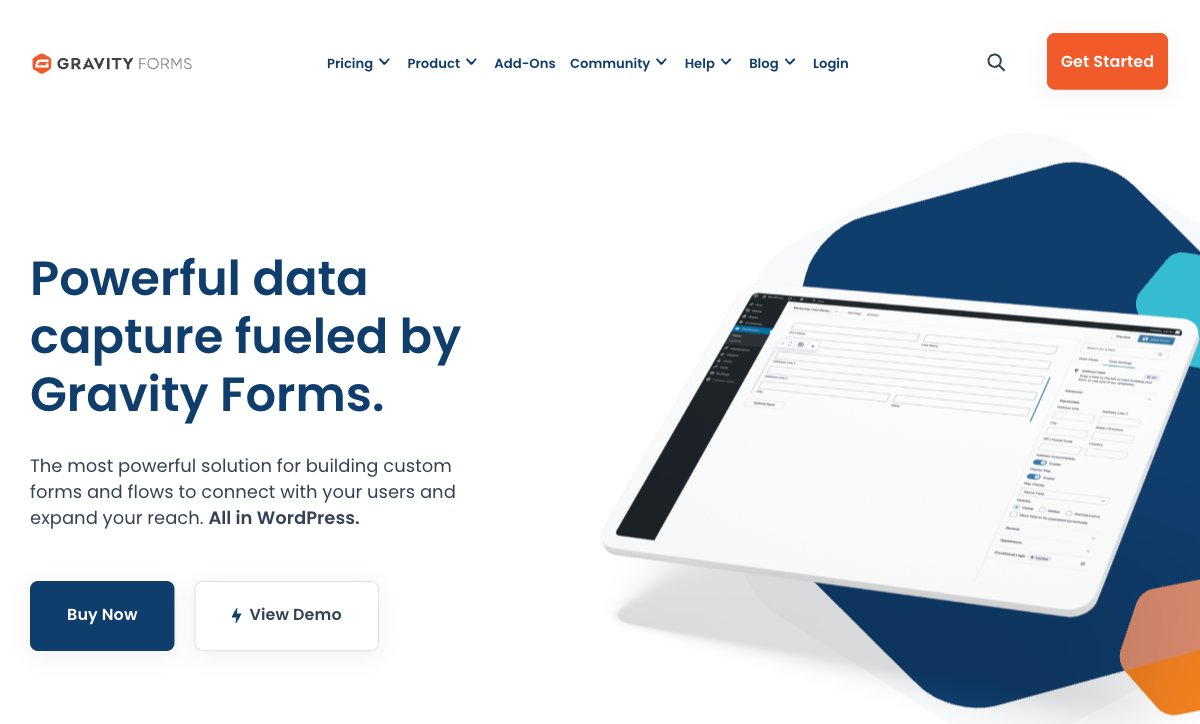
If your stack is WordPress, Gravity Forms is the form plugin built for developers rather than adapted for them. Forms render as standard HTML with predictable, semantic CSS classes — style them in your theme stylesheet exactly like any other element. The PHP hook system is deep: gform_pre_submission, gform_after_submission, gform_validation, and dozens more let you intercept and modify form behaviour at every lifecycle stage. Custom field types, add-on development with the official framework, and a REST API at /wp-json/gf/v2/ round out the developer toolkit.
The add-on development framework is where Gravity Forms separates from every other WordPress form plugin. You can build custom field types, custom merge tags, and complete add-ons that hook into the form lifecycle — and distribute them privately for clients or publicly via the WordPress plugin ecosystem. The REST API exposes form definitions, entries, and entry notes, supporting the kind of headless WordPress patterns that decouple the admin from the front end.
The limitation is obvious: Gravity Forms requires WordPress. No standalone embeds on Shopify, Next.js, or static sites without using WordPress as a headless backend — a viable pattern (WordPress as API, Next.js as front end) but one that adds significant complexity. Self-hosting also means you own uptime, security patches, and server scaling. For WordPress agencies and developers already in that ecosystem, there's no better form tool. For everyone else, it's a non-starter. Founded in 2008, bootstrapped, and used on 5 million+ active sites — Rocketgenius is a profitable, long-running company that has never taken outside funding. See Gravity Forms alternatives.
- Best for: WordPress developers and agencies building custom themes or plugins that need deep form integration
- Developer highlights: PHP action/filter hooks, REST API, custom add-on framework, semantic HTML output, AJAX form loading, WCAG 2.1 AA compliant output
- Pricing: $63/year (Basic) → $127/year (Pro) → $253/year (Elite) — annual license, not monthly SaaS
- Watch out for: WordPress-only; self-hosted means you manage updates, security, and infrastructure; no SaaS convenience
 #3 Typeform — API-First With the Best Embed SDK

Typeform has the most developer-friendly API and embed tooling of any form builder. The @typeform/embed npm package provides React components, vanilla JS widgets, popup and slider embeds, and callback hooks for tracking submissions and field interactions — all typed and documented. The Create API lets you programmatically build forms (useful for generating forms from templates at scale), and the Responses API retrieves submissions with filtering and pagination. Webhook payloads are signed with HMAC for verification, which is a security detail most competitors skip.
For React and Next.js projects specifically, Typeform's SDK is the smoothest integration experience available. Import the component, pass your form ID and callback props, and you have an embedded form that respects your component lifecycle. The onSubmit, onQuestionChanged, and onReady callbacks let you wire form events directly into your application state — useful for multi-step onboarding flows or progressive profiling.
The tradeoff is design rigidity. Typeform's one-question-at-a-time format is excellent for short, focused flows but fights against multi-section forms, order pages, or anything that benefits from showing context alongside questions. Custom CSS access is limited — you can adjust colours and fonts through the theme editor but cannot override the core layout or inject arbitrary styles into the embedded widget. The pricing also bites developers building for clients: payment collection requires the $83/month Business tier, which adds up across multiple client projects. See Typeform alternatives.
- Best for: Developers building React/JS applications who want component-level embed control and a polished API
- Developer highlights: npm SDK with React components, Create API + Responses API, signed webhook payloads, OpenAPI docs, TypeScript types
- Pricing: Free (10 responses) → $25/mo → $83/mo (payments require Business tier)
- Watch out for: Limited custom CSS; conversational format constrains complex form layouts; $83/month for payment forms
 #4 Jotform — Broad API Surface With a Widget Ecosystem
Jotform offers a full REST API for form CRUD, submission retrieval, and user management — the API surface is broad, covering almost everything you can do in the UI. The widget builder is the unique developer feature: create custom form fields (specialised date pickers, signature pads, calculators, file uploaders) using HTML, CSS, and JavaScript, then distribute them through the Jotform marketplace or use them privately. CSS injection is supported in the form designer, and iframe/lightbox/source-code embed options cover most deployment scenarios.
The developer experience is inconsistent, though. API documentation sometimes lags behind actual endpoints, error responses can be vague (generic 400 errors without clear field-level detail), and the widget development workflow has a learning curve that isn't well-documented outside of community examples. The webhook payload structure varies between classic forms and card forms, which means your webhook handler may need to account for different schemas depending on form type.
The free tier (5 forms, 100 submissions, 1,000 daily API calls) is workable for prototyping but hits limits fast in production. Paid plans unlock more capacity: $39/month for 25 forms and 10,000 API calls/day, $99/month for 100 forms. For developers who need breadth of API access and don't mind navigating some rough edges, Jotform delivers. For teams that value polished developer documentation, Typeform or Paperform are smoother experiences. See Jotform alternatives.
- Best for: Developers who want API access to a mature platform with a custom widget ecosystem
- Developer highlights: REST API, custom widget builder, CSS injection, iframe/lightbox/source embed, 40+ payment gateways
- Pricing: Free (5 forms, 1K API calls/day) → $39/mo → $99/mo → Enterprise (custom)
- Watch out for: API docs can be outdated; daily API call limits on lower tiers; inconsistent webhook payload structure between form types
 #5 Formstack — API + Document Automation for Enterprise Workflows
Formstack's developer value is less about form embedding and more about workflow automation. The REST API handles form and submission management, but the real differentiator is Formstack Documents — programmatically generate PDFs, contracts, and merge documents from form submission data. Combined with Formstack Sign for e-signatures, developers can build complete document workflows via API without stitching together three separate services. If your project requires "user fills form, system generates contract, user signs digitally, system files the document," Formstack handles the entire pipeline.
The Salesforce connector is native and deep — Formstack for Salesforce renders forms directly within Salesforce that write to objects without middleware. For dev teams building on Salesforce, this eliminates an entire integration layer. The webhook support is solid, and the API rate limit (20,000 requests/day) is generous enough for most production workloads.
The downside is pricing and positioning: Formstack starts at $50/month and the document automation features require higher tiers. The platform targets mid-market and enterprise teams, not individual developers or small agency projects. HIPAA compliance is available for healthcare projects, and SSO support makes it viable for enterprise deployments. Founded in 2006, Formstack is now backed by private equity (Silversmith Capital Partners) — stable, but pricing has trended upward. See Formstack alternatives.
- Best for: Developers building Salesforce-integrated or document-heavy enterprise workflows
- Developer highlights: REST API, Formstack Documents API, native Salesforce connector, HIPAA compliance, webhook support, SSO
- Pricing: $50/mo (Forms only) → higher tiers for Documents + Sign bundles
- Watch out for: Starts at $50/month; document features require higher tiers; overkill for simple form embedding
Also Worth Considering
Cognito Forms — A surprisingly capable free tier for developers: unlimited forms, 100 submissions, Stripe payments, conditional logic, and calculations. No dedicated REST API for programmatic form management, but form embedding is straightforward via script tag and the platform supports custom CSS injection. The calculation engine is strong (similar in concept to Paperform's) and handles order totals, conditional pricing, and computed fields without code. Good for developers building client sites on a budget who need payment-enabled forms without a monthly cost. The platform was founded in 2012 and remains bootstrapped and profitable. See Cognito Forms alternatives.
HubSpot Forms — Free forms with automatic CRM contact creation and marketing sequence triggering. The embed script works on any site, and the HubSpot API (one of the most comprehensive CRM APIs available) provides full access to form submissions, contact data, and pipeline objects. The forms themselves are basic — limited field types, no payment processing, minimal design customisation — but the integration depth is unmatched if your application already uses HubSpot as the CRM layer. For developers building lead capture into marketing sites that feed a HubSpot-powered sales pipeline, adding HubSpot Forms is zero marginal effort and eliminates a Zapier step. See HubSpot Forms alternatives.
Which Form Builder Should You Pick? A Decision Framework
Rather than reading every section above, use this decision tree based on your stack and primary need:
- WordPress site? Use Gravity Forms. Nothing else integrates as deeply with WordPress hooks, themes, and the block editor. If you also need forms outside WordPress, pair it with Paperform for those.
- React/Next.js app needing component-level form embed? Start with Typeform's embed SDK. It provides React components with typed props and event callbacks. If you need custom CSS or payment forms without the $83/month tier, switch to Paperform.
- Static site or JAMstack (Astro, Hugo, Gatsby)? Use Paperform. A single async script tag with no build dependencies works everywhere. Typeform is also viable if you want the npm SDK route.
- Webhook-driven backend? Use Paperform. Configure a webhook URL, receive structured JSON on every submission, done. No API polling, no SDK to maintain.
- Salesforce-integrated enterprise workflow? Use Formstack. Native Salesforce forms, document generation, and e-signatures in one platform.
- Custom form field types or marketplace distribution? Use Jotform's widget builder or Gravity Forms add-on framework, depending on whether you're in the WordPress ecosystem.
- Zero-budget client project with payments? Use Cognito Forms. Unlimited forms, Stripe payments, and conditional logic on the free tier.
Developer Quick-Reference: Embed and API at a Glance
Here's a condensed comparison of the technical capabilities developers ask about most:
- Custom CSS: Paperform (full editor), Gravity Forms (theme CSS), Jotform (CSS injection), Cognito Forms (CSS injection) — Typeform and HubSpot do not support custom CSS on embedded forms
- Embed modes: Paperform (inline, popup, slider, popover), Typeform (inline, popup, slider, popover via SDK), Jotform (iframe, lightbox, source), Gravity Forms (shortcode, block, AJAX), Formstack (embed script, iframe)
- Webhooks: Paperform, Typeform (signed), Formstack, Jotform — all support submission webhooks. Gravity Forms uses PHP hooks server-side
- REST API: Typeform (most polished), Jotform (broadest surface), Formstack (solid + Documents API), Gravity Forms (WordPress REST), Paperform (webhook-focused)
- npm SDK: Typeform only (
@typeform/embed). All others use script tag or iframe embed - Framework agnostic: Paperform, Typeform, Jotform, Formstack, Cognito Forms, HubSpot Forms (all SaaS). Gravity Forms requires WordPress
Common Developer Integration Patterns
Regardless of which form builder you choose, most developer integrations fall into one of these patterns. Understanding which pattern your project requires helps narrow the tool choice:
Pattern 1: Embed and Forget
You embed a form on a page, submissions go to the form builder's dashboard, and you're done. Maybe you connect a Zapier automation to send submissions to a spreadsheet or Slack channel. This is the simplest pattern and every tool on this list supports it. Choose based on design control (Paperform, Gravity Forms) or UX quality (Typeform).
Pattern 2: Webhook-Driven Processing
The form builder handles the UI and validation. On submission, a webhook fires to your server with the complete payload. Your server processes the data — creates a user account, charges a card via your own Stripe integration, triggers an internal workflow, updates a database. This pattern keeps your backend in control while offloading form UI to a specialist tool. Paperform and Typeform are the strongest choices here: both deliver well-structured JSON payloads, and Typeform adds HMAC signature verification.
Pattern 3: API-First / Headless
You build your own form UI (React components, custom HTML) and use the form builder's API as a backend for validation, storage, and integrations. This gives you total UI control but requires more development work. Typeform and Jotform have the most complete REST APIs for this pattern. Gravity Forms works for this within WordPress via its REST API. This is the most complex pattern — consider whether the form builder's backend value (integrations, payments, logic) justifies the API coupling versus building your own.
Pattern 4: Platform-Native
The form builder runs inside your platform — WordPress, Salesforce, HubSpot. Forms are first-class citizens of the environment rather than third-party embeds. Gravity Forms for WordPress and Formstack for Salesforce are the clear choices for this pattern. The tradeoff is platform lock-in, but the integration depth usually justifies it.
Security Considerations for Developers
When embedding third-party forms, you're loading external scripts into your pages and sending user data to a third-party server. Here's what to verify:
- Data encryption: All tools on this list use TLS for data in transit. Paperform, Typeform, Jotform, and Formstack encrypt data at rest. Gravity Forms' data-at-rest encryption depends on your WordPress hosting configuration.
- GDPR compliance: Paperform, Typeform, Jotform, Formstack, Cognito Forms, and HubSpot Forms all offer GDPR-compliant data processing agreements. Gravity Forms' GDPR compliance depends on your self-hosted infrastructure.
- HIPAA compliance: Formstack offers HIPAA-compliant plans with a BAA. Jotform has a HIPAA-compliant tier. The others (including Paperform, Typeform, Gravity Forms) do not offer HIPAA compliance.
- Webhook verification: Typeform signs webhook payloads with HMAC-SHA256. For other platforms, validate webhooks by checking the source IP, using a secret token in the URL, or implementing your own verification layer.
- Script security: Embedded form scripts run in your page's context.
Review the script's behaviour and ensure it doesn't conflict with your
Content Security Policy (CSP). Most form builders require you to whitelist
their domain in your CSP's
script-srcandframe-srcdirectives.
Full Feature Comparison
| Feature | Paperform | Gravity Forms | Typeform | Jotform | Formstack | Cognito Forms | HubSpot Forms |
|---|---|---|---|---|---|---|---|
| Form Building | |||||||
| Document-style editor | Yes | No | No | No | No | No | No |
| AI form creation | Yes | No | Yes | Yes starter | Yes forms | No | No |
| Field types | 26+ | No | 20+ | 30+ (starter) | 15 | 20+ | No |
| File uploads | Yes | No | Yes basic | Yes starter | No | Yes | Yes |
| Multi-page forms | Yes | Yes Basic | Yes basic | Yes starter | Yes forms | Yes | Yes starter |
| Guided mode (one question at a time) | Yes | Yes Elite | Yes | Yes starter | Yes forms | No | No |
| Conditional logic | Yes | Yes Basic | Yes basic | Yes starter | Yes forms | Yes | Yes professional |
| Calculations field | Yes essentials | Yes Basic | Yes plus | Yes starter | Yes forms | Yes | No |
| AI calculations assistant | Yes essentials | No | No | No | No | No | No |
| Scoring | Yes essentials | Yes Elite | Yes plus | Yes starter | No | Yes | No |
| Answer piping | Yes | Yes Basic | Yes basic | Yes starter | Yes forms | Yes | No |
| Pre-filling and hidden fields | Yes essentials | Yes Basic | Yes basic | Yes starter | Yes forms | Yes | Yes |
| Save and resume | Yes | Yes Basic | No | Yes starter | Yes forms | Yes pro | No |
| Auto-close by number | Yes essentials | No | Yes basic | Yes starter | No | Yes | No |
| Auto-close by date | Yes pro | No | Yes basic | Yes starter | No | Yes | No |
| Appointment/booking field | Yes | No | Yes basic | Yes starter | No | No | No |
| Signature field | Yes | Yes Elite | No | Yes starter | Yes suite | Yes team | No |
| Color picker field | Yes | No | No | No | No | No | No |
| API-powered dropdowns | Yes business | No | No | No | Yes forms | Yes | No |
| Google address search | Yes business | No | No | No | No | Yes | No |
| Drag-and-drop builder | No | Yes Basic | No | Yes starter | Yes forms | No | No |
| 30+ field types | No | Yes Basic | No | No | No | No | No |
| AI follow-up questions | No | No | Yes business | No | No | No | No |
| Video questions | No | No | Yes basic | No | No | No | No |
| Form widgets | No | No | No | Yes starter | No | No | No |
| Template gallery | No | No | No | 20,000+ (starter) | No | No | No |
| Question types | No | No | No | No | No | No | Yes |
| Payments | |||||||
| Stripe payments | Yes | Yes Pro | Yes basic | Yes starter | Yes forms | Yes | Yes starter |
| PayPal payments | Yes | Yes Pro | No | Yes starter | Yes forms | Yes team | No |
| Square payments | Yes | Yes Pro | No | Yes starter | No | Yes team | No |
| Braintree payments | Yes | No | No | Yes starter | No | No | No |
| Google Pay | Yes | Yes Pro | No | Yes starter | No | No | No |
| Product sales (eCommerce) | Yes essentials | Yes Basic | No | Yes starter | No | Yes | No |
| Subscriptions | Yes essentials | Yes Pro | Yes basic | Yes starter | No | No | No |
| Coupons and discounts | Yes essentials | Yes Elite | No | Yes starter | Yes forms | Yes | No |
| Custom pricing rules | Yes essentials | No | No | Yes starter | Yes forms | Yes | No |
| Tax calculations | Yes | No | No | Yes starter | No | Yes | No |
| Quotes/invoices | Yes | No | No | No | No | Yes team | No |
| Refunds | Yes | Yes Pro | No | No | No | No | No |
| 3D Secure | Yes | Yes Pro | Yes basic | No | No | No | No |
| 40+ payment gateways | No | No | No | Yes starter | No | No | No |
| No transaction fees | No | No | No | Yes starter | No | No | No |
| Design & Customization | |||||||
| Template gallery | 30,000+ | Yes Basic | 1,500+ | 20,000+ (starter) | Yes forms | Yes | Yes |
| Rich media (images, GIFs, videos) | Yes | Yes Basic | Yes | Yes starter | Yes forms | Yes | No |
| Unsplash and Giphy integration | Yes | No | Yes | No | No | No | No |
| Image editor | Yes | No | No | No | No | No | No |
| Adobe Creative Cloud | Yes | No | No | No | No | No | No |
| Language translation | Yes | Yes Basic | Yes basic | Yes starter | No | Yes pro | No |
| Advanced theming | Yes pro | Yes Basic | Yes plus | Yes starter | Yes forms | Yes pro | Yes starter |
| Custom form URL | Yes pro | No | Yes plus | No | Yes forms | No | No |
| Custom domains | Yes pro | No | No | Yes enterprise | Yes forms | No | No |
| Custom HTML & CSS | Yes pro | Yes Basic | Yes business | Yes starter | Yes forms | Yes pro | Yes starter |
| Remove branding | Yes pro | Yes Basic | Yes plus | Yes bronze | Yes forms | Yes pro | Yes starter |
| Custom email domains | Yes business | Yes Elite | No | No | No | No | No |
| Form themes | No | No | No | Yes starter | No | No | No |
| Analytics | |||||||
| Submission results and reports | Yes | Yes Basic | Yes | Yes starter | Yes forms | Yes | Yes |
| AI report insights | Yes pro | No | Yes business | No | No | No | No |
| Paperform analytics | Yes pro | No | No | No | Yes forms | No | No |
| Drop-off analysis | Yes pro | No | Yes business | No | No | No | No |
| Google Analytics & Facebook Pixel | Yes essentials | Yes Elite | Yes basic | No | Yes forms | Yes pro | Yes |
| Custom analytics scripts | Yes pro | Yes Basic | Yes basic | No | No | No | No |
| Partial submissions | Yes pro | Yes Elite | Yes plus | No | Yes forms | No | No |
| Form analytics | No | No | No | Yes starter | No | No | No |
| Google Analytics integration | No | No | No | Yes starter | No | No | No |
| Conversion analytics | No | No | No | No | No | No | Yes professional |
| Collaboration | |||||||
| Multi-user accounts | Yes pro | Yes Basic | Yes plus | Yes bronze | Yes forms | Yes pro | Yes |
| User permissions and management | Yes pro | Yes Basic | Yes plus | Yes enterprise | Yes forms | Yes team | Yes starter |
| Advanced permissions & admin | Yes enterprise | No | Yes enterprise | Yes enterprise | Yes enterprise | Yes enterprise | Yes enterprise |
| Form sharing (templates) | Yes | Yes Basic | Yes | No | Yes forms | Yes | Yes |
| Spaces and tag management | Yes | No | No | No | Yes forms | No | No |
| Workspace organization | No | No | Yes | No | No | No | No |
| Form sharing | No | No | No | Yes starter | No | No | No |
| Assign forms | No | No | No | Yes enterprise | No | No | No |
| Security | |||||||
| SOC 2 Type II | Yes | No | Yes | Yes enterprise | No | No | Yes |
| GDPR compliant | Yes | Yes Basic | Yes | Yes starter | Yes forms | Yes | Yes |
| SSL encryption | Yes | Yes Basic | Yes | Yes starter | Yes forms | Yes | Yes |
| Two-factor authentication | Yes | No | Yes | Yes starter | Yes forms | Yes | Yes |
| Enforce 2FA for all users | Yes business | No | No | No | Yes enterprise | No | No |
| SSO (SAML) | Yes business | No | Yes enterprise | Yes enterprise | Yes enterprise | Yes enterprise | Yes enterprise |
| reCAPTCHA | Yes | Yes Basic | Yes business | Yes starter | Yes forms | Yes | No |
| Local data residency | Yes enterprise | Yes Basic | No | No | No | No | No |
| Custom S3 storage (BYO) | Yes business | No | No | No | No | No | No |
| HIPAA compliant | No | No | Yes enterprise | Yes gold | No | No | No |
| ISO 27001 | No | No | Yes | No | No | No | No |
| PCI DSS | No | No | Yes | Yes starter | No | No | No |
| 256-bit SSL | No | No | No | Yes starter | No | No | No |
| Data residency | No | No | No | Yes enterprise | No | No | Yes enterprise |
| Form encryption | No | No | No | Yes starter | No | No | No |
| Custom S3 storage | No | No | No | No | No | No | No |
| Integrations & API | |||||||
| Native integrations | 2,000+ | No | 120+ (basic) | 150+ (starter) | No | No | Yes |
| Zapier | Yes | Yes Pro | Yes basic | Yes starter | Yes forms | Yes | Yes starter |
| Make (Integromat) | Yes | No | Yes basic | No | No | Yes | Yes starter |
| Webhooks | Yes pro | Yes Elite | Yes basic | Yes starter | Yes forms | Yes | Yes starter |
| Standard API | Yes pro | Yes Basic | No | No | Yes forms | No | No |
| Business API | Yes business | No | No | No | Yes enterprise | No | No |
| WordPress plugin | Yes | Yes Basic | Yes | Yes starter | Yes forms | Yes | Yes |
| oEmbed support | Yes | No | No | No | No | Yes | No |
| 50+ official add-ons | No | Yes Basic | No | No | No | No | No |
| Stepper workflow automation | No | No | No | No | No | No | No |
| API | No | No | Yes basic | Yes starter | No | No | Yes |
| Embed options | No | No | Yes | Yes starter | No | No | Yes |
| Salesforce AppExchange | No | No | No | Yes starter | No | No | No |
| Mobile apps | No | No | No | Yes starter | No | No | No |
| 2000+ integrations | No | No | No | No | No | No | No |
| Additional Products | |||||||
| Jotform Tables | No | No | No | Yes starter | No | No | No |
| Jotform Sign | No | No | No | Yes starter | No | No | No |
| Jotform Apps | No | No | No | Yes starter | No | No | No |
| Jotform Workflows | No | No | No | Yes starter | No | No | No |
| Jotform Report Builder | No | No | No | Yes starter | No | No | No |
| Jotform AI Agents | No | No | No | Yes starter | No | No | No |
| Jotform Store Builder | No | No | No | Yes starter | No | No | No |
Pricing Comparison
Developer-relevant pricing: what you pay for API access, embed capabilities, and the submission volumes typical of production deployments. Note that Gravity Forms uses annual licensing (not monthly SaaS), which makes direct comparison tricky — the annual cost is lower, but you absorb hosting and maintenance overhead.
Paperform
Gravity Forms
| Product | Plan | Monthly Price | Annual Price (per month) | Free Plan | Free Trial | Limits |
|---|---|---|---|---|---|---|
| Paperform | Free | Free | Free | Yes | 14 days | forms: Unlimited, submissions: 30/month, storage: 100 submissions, users: 1, file uploads: 100 MB |
| Paperform | Essentials | $29/mo | $24/mo billed annually | forms: Unlimited, submissions: 100/month, storage: 1,000 submissions, users: 1, file uploads: 1 GB | ||
| Paperform | Pro | $59/mo | $49/mo billed annually | forms: Unlimited, submissions: 1,000/month, storage: 10,000 submissions, users: 3, file uploads: 10 GB | ||
| Paperform | Business | $129/mo | $99/mo billed annually | forms: Unlimited, submissions: 10,000/month, storage: 100,000 submissions, users: 5, file uploads: 100 GB | ||
| Gravity Forms | Basic | Not listed | $59/mo billed annually | No | 14 days | forms: Unlimited, submissions: Unlimited, storage: WordPress database (self-hosted), users: Unlimited (WordPress users) |
| Gravity Forms | Pro | Not listed | $159/mo billed annually | forms: Unlimited, submissions: Unlimited, storage: WordPress database (self-hosted), users: Unlimited (WordPress users) | ||
| Gravity Forms | Elite | Not listed | $259/mo billed annually | forms: Unlimited, submissions: Unlimited, storage: WordPress database (self-hosted), users: Unlimited (WordPress users) | ||
| Gravity Forms | Nonprofit | Not listed | $129/mo billed annually | forms: Unlimited, submissions: Unlimited, storage: WordPress database (self-hosted), users: Unlimited (WordPress users) | ||
| Typeform | Free | Free | Free | Yes | No | forms: 10, submissions: 10/month, users: 1 |
| Typeform | Basic | $39/mo | $28/mo billed annually | forms: Unlimited, submissions: 100/month, users: 1 | ||
| Typeform | Plus | $79/mo | $56/mo billed annually | forms: Unlimited, submissions: 1,000/month, users: 3 | ||
| Typeform | Business | $129/mo | $91/mo billed annually | forms: Unlimited, submissions: 10,000/month, users: 5 | ||
| Typeform | Growth Pro | $379/mo | $266/mo billed annually | forms: Unlimited, submissions: Expanded, users: Expanded | ||
| Jotform | Starter | Free | Free | Yes | No | forms: 5, submissions: 100/month, storage: 100 MB, users: 1 |
| Jotform | Bronze | $39/mo | $34/mo billed annually | forms: 25, submissions: 1,000/month, storage: 1 GB, users: 1 | ||
| Jotform | Silver | $49/mo | $39/mo billed annually | forms: 50, submissions: 2,500/month, storage: 10 GB, users: 1 | ||
| Jotform | Gold | $129/mo | $99/mo billed annually | forms: 100, submissions: 10,000/month, storage: 100 GB, users: 1 | ||
| Formstack | Forms | $99/mo | $83/mo billed annually | No | 14 days | forms: 25, submissions: 1,000/form, storage: 2 GB, users: 1, file uploads: 2 GB |
| Formstack | Suite | $299/mo | $250/mo billed annually | forms: 100, submissions: 5,000/form, storage: 10 GB, users: 3, file uploads: 10 GB | ||
| Cognito Forms | Individual (Free) | Free | Free | Yes | 14 days | forms: Unlimited, submissions: 100/month, storage: 100 MB, users: 1 |
| Cognito Forms | Pro | $19/mo | $16/mo billed annually | forms: Unlimited, submissions: 2,000/month, storage: 1 GB, users: 2 | ||
| Cognito Forms | Team | $39/mo | $33/mo billed annually | forms: Unlimited, submissions: 10,000/month, storage: 10 GB, users: 5 | ||
| Cognito Forms | Enterprise | $129/mo | $109/mo billed annually | forms: Unlimited, submissions: Unlimited, storage: 100 GB, users: 20 | ||
| HubSpot Forms | Free | Free | Free | Yes | 14 days | forms: Unlimited, submissions: Unlimited, users: 2 |
| HubSpot Forms | Marketing Hub Starter | $20/mo | $20/mo billed annually | forms: Unlimited, submissions: Unlimited, users: Per seat | ||
| HubSpot Forms | Marketing Hub Professional | $890/mo | $890/mo billed annually | forms: Unlimited, submissions: Unlimited, users: 3 included (additional seats extra) | ||
| HubSpot Forms | Marketing Hub Enterprise | $3600/mo | $3600/mo billed annually | forms: Unlimited, submissions: Unlimited, users: 5 included (additional seats extra) |
User Ratings
Aggregate ratings from G2, Capterra, and TrustRadius. Developer satisfaction tends to correlate with platforms that offer clean APIs and flexible embedding — tools that work with your stack rather than demanding you work around theirs.
The Bottom Line for Developers
The "best" form builder for a developer depends entirely on integration pattern and stack. If you want the broadest embed flexibility with clean webhook delivery and custom CSS — and you're not locked to WordPress — Paperform is the most friction-free option. If your stack is WordPress, Gravity Forms gives you PHP-level control that no SaaS tool can match. If you need a polished npm SDK and component-level embed for React, Typeform is the most developer-native experience.
Avoid choosing based on features you won't use. A developer building a simple contact form with a webhook to Slack doesn't need Typeform's Create API or Formstack's document automation. Pick the tool that solves your actual integration requirement with the least overhead, and make sure the pricing scales predictably as your form volume grows.
Frequently Asked Questions
Which form builders offer a proper REST API for headless form submission?
Paperform, Typeform, Jotform, and Formstack all expose REST APIs for creating forms, retrieving submissions, and managing data programmatically. Typeform's API is the most developer-polished with comprehensive OpenAPI documentation and an embedded SDK for React and vanilla JS. Paperform provides webhook delivery on every submission plus a JavaScript API for controlling embedded forms — enough for most headless workflows without needing a full REST client.
Jotform's API covers CRUD operations on forms and submissions but the documentation can lag behind the actual endpoints — you may find undocumented parameters or deprecated fields still in responses. Gravity Forms exposes a REST API within the WordPress ecosystem, accessible at /wp-json/gf/v2/, which supports form definitions, entry management, and entry notes. For a true headless architecture (custom front end, API-only backend), Typeform and Jotform offer the most complete REST surfaces. For webhook-driven architectures (form handles UI, your server processes results), Paperform is the simplest to integrate.
Can I apply custom CSS to override a form builder's default styling?
Paperform has a dedicated custom CSS editor per form — you can override any element without workarounds, including layout, typography, colours, and spacing. The editor is accessible directly in the form builder UI with live preview. Gravity Forms renders forms as standard WordPress HTML with predictable CSS classes (.gform_wrapper, .gfield, etc.), so you style them in your theme stylesheet exactly like any other WordPress element — full control with zero proprietary tooling.
Typeform allows basic theme colour and font changes through the visual editor but does not expose a CSS override layer for embedded forms — the conversational layout is locked. Jotform supports custom CSS injection via its form designer, though the DOM structure can be complex and class names aren't always stable across updates. If pixel-level control over form appearance matters for your project, Paperform (SaaS) and Gravity Forms (WordPress) give you the most direct and reliable CSS access.
What embed methods do form builders support beyond a basic iframe?
Paperform offers four embed modes: standard (inline), popup, slider (drawer), and popover — each deployable with a single script tag. The JavaScript API lets you programmatically open/close popups, prefill fields via URL parameters or JS calls, and listen for submission events. This means you can trigger a form popup from a custom button click, pass user data from your app into form fields, and redirect or update your UI when submission completes — all without a page reload.
Typeform provides a full embedded SDK (@typeform/embed) with React components, popup and slider widgets, and callback hooks — the most framework-native embed experience available. Jotform supports iframe, lightbox, and full source-code embed (the form HTML is injected directly into your page). Gravity Forms is natively embedded in WordPress pages via shortcodes or the Gutenberg block editor and supports AJAX submission to avoid full page reloads.
Do these form builders support webhooks and real-time event notifications?
Paperform fires webhooks on every form submission — configure a URL and you receive a POST with all field data, metadata, calculation results, and payment details as a JSON payload. No polling, no API calls required. Typeform delivers webhooks on submission with a signed payload (HMAC-SHA256) that lets you verify the request originated from Typeform — a security detail that matters when your webhook endpoint triggers sensitive actions.
Formstack supports webhook notifications and also provides a robust Salesforce connector for event-driven workflows — useful when form submissions need to create or update Salesforce records in real time. Jotform supports webhooks but the payload structure varies between classic forms and card forms, which can require conditional parsing in your handler. Gravity Forms uses WordPress action hooks (gform_after_submission) rather than HTTP webhooks natively — your custom code runs on the same server, which is efficient but couples your logic to the WordPress environment. Zapier and webhook add-ons bridge this for external systems.
Are there API rate limits I should plan around?
Every platform imposes limits, and exceeding them ranges from throttled responses to temporary bans. Typeform allows 2 requests/second on the Create API and 10 requests/second on the Responses API — the per-second model means burst traffic is the bottleneck, not daily volume. Jotform enforces daily API call limits tied to your plan: 1,000/day on free, 10,000/day on Bronze, up to 100,000/day on Enterprise. Formstack rate-limits at 20,000 requests/day with burst protection.
Paperform and Gravity Forms are less likely to be API bottlenecks for most projects — Paperform because the typical integration pattern is webhook-driven (no polling needed), and Gravity Forms because it runs on your own server with no external rate limit. The broader advice: if you're building a system that polls for new submissions, switch to a webhook-based architecture. Webhooks eliminate rate limit concerns entirely because the form builder pushes data to you rather than you pulling it.
Which form builder is best for a JAMstack or static site deployment?
For JAMstack sites (Next.js, Astro, Gatsby, Hugo, Nuxt), you need a form builder that works purely via embed script or API — no server-side rendering dependency and no assumption about your hosting environment. Paperform embeds via a single <script> tag with no build-time dependency, making it compatible with any static host (Vercel, Netlify, Cloudflare Pages, GitHub Pages). The script loads asynchronously and renders the form into a target div.
Typeform's embed SDK has official React and JavaScript packages on npm, designed for component-based frameworks — if you're in Next.js or Remix, this is the most natural fit. Jotform works via iframe embed on any static site but the iframe approach can cause layout and responsive design challenges. Gravity Forms requires WordPress and is not suited to JAMstack unless you use its REST API as a headless backend — a viable pattern (WordPress serves API, your static front end consumes it) but one that adds significant operational complexity. For simplicity and reliability, Paperform or Typeform are the strongest choices for static site deployments.
Sources & References
- Best Online Form Builder Software in 2026 — Zapier, 2025
- Best Online Form Builder to Use in 2026 — Top 20 Tools — EmailToolTester, 2026
- The Best Form Builders for Developers — DEV Community, 2025
Last updated March 21, 2026
Ready to try Paperform?
Create beautiful forms, payment pages, and workflows — no code required.