Best Form Builders for Large Businesses in 2026
Large businesses occupy the awkward middle ground of form builder requirements. You need real security — GDPR compliance, data encryption, HIPAA where applicable — but you're not running a six-month procurement process with a 40-page vendor security questionnaire. You need team collaboration across departments, but you're not managing 10,000 users with SAML SSO mandates. You need integrations that scale, but you're connecting to a CRM and accounting platform, not a custom ServiceNow instance.
Most form builder comparisons push mid-market companies toward enterprise platforms they don't need, or toward small-business tools they'll outgrow in six months. We evaluated these platforms specifically for companies with 100 to 1,000 employees across four dimensions: security and compliance (GDPR, HIPAA, encryption), team collaboration (shared workspaces, role management, multi-department use), integrations and API (CRM, accounting, marketing, and automation connections), and analytics (submission tracking, conversion data, reporting).
The ranking below reflects a specific priority: maximum capability per dollar for growing companies. A platform that delivers 90% of the enterprise feature set at 20% of the price ranks higher than one that charges enterprise rates for features most mid-market companies never use. For enterprise-specific requirements like SOC 2, SAML SSO, and custom SLAs, see our enterprise form builders ranking. For smaller teams, see best form builders for small businesses.
| Feature | Paperform | Formstack | Jotform | Typeform | HubSpot Forms | SurveyMonkey | Microsoft Forms | Cognito Forms |
|---|---|---|---|---|---|---|---|---|
| Analytics | ||||||||
| AI report insights | Yes pro | No | No | Yes business | No | Yes Individual Standard | Yes | No |
| Paperform analytics | Yes pro | Yes forms | No | No | No | No | No | No |
| Drop-off analysis | Yes pro | No | No | Yes business | No | No | No | No |
| Google Analytics & Facebook Pixel | Yes essentials | Yes forms | No | Yes basic | Yes | No | No | Yes pro |
| Custom analytics scripts | Yes pro | No | No | Yes basic | No | No | No | No |
| Collaboration | ||||||||
| Form sharing (templates) | Yes | Yes forms | No | Yes | Yes | Yes Team Advantage | Yes | Yes |
| Spaces and tag management | Yes | Yes forms | No | No | No | No | No | No |
| Form sharing | No | No | Yes starter | No | No | No | No | No |
| Assign forms | No | No | Yes enterprise | No | No | No | No | No |
| Workspace organization | No | No | No | Yes | No | No | No | No |
| Security | ||||||||
| SOC 2 Type II | Yes | No | Yes enterprise | Yes | Yes | Yes | Yes | No |
| Enforce 2FA for all users | Yes business | Yes enterprise | No | No | No | Yes enterprise | Yes enterprise | No |
| reCAPTCHA | Yes | Yes forms | Yes starter | Yes business | No | Yes | No | Yes |
| Local data residency | Yes enterprise | No | No | No | No | Yes enterprise | Yes enterprise | No |
| Custom S3 storage (BYO) | Yes business | No | No | No | No | No | No | No |
| Integrations & API | ||||||||
| Native integrations | 2,000+ | No | 150+ (starter) | 120+ (basic) | Yes | 200+ | No | No |
| Zapier | Yes | Yes forms | Yes starter | Yes basic | Yes starter | Yes | No | Yes |
| Make (Integromat) | Yes | No | No | Yes basic | Yes starter | Yes | No | Yes |
| Webhooks | Yes pro | Yes forms | Yes starter | Yes basic | Yes starter | Yes Individual Standard | No | Yes |
| Standard API | Yes pro | Yes forms | No | No | No | Yes Individual Standard | No | No |
 #1 Paperform — Enterprise-Grade Features Without Enterprise Pricing

For mid-market companies, the calculation is straightforward: what's the most form-building power you can get before you need to enter a formal enterprise sales cycle? Paperform sits right at that threshold. SOC 2 Type II certification, GDPR compliance, five payment gateways (Stripe, PayPal, Square, Braintree, Google Pay), built-in e-signatures via Papersign, an Excel-style calculation engine that handles complex pricing and scoring logic, and 2,000+ integrations — all on the Agency plan at $49/month with no per-seat pricing.
That last point matters enormously for large businesses. When your marketing team, sales operations, HR department, and customer success team all need form access, per-seat pricing turns manageable tools into budget nightmares. Paperform's flat rate means your 15th team member costs the same as your first: nothing extra. The calculation engine is particularly valuable for mid-market use cases — dynamic pricing for product configurators, lead scoring that routes to the right sales rep, ROI calculators for marketing teams, and employee satisfaction indexes for HR. These aren't simple "if/then" conditionals; the Excel-style formulas support arithmetic, string operations, date calculations, and nested logic across any field in the form.
The document-style editor sets Paperform apart from traditional drag-and-drop form builders. Instead of placing fields into a rigid grid, you write content around your form fields — the result looks like a landing page, not a data entry form. For large businesses running client-facing intake forms, product configuration pages, or branded registration experiences, this design flexibility means forms represent your brand without requiring a designer.
Paperform has been bootstrapped and profitable since 2016. For large businesses evaluating platform stability, a profitable company that doesn't depend on venture capital funding rounds is a safer long-term bet than VC-backed tools burning through runway. The honest trade-off: no SAML SSO and no custom SLA. If those are hard requirements from your IT team, Formstack is your next stop. If they're nice-to-haves rather than deal-breakers, Paperform delivers more form-building capability per dollar than anything else on this list.
- Best for: Mid-market companies that need powerful forms, payments, and e-signatures across multiple departments without per-seat costs
- Key strength: Excel-style calculations + HIPAA + 5 payment gateways + flat pricing = enterprise features at mid-market cost
- Watch out for: No SAML SSO; no custom SLA; team permissions are functional but not as granular as Formstack
 #2 Formstack — Document Workflows for Process-Heavy Organisations
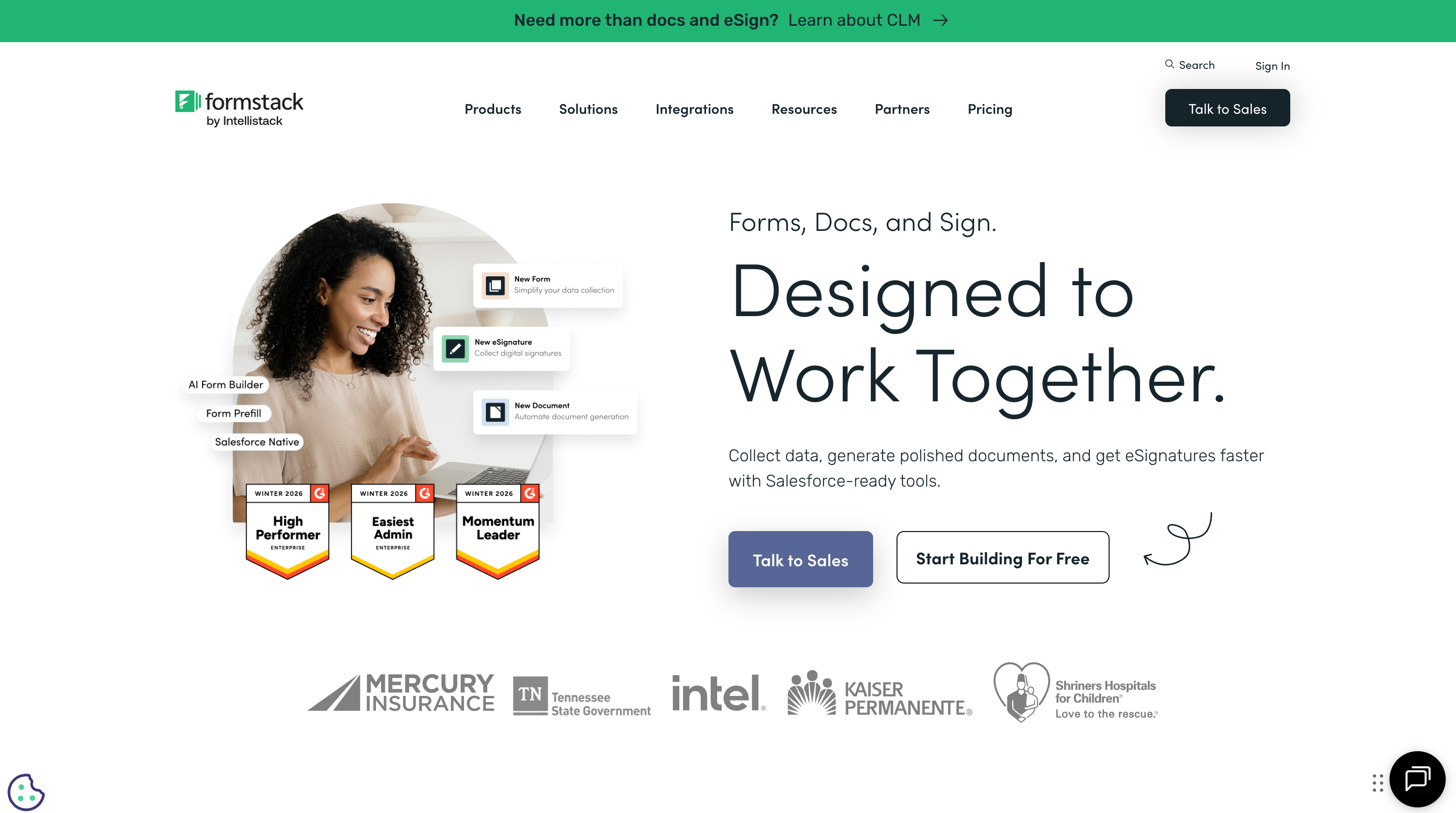
Formstack earns its place for large businesses that need more than data collection — they need document workflows. The platform bundles three products: form building, document generation (Formstack Documents), and electronic signatures (Formstack Sign). A single submission can collect client information, auto-generate a contract from a template, route it for internal approval, and send it for e-signature. For operations-heavy mid-market companies processing contracts, onboarding packets, or compliance documentation, this end-to-end workflow eliminates the duct-tape of connecting separate tools.
The platform carries SOC 2 Type II certification, HIPAA compliance, SSO/SAML, role-based access control, and audit logging — checking every security box a large business IT team might require. If your company has a formal vendor approval process that requires SOC 2 documentation but doesn't demand the full procurement cycle of true enterprise platforms, Formstack threads that needle effectively. The approval workflow features also help mid-market companies that need submission review chains — a manager signs off before a document goes to the client, for example.
The cost reflects that positioning: plans start at $83/month but enterprise-grade features push pricing to $250+/month, and per-seat costs compound with larger teams. A 10-person operations team could easily run $150+/month once the right features are unlocked. The products were assembled through acquisitions, and the integration seams sometimes show — the document generator and e-signature tool don't always feel like they were built by the same team as the form builder. For organisations where the form-to-document-to-signature pipeline is a core business process, Formstack is purpose-built. For general form building, it's overbuilt and overpriced. See Formstack alternatives.
- Best for: Operations teams that need forms feeding directly into document generation and e-signature workflows
- Key strength: End-to-end collect-generate-sign workflow with SOC 2, HIPAA, and SSO compliance
- Watch out for: Expensive once you add seats and features; acquired products feel stitched together; steep learning curve for the full suite
 #3 Jotform — Scale and Templates for Multi-Department Rollouts

When a large business needs to deploy forms across marketing, HR, finance, customer service, and operations simultaneously, Jotform's scale becomes a genuine advantage. The 20,000+ template library means each department finds pre-built forms for their specific use case — employee onboarding, expense claims, customer feedback, event registration, IT requests — rather than building from scratch. For a company rolling out a form platform to 15 departments at once, that library saves weeks of setup time.
Jotform is bootstrapped with $144.9M in annual revenue and has been operating for over 20 years — it's one of the most financially stable form builders available, and that longevity matters when you're standardising a tool across a 500-person company. Enterprise plans include HIPAA compliance, SSO, unlimited forms and submissions, white-label options, and dedicated server infrastructure. The platform also offers Jotform Tables (a database layer for submission management) and Jotform Approvals (workflow routing), which add utility for teams processing high volumes of structured data.
The trade-off is interface complexity. Two decades of accumulated features create a learning curve that grows steeper with team size. Training 50 people on Jotform requires real onboarding investment — menus within menus, widgets within widgets. Individual feature execution doesn't always match the depth of specialists: Paperform's calculation engine is more powerful, Typeform's design is more polished, and Formstack's document workflows are more mature. Enterprise pricing is per-user, which works against large teams. Jotform's strength is breadth, not depth — if your departments need different things from the same platform, that breadth matters. See Jotform alternatives.
- Best for: Large organisations deploying forms across many departments who value template breadth and scale over design polish
- Key strength: 20,000+ templates, unlimited scale on enterprise plans, Jotform Tables for data management, financially stable bootstrapped company
- Watch out for: Complex interface requires significant team onboarding; per-user enterprise pricing adds up; feature depth varies by category
 #4 Typeform — Brand-First Forms for Customer-Facing Teams

For large businesses where the form is the brand touchpoint — lead qualification on the website, post-purchase NPS surveys, premium client onboarding — Typeform's design quality stands apart. The one-question-at-a-time conversational format creates a polished, focused experience that feels intentional rather than bureaucratic. Marketing teams at brand-conscious companies consistently gravitate toward Typeform for externally-facing use cases, and the completion rates on short, well-designed Typeform surveys often outperform traditional multi-field forms.
The limitations surface when you try to use Typeform as a company-wide platform. The conversational format breaks down for complex multi-section forms: HR intake questionnaires with 30+ fields, compliance checklists that need to display multiple sections simultaneously, or detailed order forms where respondents need to see their selections in context. Payment processing requires the $83/month Business plan — three times what Paperform charges for more comprehensive payment support.
The free tier offers only 10 responses per month — unusable for any real business application. Typeform has raised $193M in VC funding, which is worth noting for companies evaluating long-term platform stability; VC-backed tools sometimes pivot, restructure, or raise prices when growth targets aren't met. For customer-facing forms and short surveys, Typeform is the design leader. For a company-wide form platform serving multiple departments with diverse needs, it's too limited and too expensive. See Typeform alternatives.
- Best for: Marketing and customer experience teams at brand-conscious companies needing short, high-conversion forms
- Key strength: Best-in-class visual design for short, customer-facing form experiences with strong completion rates
- Watch out for: $83/month for payments; one-question format limits complex forms; VC-funded ($193M raised) affects long-term predictability
 #5 HubSpot Forms — The Obvious Choice Inside the HubSpot Ecosystem
If your large business already runs on HubSpot CRM, HubSpot Forms is the path of least resistance. Every form submission creates or updates a contact record, triggers workflows, scores leads, and feeds reporting dashboards — with zero integration setup. For marketing teams generating and qualifying leads at scale, this native CRM connection eliminates the data-syncing headaches that plague standalone form tools connected via Zapier or webhooks. Progressive profiling (showing different fields to returning visitors) works automatically based on CRM data, which is genuinely difficult to replicate with standalone form builders.
Outside HubSpot, the value proposition collapses. The form builder itself is basic — limited field types, no payment processing, no calculation engine, no conditional logic beyond simple field visibility, and the design options produce forms that look like HubSpot forms (because they are). Free plans include HubSpot branding you can't remove. Removing branding and accessing advanced features requires a Marketing Hub Starter plan ($20/month) at minimum, with more powerful automation features gated behind Professional ($890/month) and Enterprise ($3,600/month) tiers.
For large businesses evaluating HubSpot Forms, the real question isn't whether the form builder is good — it's whether you're willing to commit to the HubSpot ecosystem. Once your forms, contacts, deals, and workflows all live in HubSpot, switching to a different CRM means rebuilding everything. For HubSpot-native companies, the forms are free and seamless. For everyone else, any standalone form builder on this list offers significantly more flexibility and form-building power. See HubSpot Forms alternatives.
- Best for: Large businesses fully committed to the HubSpot ecosystem for CRM and marketing automation
- Key strength: Seamless CRM integration — form submissions become contacts, deals, and workflow triggers instantly
- Watch out for: Basic form builder; no payments; no calculations; removing branding requires paid HubSpot plans; total ecosystem lock-in
Also Worth Evaluating
 SurveyMonkey — The Research Specialist
SurveyMonkey remains the standard for structured research programs — employee engagement surveys, customer satisfaction benchmarks, NPS tracking, and market research. The platform's methodology tools (question banks, survey logic templates, statistical analysis) and benchmarking data are capabilities no general-purpose form builder matches. If your primary need is survey research rather than general data collection, SurveyMonkey is purpose-built for it.
For large businesses, the cost model is the sticking point. Per-user pricing ($75/month per seat) makes SurveyMonkey expensive at scale — a 20-person research team runs $1,500/month before you factor in response limits. Consider it a specialist tool for your insights or research department rather than a company-wide platform. For general data collection, lead capture, payments, and multi-purpose forms, a standalone builder like Paperform or Jotform delivers more across the organisation. See SurveyMonkey alternatives.
 Microsoft Forms — Already in Your Subscription
Microsoft Forms is included with Microsoft 365 Business and Enterprise subscriptions — which means most large businesses already have access and are already paying for it. It integrates with Power Automate for workflow automation, Teams for distribution and collaboration, SharePoint for data storage, and Excel for analysis. For internal use cases — IT service requests, facility bookings, employee pulse surveys, training feedback — it handles the basics without adding another vendor or another line item.
The form builder is genuinely basic: limited field types, minimal design customisation, no payment processing, no conditional logic beyond basic branching. Treat it as the utility tool your company already owns, not the platform you'd choose if starting fresh. For customer-facing forms or anything requiring payments, calculations, or design flexibility, pair it with a dedicated builder. See Microsoft Forms alternatives.
 Cognito Forms — Surprising Depth on a Budget
Cognito Forms offers an unusually generous free tier: unlimited forms, 100 submissions per month, conditional logic, calculations, electronic signatures, and Stripe payment processing (up to 500 payments/month). Paid plans start at just $15/month and top out at $58/month for the Enterprise tier. For large businesses with budget constraints, or departments experimenting with form automation before committing to a company-wide platform, Cognito provides surprising depth at minimal cost.
Design flexibility is limited compared to Paperform — Cognito's forms are clean but utilitarian. The template library is smaller than Jotform's, and the integration ecosystem is narrower. But for straightforward data collection, internal workflows, and payment processing, the value-for-money ratio is difficult to beat. It's a strong contender for departments that need forms but can't justify a $49+/month platform subscription. See Cognito Forms alternatives.
Platform Stability: Why Company Age Matters for Mid-Market
When you standardise a form builder across multiple departments, switching costs are real. Every form, every integration, every automated workflow needs rebuilding if the platform shuts down, pivots, or gets acquired and restructured. For large businesses, the financial stability of your form vendor matters more than the latest feature announcement.
Here's how the major platforms stack up on longevity and financial sustainability:
- Jotform — Founded 2006, bootstrapped, $144.9M annual revenue. Twenty years of operation without external funding is the strongest stability signal in this market. The company is self-sustaining and doesn't answer to investors demanding growth-at-all-costs pivots.
- Paperform — Founded 2016, bootstrapped and profitable. A decade of sustainable growth without venture capital. Smaller team (11-50 employees) but profitable operations mean no risk of runway-driven shutdowns or fire-sale acquisitions.
- Formstack — Founded 2006, private equity-backed. Long operating history, but PE ownership introduces different incentives around cost-cutting and pricing optimisation. The platform is stable but watch for pricing changes.
- SurveyMonkey (Momentive) — Public company. Financially transparent but subject to public market pressures and quarterly earnings expectations. Stable but historically has deprioritised smaller customers.
- Typeform — Founded 2012, VC-funded ($193M raised). The most funding-dependent option. VC-backed tools sometimes restructure pricing, reduce free tiers, or shift focus to enterprise when growth slows. Evaluate with that risk in mind.
- HubSpot Forms — Part of HubSpot (public, $2B+ revenue). The forms product is stable but entirely dependent on the HubSpot ecosystem. If HubSpot shifts strategy, forms follow.
- Microsoft Forms — Part of Microsoft 365. Not going anywhere, but also unlikely to receive significant investment or innovation. It's a utility, not a priority product.
For mid-market companies making a 3-5 year platform commitment, bootstrapped and profitable companies (Paperform, Jotform) represent the lowest risk of forced migration. They don't need the next funding round to keep the lights on.
Common Use Cases for Large Business Form Builders
Mid-market companies typically deploy form builders across multiple departments. Here are the use cases that drive platform selection:
Sales and Marketing
Lead capture forms, event registration, webinar signups, product demo requests, and ROI calculators. The form builder needs to integrate with your CRM (Salesforce, HubSpot, Pipedrive) so submissions become leads automatically. Paperform's calculation engine excels here — building an interactive ROI calculator or product configurator that dynamically displays pricing based on selections is straightforward with Excel-style formulas. These aren't simple show/hide conditionals; you can reference any field value in any calculation, chain formulas together, and display computed results in real time as the respondent fills out the form.
HubSpot Forms wins if you're already in that ecosystem; for everyone else, a standalone builder with CRM integrations gives more flexibility. Typeform is worth considering specifically for short lead qualification surveys where completion rate matters more than form complexity.
Human Resources
Employee onboarding forms, benefits enrollment, performance review questionnaires, exit interviews, time-off requests, and internal feedback surveys. HR forms often collect sensitive personal data (social security numbers, health information, salary details), making HIPAA and GDPR compliance essential rather than optional. Multi-step forms with conditional logic — showing different benefits options based on employment type, routing performance reviews to the correct manager, calculating PTO balances — are table stakes.
Formstack's document generation is particularly useful for HR workflows: an onboarding form can auto-generate an offer letter, populate it with the new hire's details, and route it for e-signature without manual document creation. Paperform's Papersign handles simpler e-signature needs at a lower cost.
Operations and Finance
Expense claims, purchase order requests, vendor onboarding, incident reports, asset tracking, and approval workflows. These forms typically need calculation capabilities (automatic tax computation, budget remaining against approved amounts, multi-currency conversion, approval thresholds that flag items over a certain value), integration with accounting software (Xero, QuickBooks), and submission routing to the right approver based on amount or department.
Paperform's Excel-style calculations handle the math — a purchase order form can calculate line item totals, apply tax rates, check against budget limits, and display a running total as the requester adds items. Formstack's approval workflows handle the routing and sign-off chains. Jotform's template breadth covers the diversity of operational forms a 500-person company needs.
Customer Success
Support ticket intake, customer satisfaction surveys (CSAT, NPS, CES), feature request collection, bug reports, and client onboarding questionnaires. These forms need to connect to your help desk (Zendesk, Freshdesk, Intercom) and project management tools (Jira, Asana, Monday.com). Typeform's conversational format produces higher completion rates for short satisfaction surveys — a 3-question NPS survey in Typeform will typically outperform the same questions in a traditional form layout.
For complex intake forms where you need to collect detailed information upfront (technical requirements, project specifications, multi-part onboarding checklists), Paperform's document-style format handles longer, multi-section questionnaires more effectively than either Typeform's one-at-a-time approach or Jotform's traditional grid layout.
See Them in Action
Full Feature Comparison
| Feature | Paperform | Formstack | Jotform | Typeform | HubSpot Forms | SurveyMonkey | Microsoft Forms | Cognito Forms |
|---|---|---|---|---|---|---|---|---|
| Form Building | ||||||||
| Document-style editor | Yes | No | No | No | No | No | No | No |
| AI form creation | Yes | Yes forms | Yes starter | Yes | No | Yes | Yes copilot | No |
| Field types | 26+ | 15 | 30+ (starter) | 20+ | No | 15+ | No | 20+ |
| File uploads | Yes | No | Yes starter | Yes basic | Yes | Yes | No | Yes |
| Multi-page forms | Yes | Yes forms | Yes starter | Yes basic | Yes starter | Yes | Yes | Yes |
| Guided mode (one question at a time) | Yes | Yes forms | Yes starter | Yes | No | Yes | No | No |
| Conditional logic | Yes | Yes forms | Yes starter | Yes basic | Yes professional | Yes Individual Standard | Yes | Yes |
| Calculations field | Yes essentials | Yes forms | Yes starter | Yes plus | No | No | No | Yes |
| AI calculations assistant | Yes essentials | No | No | No | No | No | No | No |
| Scoring | Yes essentials | No | Yes starter | Yes plus | No | Yes | Yes | Yes |
| Answer piping | Yes | Yes forms | Yes starter | Yes basic | No | Yes Individual Standard | No | Yes |
| Pre-filling and hidden fields | Yes essentials | Yes forms | Yes starter | Yes basic | Yes | Yes Individual Standard | No | Yes |
| Save and resume | Yes | Yes forms | Yes starter | No | No | Yes Individual Standard | No | Yes pro |
| Auto-close by number | Yes essentials | No | Yes starter | Yes basic | No | Yes Individual Standard | Yes | Yes |
| Auto-close by date | Yes pro | No | Yes starter | Yes basic | No | Yes Individual Standard | Yes | Yes |
| Appointment/booking field | Yes | No | Yes starter | Yes basic | No | No | No | No |
| Signature field | Yes | Yes suite | Yes starter | No | No | No | No | Yes team |
| Color picker field | Yes | No | No | No | No | No | No | No |
| API-powered dropdowns | Yes business | Yes forms | No | No | No | No | No | Yes |
| Google address search | Yes business | No | No | No | No | No | No | Yes |
| Drag-and-drop builder | No | Yes forms | Yes starter | No | No | No | No | No |
| Form widgets | No | No | Yes starter | No | No | No | No | No |
| Template gallery | No | No | 20,000+ (starter) | No | No | No | No | No |
| AI follow-up questions | No | No | No | Yes business | No | No | No | No |
| Video questions | No | No | No | Yes basic | No | No | No | No |
| Question types | No | No | No | No | Yes | No | No | No |
| Payments | ||||||||
| Stripe payments | Yes | Yes forms | Yes starter | Yes basic | Yes starter | Yes Individual Advantage | No | Yes |
| PayPal payments | Yes | Yes forms | Yes starter | No | No | Yes Individual Advantage | No | Yes team |
| Square payments | Yes | No | Yes starter | No | No | No | No | Yes team |
| Braintree payments | Yes | No | Yes starter | No | No | No | No | No |
| Google Pay | Yes | No | Yes starter | No | No | No | No | No |
| Product sales (eCommerce) | Yes essentials | No | Yes starter | No | No | No | No | Yes |
| Subscriptions | Yes essentials | No | Yes starter | Yes basic | No | No | No | No |
| Coupons and discounts | Yes essentials | Yes forms | Yes starter | No | No | No | No | Yes |
| Custom pricing rules | Yes essentials | Yes forms | Yes starter | No | No | No | No | Yes |
| Tax calculations | Yes | No | Yes starter | No | No | No | No | Yes |
| Quotes/invoices | Yes | No | No | No | No | No | No | Yes team |
| Refunds | Yes | No | No | No | No | No | No | No |
| 3D Secure | Yes | No | No | Yes basic | No | No | No | No |
| 40+ payment gateways | No | No | Yes starter | No | No | No | No | No |
| No transaction fees | No | No | Yes starter | No | No | No | No | No |
| Design & Customization | ||||||||
| Template gallery | 30,000+ | Yes forms | 20,000+ (starter) | 1,500+ | Yes | 500+ | Yes | Yes |
| Rich media (images, GIFs, videos) | Yes | Yes forms | Yes starter | Yes | No | Yes | Yes | Yes |
| Unsplash and Giphy integration | Yes | No | No | Yes | No | No | No | No |
| Image editor | Yes | No | No | No | No | No | No | No |
| Adobe Creative Cloud | Yes | No | No | No | No | No | No | No |
| Language translation | Yes | No | Yes starter | Yes basic | No | Yes Individual Premier | Yes | Yes pro |
| Advanced theming | Yes pro | Yes forms | Yes starter | Yes plus | Yes starter | Yes Individual Standard | No | Yes pro |
| Custom form URL | Yes pro | Yes forms | No | Yes plus | No | Yes Individual Standard | No | No |
| Custom domains | Yes pro | Yes forms | Yes enterprise | No | No | No | No | No |
| Custom HTML & CSS | Yes pro | Yes forms | Yes starter | Yes business | Yes starter | No | No | Yes pro |
| Remove branding | Yes pro | Yes forms | Yes bronze | Yes plus | Yes starter | Yes Individual Standard | No | Yes pro |
| Custom email domains | Yes business | No | No | No | No | No | No | No |
| Form themes | No | No | Yes starter | No | No | No | No | No |
| Analytics | ||||||||
| Submission results and reports | Yes | Yes forms | Yes starter | Yes | Yes | Yes | Yes | Yes |
| AI report insights | Yes pro | No | No | Yes business | No | Yes Individual Standard | Yes | No |
| Paperform analytics | Yes pro | Yes forms | No | No | No | No | No | No |
| Drop-off analysis | Yes pro | No | No | Yes business | No | No | No | No |
| Google Analytics & Facebook Pixel | Yes essentials | Yes forms | No | Yes basic | Yes | No | No | Yes pro |
| Custom analytics scripts | Yes pro | No | No | Yes basic | No | No | No | No |
| Partial submissions | Yes pro | Yes forms | No | Yes plus | No | Yes Individual Standard | No | No |
| Form analytics | No | No | Yes starter | No | No | No | No | No |
| Google Analytics integration | No | No | Yes starter | No | No | No | No | No |
| Conversion analytics | No | No | No | No | Yes professional | No | No | No |
| Collaboration | ||||||||
| Multi-user accounts | Yes pro | Yes forms | Yes bronze | Yes plus | Yes | Yes Team Advantage | Yes | Yes pro |
| User permissions and management | Yes pro | Yes forms | Yes enterprise | Yes plus | Yes starter | Yes Team Advantage | Yes | Yes team |
| Advanced permissions & admin | Yes enterprise | Yes enterprise | Yes enterprise | Yes enterprise | Yes enterprise | Yes enterprise | Yes enterprise | Yes enterprise |
| Form sharing (templates) | Yes | Yes forms | No | Yes | Yes | Yes Team Advantage | Yes | Yes |
| Spaces and tag management | Yes | Yes forms | No | No | No | No | No | No |
| Form sharing | No | No | Yes starter | No | No | No | No | No |
| Assign forms | No | No | Yes enterprise | No | No | No | No | No |
| Workspace organization | No | No | No | Yes | No | No | No | No |
| Security | ||||||||
| SOC 2 Type II | Yes | No | Yes enterprise | Yes | Yes | Yes | Yes | No |
| GDPR compliant | Yes | Yes forms | Yes starter | Yes | Yes | Yes | Yes | Yes |
| SSL encryption | Yes | Yes forms | Yes starter | Yes | Yes | Yes | Yes | Yes |
| Two-factor authentication | Yes | Yes forms | Yes starter | Yes | Yes | Yes | Yes | Yes |
| Enforce 2FA for all users | Yes business | Yes enterprise | No | No | No | Yes enterprise | Yes enterprise | No |
| SSO (SAML) | Yes business | Yes enterprise | Yes enterprise | Yes enterprise | Yes enterprise | Yes enterprise | Yes | Yes enterprise |
| reCAPTCHA | Yes | Yes forms | Yes starter | Yes business | No | Yes | No | Yes |
| Local data residency | Yes enterprise | No | No | No | No | Yes enterprise | Yes enterprise | No |
| Custom S3 storage (BYO) | Yes business | No | No | No | No | No | No | No |
| HIPAA compliant | No | No | Yes gold | Yes enterprise | No | No | No | No |
| 256-bit SSL | No | No | Yes starter | No | No | No | No | No |
| Data residency | No | No | Yes enterprise | No | Yes enterprise | No | No | No |
| Form encryption | No | No | Yes starter | No | No | No | No | No |
| PCI DSS | No | No | Yes starter | Yes | No | No | No | No |
| ISO 27001 | No | No | No | Yes | No | No | No | No |
| Custom S3 storage | No | No | No | No | No | No | No | No |
| Integrations & API | ||||||||
| Native integrations | 2,000+ | No | 150+ (starter) | 120+ (basic) | Yes | 200+ | No | No |
| Zapier | Yes | Yes forms | Yes starter | Yes basic | Yes starter | Yes | No | Yes |
| Make (Integromat) | Yes | No | No | Yes basic | Yes starter | Yes | No | Yes |
| Webhooks | Yes pro | Yes forms | Yes starter | Yes basic | Yes starter | Yes Individual Standard | No | Yes |
| Standard API | Yes pro | Yes forms | No | No | No | Yes Individual Standard | No | No |
| Business API | Yes business | Yes enterprise | No | No | No | Yes enterprise | No | No |
| WordPress plugin | Yes | Yes forms | Yes starter | Yes | Yes | No | No | Yes |
| oEmbed support | Yes | No | No | No | No | No | Yes | Yes |
| 2000+ integrations | No | No | No | No | No | No | No | No |
| API | No | No | Yes starter | Yes basic | Yes | No | No | No |
| Salesforce AppExchange | No | No | Yes starter | No | No | No | No | No |
| Embed options | No | No | Yes starter | Yes | Yes | No | No | No |
| Mobile apps | No | No | Yes starter | No | No | No | No | No |
| Additional Products | ||||||||
| Jotform Tables | No | No | Yes starter | No | No | No | No | No |
| Jotform Sign | No | No | Yes starter | No | No | No | No | No |
| Jotform Apps | No | No | Yes starter | No | No | No | No | No |
| Jotform Workflows | No | No | Yes starter | No | No | No | No | No |
| Jotform Report Builder | No | No | Yes starter | No | No | No | No | No |
| Jotform AI Agents | No | No | Yes starter | No | No | No | No | No |
| Jotform Store Builder | No | No | Yes starter | No | No | No | No | No |
Pricing Comparison
Large business budgets vary widely. Per-seat platforms can multiply costs faster than flat-rate alternatives — always calculate total cost for your expected team size before committing. A $50/month tool with 20 seats at $10 each costs more than a $49/month flat-rate tool with unlimited team access.
Paperform
Formstack
| Product | Plan | Monthly Price | Annual Price (per month) | Free Plan | Free Trial | Limits |
|---|---|---|---|---|---|---|
| Paperform | Free | Free | Free | Yes | 14 days | forms: Unlimited, submissions: 30/month, storage: 100 submissions, users: 1, file uploads: 100 MB |
| Paperform | Essentials | $29/mo | $24/mo billed annually | forms: Unlimited, submissions: 100/month, storage: 1,000 submissions, users: 1, file uploads: 1 GB | ||
| Paperform | Pro | $59/mo | $49/mo billed annually | forms: Unlimited, submissions: 1,000/month, storage: 10,000 submissions, users: 3, file uploads: 10 GB | ||
| Paperform | Business | $129/mo | $99/mo billed annually | forms: Unlimited, submissions: 10,000/month, storage: 100,000 submissions, users: 5, file uploads: 100 GB | ||
| Formstack | Forms | $99/mo | $83/mo billed annually | No | 14 days | forms: 25, submissions: 1,000/form, storage: 2 GB, users: 1, file uploads: 2 GB |
| Formstack | Suite | $299/mo | $250/mo billed annually | forms: 100, submissions: 5,000/form, storage: 10 GB, users: 3, file uploads: 10 GB | ||
| Jotform | Starter | Free | Free | Yes | No | forms: 5, submissions: 100/month, storage: 100 MB, users: 1 |
| Jotform | Bronze | $39/mo | $34/mo billed annually | forms: 25, submissions: 1,000/month, storage: 1 GB, users: 1 | ||
| Jotform | Silver | $49/mo | $39/mo billed annually | forms: 50, submissions: 2,500/month, storage: 10 GB, users: 1 | ||
| Jotform | Gold | $129/mo | $99/mo billed annually | forms: 100, submissions: 10,000/month, storage: 100 GB, users: 1 | ||
| Typeform | Free | Free | Free | Yes | No | forms: 10, submissions: 10/month, users: 1 |
| Typeform | Basic | $39/mo | $28/mo billed annually | forms: Unlimited, submissions: 100/month, users: 1 | ||
| Typeform | Plus | $79/mo | $56/mo billed annually | forms: Unlimited, submissions: 1,000/month, users: 3 | ||
| Typeform | Business | $129/mo | $91/mo billed annually | forms: Unlimited, submissions: 10,000/month, users: 5 | ||
| Typeform | Growth Pro | $379/mo | $266/mo billed annually | forms: Unlimited, submissions: Expanded, users: Expanded | ||
| HubSpot Forms | Free | Free | Free | Yes | 14 days | forms: Unlimited, submissions: Unlimited, users: 2 |
| HubSpot Forms | Marketing Hub Starter | $20/mo | $20/mo billed annually | forms: Unlimited, submissions: Unlimited, users: Per seat | ||
| HubSpot Forms | Marketing Hub Professional | $890/mo | $890/mo billed annually | forms: Unlimited, submissions: Unlimited, users: 3 included (additional seats extra) | ||
| HubSpot Forms | Marketing Hub Enterprise | $3600/mo | $3600/mo billed annually | forms: Unlimited, submissions: Unlimited, users: 5 included (additional seats extra) | ||
| SurveyMonkey | Basic (Free) | Free | Free | Yes | No | forms: Unlimited, submissions: 25 per survey, storage: N/A, users: 1 |
| SurveyMonkey | Individual Standard | $99/mo | $39/mo billed annually | forms: Unlimited, submissions: 1,000 per month, storage: N/A, users: 1 | ||
| SurveyMonkey | Individual Advantage | Free | $32/mo billed annually | forms: Unlimited, submissions: 15,000 per year, storage: N/A, users: 1 | ||
| SurveyMonkey | Individual Premier | Free | $99/mo billed annually | forms: Unlimited, submissions: 40,000 per year, storage: N/A, users: 1 | ||
| SurveyMonkey | Team Advantage | Free | $30/mo billed annually | forms: Unlimited, submissions: 50,000 per year (shared), storage: N/A, users: 3 minimum | ||
| SurveyMonkey | Team Premier | Free | $92/mo billed annually | forms: Unlimited, submissions: 100,000 per year (shared), storage: N/A, users: 3 minimum | ||
| Microsoft Forms | Free (Personal Microsoft Account) | Free | Free | Yes | 1 month | forms: 400, submissions: 200/form, storage: N/A, users: 1 |
| Microsoft Forms | Microsoft 365 Business Basic | $6/mo | $6/mo billed annually | forms: 400, submissions: 5,000,000/form, storage: 1 TB OneDrive, users: Per user | ||
| Microsoft Forms | Microsoft 365 Business Standard | $12.5/mo | $12.5/mo billed annually | forms: 400, submissions: 5,000,000/form, storage: 1 TB OneDrive, users: Per user | ||
| Microsoft Forms | Microsoft 365 Business Premium | $22/mo | $22/mo billed annually | forms: 400, submissions: 5,000,000/form, storage: 1 TB OneDrive, users: Per user | ||
| Cognito Forms | Individual (Free) | Free | Free | Yes | 14 days | forms: Unlimited, submissions: 100/month, storage: 100 MB, users: 1 |
| Cognito Forms | Pro | $19/mo | $16/mo billed annually | forms: Unlimited, submissions: 2,000/month, storage: 1 GB, users: 2 | ||
| Cognito Forms | Team | $39/mo | $33/mo billed annually | forms: Unlimited, submissions: 10,000/month, storage: 10 GB, users: 5 | ||
| Cognito Forms | Enterprise | $129/mo | $109/mo billed annually | forms: Unlimited, submissions: Unlimited, storage: 100 GB, users: 20 |
Real-World Pricing Scenario: 10-Person Team
To illustrate how pricing scales for a large business, consider a mid-market company with 10 team members across 3 departments (marketing, operations, and HR) who all need to create and manage forms:
- Paperform Agency: $49/month flat — no per-seat fees, all 10 users included. Total: $49/month.
- Formstack: Starts at $83/month for the base plan, with per-seat costs for additional users and enterprise features pushing toward $200-300/month for a 10-person team with compliance needs.
- Jotform Enterprise: Custom-quoted per user. Expect $50-100/user/month for enterprise features. A 10-person team could run $500-1,000/month.
- Typeform Business: $83/month base with limited seats. Adding 10 users across departments requires an enterprise quote.
- SurveyMonkey Team: $75/month per user. A 10-person team costs $750/month before you hit response limits.
- HubSpot Forms: Free for basic forms, but removing branding and accessing automation requires Marketing Hub Professional at $890/month — the form builder is "free" but the ecosystem is expensive.
- Microsoft Forms: Included in Microsoft 365 subscriptions you likely already pay for. Effectively $0 additional cost.
- Cognito Forms Team: $35/month for 5 users, $58/month for the Enterprise tier with more seats. The most affordable paid option after Paperform.
The difference between a flat-rate platform and a per-seat platform becomes dramatic as team size grows. At 10 users, the gap between Paperform ($49/month) and SurveyMonkey ($750/month) is 15x — for comparable core functionality plus payment processing and calculations that SurveyMonkey doesn't offer at all.
User Ratings
How We Evaluated for Large Businesses
Our ranking reflects what mid-market companies (100-1,000 employees) actually prioritise when choosing a form platform:
- Security and compliance: Does the platform meet GDPR, HIPAA, and encryption standards without requiring a six-month vendor review? Can your IT team approve it within a normal evaluation cycle?
- Team scalability: Can multiple departments use the platform without per-seat costs spiralling? Are collaboration features — shared workspaces, team templates, submission access — built into the pricing rather than gated behind add-ons?
- Integration depth: Does it connect to your CRM, accounting software, project management tools, and marketing platforms natively or via reliable automation (Zapier, Make)?
- Usability at scale: Can non-technical team members build and maintain forms without a dedicated admin, or does the platform's complexity create a bottleneck where one person manages all forms?
- Total cost of ownership: What does the platform cost when 20 people across 5 departments need access — not just a single user on the pricing page? Factor in per-seat fees, feature tier requirements, and tools the platform replaces.
Frequently Asked Questions
What security features should a large business look for in a form builder?
At minimum, look for GDPR compliance, data encryption (at rest and in transit), and SOC 2 Type II certification. If you handle health-related data, add HIPAA compliance to the list. Paperform offers SOC 2 Type II, GDPR compliance, and SSL encryption on all forms — but does not offer HIPAA. Formstack adds SOC 2 Type II, HIPAA, and SSO/SAML. Jotform provides HIPAA on enterprise plans and SOC 2 compliance. For most mid-market companies not handling health data, SOC 2 + GDPR + encryption covers the security baseline.
How do form builders handle team collaboration for larger teams?
Paperform supports team workspaces with shared forms, templates, and integrations across team members — and its flat pricing means adding teammates doesn't multiply your bill. Formstack offers role-based access control and approval workflows on higher tiers but charges per seat. Jotform Enterprise includes team management with folder sharing and form assignment. HubSpot Forms inherits team permissions from HubSpot's platform. The key question is whether your platform charges per seat — at 100+ employees, per-seat pricing can turn a $50/month tool into a $5,000/month line item.
Can a mid-market company use Paperform instead of an enterprise platform like Formstack?
Yes — and many do. Paperform's Agency plan ($49/month, no per-seat pricing) includes SOC 2 Type II compliance, five payment gateways, Excel-style calculations, built-in e-signatures via Papersign, and 2,000+ integrations. Where Formstack justifies higher pricing is through HIPAA compliance, SAML SSO, and dedicated document generation workflows. If your company doesn't handle health data or require SSO, Paperform delivers comparable form-building power at a fraction of the cost. The calculation engine alone outperforms Formstack's conditional logic for complex pricing, scoring, and routing scenarios.
Which form builder integrates best with existing business systems?
It depends on your stack. HubSpot Forms is unbeatable if HubSpot CRM is your system of record — submissions flow directly into contacts, deals, and workflows with zero configuration. Microsoft Forms integrates natively with Power Automate, SharePoint, and Teams for Microsoft-centric organisations. For everything else, Paperform connects to 2,000+ apps via direct integrations and Zapier, covering CRMs (Salesforce, HubSpot, Pipedrive), accounting (Xero, QuickBooks), project management (Asana, Monday.com), and marketing platforms. Formstack adds native Salesforce integration and document generation workflows.
How should a growing business evaluate form builder pricing?
Calculate total cost of ownership, not just the sticker price. Per-seat platforms like Formstack ($83+/month base, per user) and SurveyMonkey ($75/month per user) multiply fast — a 20-person team on SurveyMonkey costs $1,500/month. Flat-rate platforms like Paperform ($49/month Agency, unlimited team members) and Cognito Forms ($15-58/month) stay predictable as your team grows. Also factor in tool consolidation: Paperform replaces separate subscriptions for forms, payments, e-signatures, and basic landing pages. A $49/month tool that replaces three $30/month subscriptions saves more than a free tool that requires add-ons.
What happens to our form data if we switch platforms later?
Most form builders allow CSV/Excel export of submission data, but migrating form logic, conditional workflows, and integrations requires rebuilding. Paperform and Jotform both offer full data export. Formstack provides data export plus API access for programmatic migration. The real lock-in risk comes from ecosystem dependencies — HubSpot Forms data lives inside HubSpot CRM, so switching forms means disconnecting your CRM pipeline. Choose a platform from a stable, profitable company to minimise forced migrations. Paperform (bootstrapped since 2016) and Jotform (bootstrapped, $144.9M revenue) are both self-sustaining and unlikely to disappear or pivot.
Sources & References
- Best Online Form Builder to Use in 2026 — Top 20 Tools — EmailToolTester, 2026
- Best 120 Free Online Form Builder Software Picks — G2, 2026
- The 13 Best Online Form Builder Apps — Zapier, 2025
Last updated March 21, 2026
Ready to try Paperform?
Create beautiful forms, payment pages, and workflows — no code required.