
Best Form Builders for Agencies in 2026
Agencies face a unique form-builder challenge: the tool needs to serve multiple clients with different brands, different requirements, and different platforms — without multiplying costs per client. The ideal agency form builder combines white-labeling, custom domain support, flexible branding, and a pricing model that doesn't penalise you for having more clients.
We evaluated form builders through the agency lens: multi-client management (can you run 20 clients from one account?), branding flexibility (does it look like your client's brand, not yours?), platform versatility (WordPress, Shopify, static sites, standalone pages), and pricing structure (flat-rate vs. per-client vs. per-user).
| Feature | Paperform | Typeform | Jotform | Gravity Forms | Formstack | Cognito Forms | WPForms | involve.me |
|---|---|---|---|---|---|---|---|---|
| Design & Customization | ||||||||
| Template gallery | 30,000+ | 1,500+ | 20,000+ (starter) | Yes Basic | Yes forms | Yes | Yes pro | Yes |
| Unsplash and Giphy integration | Yes | Yes | No | No | No | No | No | No |
| Image editor | Yes | No | No | No | No | No | No | No |
| Adobe Creative Cloud | Yes | No | No | No | No | No | No | No |
| Language translation | Yes | Yes basic | Yes starter | Yes Basic | No | Yes pro | Yes basic | Yes |
| Collaboration | ||||||||
| Advanced permissions & admin | Yes enterprise | Yes enterprise | Yes enterprise | No | Yes enterprise | Yes enterprise | Yes elite | Yes enterprise |
| Form sharing (templates) | Yes | Yes | No | Yes Basic | Yes forms | Yes | Yes basic | Yes |
| Spaces and tag management | Yes | No | No | No | Yes forms | No | No | No |
| Workspace organization | No | Yes | No | No | No | No | No | No |
| Form sharing | No | No | Yes starter | No | No | No | No | No |
| Integrations & API | ||||||||
| Native integrations | 2,000+ | 120+ (basic) | 150+ (starter) | No | No | No | No | No |
| Make (Integromat) | Yes | Yes basic | No | No | No | Yes | Yes pro | No |
| Standard API | Yes pro | No | No | Yes Basic | Yes forms | No | No | Yes business |
| Business API | Yes business | No | No | No | Yes enterprise | No | No | No |
| oEmbed support | Yes | No | No | No | No | Yes | No | No |
 #1 Paperform — One Account, Unlimited Clients, Flat Pricing

Paperform's Agency plan ($49/month) includes unlimited forms, unlimited submissions, and no per-client or per-seat pricing — a flat rate that doesn't punish growth. Each form gets its own branding (colours, fonts, logos, custom domains), its own payment gateway configuration, and its own success page, so client projects stay separate without needing separate accounts.
The document-style editor is particularly valuable for agencies because the forms it produces don't look like generic form widgets — they look like designed landing pages. Clients who previously needed a separate form tool, payment page, and landing page builder can get all three from a single Paperform. The Excel-style calculation engine handles client-specific pricing logic (dynamic quotes, discount codes, package calculations) that would otherwise require custom development. Embed forms on any platform — WordPress, Shopify, Webflow, Squarespace, or standalone.
- Best for: Multi-client agencies that need versatile, brandable forms across any platform
- Agency advantage: Flat $49/month covers unlimited clients — no per-seat or per-form scaling
- Watch out for: No built-in client portal or team permission granularity beyond basic roles
 #2 Gravity Forms — The WordPress Agency Standard
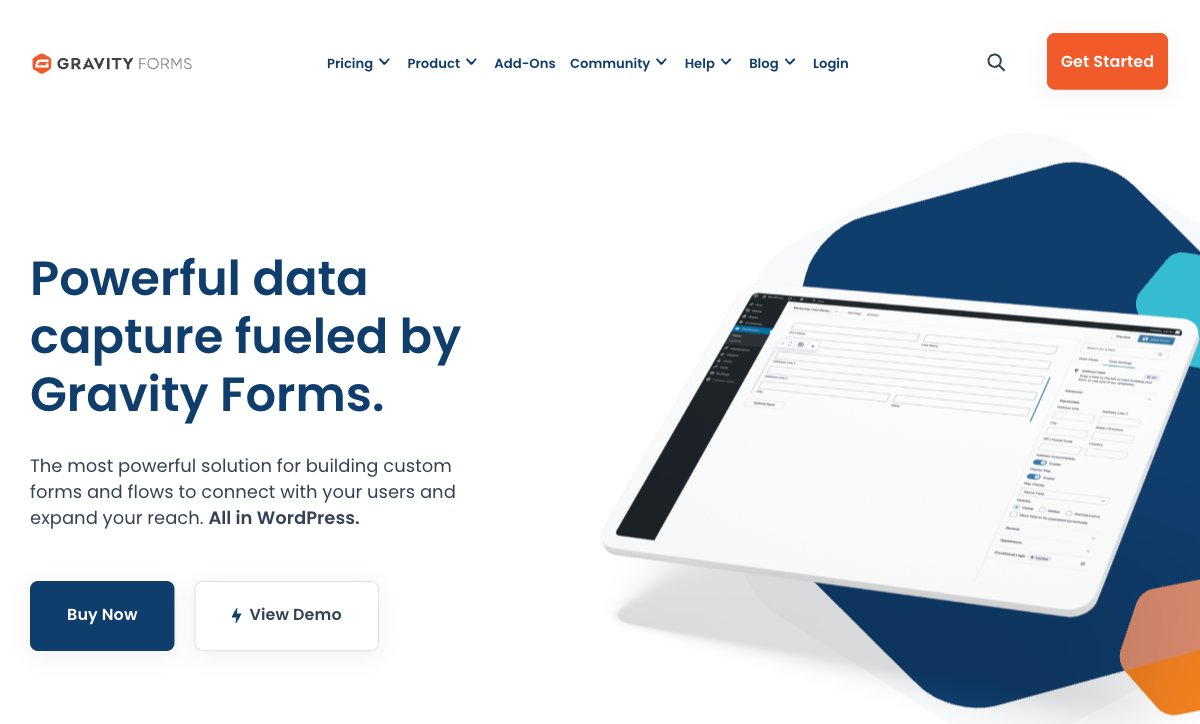
For WordPress-focused agencies, Gravity Forms is the form layer that clients never notice — because it inherits their theme styling and behaves like a native part of the site. The Elite license ($259/year for unlimited sites) makes it cost-effective for agencies managing dozens of WordPress installations. The add-on ecosystem covers payments, CRM connections, user registration, quizzes, and post creation.
Developer hooks and filters make Gravity Forms the most customisable option for agencies that write code as part of their deliverables. Custom field types, custom notifications, and database-level integrations are all possible. The limitation is scope: it only works within WordPress. Agencies that also handle Shopify, Webflow, or standalone landing pages need a second tool. See Gravity Forms alternatives.
- Best for: WordPress development agencies building complex client sites
- Agency advantage: $259/year for unlimited WordPress sites; forms inherit client themes natively
- Watch out for: WordPress only; no standalone form URLs; requires developer comfort for advanced use
 #3 Typeform — Premium Client-Facing Experience
When a client demands the most visually impressive form experience, Typeform delivers. The conversational format is recognisable — which cuts both ways for agencies. Clients in design-forward industries (fashion, hospitality, tech) appreciate the polish. But the format is so distinctive that it can feel more like "a Typeform" than "the client's form."
The pricing model is challenging for agencies. Per-workspace pricing means each client's forms either share your account (messy) or each client gets their own Typeform subscription (expensive). There's no agency-friendly licensing tier. Payments require the $83/month Business plan per workspace. For agencies managing 5+ clients, the cost quickly exceeds flat-rate alternatives. See Typeform alternatives.
- Best for: Agencies where form design quality is the primary deliverable
- Agency advantage: The most visually polished form experience for brand-conscious clients
- Watch out for: Per-workspace pricing scales poorly; the format is recognisably Typeform; payments are $83/mo per workspace
 #4 Jotform — Template Volume for Fast Client Delivery
For agencies that need to ship fast, Jotform's 20,000+ template library means you can find a starting point for almost any client brief — restaurant reservation, medical intake, real estate inquiry, event registration — and customise from there. Team workspaces on paid plans help separate client projects, and the enterprise tier adds white-labeling.
The trade-off is that Jotform forms have a particular look that's hard to fully customise away from. Clients who want a completely bespoke feel will notice the Jotform DNA. Per-user pricing on team and enterprise plans also makes it less cost-efficient than flat-rate alternatives for larger agencies.
- Best for: Agencies that prioritise delivery speed over design customisation
- Agency advantage: 20,000+ templates accelerate initial client builds
- Watch out for: Per-user pricing; forms have a recognisable Jotform aesthetic; branding on lower tiers
Niche Agency Options
Formstack — Useful for agencies delivering enterprise-grade document workflows (forms + PDFs + e-signatures) to larger clients. The pricing ($83+/month) and compliance certifications (SOC 2, HIPAA) justify the cost for regulated-industry clients.
WPForms — The lighter-weight WordPress alternative to Gravity Forms. Better for agencies handling simpler WordPress sites where the client needs to manage forms independently.
involve.me — Targets lead generation funnels with interactive calculators, quizzes, and payment collection. Niche but useful for agencies focused on conversion optimisation.
Full Feature Comparison
| Feature | Paperform | Typeform | Jotform | Gravity Forms | Formstack | Cognito Forms | WPForms | involve.me |
|---|---|---|---|---|---|---|---|---|
| Form Building | ||||||||
| Document-style editor | Yes | No | No | No | No | No | No | No |
| AI form creation | Yes | Yes | Yes starter | No | Yes forms | No | Yes basic | Yes starter |
| Field types | 26+ | 20+ | 30+ (starter) | No | 15 | 20+ | Yes basic | Yes |
| File uploads | Yes | Yes basic | Yes starter | No | No | Yes | No | No |
| Multi-page forms | Yes | Yes basic | Yes starter | Yes Basic | Yes forms | Yes | Yes basic | Yes |
| Guided mode (one question at a time) | Yes | Yes | Yes starter | Yes Elite | Yes forms | No | Yes pro | Yes |
| Conditional logic | Yes | Yes basic | Yes starter | Yes Basic | Yes forms | Yes | Yes basic | Yes starter |
| Calculations field | Yes essentials | Yes plus | Yes starter | Yes Basic | Yes forms | Yes | Yes pro | Yes starter |
| AI calculations assistant | Yes essentials | No | No | No | No | No | No | No |
| Scoring | Yes essentials | Yes plus | Yes starter | Yes Elite | No | Yes | Yes pro | Yes starter |
| Answer piping | Yes | Yes basic | Yes starter | Yes Basic | Yes forms | Yes | No | Yes starter |
| Pre-filling and hidden fields | Yes essentials | Yes basic | Yes starter | Yes Basic | Yes forms | Yes | Yes basic | Yes pro |
| Save and resume | Yes | No | Yes starter | Yes Basic | Yes forms | Yes pro | Yes pro | No |
| Auto-close by number | Yes essentials | Yes basic | Yes starter | No | No | Yes | Yes basic | No |
| Auto-close by date | Yes pro | Yes basic | Yes starter | No | No | Yes | Yes basic | No |
| Appointment/booking field | Yes | Yes basic | Yes starter | No | No | No | No | Yes starter |
| Signature field | Yes | No | Yes starter | Yes Elite | Yes suite | Yes team | Yes pro | Yes business |
| Color picker field | Yes | No | No | No | No | No | No | No |
| API-powered dropdowns | Yes business | No | No | No | Yes forms | Yes | No | No |
| Google address search | Yes business | No | No | No | No | Yes | Yes pro | No |
| AI follow-up questions | No | Yes business | No | No | No | No | No | No |
| Video questions | No | Yes basic | No | No | No | No | No | No |
| Drag-and-drop builder | No | No | Yes starter | Yes Basic | Yes forms | No | No | No |
| Form widgets | No | No | Yes starter | No | No | No | No | No |
| Template gallery | No | No | 20,000+ (starter) | No | No | No | No | No |
| 30+ field types | No | No | No | Yes Basic | No | No | No | No |
| Payments | ||||||||
| Stripe payments | Yes | Yes basic | Yes starter | Yes Pro | Yes forms | Yes | Yes pro | Yes starter |
| PayPal payments | Yes | No | Yes starter | Yes Pro | Yes forms | Yes team | Yes pro | No |
| Square payments | Yes | No | Yes starter | Yes Pro | No | Yes team | Yes pro | No |
| Braintree payments | Yes | No | Yes starter | No | No | No | No | No |
| Google Pay | Yes | No | Yes starter | Yes Pro | No | No | No | No |
| Product sales (eCommerce) | Yes essentials | No | Yes starter | Yes Basic | No | Yes | No | No |
| Subscriptions | Yes essentials | Yes basic | Yes starter | Yes Pro | No | No | Yes pro | Yes starter |
| Coupons and discounts | Yes essentials | No | Yes starter | Yes Elite | Yes forms | Yes | Yes pro | Yes |
| Custom pricing rules | Yes essentials | No | Yes starter | No | Yes forms | Yes | Yes pro | Yes starter |
| Tax calculations | Yes | No | Yes starter | No | No | Yes | No | No |
| Quotes/invoices | Yes | No | No | No | No | Yes team | No | No |
| Refunds | Yes | No | No | Yes Pro | No | No | No | No |
| 3D Secure | Yes | Yes basic | No | Yes Pro | No | No | No | No |
| 40+ payment gateways | No | No | Yes starter | No | No | No | No | No |
| No transaction fees | No | No | Yes starter | No | No | No | No | No |
| Design & Customization | ||||||||
| Template gallery | 30,000+ | 1,500+ | 20,000+ (starter) | Yes Basic | Yes forms | Yes | Yes pro | Yes |
| Rich media (images, GIFs, videos) | Yes | Yes | Yes starter | Yes Basic | Yes forms | Yes | Yes basic | Yes |
| Unsplash and Giphy integration | Yes | Yes | No | No | No | No | No | No |
| Image editor | Yes | No | No | No | No | No | No | No |
| Adobe Creative Cloud | Yes | No | No | No | No | No | No | No |
| Language translation | Yes | Yes basic | Yes starter | Yes Basic | No | Yes pro | Yes basic | Yes |
| Advanced theming | Yes pro | Yes plus | Yes starter | Yes Basic | Yes forms | Yes pro | Yes basic | Yes |
| Custom form URL | Yes pro | Yes plus | No | No | Yes forms | No | Yes pro | Yes starter |
| Custom domains | Yes pro | No | Yes enterprise | No | Yes forms | No | Yes basic | Yes starter |
| Custom HTML & CSS | Yes pro | Yes business | Yes starter | Yes Basic | Yes forms | Yes pro | Yes basic | Yes business |
| Remove branding | Yes pro | Yes plus | Yes bronze | Yes Basic | Yes forms | Yes pro | Yes basic | Yes pro |
| Custom email domains | Yes business | No | No | Yes Elite | No | No | No | Yes pro |
| Form themes | No | No | Yes starter | No | No | No | No | No |
| Analytics | ||||||||
| Submission results and reports | Yes | Yes | Yes starter | Yes Basic | Yes forms | Yes | Yes basic | Yes |
| AI report insights | Yes pro | Yes business | No | No | No | No | No | Yes starter |
| Paperform analytics | Yes pro | No | No | No | Yes forms | No | No | Yes pro |
| Drop-off analysis | Yes pro | Yes business | No | No | No | No | No | No |
| Google Analytics & Facebook Pixel | Yes essentials | Yes basic | No | Yes Elite | Yes forms | Yes pro | No | Yes |
| Custom analytics scripts | Yes pro | Yes basic | No | Yes Basic | No | No | No | Yes pro |
| Partial submissions | Yes pro | Yes plus | No | Yes Elite | Yes forms | No | Yes pro | Yes pro |
| Form analytics | No | No | Yes starter | No | No | No | No | No |
| Google Analytics integration | No | No | Yes starter | No | No | No | No | No |
| Collaboration | ||||||||
| Multi-user accounts | Yes pro | Yes plus | Yes bronze | Yes Basic | Yes forms | Yes pro | Yes basic | Yes pro |
| User permissions and management | Yes pro | Yes plus | Yes enterprise | Yes Basic | Yes forms | Yes team | Yes pro | Yes pro |
| Advanced permissions & admin | Yes enterprise | Yes enterprise | Yes enterprise | No | Yes enterprise | Yes enterprise | Yes elite | Yes enterprise |
| Form sharing (templates) | Yes | Yes | No | Yes Basic | Yes forms | Yes | Yes basic | Yes |
| Spaces and tag management | Yes | No | No | No | Yes forms | No | No | No |
| Workspace organization | No | Yes | No | No | No | No | No | No |
| Form sharing | No | No | Yes starter | No | No | No | No | No |
| Assign forms | No | No | Yes enterprise | No | No | No | No | No |
| Security | ||||||||
| SOC 2 Type II | Yes | Yes | Yes enterprise | No | No | No | No | Yes |
| GDPR compliant | Yes | Yes | Yes starter | Yes Basic | Yes forms | Yes | Yes basic | Yes |
| SSL encryption | Yes | Yes | Yes starter | Yes Basic | Yes forms | Yes | Yes basic | Yes |
| Two-factor authentication | Yes | Yes | Yes starter | No | Yes forms | Yes | No | Yes |
| Enforce 2FA for all users | Yes business | No | No | No | Yes enterprise | No | No | No |
| SSO (SAML) | Yes business | Yes enterprise | Yes enterprise | No | Yes enterprise | Yes enterprise | No | Yes enterprise |
| reCAPTCHA | Yes | Yes business | Yes starter | Yes Basic | Yes forms | Yes | Yes basic | No |
| Local data residency | Yes enterprise | No | No | Yes Basic | No | No | Yes | No |
| Custom S3 storage (BYO) | Yes business | No | No | No | No | No | No | No |
| HIPAA compliant | No | Yes enterprise | Yes gold | No | No | No | No | No |
| ISO 27001 | No | Yes | No | No | No | No | No | No |
| PCI DSS | No | Yes | Yes starter | No | No | No | No | No |
| 256-bit SSL | No | No | Yes starter | No | No | No | No | No |
| Data residency | No | No | Yes enterprise | No | No | No | No | No |
| Form encryption | No | No | Yes starter | No | No | No | No | No |
| Custom S3 storage | No | No | No | No | No | No | No | No |
| Integrations & API | ||||||||
| Native integrations | 2,000+ | 120+ (basic) | 150+ (starter) | No | No | No | No | No |
| Zapier | Yes | Yes basic | Yes starter | Yes Pro | Yes forms | Yes | Yes pro | Yes starter |
| Make (Integromat) | Yes | Yes basic | No | No | No | Yes | Yes pro | No |
| Webhooks | Yes pro | Yes basic | Yes starter | Yes Elite | Yes forms | Yes | Yes elite | Yes business |
| Standard API | Yes pro | No | No | Yes Basic | Yes forms | No | No | Yes business |
| Business API | Yes business | No | No | No | Yes enterprise | No | No | No |
| WordPress plugin | Yes | Yes | Yes starter | Yes Basic | Yes forms | Yes | Yes | Yes |
| oEmbed support | Yes | No | No | No | No | Yes | No | No |
| API | No | Yes basic | Yes starter | No | No | No | No | No |
| Embed options | No | Yes | Yes starter | No | No | No | No | No |
| Salesforce AppExchange | No | No | Yes starter | No | No | No | No | No |
| Mobile apps | No | No | Yes starter | No | No | No | No | No |
| 50+ official add-ons | No | No | No | Yes Basic | No | No | No | No |
| Stepper workflow automation | No | No | No | No | No | No | No | No |
| 2000+ integrations | No | No | No | No | No | No | Yes pro | No |
| Additional Products | ||||||||
| Jotform Tables | No | No | Yes starter | No | No | No | No | No |
| Jotform Sign | No | No | Yes starter | No | No | No | No | No |
| Jotform Apps | No | No | Yes starter | No | No | No | No | No |
| Jotform Workflows | No | No | Yes starter | No | No | No | No | No |
| Jotform Report Builder | No | No | Yes starter | No | No | No | No | No |
| Jotform AI Agents | No | No | Yes starter | No | No | No | No | No |
| Jotform Store Builder | No | No | Yes starter | No | No | No | No | No |
Pricing Comparison
Agency pricing models vary — flat rate, per-user, per-site. This comparison helps you calculate total cost across your client base.
Paperform
Typeform
| Product | Plan | Monthly Price | Annual Price (per month) | Free Plan | Free Trial | Limits |
|---|---|---|---|---|---|---|
| Paperform | Free | Free | Free | Yes | 14 days | forms: Unlimited, submissions: 30/month, storage: 100 submissions, users: 1, file uploads: 100 MB |
| Paperform | Essentials | $29/mo | $24/mo billed annually | forms: Unlimited, submissions: 100/month, storage: 1,000 submissions, users: 1, file uploads: 1 GB | ||
| Paperform | Pro | $59/mo | $49/mo billed annually | forms: Unlimited, submissions: 1,000/month, storage: 10,000 submissions, users: 3, file uploads: 10 GB | ||
| Paperform | Business | $129/mo | $99/mo billed annually | forms: Unlimited, submissions: 10,000/month, storage: 100,000 submissions, users: 5, file uploads: 100 GB | ||
| Typeform | Free | Free | Free | Yes | No | forms: 10, submissions: 10/month, users: 1 |
| Typeform | Basic | $39/mo | $28/mo billed annually | forms: Unlimited, submissions: 100/month, users: 1 | ||
| Typeform | Plus | $79/mo | $56/mo billed annually | forms: Unlimited, submissions: 1,000/month, users: 3 | ||
| Typeform | Business | $129/mo | $91/mo billed annually | forms: Unlimited, submissions: 10,000/month, users: 5 | ||
| Typeform | Growth Pro | $379/mo | $266/mo billed annually | forms: Unlimited, submissions: Expanded, users: Expanded | ||
| Jotform | Starter | Free | Free | Yes | No | forms: 5, submissions: 100/month, storage: 100 MB, users: 1 |
| Jotform | Bronze | $39/mo | $34/mo billed annually | forms: 25, submissions: 1,000/month, storage: 1 GB, users: 1 | ||
| Jotform | Silver | $49/mo | $39/mo billed annually | forms: 50, submissions: 2,500/month, storage: 10 GB, users: 1 | ||
| Jotform | Gold | $129/mo | $99/mo billed annually | forms: 100, submissions: 10,000/month, storage: 100 GB, users: 1 | ||
| Gravity Forms | Basic | Not listed | $59/mo billed annually | No | 14 days | forms: Unlimited, submissions: Unlimited, storage: WordPress database (self-hosted), users: Unlimited (WordPress users) |
| Gravity Forms | Pro | Not listed | $159/mo billed annually | forms: Unlimited, submissions: Unlimited, storage: WordPress database (self-hosted), users: Unlimited (WordPress users) | ||
| Gravity Forms | Elite | Not listed | $259/mo billed annually | forms: Unlimited, submissions: Unlimited, storage: WordPress database (self-hosted), users: Unlimited (WordPress users) | ||
| Gravity Forms | Nonprofit | Not listed | $129/mo billed annually | forms: Unlimited, submissions: Unlimited, storage: WordPress database (self-hosted), users: Unlimited (WordPress users) | ||
| Formstack | Forms | $99/mo | $83/mo billed annually | No | 14 days | forms: 25, submissions: 1,000/form, storage: 2 GB, users: 1, file uploads: 2 GB |
| Formstack | Suite | $299/mo | $250/mo billed annually | forms: 100, submissions: 5,000/form, storage: 10 GB, users: 3, file uploads: 10 GB | ||
| Cognito Forms | Individual (Free) | Free | Free | Yes | 14 days | forms: Unlimited, submissions: 100/month, storage: 100 MB, users: 1 |
| Cognito Forms | Pro | $19/mo | $16/mo billed annually | forms: Unlimited, submissions: 2,000/month, storage: 1 GB, users: 2 | ||
| Cognito Forms | Team | $39/mo | $33/mo billed annually | forms: Unlimited, submissions: 10,000/month, storage: 10 GB, users: 5 | ||
| Cognito Forms | Enterprise | $129/mo | $109/mo billed annually | forms: Unlimited, submissions: Unlimited, storage: 100 GB, users: 20 | ||
| WPForms | Lite (Free) | Free | Free | Yes | 14 days | forms: Unlimited, submissions: Unlimited, users: Unlimited |
| WPForms | Basic | Not listed | $4.13/mo billed annually | forms: Unlimited, submissions: Unlimited, users: Unlimited | ||
| WPForms | Plus | Not listed | $8.29/mo billed annually | forms: Unlimited, submissions: Unlimited, users: Unlimited | ||
| WPForms | Pro | Not listed | $16.63/mo billed annually | forms: Unlimited, submissions: Unlimited, users: Unlimited | ||
| WPForms | Elite | Not listed | $24.96/mo billed annually | forms: Unlimited, submissions: Unlimited, users: Unlimited | ||
| involve.me | Free | Free | Free | Yes | 14 days | forms: Unlimited (draft), submissions: 50/month, users: 1 |
| involve.me | Starter | $49/mo | $29/mo billed annually | forms: 5 live funnels, submissions: 1,000/month, users: 1 | ||
| involve.me | Pro | $99/mo | $59/mo billed annually | forms: 15 live funnels, submissions: 5,000/month, users: 3 | ||
| involve.me | Business | $199/mo | $129/mo billed annually | forms: 30 live funnels, submissions: 15,000/month, users: 5 |
User Ratings
Frequently Asked Questions
Which form builder is best for managing forms across multiple clients?
Paperform handles multi-client work well because each form can have its own branding, custom domain, and payment gateway — you don't need separate accounts per client. The Agency plan ($49/month) includes unlimited forms and submissions with no per-client pricing. Jotform offers team workspaces and white-labeling on enterprise plans, but costs scale per user. Gravity Forms licenses are per-site, so agencies managing many WordPress sites need Elite licenses ($259/year for unlimited sites).
Can I white-label forms for my agency clients?
Paperform removes all platform branding on paid plans and supports custom domains, so forms appear fully client-branded. Typeform removes branding on paid plans but the conversational format is distinctly Typeform — clients may recognise it. Jotform offers white-labeling on enterprise plans. Gravity Forms naturally inherits the client's WordPress theme, making it invisible as a third-party tool. For agencies, the key question is whether forms need to live on the client's domain (Gravity Forms, embedded Paperform) or on standalone URLs (Paperform, Typeform).
How do agencies typically charge clients for form building?
Common models: project-based (one-time fee for form design and setup, client owns the form account), retainer (ongoing form management and optimisation included in monthly retainer), or platform-included (agency uses its own Paperform/Jotform account and includes form hosting in service packages). The platform-included model works best with flat-rate tools like Paperform ($49/month covers all clients) rather than per-user tools where costs scale with team size.
What's the best form builder for a WordPress development agency?
Gravity Forms for complex projects — its add-on ecosystem and developer hooks support advanced customisation that clients expect from a custom WordPress build. WPForms for simpler client sites where the client may need to edit forms themselves — its drag-and-drop interface requires less training. For agencies that also handle non-WordPress projects, adding Paperform covers Shopify, Squarespace, static sites, and standalone landing pages without switching tools.
Should an agency use one form builder for all clients?
Ideally yes — standardisation reduces training, speeds delivery, and simplifies support. Paperform is the most versatile single choice because it works across any website platform (embedded or standalone), handles payments, includes e-signatures, and produces forms polished enough for brand-conscious clients. The exception is WordPress-only agencies, where Gravity Forms integrates more natively. If you serve mixed platforms, Paperform as the default with Gravity Forms for WordPress-heavy projects covers nearly every scenario.
Sources & References
- Best Online Form Builder to Use in 2026 — Top 20 Tools — EmailToolTester, 2026
- The 13 Best Online Form Builder Apps — Zapier, 2025
Last updated March 21, 2026
Ready to try Paperform?
Create beautiful forms, payment pages, and workflows — no code required.