Airtable Forms vs WPForms: Database Widget or WordPress Plugin? (2026)
Two platform-locked form tools. Airtable Forms is a basic data entry widget within Airtable's database platform. WPForms is a beginner-friendly form plugin for WordPress with a drag-and-drop builder, 1,800+ templates, conditional logic, and payment processing. Neither works outside its platform.
If you have WordPress, WPForms is the more capable form builder. If you have Airtable, Airtable Forms is the convenient data entry point. If you have both, connecting WPForms to Airtable via Zapier gives you the best combination.
Quick Verdict
Choose Airtable Forms if:
- You use Airtable and need simple data entry into bases
- You don't have WordPress
- You need the relational database backend (views, automations)
- The form is internal — design and features don't matter
Choose WPForms if:
- You have a WordPress website and need forms on it
- You need conditional logic and multi-page forms
- You need payment processing (Stripe, PayPal, Square)
- You want 1,800+ templates for fast deployment
- You need the easiest WordPress form builder experience
Feature Comparison
WPForms is a full-featured form plugin; Airtable Forms is a database widget. Both are platform-dependent.
| Feature | Airtable Forms | WPForms |
|---|---|---|
| Form Building | ||
| Document-style editor | No | No |
| AI form creation | No | Yes basic |
| Field types | Yes | Yes basic |
| Multi-page forms | No | Yes basic |
| Guided mode (one question at a time) | No | Yes pro |
| Conditional logic | No | Yes basic |
| Calculations field | No | Yes pro |
| AI calculations assistant | No | No |
| Scoring | No | Yes pro |
| Answer piping | No | No |
| Pre-filling and hidden fields | Yes | Yes basic |
| Save and resume | No | Yes pro |
| Auto-close by number | No | Yes basic |
| Auto-close by date | No | Yes basic |
| Appointment/booking field | No | No |
| Signature field | No | Yes pro |
| Color picker field | No | No |
| API-powered dropdowns | No | No |
| Google address search | No | Yes pro |
| Payments | ||
| Stripe payments | No | Yes pro |
| PayPal payments | No | Yes pro |
| Square payments | No | Yes pro |
| Braintree payments | No | No |
| Google Pay | No | No |
| Product sales (eCommerce) | No | No |
| Subscriptions | No | Yes pro |
| Coupons and discounts | No | Yes pro |
| Custom pricing rules | No | Yes pro |
| Tax calculations | No | No |
| Quotes/invoices | No | No |
| Refunds | No | No |
| 3D Secure | No | No |
| Design & Customization | ||
| Template gallery | No | Yes pro |
| Rich media (images, GIFs, videos) | Yes | Yes basic |
| Unsplash and Giphy integration | No | No |
| Image editor | No | No |
| Adobe CC | No | No |
| Language translation | No | Yes basic |
| Advanced theming | Yes business | Yes basic |
| Custom form URL | No | Yes pro |
| Custom domains | No | Yes basic |
| Custom HTML & CSS | No | Yes basic |
| Remove branding | Yes business | Yes basic |
| Custom email domains | No | No |
| Adobe Creative Cloud | No | No |
| Analytics | ||
| Submission results and reports | Yes | Yes basic |
| AI report insights | No | No |
| Form analytics | No | No |
| Google Analytics & Facebook Pixel | No | No |
| Custom analytics scripts | No | No |
| Partial submissions | No | Yes pro |
| Paperform analytics | No | No |
| Collaboration | ||
| Multi-user accounts | Yes | Yes basic |
| User permissions and management | Yes team | Yes pro |
| Advanced permissions & admin | Yes enterprise | Yes elite |
| Form sharing (templates) | Yes | Yes basic |
| Workspace organization | Yes | No |
| Spaces and tag management | No | No |
| Security | ||
| SOC 2 Type II | Yes | No |
| GDPR compliant | Yes | Yes basic |
| SSL encryption | Yes | Yes basic |
| Two-factor authentication | Yes | No |
| Enforce 2FA | Yes enterprise | No |
| SSO (SAML) | Yes business | No |
| reCAPTCHA | No | Yes basic |
| Data residency | Yes enterprise | No |
| Custom S3 | No | No |
| Enforce 2FA for all users | No | No |
| Local data residency | No | Yes |
| Custom S3 storage | No | No |
| Integrations & API | ||
| Native integrations | No | No |
| Zapier | Yes | Yes pro |
| Make (Integromat) | Yes | Yes pro |
| Webhooks | Yes team | Yes elite |
| API | Yes | No |
| Business API | No | No |
| WordPress plugin | No | Yes |
| Embed options | Yes | No |
| 2000+ integrations | No | Yes pro |
| Standard API | No | No |
| oEmbed support | No | No |
Where Airtable Forms Wins

No WordPress Required
Airtable Forms works from any browser — no hosting, no CMS, no PHP, no server maintenance. WPForms requires a self-hosted WordPress installation with hosting, updates, security patches, and backup management. For teams without WordPress, Airtable Forms is immediately accessible.
Relational Database Backend
Submissions land in Airtable's relational database — linked records, Kanban, Calendar, Gantt, Gallery views, automations, and formulas. WPForms stores entries in WordPress's MySQL database, viewable through the WPForms admin panel. Airtable's data management is more powerful and flexible for teams that need to relate, filter, and visualise collected data.
Simpler Setup
Airtable Forms requires zero installation — create a form view in your base, share the link. WPForms requires WordPress installation, plugin installation, configuration, and page embedding. For quick internal forms, Airtable's setup time is measured in seconds.
Where WPForms Wins
Drag-and-Drop Builder
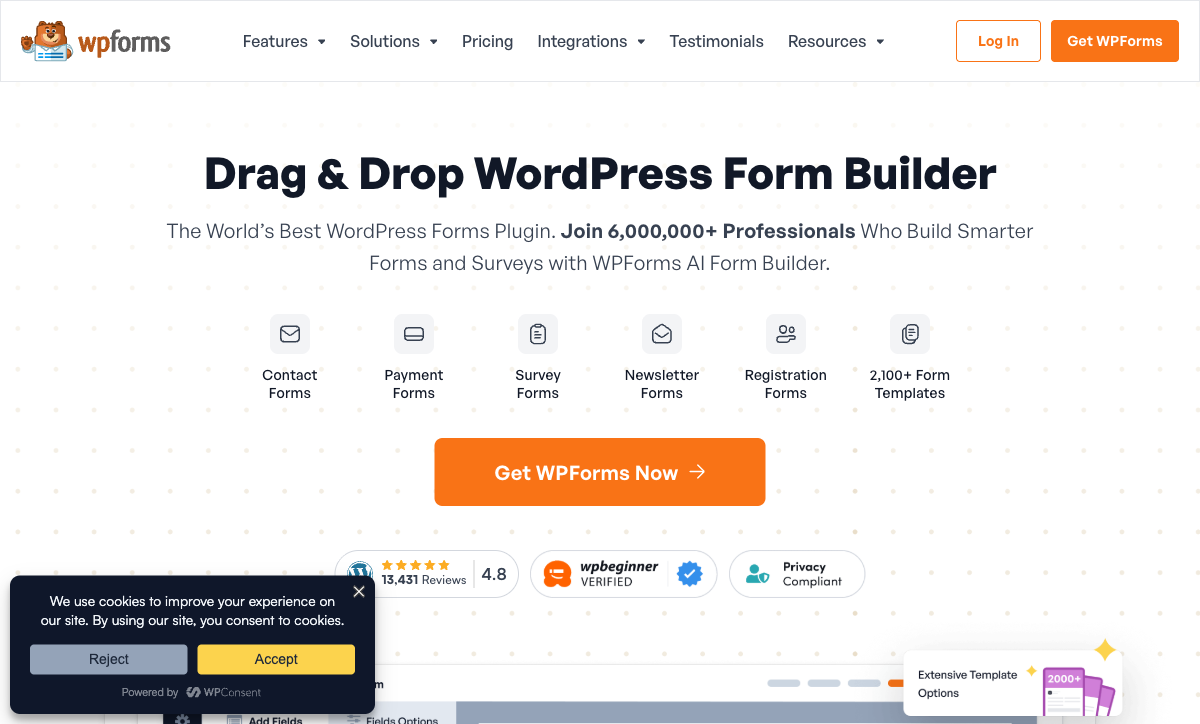
WPForms offers a visual drag-and-drop form builder that's consistently rated as WordPress's easiest. Rearrange fields, add sections, preview live — all within an intuitive interface. Airtable Forms is simpler (just select fields from your base) but offers no builder experience. For users who want guided form creation with visual feedback, WPForms is more capable.
Conditional Logic
WPForms supports conditional logic — show/hide fields, conditional email notifications, conditional confirmations. Airtable Forms has no conditional logic. For any form that needs to adapt to respondent answers, WPForms delivers what Airtable Forms cannot.
Payment Processing
WPForms integrates with Stripe, PayPal, Square, and Authorize.net for payment collection. Order forms, donation forms, and subscription billing work directly within WordPress. Airtable Forms has zero payment capability. For any form collecting money, WPForms is the only option here.
1,800+ Templates
WPForms offers 1,800+ pre-built form templates — contact forms, registration forms, surveys, payment forms, lead generation, and more. Most forms deploy in minutes from a template. Airtable Forms has no templates — every form starts from your base's field structure. For speed and variety, WPForms' template library is a significant advantage.
WordPress Integration
WPForms embeds natively in WordPress pages, posts, and widgets. It works with all major page builders (Elementor, Divi, Beaver Builder), supports user registration, and hooks into WordPress's ecosystem. For WordPress-powered websites, the native integration is seamless.
Conversational Forms
WPForms offers a conversational forms add-on — one-question-at-a-time format similar to Typeform. This creates an engaging experience for longer surveys and customer-facing forms. Airtable Forms has no conversational option — all fields appear at once.
Where Airtable Forms Falls Short
- No conditional logic: Every respondent sees every field. No branching.
- No payment processing: Zero payment gateway support.
- No templates: Every form built from scratch based on base fields.
- No drag-and-drop builder: Basic field selection only.
- Minimal design: Cover image and description. No themes or styling.
- Record limits: Free plan caps at 1,000 records per base.
Where WPForms Falls Short
- Requires WordPress: No standalone option. Must maintain WordPress hosting.
- No relational database: Entries stored in WordPress MySQL. No Kanban, Calendar, or linked records.
- Advanced features need Pro: Conditional logic, payments, and most add-ons require paid plans ($49.50+/year).
- No native Airtable integration: Connecting to Airtable requires Zapier or middleware.
- Security responsibility: Self-hosted means you manage updates, backups, and patches.
- No hosted forms: Forms can't be shared as standalone pages without WordPress.
Pricing Comparison
Both have free tiers within their platforms. WPForms' paid plans unlock advanced form features.
| Tier | Airtable (includes Forms) | WPForms | Key Difference |
|---|---|---|---|
| Free | 1,000 records/base, basic forms | Lite: basic fields, no logic | Both free tiers are basic; Airtable has the database |
| Entry | Team: $20/user/mo — 50K records | Basic: $49.50/yr — logic, 1 site | WPForms is ~$4/mo annual; Airtable is $20/user/mo |
| Mid | Business: $45/user/mo | Plus: $99.50/yr — payments, 3 sites | WPForms is significantly cheaper per-account |
| Pro / Elite | Enterprise Scale: Custom | Elite: $299.50/yr — all add-ons, unlimited sites | WPForms Elite is ~$25/mo for everything |
Airtable Forms
WPForms
| Product | Plan | Monthly Price | Annual Price (per month) | Free Plan | Free Trial | Limits |
|---|---|---|---|---|---|---|
| Airtable Forms | Free | Free | Free | Yes | 14 days | None listed |
| Airtable Forms | Team | $24/mo | $20/mo billed annually | None listed | ||
| Airtable Forms | Business | $54/mo | $45/mo billed annually | None listed | ||
| Airtable Forms | Enterprise Scale | Custom | Custom | None listed | ||
| WPForms | Lite (Free) | Free | Free | Yes | 14 days | forms: Unlimited, submissions: Unlimited, users: Unlimited |
| WPForms | Basic | Not listed | $4.13/mo billed annually | forms: Unlimited, submissions: Unlimited, users: Unlimited | ||
| WPForms | Plus | Not listed | $8.29/mo billed annually | forms: Unlimited, submissions: Unlimited, users: Unlimited | ||
| WPForms | Pro | Not listed | $16.63/mo billed annually | forms: Unlimited, submissions: Unlimited, users: Unlimited | ||
| WPForms | Elite | Not listed | $24.96/mo billed annually | forms: Unlimited, submissions: Unlimited, users: Unlimited |
What Users Say
WPForms is one of the highest-rated WordPress plugins with 6 million+ active installations. Users praise its beginner-friendliness, template library, and reliability. Airtable reviews focus on the database platform; form feedback consistently notes the builder is too basic. In the WordPress ecosystem, WPForms is a trusted standard. In Airtable, forms are an afterthought.
Consider Paperform
If you don't want WordPress dependency or Airtable's form limitations, Paperform is a standalone alternative that works anywhere. Paperform's document-style editor creates forms resembling designed landing pages, with an Excel-style calculation engine that powers dynamic pricing, scoring, and conditional totals across questions, pages, emails, integrations, and success pages.
At $24/month (annual), Paperform includes five payment gateways, conditional logic, 2,000+ integrations (including Airtable), 30,000+ templates, e-signatures, and custom domains — no WordPress required. Founded in 2016, bootstrapped and profitable. See our full ranking.
The Verdict
WPForms wins as a form builder. Conditional logic, payment processing, 1,800+ templates, a drag-and-drop builder, and deep WordPress integration make it a complete form solution for WordPress sites.
Airtable Forms wins as a data backend. The relational database, multiple views, and automations make Airtable stronger for managing data after collection. The free price and zero setup are advantages for simple internal forms.
Both are well-established. WPForms (by Awesome Motive, founded 2016) powers 6 million+ WordPress sites. Airtable (founded 2012, $735M raised) serves 500,000+ organisations. The choice is your platform: WordPress or Airtable.
Frequently Asked Questions
Do I need WordPress for WPForms?
Yes. WPForms is a WordPress plugin — it requires a self-hosted WordPress installation. There's no standalone version. Airtable Forms works from any browser without any CMS. If you don't have WordPress, WPForms isn't an option. If you do have WordPress, WPForms provides deep CMS integration that cloud-based form tools can't match.
Can WPForms send data to Airtable?
Yes, through Zapier and Make. WPForms submissions can create Airtable records automatically. This gives you WPForms' drag-and-drop builder, conditional logic, and payment processing on the frontend with Airtable's database on the backend. For WordPress sites that also use Airtable, the combination is effective.
Which is cheaper?
Airtable Forms is free with any Airtable account. WPForms has a free Lite version with basic features, and paid plans start at $49.50/year (~$4/month). However, WPForms requires WordPress hosting (additional cost). Total cost depends on your existing stack. If you have WordPress, WPForms Lite is free. If you have Airtable, Airtable Forms is free. Both can cost nothing if you're already in the ecosystem.
Which is easier to use?
Both are designed for simplicity. WPForms brands itself as the "most beginner-friendly" WordPress form plugin with a drag-and-drop builder, 1,800+ templates, and pre-built form layouts. Airtable Forms is even simpler — just select fields from your base and share. For absolute beginners, Airtable Forms has fewer decisions to make. For users who want more control with guided simplicity, WPForms' builder is more capable while still approachable.
Sources & References
- WPForms: WordPress Form Builder Plugin — WPForms, 2026
- Airtable Form View Documentation — Airtable, 2026
Last updated March 21, 2026
Ready to try Paperform?
Create beautiful forms, payment pages, and workflows — no code required.