Airtable Forms vs Jotform: Database Widget or Full Form Builder? (2026)
This isn't a close comparison. Airtable Forms is a minimal data entry widget — a feature within Airtable's database platform that lets you create simple forms feeding into your bases. Jotform is a dedicated, full-featured form builder with 20,000+ templates, 40+ payment gateways, 150+ integrations, conditional logic, and HIPAA compliance. Jotform wins on every form-building dimension. The only scenario where Airtable Forms makes sense is when you specifically need Airtable as your database backend.
The honest framing: if you need a form builder, choose Jotform (or another dedicated platform). If you need an Airtable data entry point, use Airtable Forms. And if you need both — a great form builder that feeds data into Airtable — use Jotform's Airtable integration.
Quick Verdict
Choose Airtable Forms if:
- You already use Airtable and need a quick data entry point into your bases
- Your form is extremely simple (no logic, no payments, no branching)
- You need Airtable's relational database, views, and automations on the backend
- The form is internal (not customer-facing) and design doesn't matter
Choose Jotform if:
- You need conditional logic, branching, or multi-page forms
- You need payment processing (40+ gateways)
- You want 20,000+ templates for fast deployment
- You need a customer-facing form with design control
- You need integrations beyond Airtable (150+ native)
- You need HIPAA compliance for healthcare data
Feature Comparison
The gap is wide. Jotform is a full-featured form builder; Airtable Forms is a database entry widget.
| Feature | Airtable Forms | Jotform |
|---|---|---|
| Form Building | ||
| Document-style editor | No | No |
| AI form creation | No | Yes starter |
| Field types | Yes | 30+ (starter) |
| Multi-page forms | No | Yes starter |
| Guided mode (one question at a time) | No | Yes starter |
| Conditional logic | No | Yes starter |
| Calculations field | No | Yes starter |
| AI calculations assistant | No | No |
| Scoring | No | Yes starter |
| Answer piping | No | Yes starter |
| Pre-filling and hidden fields | Yes | Yes starter |
| Save and resume | No | Yes starter |
| Auto-close by number | No | Yes starter |
| Auto-close by date | No | Yes starter |
| Appointment/booking field | No | Yes starter |
| Signature field | No | Yes starter |
| Color picker field | No | No |
| API-powered dropdowns | No | No |
| Google address search | No | No |
| File uploads | No | Yes starter |
| Drag-and-drop builder | No | Yes starter |
| Form widgets | No | Yes starter |
| Template gallery | No | 20,000+ (starter) |
| Payments | ||
| Stripe payments | No | Yes starter |
| PayPal payments | No | Yes starter |
| Square payments | No | Yes starter |
| Braintree payments | No | Yes starter |
| Google Pay | No | Yes starter |
| Product sales (eCommerce) | No | Yes starter |
| Subscriptions | No | Yes starter |
| Coupons and discounts | No | Yes starter |
| Custom pricing rules | No | Yes starter |
| Tax calculations | No | Yes starter |
| Quotes/invoices | No | No |
| Refunds | No | No |
| 3D Secure | No | No |
| 40+ payment gateways | No | Yes starter |
| No transaction fees | No | Yes starter |
| Design & Customization | ||
| Template gallery | No | 20,000+ (starter) |
| Rich media (images, GIFs, videos) | Yes | Yes starter |
| Unsplash and Giphy integration | No | No |
| Image editor | No | No |
| Adobe CC | No | No |
| Language translation | No | Yes starter |
| Advanced theming | Yes business | Yes starter |
| Custom form URL | No | No |
| Custom domains | No | Yes enterprise |
| Custom HTML & CSS | No | Yes starter |
| Remove branding | Yes business | Yes bronze |
| Custom email domains | No | No |
| Form themes | No | Yes starter |
| Analytics | ||
| Submission results and reports | Yes | Yes starter |
| AI report insights | No | No |
| Form analytics | No | Yes starter |
| Google Analytics & Facebook Pixel | No | No |
| Custom analytics scripts | No | No |
| Partial submissions | No | No |
| Google Analytics integration | No | Yes starter |
| Collaboration | ||
| Multi-user accounts | Yes | Yes bronze |
| User permissions and management | Yes team | Yes enterprise |
| Advanced permissions & admin | Yes enterprise | Yes enterprise |
| Form sharing (templates) | Yes | No |
| Workspace organization | Yes | No |
| Form sharing | No | Yes starter |
| Assign forms | No | Yes enterprise |
| Security | ||
| SOC 2 Type II | Yes | Yes enterprise |
| GDPR compliant | Yes | Yes starter |
| SSL encryption | Yes | Yes starter |
| Two-factor authentication | Yes | Yes starter |
| Enforce 2FA | Yes enterprise | No |
| SSO (SAML) | Yes business | Yes enterprise |
| reCAPTCHA | No | Yes starter |
| Data residency | Yes enterprise | Yes enterprise |
| Custom S3 | No | No |
| HIPAA compliant | No | Yes gold |
| 256-bit SSL | No | Yes starter |
| Form encryption | No | Yes starter |
| PCI DSS | No | Yes starter |
| Integrations & API | ||
| Native integrations | No | 150+ (starter) |
| Zapier | Yes | Yes starter |
| Make (Integromat) | Yes | No |
| Webhooks | Yes team | Yes starter |
| API | Yes | Yes starter |
| Business API | No | No |
| WordPress plugin | No | Yes starter |
| Embed options | Yes | Yes starter |
| Salesforce AppExchange | No | Yes starter |
| Mobile apps | No | Yes starter |
| Additional Products | ||
| Jotform Tables | No | Yes starter |
| Jotform Sign | No | Yes starter |
| Jotform Apps | No | Yes starter |
| Jotform Workflows | No | Yes starter |
| Jotform Report Builder | No | Yes starter |
| Jotform AI Agents | No | Yes starter |
| Jotform Store Builder | No | Yes starter |
Where Airtable Forms Wins
Native Airtable Database Integration
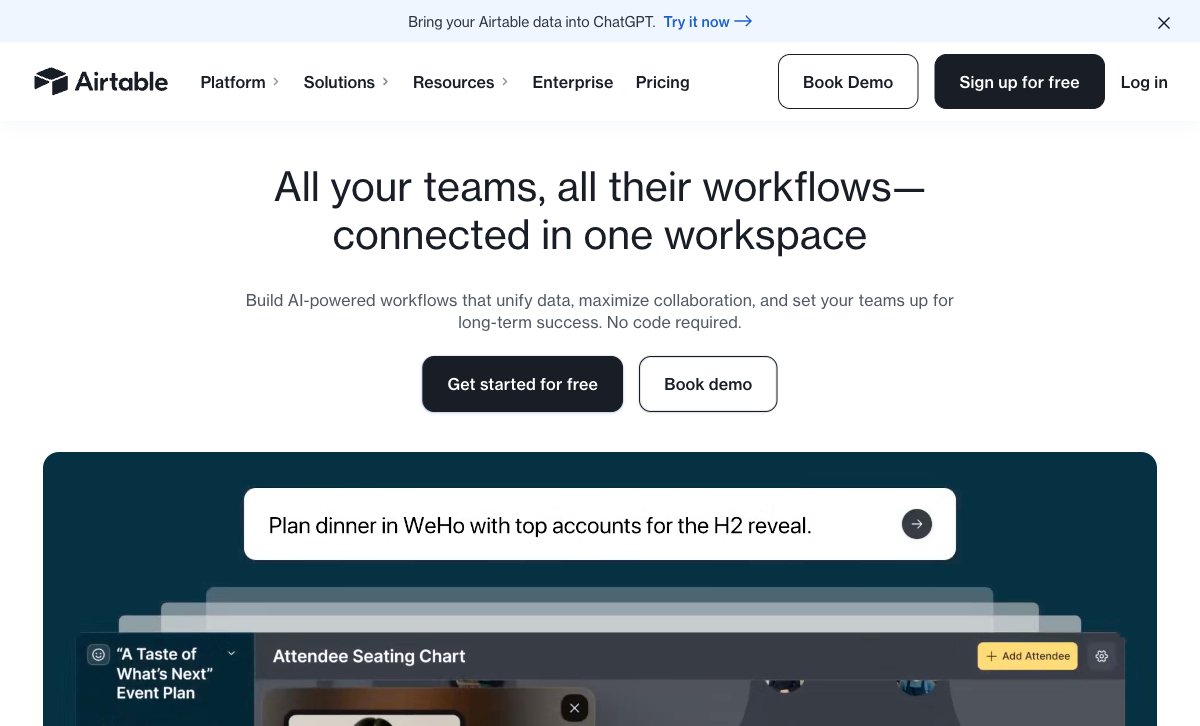
This is Airtable Forms' singular advantage. Submissions land directly in Airtable bases with zero configuration — no middleware, no mapping, no sync delays. Data is immediately available in Grid, Kanban, Calendar, Gantt, and Gallery views. Linked records, rollups, lookups, and formulas work on form data instantly. If your workflow requires Airtable as the data backend, Airtable Forms provides the most frictionless entry path. Jotform can send data to Airtable via integration, but there's a setup step and potential sync lag that native forms avoid.
Airtable Automations on Submissions
Form submissions trigger Airtable Automations natively — send Slack notifications, create records in other tables, update linked records, or send emails — all within Airtable's visual automation builder. The tight coupling between form submission and database automation is genuinely useful for teams that manage their entire workflow in Airtable.
Zero Additional Cost
Airtable Forms is included in every Airtable plan — including free. If you're already paying for Airtable, the form builder adds no incremental cost. Using Jotform alongside Airtable means paying for two tools (unless Jotform's free plan suffices). For budget-constrained teams already invested in Airtable, the bundled form capability avoids vendor sprawl.
Where Jotform Wins

Conditional Logic and Branching
Jotform supports conditional logic — show/hide fields, skip pages, and branch workflows based on respondent answers. Airtable Forms has no conditional logic whatsoever. Every respondent sees every field. For any form more complex than a flat list of fields — applications, surveys, diagnostic questionnaires, multi-step registrations — Jotform's conditional logic is essential functionality that Airtable Forms simply cannot provide.
40+ Payment Gateways
Jotform supports 40+ payment gateways including Stripe, PayPal, Square, Apple Pay, and regional processors. You can build order forms, donation forms, event registration with payment, and subscription billing. Airtable Forms has no payment processing — not even basic Stripe connectivity. For any form that collects money, Jotform is the only option in this comparison.
20,000+ Templates
Jotform's template library spans every industry and use case — contact forms, registration forms, surveys, order forms, healthcare intake, education applications, and more. Most forms can be deployed in minutes by customising a template. Airtable Forms has no template library — every form is built from scratch based on your base's field structure. For speed of deployment, Jotform's templates are a massive time-saver.
Design Control
Jotform offers themes, custom CSS, background images, form layouts, and brand customisation. Forms can be styled to match your brand and look professional for customer-facing use. Airtable Forms has minimal design control — you can add a cover image and description, but no themes, no CSS, no brand customisation. For any externally-shared form where appearance matters, Jotform is the clear choice.
150+ Native Integrations
Jotform connects to 150+ tools natively plus thousands more via Zapier — CRMs, email marketing, project management, payment processors, cloud storage, and more. Integrations trigger on form submission, making it easy to route data wherever it needs to go. Airtable Forms integrates only with Airtable. You can connect Airtable to other tools via automations and Zapier, but the integration path is longer and less direct. For multi-tool workflows, Jotform's breadth wins.
HIPAA Compliance
Jotform offers HIPAA compliance on its Enterprise plan with BAA, encrypted submissions, and audit logs. Airtable has no HIPAA compliance for its forms feature. For healthcare data collection — patient intake, medical surveys, appointment booking — Jotform meets regulatory requirements that Airtable cannot.
Mobile App and Offline Collection
Jotform's mobile app supports offline data collection — fill forms without internet and sync when connectivity returns. Useful for field work, events, and trade shows. Airtable has a mobile app for database access but the forms experience on mobile is limited and doesn't support true offline form collection.
Where Airtable Forms Falls Short
- No conditional logic: Every respondent sees every field. No show/hide, no branching, no skip logic. Fatal for complex forms.
- No payment processing: Zero payment gateway support. Can't collect money through forms.
- No templates: Every form is built from scratch. No library to accelerate deployment.
- Minimal design control: Cover image and description only. No themes, CSS, or brand customisation.
- Record limits: Free plan caps at 1,000 records per base. High-volume collection requires paid Airtable plans ($20/user/month).
- No HIPAA compliance: Cannot be used for healthcare data collection in regulated environments.
- Not a standalone product: Airtable Forms exists only within Airtable. You can't use it without an Airtable account and base.
Where Jotform Falls Short
- No native database backend: Jotform stores submissions in its own system. You don't get Airtable's relational views, linked records, or database features without integrating separately.
- Submission limits: Free plan caps at 100/month; paid plans also have caps (Bronze: 1,000/month). Airtable's record limits are less restrictive on paid plans.
- Airtable integration adds complexity: Sending Jotform data to Airtable requires setting up an integration — field mapping, automation testing. Airtable Forms is instant.
- Branding on free plan: "Powered by Jotform" appears on free forms. Airtable Forms shows Airtable branding on free tier as well.
- Form count limits: Free plan allows only 5 forms. Airtable's free plan has no explicit form count limit (limited by records instead).
- No relational data views: Jotform's data management is table-based. No Kanban, Gantt, Calendar, or Gallery views like Airtable provides.
Pricing Comparison
Jotform is priced as a form builder; Airtable is priced as a database platform. Different cost structures for different products:
| Tier | Airtable (includes Forms) | Jotform | Key Difference |
|---|---|---|---|
| Free | 1,000 records/base, 1GB, basic forms | 5 forms, 100 subs/mo, conditional logic | Airtable limits records; Jotform limits forms |
| Entry | Team: $20/user/mo — 50K records | Bronze: $34/mo — 25 forms, 1K subs | Airtable is per-user; Jotform is per-account |
| Business | Business: $45/user/mo — 125K records | Silver: $39/mo — 50 forms, 2.5K subs | Airtable scales with users; Jotform with submissions |
| Enterprise | Enterprise Scale: Custom | Enterprise: Custom — HIPAA, SSO, unlimited | Jotform adds HIPAA; Airtable adds enterprise admin |
Airtable Forms
Jotform
| Product | Plan | Monthly Price | Annual Price (per month) | Free Plan | Free Trial | Limits |
|---|---|---|---|---|---|---|
| Airtable Forms | Free | Free | Free | Yes | 14 days | None listed |
| Airtable Forms | Team | $24/mo | $20/mo billed annually | None listed | ||
| Airtable Forms | Business | $54/mo | $45/mo billed annually | None listed | ||
| Airtable Forms | Enterprise Scale | Custom | Custom | None listed | ||
| Jotform | Starter | Free | Free | Yes | No | forms: 5, submissions: 100/month, storage: 100 MB, users: 1 |
| Jotform | Bronze | $39/mo | $34/mo billed annually | forms: 25, submissions: 1,000/month, storage: 1 GB, users: 1 | ||
| Jotform | Silver | $49/mo | $39/mo billed annually | forms: 50, submissions: 2,500/month, storage: 10 GB, users: 1 | ||
| Jotform | Gold | $129/mo | $99/mo billed annually | forms: 100, submissions: 10,000/month, storage: 100 GB, users: 1 |
What Users Say
Jotform earns consistently high ratings for ease of use, template variety, and payment processing. Users praise the drag-and-drop builder and quick deployment from templates. Airtable reviews focus on the database platform — not the forms feature specifically. When users mention Airtable Forms, the feedback is typically "it's basic but convenient for getting data into my base." The consensus is clear: Jotform is rated as a form builder; Airtable is rated as a database that happens to have forms.
Consider Paperform
If Jotform's submission limits frustrate you, or if you need more design sophistication and calculation power, Paperform is worth evaluating. Paperform combines a document-style editor that creates forms resembling designed landing pages with an Excel-style calculation engine that powers dynamic pricing, scoring, risk assessments, and conditional totals — driving logic across questions, pages, emails, integrations, and success pages.
At $24/month (annual), Paperform includes five payment gateways (Stripe, PayPal, Square, Braintree, Google Pay), 2,000+ integrations (including Airtable via Zapier), 30,000+ templates, and a free plan with unlimited forms. For businesses that need more than Airtable Forms' simplicity but want better design and calculations than Jotform offers, Paperform fills the gap. Founded in 2016, bootstrapped and profitable — a stable long-term bet. See our full ranking for details.
The Verdict
Jotform wins on every form-building dimension. Conditional logic, 40+ payment gateways, 20,000+ templates, 150+ integrations, design control, HIPAA compliance, mobile app with offline collection — Jotform is a real form builder. Airtable Forms is not. This isn't a close comparison on form-building capability.
Airtable Forms wins only if you need Airtable as the database. The frictionless, instant data flow into Airtable bases — with relational views, automations, and linked records — is its singular advantage. If your workflow revolves around Airtable and the form is just a simple data entry point, Airtable Forms avoids the complexity of setting up a separate form tool and integration.
The pragmatic choice for many teams: use Jotform with Airtable's integration. You get Jotform's full form-building power for data collection and Airtable's database for data management. Both companies are well-established — Jotform was founded in 2006 (bootstrapped, 35M+ users) and Airtable in 2012 ($735M raised, $11B valuation). Platform stability isn't a concern for either.
Frequently Asked Questions
Can Jotform send data to Airtable?
Yes. Jotform integrates with Airtable through native connectors and Zapier, automatically sending form submissions to Airtable bases. This gives you the best of both worlds — Jotform's full-featured form builder for data collection and Airtable's relational database for data management. You get conditional logic, payments, 20,000+ templates, and design control on the form side, with linked records, multiple views, and automations on the data side. For most use cases, this combination is superior to using Airtable Forms alone.
Is Airtable Forms good enough for simple data collection?
For very simple use cases — yes. If you need a basic form with text fields, dropdowns, and checkboxes that feeds directly into an Airtable base you already use, Airtable Forms works. But "simple" means genuinely simple: no conditional logic, no branching, no payments, no calculations, no quiz scoring, no multi-page forms. Every respondent sees every field. If your form needs any logic beyond "fill in these fields," Airtable Forms is too limited.
Does Jotform have a free plan?
Yes. Jotform offers a permanent free plan with 5 forms, 100 submissions/month, and 100MB storage. It includes conditional logic, basic payment processing, and access to 20,000+ templates. Airtable's free plan includes forms but limits you to 1,000 records per base and 1GB attachments. Jotform's free tier is more capable as a form builder; Airtable's free tier is more capable as a database. The choice depends on whether you need better forms or better data management.
Which is better for payment collection?
Jotform, overwhelmingly. Jotform supports 40+ payment gateways including Stripe, PayPal, Square, Apple Pay, and regional processors. You can build order forms, donation forms, and registration forms with product selection, quantity, and checkout. Airtable Forms has no payment processing capability whatsoever — no gateways, no checkout, no order management. If your form needs to collect money, Jotform is the only option between these two.
Which has better integrations?
Jotform offers 150+ native integrations plus Zapier connectivity for thousands more — CRMs, marketing tools, project management, payment processors, and more. Airtable Forms feeds data into Airtable, which then connects to external tools through Airtable Automations and Zapier. Both ultimately reach similar tools, but Jotform's integrations are form-level (triggered on submission) while Airtable's are database-level (triggered on record changes). For most form use cases, Jotform's direct integrations are simpler to configure.
Sources & References
- Airtable vs Jotform: Comparison — G2, 2026
- Jotform Integrations with Airtable — Jotform, 2026
- Airtable Form View Documentation — Airtable, 2026
Last updated March 21, 2026
Ready to try Paperform?
Create beautiful forms, payment pages, and workflows — no code required.