Airtable Forms vs Google Forms: Which Simple Form Tool Fits? (2026)
Airtable Forms and Google Forms are both simple, no-frills form tools — but they exist for different reasons. Google Forms is a standalone form builder that happens to connect to Google Sheets. Airtable Forms is a data entry widget that happens to look like a form. Both are basic. Neither competes with dedicated form builders on features. The real question is which database backend you prefer: Google Sheets or Airtable.
If you're already in the Airtable ecosystem and need a quick way to get data into your bases, Airtable Forms is convenient. If you need an actual form builder with conditional logic, quizzing, collaboration, and zero cost, Google Forms is the better tool. Neither will satisfy users who need payments, calculations, advanced design, or real customisation.
Quick Verdict
Choose Airtable Forms if:
- You already use Airtable and want data flowing directly into your bases
- You need relational database features (linked records, views, automations)
- Your form is just a data entry point into a broader Airtable workflow
- You need Airtable's filtered views, Kanban boards, or Gantt charts on submissions
Choose Google Forms if:
- You need a genuinely free form builder with no limits
- You want conditional logic (section-based branching)
- You need quizzing with auto-grading and scoring
- You want real-time collaborative form editing (like Google Docs)
- You need native Google Sheets integration for data analysis
Feature Comparison
Side-by-side — both are basic, but Google Forms has more form-building features while Airtable has the stronger backend.
| Feature | Airtable Forms | Google Forms |
|---|---|---|
| Form Building | ||
| Document-style editor | No | No |
| AI form creation | No | Yes |
| Field types | Yes | 11 |
| Multi-page forms | No | Yes |
| Guided mode (one question at a time) | No | No |
| Conditional logic | No | Yes |
| Calculations field | No | No |
| AI calculations assistant | No | No |
| Scoring | No | Yes |
| Answer piping | No | No |
| Pre-filling and hidden fields | Yes | Yes |
| Save and resume | No | No |
| Auto-close by number | No | Yes |
| Auto-close by date | No | Yes |
| Appointment/booking field | No | No |
| Signature field | No | No |
| Color picker field | No | No |
| API-powered dropdowns | No | No |
| Google address search | No | No |
| File uploads | No | Yes |
| Payments | ||
| Stripe payments | No | No |
| PayPal payments | No | No |
| Square payments | No | No |
| Braintree payments | No | No |
| Google Pay | No | No |
| Product sales (eCommerce) | No | No |
| Subscriptions | No | No |
| Coupons and discounts | No | No |
| Custom pricing rules | No | No |
| Tax calculations | No | No |
| Quotes/invoices | No | No |
| Refunds | No | No |
| 3D Secure | No | No |
| Design & Customization | ||
| Template gallery | No | 20+ |
| Rich media (images, GIFs, videos) | Yes | Yes |
| Unsplash and Giphy integration | No | No |
| Image editor | No | No |
| Adobe CC | No | No |
| Language translation | No | No |
| Advanced theming | Yes business | No |
| Custom form URL | No | No |
| Custom domains | No | No |
| Custom HTML & CSS | No | No |
| Remove branding | Yes business | No |
| Custom email domains | No | Yes Business Starter |
| Adobe Creative Cloud | No | No |
| Analytics | ||
| Submission results and reports | Yes | Yes |
| AI report insights | No | No |
| Form analytics | No | No |
| Google Analytics & Facebook Pixel | No | No |
| Custom analytics scripts | No | No |
| Partial submissions | No | No |
| Paperform analytics | No | No |
| Collaboration | ||
| Multi-user accounts | Yes | Yes |
| User permissions and management | Yes team | Yes |
| Advanced permissions & admin | Yes enterprise | Yes Business Starter |
| Form sharing (templates) | Yes | Yes |
| Workspace organization | Yes | No |
| Spaces and tag management | No | No |
| Security | ||
| SOC 2 Type II | Yes | Yes |
| GDPR compliant | Yes | Yes |
| SSL encryption | Yes | Yes |
| Two-factor authentication | Yes | Yes |
| Enforce 2FA | Yes enterprise | No |
| SSO (SAML) | Yes business | Yes Business Plus |
| reCAPTCHA | No | No |
| Data residency | Yes enterprise | No |
| Custom S3 | No | No |
| Enforce 2FA for all users | No | Yes Business Starter |
| Local data residency | No | Yes Business Plus |
| Custom S3 storage (BYO) | No | No |
| Integrations & API | ||
| Native integrations | No | No |
| Zapier | Yes | Yes |
| Make (Integromat) | Yes | Yes |
| Webhooks | Yes team | No |
| API | Yes | No |
| Business API | No | No |
| WordPress plugin | No | No |
| Embed options | Yes | No |
| Standard API | No | Yes |
| oEmbed support | No | No |
Where Airtable Forms Wins
Relational Database Backend
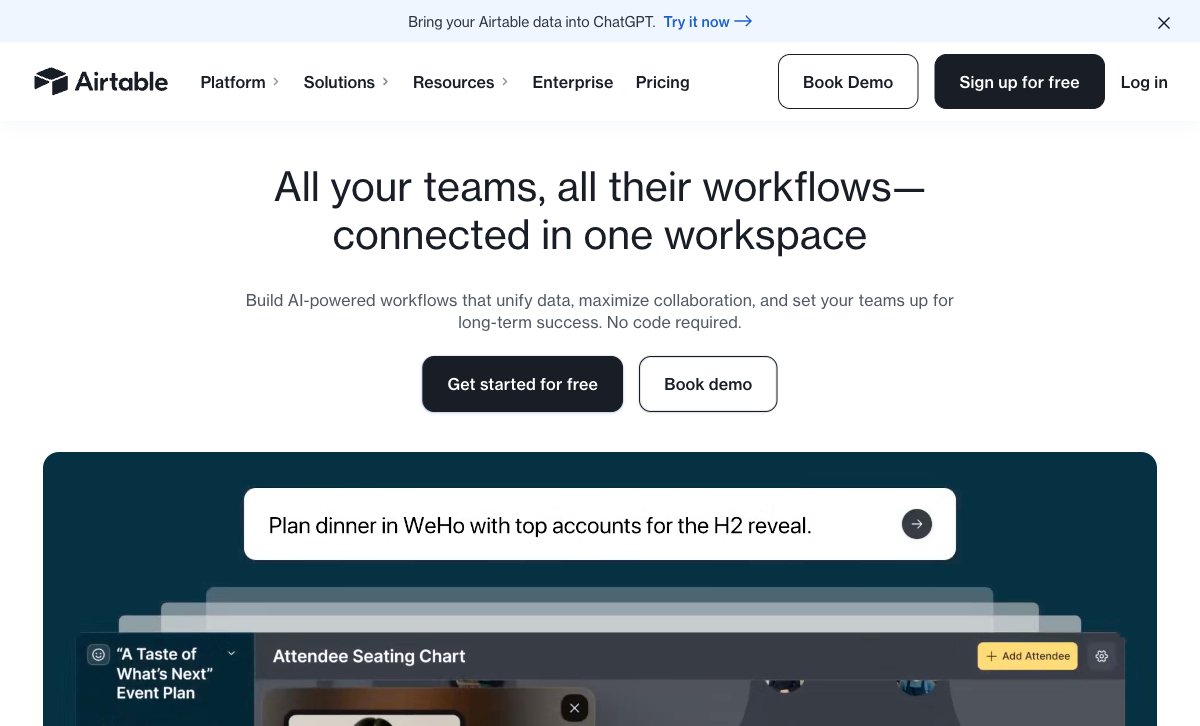
Airtable Forms' only real advantage is what happens after submission. Data lands in Airtable's relational database, which supports linked records across tables, multiple views (Grid, Kanban, Calendar, Gantt, Gallery), filtering, grouping, and formulas. Google Sheets is a spreadsheet — flat data with no native relational capabilities. If your workflow requires connecting form submissions to other datasets, assigning tasks via Kanban, or triggering automations based on field values, Airtable's backend is genuinely more powerful.
Airtable Automations
Form submissions in Airtable can trigger automations — send emails, update records, create tasks in other tables, or post to Slack — without leaving the platform. Google Forms can trigger Google Apps Script, but Airtable's visual automation builder is more accessible for non-developers. If you need form submissions to kick off multi-step workflows within your database, Airtable's native automations are a cleaner solution.
Rich Field Types
Airtable supports field types that Google Forms doesn't — barcodes, linked records to other tables, rating scales, and rich text. These map directly to Airtable's database columns, ensuring data consistency. Google Forms' field types (short text, paragraph, multiple choice, checkboxes, dropdown, date, time, file upload) are adequate for surveys but lack database-native richness.
Where Google Forms Wins

Truly Free with No Limits
Google Forms is completely free — unlimited forms, unlimited submissions, unlimited responses, no branding. Airtable's free plan limits you to 1,000 records per base, 1GB of attachments, and limited automation runs. For high-volume data collection without cost constraints, Google Forms has no ceiling. This matters for educators, non-profits, community organisations, and anyone collecting data at scale without budget.
Conditional Logic (Section Branching)
Google Forms supports conditional section branching — respondents can be directed to different sections based on their answers. Airtable Forms has no conditional logic. Every respondent sees every field. For surveys, applications, or any form where the next question depends on the previous answer, Google Forms' branching is essential functionality that Airtable Forms simply lacks.
Quizzing and Auto-Grading
Google Forms includes a built-in quiz mode with automatic grading, point values, answer feedback, and score reports. Teachers, trainers, and educators can create self-grading assessments without any add-ons. Airtable Forms has no quiz or grading functionality whatsoever. For educational use cases, Google Forms is the only choice between these two.
Real-Time Collaborative Editing
Multiple users can edit the same Google Form simultaneously — seeing each other's changes in real time, just like Google Docs. Airtable supports team collaboration on bases but the form builder itself is a simpler, single-user editing experience. For teams that co-create forms, Google's collaborative editing is a familiar and powerful advantage.
Google Workspace Integration
Google Forms connects natively to Google Sheets, Drive, Docs, Calendar, Classroom, and the broader Google Workspace ecosystem. Responses auto-populate into Sheets for analysis, charting, and sharing. For organisations already embedded in Google Workspace, the integration is seamless and requires zero configuration. Airtable is its own ecosystem — powerful, but separate from Google's.
File Upload Support
Google Forms supports file uploads from respondents, stored directly in Google Drive. Airtable Forms supports attachments but with storage limits on the free plan (1GB). For collecting documents, images, or files from respondents, Google Forms' integration with Drive's 15GB free storage is more generous.
Where Airtable Forms Falls Short
- No conditional logic: Every respondent sees every field. No branching, no skip logic, no dynamic field visibility. This is a critical limitation for anything beyond basic data collection.
- Not a real form builder: Airtable Forms is a feature within Airtable, not a standalone product. No custom CSS, no themes, no design control beyond basic field ordering.
- Record limits on free plan: 1,000 records per base on the free tier. High-volume collection requires paid Airtable plans ($20/user/month for Team).
- No payment processing: No built-in payment collection of any kind. Google Forms also lacks this, but dedicated form builders offer it.
- No quiz or grading features: No auto-grading, no scoring, no feedback. Unusable for educational assessments.
- Limited sharing options: Forms are shared via link or embed. No collaborative form editing like Google Forms offers.
Where Google Forms Falls Short
- Flat data only: Responses go to Google Sheets — a spreadsheet, not a database. No relational data, no linked records, no Kanban views.
- Minimal design control: Basic theme colours and header images. No custom CSS, no rich media embedding, no branded experiences.
- No payment processing: Google Forms cannot collect payments natively. You'd need a separate tool or workaround.
- No calculations or scoring beyond quizzes: No real-time calculations, dynamic pricing, or formula-driven logic within forms.
- No API for form creation: You can read responses via API, but can't programmatically create or modify forms without Apps Script.
- Limited automation: Native automation requires Apps Script coding. No visual workflow builder like Airtable Automations.
Pricing Comparison
Google Forms is free. Airtable Forms is free with limits, then scales with Airtable's per-user pricing:
| Tier | Airtable Forms | Google Forms | Key Difference |
|---|---|---|---|
| Free | 1,000 records/base, 1GB attachments | Unlimited forms, unlimited responses | Google Forms has no limits; Airtable caps records |
| Paid | Team: $20/user/mo — 50K records, 20GB | Workspace: $7/user/mo — admin controls | Airtable costs 3x more per user for the database |
| Business | Business: $45/user/mo — 125K records | Business Plus: $18/user/mo | Airtable's pricing reflects database value, not form value |
Airtable Forms
Google Forms
| Product | Plan | Monthly Price | Annual Price (per month) | Free Plan | Free Trial | Limits |
|---|---|---|---|---|---|---|
| Airtable Forms | Free | Free | Free | Yes | 14 days | None listed |
| Airtable Forms | Team | $24/mo | $20/mo billed annually | None listed | ||
| Airtable Forms | Business | $54/mo | $45/mo billed annually | None listed | ||
| Airtable Forms | Enterprise Scale | Custom | Custom | None listed | ||
| Google Forms | Free (Personal) | Free | Free | Yes | 14 days | forms: Unlimited, submissions: Unlimited, storage: 15 GB (shared across Google Drive), users: 1, file uploads: Included in 15 GB storage |
| Google Forms | Business Starter | $7/mo | $7/mo billed annually | forms: Unlimited, submissions: Unlimited, storage: 30 GB per user, users: Up to 300, file uploads: Included in storage | ||
| Google Forms | Business Standard | $14/mo | $14/mo billed annually | forms: Unlimited, submissions: Unlimited, storage: 2 TB per user, users: Up to 300, file uploads: Included in storage | ||
| Google Forms | Business Plus | $22/mo | $22/mo billed annually | forms: Unlimited, submissions: Unlimited, storage: 5 TB per user, users: Up to 300, file uploads: Included in storage |
What Users Say
Google Forms is universally praised for being free, simple, and reliable — the "it just works" form tool. Criticism focuses on limited design and lack of advanced features. Airtable Forms reviews are mixed — users love the Airtable backend but frequently note that the form builder itself is too basic, lacking conditional logic and customisation. The consensus: Google Forms is a better form builder; Airtable is a better data platform. Neither is a great form builder by modern standards.
Who Should Choose Airtable Forms?
Choose Airtable Forms if you're already an Airtable user and your form is a simple data entry point into an existing base. Internal forms — inventory tracking, project intake, team requests, content submissions — where design doesn't matter and the backend database is the real product. If your team lives in Airtable's Grid, Kanban, and Calendar views, and you need submissions flowing directly into that ecosystem without integration setup, Airtable Forms is the path of least resistance.
Who Should Choose Google Forms?
Choose Google Forms for any use case where cost, simplicity, and Google Workspace integration matter. Educators running quizzes and assessments, non-profits collecting feedback, small teams gathering survey data, event organisers managing RSVPs, and anyone who needs a free, reliable form tool that works instantly. Google Forms' zero-cost, zero-limit model makes it the default choice when budget is tight and requirements are standard.
Consider Paperform
If both Airtable Forms and Google Forms feel too limited — no payments, no calculations, no real design control — Paperform bridges the gap between "simple free tool" and "enterprise platform." Paperform's free plan includes unlimited forms, 30 submissions/month, five payment gateways (Stripe, PayPal, Square, Braintree, Google Pay), and an Excel-style calculation engine that powers dynamic pricing, scoring, and conditional logic across questions, pages, emails, and integrations.
Unlike Google Forms, Paperform offers a document-style editor that creates forms looking like designed landing pages, with custom CSS, custom domains, and 30,000+ templates. Unlike Airtable Forms, Paperform has conditional logic, multi-page forms, and real payment processing. At $24/month (annual) for the Essentials plan, it's affordable for small teams that have outgrown free tools. See our full ranking for details.
The Verdict
Choose Airtable Forms if you already use Airtable and need a simple way to get data into your bases. The relational database backend, automations, and multiple views make Airtable the stronger platform for managing and acting on collected data. But understand that you're choosing the database, not the form builder — Airtable Forms is minimal.
Choose Google Forms for everything else. It's genuinely free with no limits, supports conditional branching, includes quiz auto-grading, enables real-time collaborative editing, and integrates seamlessly with Google Workspace. As a pure form builder, Google Forms is the more capable tool. It lacks design flair and advanced features, but for surveys, feedback collection, event registration, and educational assessments, it's hard to beat at the price of zero.
Both are backed by well-established companies. Google Forms is part of Alphabet, the world's largest advertising company. Airtable has raised $735M at an $11B valuation. Neither platform is going anywhere — the stability question is moot. The choice comes down to your data backend preference: Google Sheets or Airtable.
Frequently Asked Questions
Is Airtable Forms a real form builder?
Not really. Airtable Forms is a feature within Airtable's database platform — a data entry widget that feeds submissions directly into Airtable bases. It supports basic field types (text, dropdowns, attachments, checkboxes) but lacks conditional logic, calculations, payment processing, file upload validation, custom CSS, multi-page forms, and most features that dedicated form builders offer. If you already use Airtable and just need a simple way to collect data into your base, it works. If you need an actual form builder, it's not one.
Is Google Forms really free?
Yes. Google Forms is completely free with any Google account — unlimited forms, unlimited submissions, unlimited responses, and no branding. There's also a Google Workspace version with additional admin controls, but the free version has no meaningful feature restrictions for form building. It's one of the few genuinely free form tools with no submission caps, no form limits, and no forced branding.
Can Airtable Forms replace Google Forms?
Only if you need data in Airtable specifically. Google Forms is a better form builder in almost every dimension — conditional logic (Sections), quizzing with auto-grading, file uploads, collaborative editing, and native Google Sheets integration. Airtable Forms is simpler, with fewer field types and no conditional logic. The only reason to choose Airtable Forms over Google Forms is if your workflow revolves around Airtable's database views, automations, and relational data features.
Which has better integrations?
Google Forms integrates natively with the entire Google Workspace ecosystem — Sheets, Drive, Docs, Calendar, Classroom — plus hundreds of third-party connections via Zapier, Make, and Apps Script. Airtable Forms feeds data into Airtable, which then connects to 1,000+ tools through Airtable Automations and Zapier/Make. Both ultimately connect widely, but through different paths: Google Forms through Google's ecosystem, Airtable Forms through Airtable's database layer. Google's integration path is simpler for most use cases.
Which is better for team collaboration?
Google Forms excels at collaborative form building — multiple editors can work on the same form simultaneously, just like Google Docs. Airtable has strong team collaboration on the database side (shared bases, views, permissions), but the form building itself is simpler and less collaborative. For teams that need to co-create forms together, Google Forms' real-time collaboration is superior. For teams that need to collaboratively manage and act on collected data, Airtable's database layer is more powerful.
Sources & References
- Airtable Forms Documentation — Airtable, 2026
- Google Forms: Free Online Form Creator — Google, 2026
Last updated March 21, 2026
Ready to try Paperform?
Create beautiful forms, payment pages, and workflows — no code required.