Airtable Forms vs FormAssembly: Database Widget or Salesforce Specialist? (2026)
Two ecosystem-dependent form tools for completely different ecosystems. Airtable Forms is a free data entry widget within Airtable's database platform — basic, no-frills, and useful only for populating Airtable bases. FormAssembly is a premium form builder purpose-built for Salesforce — deep CRM integration, enterprise compliance, and workflow automation starting at $99/month.
If you use Salesforce, FormAssembly is the relevant tool. If you use Airtable, Airtable Forms is the convenient option. If you use neither ecosystem, neither tool makes much sense as a standalone form builder.
Quick Verdict
Choose Airtable Forms if:
- You already use Airtable and need simple record intake
- You don't use Salesforce
- Budget is a primary concern (free with Airtable)
- The form is internal and doesn't need logic, payments, or compliance
Choose FormAssembly if:
- You use Salesforce and need deep CRM integration
- You need HIPAA, FedRAMP, or SOC 2 compliance
- You need conditional logic, prefill, and multi-object mapping
- You need payment processing (Stripe, PayPal, Authorize.net)
- You're in healthcare, government, or financial services
Feature Comparison
FormAssembly is an enterprise form builder; Airtable Forms is a database widget. Different products for different purposes.
| Feature | Airtable Forms | FormAssembly |
|---|---|---|
| Form Building | ||
| Document-style editor | No | No |
| AI form creation | No | Yes explorer |
| Field types | Yes | Yes explorer |
| Multi-page forms | No | Yes explorer |
| Guided mode (one question at a time) | No | No |
| Conditional logic | No | Yes explorer |
| Calculations field | No | Yes explorer |
| AI calculations assistant | No | No |
| Scoring | No | No |
| Answer piping | No | Yes explorer |
| Pre-filling and hidden fields | Yes | Yes explorer |
| Save and resume | No | Yes explorer |
| Auto-close by number | No | Yes explorer |
| Auto-close by date | No | Yes explorer |
| Appointment/booking field | No | No |
| Signature field | No | Yes explorer |
| Color picker field | No | No |
| API-powered dropdowns | No | Yes team |
| Google address search | No | No |
| Payments | ||
| Stripe payments | No | Yes explorer |
| PayPal payments | No | Yes explorer |
| Square payments | No | No |
| Braintree payments | No | No |
| Google Pay | No | No |
| Product sales (eCommerce) | No | Yes explorer |
| Subscriptions | No | No |
| Coupons and discounts | No | No |
| Custom pricing rules | No | Yes explorer |
| Tax calculations | No | No |
| Quotes/invoices | No | No |
| Refunds | No | No |
| 3D Secure | No | No |
| Design & Customization | ||
| Template gallery | No | Yes explorer |
| Rich media (images, GIFs, videos) | Yes | Yes explorer |
| Unsplash and Giphy integration | No | No |
| Image editor | No | No |
| Adobe CC | No | No |
| Language translation | No | No |
| Advanced theming | Yes business | Yes team |
| Custom form URL | No | Yes explorer |
| Custom domains | No | No |
| Custom HTML & CSS | No | Yes team |
| Remove branding | Yes business | Yes team |
| Custom email domains | No | No |
| Adobe Creative Cloud | No | No |
| Analytics | ||
| Submission results and reports | Yes | Yes explorer |
| AI report insights | No | No |
| Form analytics | No | No |
| Google Analytics & Facebook Pixel | No | No |
| Custom analytics scripts | No | No |
| Partial submissions | No | No |
| Workflow analytics | No | Yes explorer |
| Collaboration | ||
| Multi-user accounts | Yes | Yes team |
| User permissions and management | Yes team | Yes team |
| Advanced permissions & admin | Yes enterprise | Yes enterprise |
| Form sharing (templates) | Yes | Yes explorer |
| Workspace organization | Yes | No |
| Spaces and tag management | No | No |
| Security | ||
| SOC 2 Type II | Yes | Yes explorer |
| GDPR compliant | Yes | Yes explorer |
| SSL encryption | Yes | Yes explorer |
| Two-factor authentication | Yes | Yes explorer |
| Enforce 2FA | Yes enterprise | No |
| SSO (SAML) | Yes business | Yes enterprise |
| reCAPTCHA | No | Yes explorer |
| Data residency | Yes enterprise | No |
| Custom S3 | No | No |
| Enforce 2FA for all users | No | Yes enterprise |
| Local data residency | No | Yes enterprise |
| Custom S3 storage (BYO) | No | No |
| Integrations & API | ||
| Native integrations | No | No |
| Zapier | Yes | No |
| Make (Integromat) | Yes | No |
| Webhooks | Yes team | Yes explorer |
| API | Yes | No |
| Business API | No | No |
| WordPress plugin | No | Yes explorer |
| Embed options | Yes | No |
| 2000+ integrations | No | No |
| Standard API | No | Yes explorer |
| oEmbed support | No | Yes explorer |
Where Airtable Forms Wins
Free With Airtable
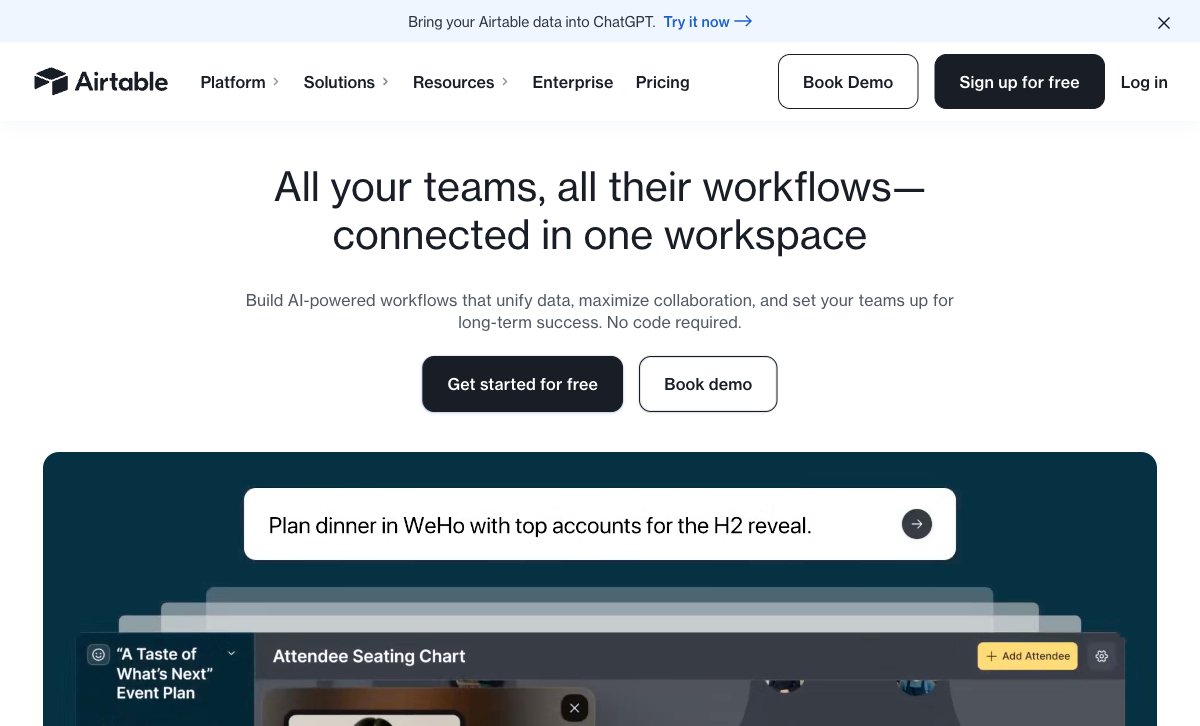
Airtable Forms is included with every Airtable plan, including free. FormAssembly starts at $99/month — a significant investment for a form tool. For teams that need basic data entry and already have Airtable, the cost difference is substantial. FormAssembly's price is justified for Salesforce-heavy enterprises, but for simple internal forms, Airtable's zero marginal cost wins.
Native Airtable Database Backend
Submissions land directly in Airtable's relational database with zero configuration — Grid, Kanban, Calendar, Gantt, and Gallery views work immediately. Linked records, automations, and formulas apply automatically. FormAssembly is built for Salesforce, not Airtable. If your data workflow lives in Airtable, Airtable Forms is the frictionless choice.
Simpler Learning Curve
Airtable Forms is dead simple — add fields from your base, share the link, done. FormAssembly has a steeper learning curve, especially around Salesforce object mapping, prefill connectors, and workflow rules. For basic intake forms, Airtable's simplicity is a genuine advantage.
Where FormAssembly Wins
Deep Salesforce Integration
FormAssembly's core value is its native Salesforce integration — prefill forms from CRM records, map submissions to multiple Salesforce objects, create and update leads/contacts/opportunities/custom objects, and run bidirectional sync. No other form builder matches this depth. Airtable Forms has zero Salesforce connectivity. For Salesforce-centric organisations, FormAssembly is irreplaceable.
Enterprise Compliance
FormAssembly offers HIPAA compliance with BAA, FedRAMP authorization, SOC 2 Type II certification, and GDPR tools. For healthcare providers, government agencies, and financial institutions, these compliance certifications are non-negotiable requirements. Airtable's compliance is limited to Enterprise Scale (custom pricing) and doesn't specifically cover the forms feature.
Conditional Logic and Branching
FormAssembly supports conditional field visibility, page branching, and dynamic form behaviour based on respondent answers. Airtable Forms has no conditional logic. Every respondent sees every field. For any form more complex than a flat list of fields, FormAssembly delivers what Airtable Forms cannot.
Payment Processing
FormAssembly supports Stripe, PayPal, and Authorize.net for payment collection, with the ability to map payment data to Salesforce records. Airtable Forms has zero payment processing. For any form that collects money — event registrations, donations, product orders — FormAssembly is the only option between these two.
Where Airtable Forms Falls Short
- No conditional logic: Every respondent sees every field. No branching, no skip logic.
- No payment processing: Zero payment gateway support.
- No Salesforce integration: Cannot natively connect to Salesforce CRM.
- No compliance certifications: No HIPAA, no FedRAMP, no SOC 2 on standard plans.
- Minimal design control: Cover image and description only. No themes or CSS.
- Record limits: Free plan caps at 1,000 records per base.
Where FormAssembly Falls Short
- Expensive: Starting at $99/month makes it inaccessible for small teams and individuals.
- Salesforce-dependent value: Without Salesforce, FormAssembly loses its primary differentiator.
- No free plan: No way to try FormAssembly without committing to paid pricing.
- No native Airtable integration: If your data lives in Airtable, FormAssembly requires middleware to connect.
- Complex setup: Salesforce object mapping and workflow configuration has a learning curve.
- Limited template library: Fewer templates than general-purpose form builders.
Pricing Comparison
Dramatically different price points: Airtable Forms is free; FormAssembly is enterprise-priced.
| Tier | Airtable (includes Forms) | FormAssembly | Key Difference |
|---|---|---|---|
| Free / Entry | Free — 1,000 records/base, basic forms | Essentials: $99/mo — Salesforce, logic, payments | Airtable is free; FormAssembly starts at $99/mo |
| Mid | Team: $20/user/mo — 50K records | Team: $249/mo — SSO, roles, approvals | FormAssembly is 12x the price for a 1-user comparison |
| Enterprise | Enterprise Scale: Custom | Enterprise: Custom — HIPAA, FedRAMP, SSO | FormAssembly adds compliance; Airtable adds admin controls |
Airtable Forms
FormAssembly
| Product | Plan | Monthly Price | Annual Price (per month) | Free Plan | Free Trial | Limits |
|---|---|---|---|---|---|---|
| Airtable Forms | Free | Free | Free | Yes | 14 days | None listed |
| Airtable Forms | Team | $24/mo | $20/mo billed annually | None listed | ||
| Airtable Forms | Business | $54/mo | $45/mo billed annually | None listed | ||
| Airtable Forms | Enterprise Scale | Custom | Custom | None listed | ||
| FormAssembly | Explorer | $59/mo | Not listed | No | 14 days | forms: Unlimited, submissions: Unlimited, storage: Unlimited, users: 1 standard user |
| FormAssembly | Team | Custom | Not listed | forms: Unlimited, submissions: Unlimited, storage: Unlimited, users: 3 standard + 5 limited users | ||
| FormAssembly | Enterprise | Custom | Not listed | forms: Unlimited, submissions: Unlimited, storage: Unlimited, users: 5 standard + 10 limited users | ||
| FormAssembly | Gov Cloud | Custom | Not listed | forms: Unlimited, submissions: Unlimited, storage: Unlimited, users: 5 standard + 10 limited users |
What Users Say
FormAssembly earns strong reviews from Salesforce administrators who value the deep CRM integration and compliance features. Common praise centres on the Salesforce connector's reliability and multi-object mapping. Airtable reviews focus on the database platform rather than forms specifically — when users mention forms, feedback consistently notes they're too basic. The two tools serve entirely different audiences with minimal overlap.
Consider Paperform
If you don't use Salesforce and Airtable Forms is too limited, Paperform offers a middle ground. Paperform's document-style editor creates forms resembling designed landing pages, with an Excel-style calculation engine that powers dynamic pricing, scoring, and conditional totals across questions, pages, emails, integrations, and success pages.
At $24/month (annual), Paperform includes five payment gateways (Stripe, PayPal, Square, Braintree, Google Pay), 2,000+ integrations (including both Airtable and Salesforce via Zapier), 30,000+ templates, and e-signatures via Papersign. Far more capable than Airtable Forms, far more affordable than FormAssembly. Founded in 2016, bootstrapped and profitable. See our full ranking for details.
The Verdict
This comparison is between two ecosystem-dependent tools. Airtable Forms makes sense inside Airtable. FormAssembly makes sense inside Salesforce. Outside their respective ecosystems, neither is a compelling standalone form builder.
Choose FormAssembly if Salesforce is your CRM and you need deep integration, compliance, and enterprise features. The $99+/month price is justified by the Salesforce connector alone for organisations that rely on CRM data.
Choose Airtable Forms if you use Airtable and need simple data entry forms. The free price and zero-configuration setup make it the obvious choice for basic intake into Airtable bases. Both companies are well-funded — Airtable ($735M raised, founded 2012) and FormAssembly (founded 2006, established enterprise presence). Platform stability isn't a concern.
Frequently Asked Questions
Is FormAssembly worth the price compared to free Airtable Forms?
If you use Salesforce, absolutely. FormAssembly's native Salesforce integration — prefilling from Salesforce records, creating/updating objects on submission, multi-object mapping — is its core value proposition. No other form builder matches its Salesforce depth. Airtable Forms is free but feeds data into Airtable, not Salesforce. If your CRM is Salesforce and forms are the data entry point, FormAssembly's price is justified by the integration alone.
Can Airtable Forms connect to Salesforce?
Not directly. Airtable can connect to Salesforce via third-party tools like Zapier, Make, or Airtable Automations with Salesforce connectors, but it's not a native, deep integration. FormAssembly was purpose-built for Salesforce with bidirectional sync, multi-object mapping, prefill from CRM records, and enterprise-grade compliance. The integration depth is fundamentally different.
Which is better for compliance (HIPAA, GDPR)?
FormAssembly is significantly stronger. It offers HIPAA compliance with BAA, FedRAMP authorization, GDPR tools, and SOC 2 certification on enterprise plans. Airtable has limited HIPAA support on Enterprise Scale (custom pricing) but its forms feature specifically isn't designed for compliance use cases. For regulated industries — healthcare, government, financial services — FormAssembly is the safer choice.
Does FormAssembly have a free plan?
No. FormAssembly starts at $99/month (Essentials plan). It's positioned as an enterprise Salesforce form tool, not a general-purpose free form builder. Airtable Forms is free with any Airtable account. If budget is the primary concern and you don't need Salesforce integration, Airtable Forms costs nothing. But the feature gap is enormous — you get what you pay for.
Sources & References
- FormAssembly: Salesforce-Integrated Forms — FormAssembly, 2026
- Airtable Form View Documentation — Airtable, 2026
Last updated March 21, 2026
Ready to try Paperform?
Create beautiful forms, payment pages, and workflows — no code required.