123FormBuilder vs Jotform: HIPAA Niche vs Scale and Breadth in 2026
Both 123FormBuilder and Jotform have been building forms for nearly two decades. 123FormBuilder (founded 2008, now a Kiteworks company) has carved a niche around security and compliance — HIPAA, data encryption, and deep Salesforce integration. It serves 35,000+ businesses with a security-first positioning under its "One Secure Form Builder" tagline. Jotform (founded 2006) took the opposite path: scale everything. 35+ million users, 20,000+ templates, 40+ payment gateways, e-signatures, approval workflows, AI agents, and $144.9 million in revenue — all while remaining bootstrapped and profitable.
This comparison pits a specialist against a generalist. 123FormBuilder wins in specific, well-defined scenarios. Jotform wins in almost everything else. Understanding which scenarios matter to you determines the right choice.
Quick Verdict
Choose 123FormBuilder if:
- HIPAA compliance is your primary requirement and budget matters ($79/mo vs $99)
- You need deep native Salesforce integration with field mapping and record updates
- You need document generation from form submissions
- Your enterprise procurement values the Kiteworks security brand
Choose Jotform if:
- You need the broadest feature set — templates, payments, e-signatures, workflows
- You want 40+ payment gateways including regional processors
- You need mobile apps for form building and offline data collection
- You want an independently owned platform with no acquisition risk
- You need enterprise features like SSO, SLA, and data residency
Feature Comparison
Side-by-side: a compliance-focused specialist versus a full-featured generalist.
| Feature | 123FormBuilder | Jotform |
|---|---|---|
| Form Building | ||
| Document-style editor | No | No |
| AI form creation | No | Yes starter |
| Field types | Yes | 30+ (starter) |
| Multi-page forms | Yes | Yes starter |
| Guided mode (one question at a time) | No | Yes starter |
| Conditional logic | Yes | Yes starter |
| Calculations field | Yes basic | Yes starter |
| AI calculations assistant | No | No |
| Scoring | No | Yes starter |
| Answer piping | Yes basic | Yes starter |
| Pre-filling and hidden fields | Yes | Yes starter |
| Save and resume | Yes basic | Yes starter |
| Auto-close by number | Yes | Yes starter |
| Auto-close by date | Yes | Yes starter |
| Appointment/booking field | No | Yes starter |
| Signature field | Yes basic | Yes starter |
| Color picker field | No | No |
| API-powered dropdowns | No | No |
| Google address search | No | No |
| File uploads | No | Yes starter |
| Drag-and-drop builder | No | Yes starter |
| Form widgets | No | Yes starter |
| Template gallery | No | 20,000+ (starter) |
| Payments | ||
| Stripe payments | Yes basic | Yes starter |
| PayPal payments | Yes basic | Yes starter |
| Square payments | No | Yes starter |
| Braintree payments | No | Yes starter |
| Google Pay | No | Yes starter |
| Product sales (eCommerce) | Yes basic | Yes starter |
| Subscriptions | No | Yes starter |
| Coupons and discounts | No | Yes starter |
| Custom pricing rules | Yes basic | Yes starter |
| Tax calculations | No | Yes starter |
| Quotes/invoices | Yes basic | No |
| Refunds | No | No |
| 3D Secure | No | No |
| 40+ payment gateways | No | Yes starter |
| No transaction fees | No | Yes starter |
| Design & Customization | ||
| Template gallery | Yes | 20,000+ (starter) |
| Rich media (images, GIFs, videos) | Yes | Yes starter |
| Unsplash/Giphy | No | No |
| Image editor | No | No |
| Adobe CC | No | No |
| Language translation | No | Yes starter |
| Advanced theming | Yes basic | Yes starter |
| Custom form URL | No | No |
| Custom domains | No | Yes enterprise |
| Custom HTML & CSS | Yes basic | Yes starter |
| Remove branding | Yes basic | Yes bronze |
| Custom email domains | No | No |
| Form themes | No | Yes starter |
| Analytics | ||
| Submission results | Yes | No |
| AI insights | No | No |
| Form analytics | Yes basic | Yes starter |
| Google Analytics / Facebook Pixel | No | No |
| Custom scripts | No | No |
| Partial submissions | No | No |
| Submission results and reports | No | Yes starter |
| Google Analytics integration | No | Yes starter |
| Collaboration | ||
| Multi-user accounts | Yes basic | Yes bronze |
| User permissions and management | Yes basic | Yes enterprise |
| Advanced permissions & admin | Yes enterprise | Yes enterprise |
| Form sharing | Yes | Yes starter |
| Spaces/tags | No | No |
| Assign forms | No | Yes enterprise |
| Security | ||
| SOC 2 Type II | No | Yes enterprise |
| GDPR compliant | Yes | Yes starter |
| SSL encryption | Yes | Yes starter |
| Two-factor authentication | Yes | Yes starter |
| Enforce 2FA | No | No |
| SSO (SAML) | Yes enterprise | Yes enterprise |
| reCAPTCHA | Yes | Yes starter |
| Data residency | Yes enterprise | Yes enterprise |
| Custom S3 | No | No |
| HIPAA compliant | No | Yes gold |
| 256-bit SSL | No | Yes starter |
| Form encryption | No | Yes starter |
| PCI DSS | No | Yes starter |
| Integrations & API | ||
| Native integrations (2000+) | Yes | No |
| Zapier | Yes | Yes starter |
| Make (Integromat) | No | No |
| Webhooks | Yes basic | Yes starter |
| API | Yes basic | Yes starter |
| Business API | No | No |
| WordPress plugin | Yes | Yes starter |
| oEmbed | Yes | No |
| Native integrations | No | 150+ (starter) |
| Salesforce AppExchange | No | Yes starter |
| Embed options | No | Yes starter |
| Mobile apps | No | Yes starter |
| Additional Products | ||
| Jotform Tables | No | Yes starter |
| Jotform Sign | No | Yes starter |
| Jotform Apps | No | Yes starter |
| Jotform Workflows | No | Yes starter |
| Jotform Report Builder | No | Yes starter |
| Jotform AI Agents | No | Yes starter |
| Jotform Store Builder | No | Yes starter |
Where 123FormBuilder Wins
HIPAA Compliance at a Lower Price
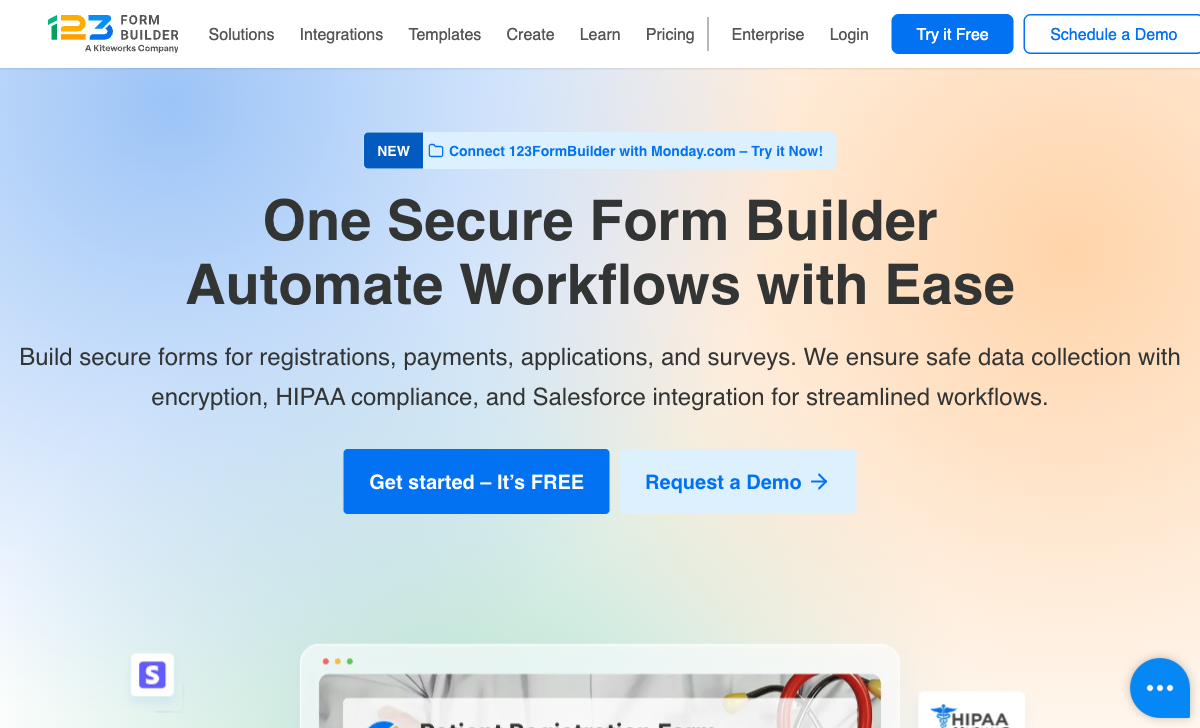
123FormBuilder offers HIPAA compliance on the Diamond plan at $79/month (annual) — $20/month cheaper than Jotform's Gold plan at $99/month. The Diamond plan also includes unlimited forms (vs Jotform's 100), 50,000 submissions/month (vs 10,000), and 25 users (vs single-user). For healthcare organisations where HIPAA compliance is the driving requirement, 123FormBuilder delivers more volume and team access at a lower compliance price point.
Native Salesforce Integration Depth
123FormBuilder's Salesforce integration (Platinum plan, $39/month annual) maps form fields directly to Salesforce objects — leads, contacts, cases, opportunities, and custom objects. It supports record updating, Salesforce lookup fields, and bidirectional data flow. Jotform also integrates with Salesforce, but 123FormBuilder's integration was specifically built for Salesforce-dependent organisations. If your CRM workflow revolves around Salesforce and you need tight, native field mapping without middleware, 123FormBuilder's depth is genuine.
Document Generation
123FormBuilder generates PDF and Word documents from form submissions on higher-tier plans, with template support for creating formatted reports, contracts, and receipts. Jotform offers PDF generation through Jotform Tables and report building, but 123FormBuilder's dedicated document generation with customisable templates is more purpose-built for organisations that need formatted document output from every form submission.
More Submissions on Free Plan
123FormBuilder's free plan offers 100 submissions/month — matching Jotform's free plan exactly. But 123FormBuilder includes conditional logic and pre-filling on the free tier, while Jotform includes these on free as well. On the free tier, the platforms are comparable, though Jotform's free plan includes payment processing that 123FormBuilder gates behind paid plans.
Where Jotform Wins

Scale and Feature Breadth
Jotform's feature set dwarfs 123FormBuilder's. 20,000+ templates versus ~3,000. 40+ payment gateways versus 4 (PayPal, Stripe, Square, Authorize.Net). Native e-signatures (Jotform Sign), approval workflows, mobile apps, AI agents, and a product ecosystem that includes Jotform Tables, Jotform Apps, and Jotform Reports. 123FormBuilder covers the basics well; Jotform covers the basics and then extends into territory 123FormBuilder doesn't attempt.
Payment Processing
Jotform supports 40+ payment gateways on every plan, including free — Stripe, PayPal, Square, Venmo, and dozens of regional processors. 123FormBuilder supports PayPal, Stripe, Square, and Authorize.Net on the Gold plan ($19/month annual) and above. The gateway count alone (40+ vs 4) tells the story, but Jotform also offers more payment features — subscriptions, invoicing, and payment form templates — that make it a more complete payment collection platform.
Mobile Apps
Jotform provides native iOS and Android apps for form building, data collection, and offline use. 123FormBuilder has no mobile app — form building and management require a desktop browser. For field teams, mobile data collection, or anyone who needs to build or manage forms on the go, Jotform's mobile apps are a significant advantage that 123FormBuilder cannot match.
Enterprise Features
Jotform Enterprise includes SSO, SLA, data residency, custom branding, dedicated support, and a multi-user platform with granular permissions. 123FormBuilder offers SSO and data residency on Enterprise plans (from $225/month), but Jotform's enterprise tier is more established — ISO 27001 certified, SOC 2 compliant, and serving enterprise clients including BBC, Facebook, and WIRED. For large organisations, Jotform's enterprise credentials are stronger.
Independence and Financial Stability
Jotform is bootstrapped, profitable, and independently owned — $144.9 million in revenue (2024) with 500+ employees. It controls its own product roadmap with no external stakeholders. 123FormBuilder was acquired by Kiteworks, meaning its future direction depends on its parent company's strategy. For a platform holding your business data and forms, independence and profitability are meaningful signals of long-term reliability. Jotform's 20 years of bootstrapped operation versus 123FormBuilder's acquired status is a real distinction.
AI and Modern Capabilities
Jotform offers AI form generation, AI agents, and ongoing AI-powered features. 123FormBuilder has no AI capabilities. The gap reflects different investment trajectories — Jotform is building toward the future while 123FormBuilder's evolution is constrained by its parent company's compliance-first priorities.
Where 123FormBuilder Falls Short
- Dated interface: The drag-and-drop editor and resulting forms look generic and outdated compared to Jotform's modern builder.
- Acquired company: Owned by Kiteworks, with product direction driven by the parent company's security strategy rather than independent product vision.
- No mobile app: No native mobile app for form building or data collection. Desktop browser required for all management.
- No AI capabilities: No AI form generation, no AI agents, no AI-powered features of any kind.
- Limited payment gateways: 4 gateways (PayPal, Stripe, Square, Authorize.Net) versus Jotform's 40+.
- Smaller template library: ~3,000 templates versus Jotform's 20,000+.
- No e-signatures: eSignatures available on Gold plan, but not the dedicated signing platform Jotform Sign offers.
- Lower review scores: 4.4-4.5/5 versus Jotform's 4.7/5 across G2 and Capterra.
Where Jotform Falls Short
- HIPAA is more expensive: $99/month versus 123FormBuilder's $79/month, with fewer submissions (10,000 vs 50,000) and single-user access (vs 25 users).
- Salesforce integration depth: Jotform integrates with Salesforce, but not with the native field mapping and record update depth that 123FormBuilder offers.
- Submission limits: Every Jotform plan has monthly submission caps. 123FormBuilder also has limits, but its Diamond plan at $79/month includes 50,000 — generous for the price.
- No document generation: Jotform doesn't offer the same template-based PDF/Word document generation from form submissions that 123FormBuilder provides.
- Form design quality: Jotform forms are functional but visually standard. The drag-and-drop builder doesn't produce forms that look like designed pages.
Pricing Comparison
Both platforms use tiered SaaS pricing with submission limits. 123FormBuilder offers more volume at lower tiers; Jotform offers more features at every level.
| Tier | 123FormBuilder | Jotform | Key Difference |
|---|---|---|---|
| Free | 5 forms, 100 subs/mo, conditional logic | 5 forms, 100 subs/mo, 40+ payment gateways | Equal volume; Jotform includes payments on free |
| ~$19-34/mo | Gold: $19/mo, 2,000 subs, payments, eSignatures | Bronze: $34/mo, 1,000 subs, no branding | 123FB: cheaper with 2x volume; Jotform: more gateways |
| ~$39/mo | Platinum: $39/mo, 10,000 subs, Salesforce, 5 users | Silver: $39/mo, 2,500 subs, single user | Same price; 123FB has 4x volume, Salesforce, and multi-user |
| ~$79-99/mo | Diamond: $79/mo, 50,000 subs, HIPAA, 25 users | Gold: $99/mo, 10,000 subs, HIPAA, single user | 123FB: $20 cheaper, 5x volume, 25 users for HIPAA |
| Enterprise | From $225/mo, SSO, data residency | Custom pricing, SSO, SLA, ISO 27001 | Jotform has stronger enterprise credentials (ISO, SOC 2) |
123FormBuilder consistently offers more submission volume at each price point — a meaningful advantage for organisations that prioritise data collection throughput. Jotform offers more features, more integrations, and a more capable platform at each tier. The value equation depends on whether your bottleneck is volume or functionality.
123FormBuilder
Jotform
| Product | Plan | Monthly Price | Annual Price (per month) | Free Plan | Free Trial | Limits |
|---|---|---|---|---|---|---|
| 123FormBuilder | Free | Free | Free | Yes | 30 days | forms: 5, submissions: 100/month, storage: 100 MB, users: 1 |
| 123FormBuilder | Gold | $37/mo | $19/mo billed annually | forms: 20, submissions: 2,000/month, storage: 500 MB, users: 1 | ||
| 123FormBuilder | Platinum | $79/mo | $39/mo billed annually | forms: 100, submissions: 10,000/month, storage: 1 GB, users: 5 | ||
| 123FormBuilder | Diamond | $159/mo | $79/mo billed annually | forms: unlimited, submissions: 50,000/month, storage: 10 GB, users: 25 | ||
| 123FormBuilder | Enterprise | $225/mo | Custom | forms: unlimited, submissions: unlimited, storage: unlimited, users: custom | ||
| Jotform | Starter | Free | Free | Yes | No | forms: 5, submissions: 100/month, storage: 100 MB, users: 1 |
| Jotform | Bronze | $39/mo | $34/mo billed annually | forms: 25, submissions: 1,000/month, storage: 1 GB, users: 1 | ||
| Jotform | Silver | $49/mo | $39/mo billed annually | forms: 50, submissions: 2,500/month, storage: 10 GB, users: 1 | ||
| Jotform | Gold | $129/mo | $99/mo billed annually | forms: 100, submissions: 10,000/month, storage: 100 GB, users: 1 |
What Users Say
Jotform averages 4.7/5 across thousands of reviews, with consistent praise for ease of use, template variety, and feature breadth. Submission limits and pricing at scale are the most common complaints.
123FormBuilder averages 4.4-4.5/5 across ~346 reviews, with praise for the Salesforce integration, HIPAA compliance, and reliability. Common complaints include the dated interface, limited design options, and customer support responsiveness. The 0.2-0.3 point rating gap across platforms reflects Jotform's broader appeal and more polished user experience.
Consider Paperform
If neither the compliance specialist nor the scale generalist feels like the right fit, Paperform occupies a distinct middle ground. Its document-style editor creates forms that look like designed landing pages — a visual quality level that both 123FormBuilder and Jotform lack. Every plan includes five payment gateways, an Excel-style calculation engine that powers dynamic pricing, scoring, and computed values across questions, pages, emails, and integrations, built-in e-signatures via Papersign, and 30,000+ templates. Paperform is bootstrapped and profitable, serving 500,000+ businesses. It doesn't offer HIPAA compliance, but for every non-HIPAA use case, Paperform combines design, payments, and calculation depth that outperforms both platforms. See the full form builders ranking for details.
Frequently Asked Questions
Which is cheaper for HIPAA-compliant forms?
123FormBuilder offers HIPAA compliance on the Diamond plan at $79/month (annual billing), which includes unlimited forms, 50,000 submissions/month, and 25 users. Jotform offers HIPAA on the Gold plan at $99/month (annual), with 100 forms, 10,000 submissions/month, and single-user access. 123FormBuilder is $20/month cheaper and includes 5x more submissions and multi-user access. For organisations where HIPAA compliance is the primary requirement, 123FormBuilder offers better value — more volume at a lower price with team access included.
Which has better Salesforce integration?
123FormBuilder has the deeper native Salesforce integration. Available on the Platinum plan ($39/month annual), it maps form fields directly to Salesforce objects (leads, contacts, cases, opportunities, custom objects), supports record updating, and includes lookup fields. Jotform also integrates with Salesforce on paid plans, but 123FormBuilder's integration is specifically engineered for Salesforce-heavy workflows. If Salesforce is your CRM and you need tight bidirectional form-to-CRM mapping, 123FormBuilder has the edge. For broader CRM flexibility (HubSpot, Zoho, Pipedrive), Jotform's wider integration ecosystem wins.
Which company is more likely to exist in 5 years?
Both have strong longevity signals, but different risk profiles. Jotform, founded in 2006, is bootstrapped, profitable ($144.9M revenue in 2024), and independently operated with 500+ employees. It controls its own destiny with no acquisition risk. 123FormBuilder, founded in 2008, was acquired by Kiteworks and is now part of a larger security-focused company. Being acquired means 123FormBuilder's future depends on Kiteworks' strategic priorities — if Kiteworks decides the form builder no longer fits its portfolio, the product could be sunset or merged. Jotform's independence and profitability make it the safer long-term bet.
Can I migrate from 123FormBuilder to Jotform or vice versa?
There's no automated migration tool between the two platforms. In either direction, you'd export submission data as CSV and rebuild forms manually. Jotform's 20,000+ templates make rebuilding faster if you're migrating to Jotform — there's likely a template close to your existing form. If you rely on 123FormBuilder's native Salesforce integration, recreating that on Jotform requires configuring Salesforce connections differently. Both platforms support Zapier, so any Zapier-based workflows can be reconnected with minimal effort.
Sources & References
- 123FormBuilder vs Jotform Comparison — G2, 2026
- Top HIPAA-Compliant Form Builders — Compliancy Group, 2026
Last updated March 21, 2026
Ready to try Paperform?
Create beautiful forms, payment pages, and workflows — no code required.