Best 123FormBuilder Alternatives for 2026
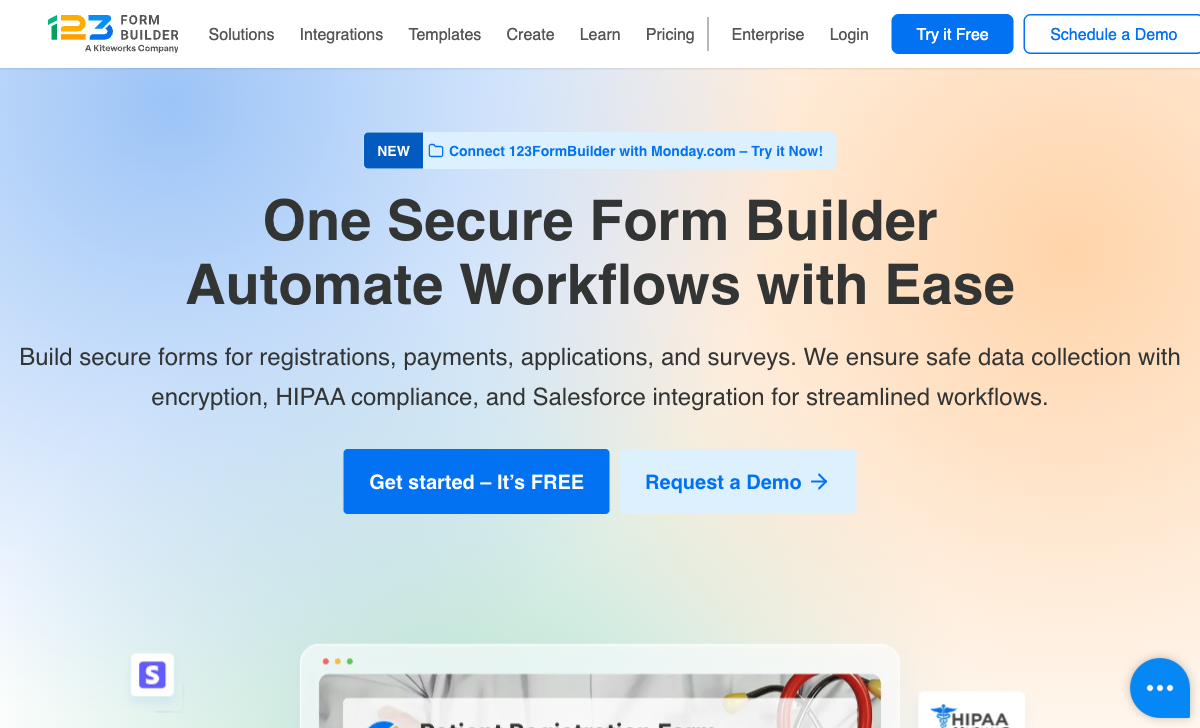
123FormBuilder has been in the form builder market since 2008 -- nearly two decades of processing forms across healthcare, enterprise, and education. Its HIPAA compliance, Salesforce integration, and 3,000+ templates earned it a place in enterprise workflows. But since being acquired by Kiteworks, the product's trajectory has tilted toward security infrastructure at the expense of the form-building experience itself.
The interface hasn't kept up with modern standards. There's no AI form creation, no document-style editor, no real-time calculation engine, and no design tools that match what competitors released years ago. Reviewers consistently note that "competition is able to innovate faster" and that the product "lacks some advanced features." At its core, 123FormBuilder is a legacy form builder with strong security credentials but a stagnating user experience.
The alternatives below offer more capable form building at competitive prices. If HIPAA compliance is your primary requirement, we note which ones match 123FormBuilder's security certifications -- because HIPAA doesn't have to mean accepting a dated user experience.
For a direct comparison, see Paperform vs 123FormBuilder. For the broader landscape, see the full form builder ranking.
| Feature | 123FormBuilder | Paperform | Jotform | Cognito Forms | Formstack | Typeform | FormAssembly | Google Forms |
|---|---|---|---|---|---|---|---|---|
| Form Building | ||||||||
| Document-style editor | No | Yes | No | No | No | No | No | No |
| AI form creation | No | Yes | Yes starter | No | Yes forms | Yes | Yes explorer | Yes |
| Field types | Yes | 26+ | 30+ (starter) | 20+ | 15 | 20+ | Yes explorer | 11 |
| Guided mode (one question at a time) | No | Yes | Yes starter | No | Yes forms | Yes | No | No |
| Calculations field | Yes basic | Yes essentials | Yes starter | Yes | Yes forms | Yes plus | Yes explorer | No |
| Payments | ||||||||
| Stripe payments | Yes basic | Yes | Yes starter | Yes | Yes forms | Yes basic | Yes explorer | No |
| PayPal payments | Yes basic | Yes | Yes starter | Yes team | Yes forms | No | Yes explorer | No |
| Square payments | No | Yes | Yes starter | Yes team | No | No | No | No |
| Braintree payments | No | Yes | Yes starter | No | No | No | No | No |
| Google Pay | No | Yes | Yes starter | No | No | No | No | No |
| Design & Customization | ||||||||
| Template gallery | Yes | 30,000+ | 20,000+ (starter) | Yes | Yes forms | 1,500+ | Yes explorer | 20+ |
| Image editor | No | Yes | No | No | No | No | No | No |
| Language translation | No | Yes | Yes starter | Yes pro | No | Yes basic | No | No |
| Advanced theming | Yes basic | Yes pro | Yes starter | Yes pro | Yes forms | Yes plus | Yes team | No |
| Custom form URL | No | Yes pro | No | No | Yes forms | Yes plus | Yes explorer | No |
| Analytics | ||||||||
| Submission results | Yes | No | No | No | No | No | No | No |
| Form analytics | Yes basic | No | Yes starter | No | No | No | No | No |
| Partial submissions | No | Yes pro | No | No | Yes forms | Yes plus | No | No |
| Submission results and reports | No | Yes | Yes starter | Yes | Yes forms | Yes | Yes explorer | Yes |
| AI report insights | No | Yes pro | No | No | No | Yes business | No | No |
| Collaboration | ||||||||
| Form sharing | Yes | No | Yes starter | No | No | No | No | No |
| Form sharing (templates) | No | Yes | No | Yes | Yes forms | Yes | Yes explorer | Yes |
| Spaces and tag management | No | Yes | No | No | Yes forms | No | No | No |
| Assign forms | No | No | Yes enterprise | No | No | No | No | No |
| Workspace organization | No | No | No | No | No | Yes | No | No |
| Security | ||||||||
| SOC 2 Type II | No | Yes | Yes enterprise | No | No | Yes | Yes explorer | Yes |
| reCAPTCHA | Yes | Yes | Yes starter | Yes | Yes forms | Yes business | Yes explorer | No |
| Data residency | Yes enterprise | No | Yes enterprise | No | No | No | No | No |
| Enforce 2FA for all users | No | Yes business | No | No | Yes enterprise | No | Yes enterprise | Yes Business Starter |
| Local data residency | No | Yes enterprise | No | No | No | No | Yes enterprise | Yes Business Plus |
| Integrations & API | ||||||||
| Native integrations (2000+) | Yes | No | No | No | No | No | No | No |
| Zapier | Yes | Yes | Yes starter | Yes | Yes forms | Yes basic | No | Yes |
| Make (Integromat) | No | Yes | No | Yes | No | Yes basic | No | Yes |
| Webhooks | Yes basic | Yes pro | Yes starter | Yes | Yes forms | Yes basic | Yes explorer | No |
| API | Yes basic | No | Yes starter | No | No | Yes basic | No | No |
| Additional Products | ||||||||
| Jotform Tables | No | No | Yes starter | No | No | No | No | No |
| Jotform Sign | No | No | Yes starter | No | No | No | No | No |
| Jotform Apps | No | No | Yes starter | No | No | No | No | No |
| Jotform Workflows | No | No | Yes starter | No | No | No | No | No |
| Jotform Report Builder | No | No | Yes starter | No | No | No | No | No |
 #1 Paperform -- Best Overall 123FormBuilder Alternative

For non-HIPAA use cases, Paperform does more than 123FormBuilder at every level. The document-style editor creates forms that function as branded landing pages -- a generational leap from 123FormBuilder's widget-based drag-and-drop. AI form creation generates forms from natural language prompts. The AI calculations assistant helps non-technical users build Excel-style formulas that power dynamic pricing, scoring, conditional logic, and personalized outcomes across the entire form experience.
Five payment gateways (Stripe, PayPal, Square, Braintree, Google Pay) with full eCommerce features -- product catalogs, subscriptions, coupons, tax calculations, refund processing -- ship on every plan including free. 123FormBuilder supports only Stripe and PayPal with no eCommerce capabilities. Paperform's 2,000+ integrations via Zapier, Make, webhooks, and API provide broader connectivity than 123FormBuilder's Zapier-dependent ecosystem.
Built-in e-signatures via Papersign and workflow automation via Stepper eliminate the need for separate tools. At $24/month (Essentials) for unlimited forms, Paperform costs more than 123FormBuilder's Gold ($19/month annual) but includes dramatically more: calculations, eCommerce, 30,000+ templates versus 3,000+, and a design experience that actually looks like it was built this decade. Bootstrapped and profitable since 2016.
The $5/month difference between Paperform Essentials and 123FormBuilder Gold buys you unlimited forms (versus 20), five payment gateways with full eCommerce (versus Stripe/PayPal with basic payment collection), Excel-style calculations, scoring, conditional emails, and AI-powered form creation. On a per-feature basis, Paperform delivers substantially more value for a marginal price increase. And Paperform's free plan already surpasses 123FormBuilder's Gold plan on several key features.
From a company perspective, Paperform is bootstrapped and profitable -- its revenue funds development, not an acquirer's broader strategy. 123FormBuilder's innovation is now filtered through Kiteworks' enterprise security priorities. For users whose primary need is modern form building rather than compliance infrastructure, Paperform's development trajectory is more aligned with their interests.
- Pricing: Free plan available; Essentials from $24/month
- Best for: Any non-HIPAA use case -- forms, payments, calculations, and interactive experiences with modern design
- Key advantage over 123FormBuilder: Document-style editor, AI features, 5 payment gateways, Excel-style calculations, and 30,000+ templates
 #2 Jotform -- Broadest Feature Set with HIPAA Option

Jotform matches 123FormBuilder's enterprise credentials while exceeding it on nearly every feature dimension. With 20,000+ templates (versus 3,000+), 40+ payment gateways (versus 2), conditional logic, e-signatures, approval workflows, and HIPAA-compliant plans, it's the broadest-featured alternative that also addresses compliance needs. The native Salesforce integration competes directly with 123FormBuilder's Salesforce connector.
Jotform's free tier (5 forms, 100 submissions) provides more than 123FormBuilder's free plan, and the platform's 20-year bootstrapped track record ($144.9M revenue, 35M+ users) eliminates the acquisition uncertainty that shadows 123FormBuilder. Paid plans start at $39/month. For users who need both broad form-building capabilities and enterprise compliance options, Jotform is the most complete replacement.
The HIPAA offering is particularly relevant for 123FormBuilder's healthcare user base. Jotform's HIPAA plans provide the same compliance guarantees with a significantly more modern interface, more templates, and better payment gateway coverage. For healthcare organizations considering whether to stay on 123FormBuilder for HIPAA alone, Jotform proves you don't have to sacrifice features for compliance.
- Pricing: Free (5 forms, 100 submissions); Starter from $39/month; HIPAA plans available
- Best for: Users who need maximum feature breadth plus HIPAA compliance
- Key advantage over 123FormBuilder: 20,000+ templates, 40+ gateways, HIPAA option, and independent bootstrapped company
 #3 Cognito Forms -- Best Value Alternative
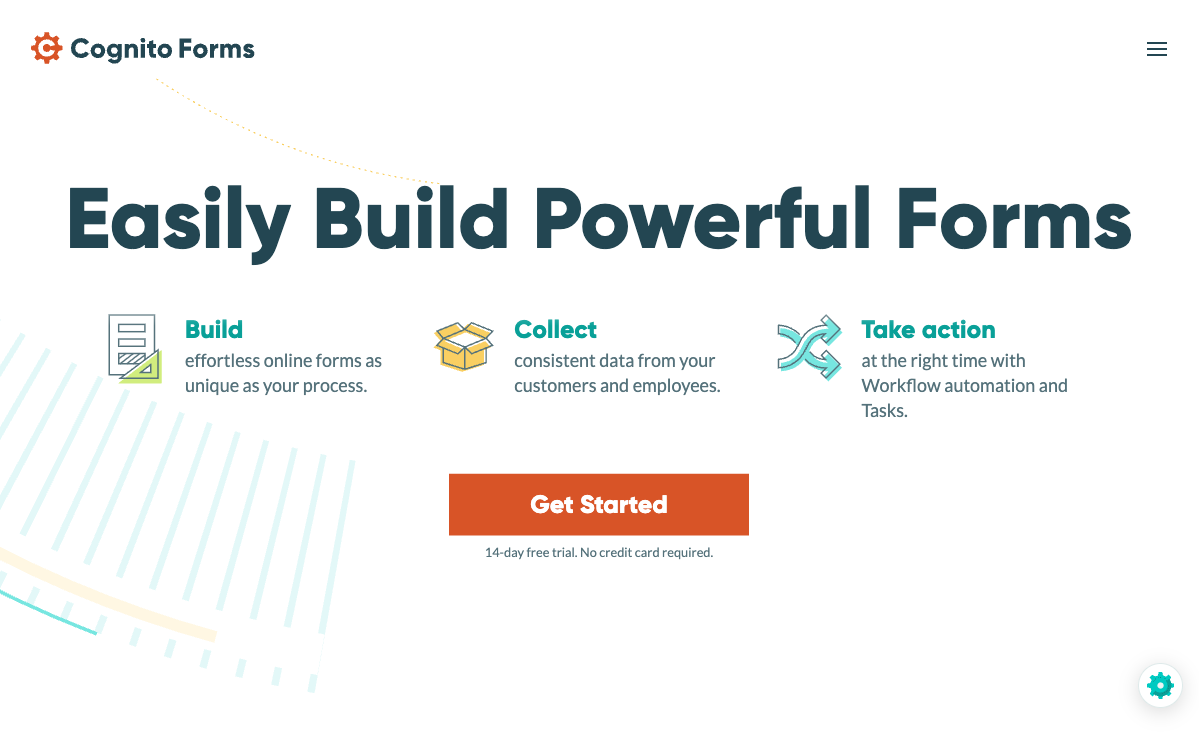
If 123FormBuilder's pricing feels steep for what you get, Cognito Forms delivers remarkable value. Its free plan includes unlimited forms, 100 submissions/month, conditional logic, calculations, e-signatures, and Stripe payments -- more than 123FormBuilder's Gold plan ($19/month) includes. Paid plans start at $15/month, making Cognito the most affordable path to advanced form features.
Cognito Forms also offers HIPAA compliance on its Enterprise plan, providing a compliance alternative to 123FormBuilder's Diamond tier. The design is functional rather than visually striking -- similar to 123FormBuilder in that regard -- but the calculation engine, workflow routing, and encrypted data storage are more modern. Bootstrapped, profitable, and actively maintained.
For 123FormBuilder users on the Gold or Platinum plans, the math is striking: Cognito Forms' free plan includes unlimited forms, Stripe payments, calculations, e-signatures, and conditional logic -- features that 123FormBuilder charges $19-39/month for. Even Cognito's $15/month Pro plan undercuts 123FormBuilder's comparable tiers while offering more. The value per dollar makes Cognito Forms the most compelling budget alternative.
- Pricing: Free (unlimited forms, 100 submissions, Stripe); Pro from $15/month
- Best for: Budget-conscious teams who need calculations, payments, and logic at the lowest possible cost
- Key advantage over 123FormBuilder: Free payments, calculations, and e-signatures -- with HIPAA available on Enterprise
 #4 FormAssembly -- Best for Deep Salesforce Integration
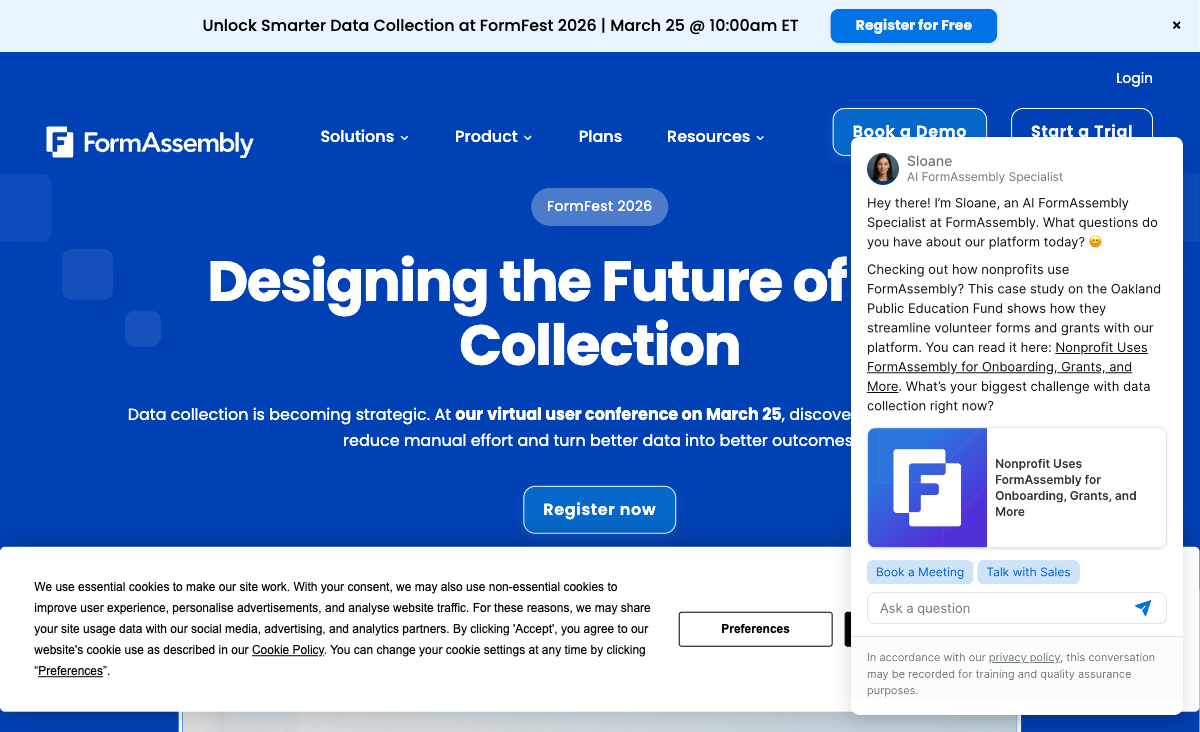
If you're using 123FormBuilder primarily for its Salesforce integration and security compliance, FormAssembly is the upgrade path. Its native Salesforce connector supports object mapping, multi-object sync, prefilling from Salesforce records, and Agentforce support -- deeper integration than 123FormBuilder's Salesforce connector offers. FormAssembly adds FedRAMP High authorization (unique in the market), HIPAA, PCI DSS Level 1, and SOC 2.
The trade-off is cost: FormAssembly starts at $59/month with no free plan. For organizations where Salesforce data precision and maximum compliance breadth are non-negotiable, FormAssembly is the stronger choice. For organizations using Salesforce casually alongside other tools, Paperform or Jotform at lower prices provide adequate Salesforce connectivity. Founded in 2006, 20 years of operation.
- Pricing: No free plan; Explorer from $59/month
- Best for: Salesforce-dependent organizations needing the deepest native form-to-CRM integration
- Key advantage over 123FormBuilder: Deeper Salesforce integration, FedRAMP High, PCI DSS Level 1, and SOC 2
Where 123FormBuilder Still Works
123FormBuilder has genuine strengths in specific scenarios:
- HIPAA at an affordable price: The Diamond plan ($79/month annual) provides HIPAA compliance at a lower cost than many competitors. For healthcare forms, this remains competitive.
- Salesforce integration: The native Salesforce connector on Platinum ($39/month annual) is deeper than Zapier-based connections, though not as sophisticated as FormAssembly's.
- Enterprise security focus: The Kiteworks backing means 123FormBuilder's security infrastructure is actively maintained. Data encryption, SSO, data residency, and enterprise key management are available.
- 3,000+ templates: While not the largest library, 3,000+ templates organized by industry and use case provide adequate starting points for common form types.
- Document generation: The ability to generate documents from form submissions (PDFs, contracts) is useful for enterprise workflows that need form-to-document pipelines.
- Established enterprise customers: Airbus, LG, University of Oxford, Hilti, Husqvarna -- 123FormBuilder's customer list provides procurement confidence for enterprise buyers.
Who Should Switch from 123FormBuilder
These signals indicate 123FormBuilder may not be the best fit for your needs going forward:
- The interface frustrates your team: If building and editing forms feels clunky compared to modern tools, the productivity cost compounds over time. Paperform and Typeform both offer dramatically better editing experiences.
- You don't need HIPAA: Without HIPAA as a requirement, 123FormBuilder's primary differentiator disappears. General-purpose alternatives offer more features for less money.
- You need AI capabilities: AI form creation, AI calculations, and AI analytics are absent. If these matter to your workflow, every major competitor has an advantage.
- You want better design: 123FormBuilder's forms are functional but not visually impressive. For customer-facing forms where brand presentation matters, Paperform's document-style editor is a generation ahead.
- You need more payment gateways: Only Stripe and PayPal are supported. If you need Square, Braintree, or Google Pay, you need an alternative.
- You need deeper eCommerce: 123FormBuilder handles basic payments but lacks product catalogs, subscriptions, coupons, tax calculations, and refund management. Paperform's eCommerce features are substantially more complete.
- Platform innovation matters: If you want a form builder that's actively shipping new features and capabilities, 123FormBuilder's post-acquisition development pace is a concern.
- You need SOC 2: Despite the security focus, 123FormBuilder doesn't have SOC 2 certification. Paperform holds independent SOC 2 Type II certification.
Quick Pricing Summary
| Platform | Free Plan | Entry Paid Plan | HIPAA Available |
|---|---|---|---|
| 123FormBuilder | Yes (5 forms, 100 subs) | $19/mo annual (Gold) | Yes -- Diamond at $79/mo annual |
| Paperform | Yes (unlimited forms, 30 subs) | $24/mo (Essentials) | No |
| Jotform | Yes (5 forms, 100 subs) | $39/mo (Starter) | Yes -- HIPAA plans available |
| Cognito Forms | Yes (unlimited, Stripe) | $15/mo (Pro) | Yes -- Enterprise plan |
| Formstack | No | $83/mo (annual) | Yes -- Enterprise plans |
| Typeform | Yes (10 responses/mo) | $25/mo (Basic) | No |
| FormAssembly | No (14-day trial) | $59/mo (Explorer) | Yes -- Enterprise plan + FedRAMP |
| Google Forms | Yes (unlimited) | N/A (always free) | No |
Full Feature Comparison
Every feature across all alternatives, grouped by category. Paperform is highlighted for reference.
| Feature | 123FormBuilder | Paperform | Jotform | Cognito Forms | Formstack | Typeform | FormAssembly | Google Forms |
|---|---|---|---|---|---|---|---|---|
| Form Building | ||||||||
| Document-style editor | No | Yes | No | No | No | No | No | No |
| AI form creation | No | Yes | Yes starter | No | Yes forms | Yes | Yes explorer | Yes |
| Field types | Yes | 26+ | 30+ (starter) | 20+ | 15 | 20+ | Yes explorer | 11 |
| Multi-page forms | Yes | Yes | Yes starter | Yes | Yes forms | Yes basic | Yes explorer | Yes |
| Guided mode (one question at a time) | No | Yes | Yes starter | No | Yes forms | Yes | No | No |
| Conditional logic | Yes | Yes | Yes starter | Yes | Yes forms | Yes basic | Yes explorer | Yes |
| Calculations field | Yes basic | Yes essentials | Yes starter | Yes | Yes forms | Yes plus | Yes explorer | No |
| AI calculations assistant | No | Yes essentials | No | No | No | No | No | No |
| Scoring | No | Yes essentials | Yes starter | Yes | No | Yes plus | No | Yes |
| Answer piping | Yes basic | Yes | Yes starter | Yes | Yes forms | Yes basic | Yes explorer | No |
| Pre-filling and hidden fields | Yes | Yes essentials | Yes starter | Yes | Yes forms | Yes basic | Yes explorer | Yes |
| Save and resume | Yes basic | Yes | Yes starter | Yes pro | Yes forms | No | Yes explorer | No |
| Auto-close by number | Yes | Yes essentials | Yes starter | Yes | No | Yes basic | Yes explorer | Yes |
| Auto-close by date | Yes | Yes pro | Yes starter | Yes | No | Yes basic | Yes explorer | Yes |
| Appointment/booking field | No | Yes | Yes starter | No | No | Yes basic | No | No |
| Signature field | Yes basic | Yes | Yes starter | Yes team | Yes suite | No | Yes explorer | No |
| Color picker field | No | Yes | No | No | No | No | No | No |
| API-powered dropdowns | No | Yes business | No | Yes | Yes forms | No | Yes team | No |
| Google address search | No | Yes business | No | Yes | No | No | No | No |
| File uploads | No | Yes | Yes starter | Yes | No | Yes basic | No | Yes |
| Drag-and-drop builder | No | No | Yes starter | No | Yes forms | No | No | No |
| Form widgets | No | No | Yes starter | No | No | No | No | No |
| Template gallery | No | No | 20,000+ (starter) | No | No | No | No | No |
| AI follow-up questions | No | No | No | No | No | Yes business | No | No |
| Video questions | No | No | No | No | No | Yes basic | No | No |
| Payments | ||||||||
| Stripe payments | Yes basic | Yes | Yes starter | Yes | Yes forms | Yes basic | Yes explorer | No |
| PayPal payments | Yes basic | Yes | Yes starter | Yes team | Yes forms | No | Yes explorer | No |
| Square payments | No | Yes | Yes starter | Yes team | No | No | No | No |
| Braintree payments | No | Yes | Yes starter | No | No | No | No | No |
| Google Pay | No | Yes | Yes starter | No | No | No | No | No |
| Product sales (eCommerce) | Yes basic | Yes essentials | Yes starter | Yes | No | No | Yes explorer | No |
| Subscriptions | No | Yes essentials | Yes starter | No | No | Yes basic | No | No |
| Coupons and discounts | No | Yes essentials | Yes starter | Yes | Yes forms | No | No | No |
| Custom pricing rules | Yes basic | Yes essentials | Yes starter | Yes | Yes forms | No | Yes explorer | No |
| Tax calculations | No | Yes | Yes starter | Yes | No | No | No | No |
| Quotes/invoices | Yes basic | Yes | No | Yes team | No | No | No | No |
| Refunds | No | Yes | No | No | No | No | No | No |
| 3D Secure | No | Yes | No | No | No | Yes basic | No | No |
| 40+ payment gateways | No | No | Yes starter | No | No | No | No | No |
| No transaction fees | No | No | Yes starter | No | No | No | No | No |
| Design & Customization | ||||||||
| Template gallery | Yes | 30,000+ | 20,000+ (starter) | Yes | Yes forms | 1,500+ | Yes explorer | 20+ |
| Rich media (images, GIFs, videos) | Yes | Yes | Yes starter | Yes | Yes forms | Yes | Yes explorer | Yes |
| Unsplash/Giphy | No | No | No | No | No | No | No | No |
| Image editor | No | Yes | No | No | No | No | No | No |
| Adobe CC | No | No | No | No | No | No | No | No |
| Language translation | No | Yes | Yes starter | Yes pro | No | Yes basic | No | No |
| Advanced theming | Yes basic | Yes pro | Yes starter | Yes pro | Yes forms | Yes plus | Yes team | No |
| Custom form URL | No | Yes pro | No | No | Yes forms | Yes plus | Yes explorer | No |
| Custom domains | No | Yes pro | Yes enterprise | No | Yes forms | No | No | No |
| Custom HTML & CSS | Yes basic | Yes pro | Yes starter | Yes pro | Yes forms | Yes business | Yes team | No |
| Remove branding | Yes basic | Yes pro | Yes bronze | Yes pro | Yes forms | Yes plus | Yes team | No |
| Custom email domains | No | Yes business | No | No | No | No | No | Yes Business Starter |
| Unsplash and Giphy integration | No | Yes | No | No | No | Yes | No | No |
| Adobe Creative Cloud | No | Yes | No | No | No | No | No | No |
| Form themes | No | No | Yes starter | No | No | No | No | No |
| Analytics | ||||||||
| Submission results | Yes | No | No | No | No | No | No | No |
| AI insights | No | No | No | No | No | No | No | No |
| Form analytics | Yes basic | No | Yes starter | No | No | No | No | No |
| Google Analytics / Facebook Pixel | No | No | No | No | No | No | No | No |
| Custom scripts | No | No | No | No | No | No | No | No |
| Partial submissions | No | Yes pro | No | No | Yes forms | Yes plus | No | No |
| Submission results and reports | No | Yes | Yes starter | Yes | Yes forms | Yes | Yes explorer | Yes |
| AI report insights | No | Yes pro | No | No | No | Yes business | No | No |
| Paperform analytics | No | Yes pro | No | No | Yes forms | No | No | No |
| Drop-off analysis | No | Yes pro | No | No | No | Yes business | No | No |
| Google Analytics & Facebook Pixel | No | Yes essentials | No | Yes pro | Yes forms | Yes basic | No | No |
| Custom analytics scripts | No | Yes pro | No | No | No | Yes basic | No | No |
| Google Analytics integration | No | No | Yes starter | No | No | No | No | No |
| Workflow analytics | No | No | No | No | No | No | Yes explorer | No |
| Collaboration | ||||||||
| Multi-user accounts | Yes basic | Yes pro | Yes bronze | Yes pro | Yes forms | Yes plus | Yes team | Yes |
| User permissions and management | Yes basic | Yes pro | Yes enterprise | Yes team | Yes forms | Yes plus | Yes team | Yes |
| Advanced permissions & admin | Yes enterprise | Yes enterprise | Yes enterprise | Yes enterprise | Yes enterprise | Yes enterprise | Yes enterprise | Yes Business Starter |
| Form sharing | Yes | No | Yes starter | No | No | No | No | No |
| Spaces/tags | No | No | No | No | No | No | No | No |
| Form sharing (templates) | No | Yes | No | Yes | Yes forms | Yes | Yes explorer | Yes |
| Spaces and tag management | No | Yes | No | No | Yes forms | No | No | No |
| Assign forms | No | No | Yes enterprise | No | No | No | No | No |
| Workspace organization | No | No | No | No | No | Yes | No | No |
| Security | ||||||||
| SOC 2 Type II | No | Yes | Yes enterprise | No | No | Yes | Yes explorer | Yes |
| GDPR compliant | Yes | Yes | Yes starter | Yes | Yes forms | Yes | Yes explorer | Yes |
| SSL encryption | Yes | Yes | Yes starter | Yes | Yes forms | Yes | Yes explorer | Yes |
| Two-factor authentication | Yes | Yes | Yes starter | Yes | Yes forms | Yes | Yes explorer | Yes |
| Enforce 2FA | No | No | No | No | No | No | No | No |
| SSO (SAML) | Yes enterprise | Yes business | Yes enterprise | Yes enterprise | Yes enterprise | Yes enterprise | Yes enterprise | Yes Business Plus |
| reCAPTCHA | Yes | Yes | Yes starter | Yes | Yes forms | Yes business | Yes explorer | No |
| Data residency | Yes enterprise | No | Yes enterprise | No | No | No | No | No |
| Custom S3 | No | No | No | No | No | No | No | No |
| Enforce 2FA for all users | No | Yes business | No | No | Yes enterprise | No | Yes enterprise | Yes Business Starter |
| Local data residency | No | Yes enterprise | No | No | No | No | Yes enterprise | Yes Business Plus |
| Custom S3 storage (BYO) | No | Yes business | No | No | No | No | No | No |
| HIPAA compliant | No | No | Yes gold | No | No | Yes enterprise | No | No |
| 256-bit SSL | No | No | Yes starter | No | No | No | No | No |
| Form encryption | No | No | Yes starter | No | No | No | No | No |
| PCI DSS | No | No | Yes starter | No | No | Yes | No | No |
| ISO 27001 | No | No | No | No | No | Yes | No | No |
| Integrations & API | ||||||||
| Native integrations (2000+) | Yes | No | No | No | No | No | No | No |
| Zapier | Yes | Yes | Yes starter | Yes | Yes forms | Yes basic | No | Yes |
| Make (Integromat) | No | Yes | No | Yes | No | Yes basic | No | Yes |
| Webhooks | Yes basic | Yes pro | Yes starter | Yes | Yes forms | Yes basic | Yes explorer | No |
| API | Yes basic | No | Yes starter | No | No | Yes basic | No | No |
| Business API | No | Yes business | No | No | Yes enterprise | No | No | No |
| WordPress plugin | Yes | Yes | Yes starter | Yes | Yes forms | Yes | Yes explorer | No |
| oEmbed | Yes | No | No | No | No | No | No | No |
| Native integrations | No | 2,000+ | 150+ (starter) | No | No | 120+ (basic) | No | No |
| Standard API | No | Yes pro | No | No | Yes forms | No | Yes explorer | Yes |
| oEmbed support | No | Yes | No | Yes | No | No | Yes explorer | No |
| Salesforce AppExchange | No | No | Yes starter | No | No | No | No | No |
| Embed options | No | No | Yes starter | No | No | Yes | No | No |
| Mobile apps | No | No | Yes starter | No | No | No | No | No |
| 2000+ integrations | No | No | No | No | No | No | No | No |
| Additional Products | ||||||||
| Jotform Tables | No | No | Yes starter | No | No | No | No | No |
| Jotform Sign | No | No | Yes starter | No | No | No | No | No |
| Jotform Apps | No | No | Yes starter | No | No | No | No | No |
| Jotform Workflows | No | No | Yes starter | No | No | No | No | No |
| Jotform Report Builder | No | No | Yes starter | No | No | No | No | No |
| Jotform AI Agents | No | No | Yes starter | No | No | No | No | No |
| Jotform Store Builder | No | No | Yes starter | No | No | No | No | No |
Pricing Comparison

123FormBuilder's pricing is affordable at the low end but escalates for compliance and enterprise features:
Paperform
123FormBuilder
| Product | Plan | Monthly Price | Annual Price (per month) | Free Plan | Free Trial | Limits |
|---|---|---|---|---|---|---|
| 123FormBuilder | Free | Free | Free | Yes | 30 days | forms: 5, submissions: 100/month, storage: 100 MB, users: 1 |
| 123FormBuilder | Gold | $37/mo | $19/mo billed annually | forms: 20, submissions: 2,000/month, storage: 500 MB, users: 1 | ||
| 123FormBuilder | Platinum | $79/mo | $39/mo billed annually | forms: 100, submissions: 10,000/month, storage: 1 GB, users: 5 | ||
| 123FormBuilder | Diamond | $159/mo | $79/mo billed annually | forms: unlimited, submissions: 50,000/month, storage: 10 GB, users: 25 | ||
| 123FormBuilder | Enterprise | $225/mo | Custom | forms: unlimited, submissions: unlimited, storage: unlimited, users: custom | ||
| Paperform | Free | Free | Free | Yes | 14 days | forms: Unlimited, submissions: 30/month, storage: 100 submissions, users: 1, file uploads: 100 MB |
| Paperform | Essentials | $29/mo | $24/mo billed annually | forms: Unlimited, submissions: 100/month, storage: 1,000 submissions, users: 1, file uploads: 1 GB | ||
| Paperform | Pro | $59/mo | $49/mo billed annually | forms: Unlimited, submissions: 1,000/month, storage: 10,000 submissions, users: 3, file uploads: 10 GB | ||
| Paperform | Business | $129/mo | $99/mo billed annually | forms: Unlimited, submissions: 10,000/month, storage: 100,000 submissions, users: 5, file uploads: 100 GB | ||
| Jotform | Starter | Free | Free | Yes | No | forms: 5, submissions: 100/month, storage: 100 MB, users: 1 |
| Jotform | Bronze | $39/mo | $34/mo billed annually | forms: 25, submissions: 1,000/month, storage: 1 GB, users: 1 | ||
| Jotform | Silver | $49/mo | $39/mo billed annually | forms: 50, submissions: 2,500/month, storage: 10 GB, users: 1 | ||
| Jotform | Gold | $129/mo | $99/mo billed annually | forms: 100, submissions: 10,000/month, storage: 100 GB, users: 1 | ||
| Cognito Forms | Individual (Free) | Free | Free | Yes | 14 days | forms: Unlimited, submissions: 100/month, storage: 100 MB, users: 1 |
| Cognito Forms | Pro | $19/mo | $16/mo billed annually | forms: Unlimited, submissions: 2,000/month, storage: 1 GB, users: 2 | ||
| Cognito Forms | Team | $39/mo | $33/mo billed annually | forms: Unlimited, submissions: 10,000/month, storage: 10 GB, users: 5 | ||
| Cognito Forms | Enterprise | $129/mo | $109/mo billed annually | forms: Unlimited, submissions: Unlimited, storage: 100 GB, users: 20 | ||
| Formstack | Forms | $99/mo | $83/mo billed annually | No | 14 days | forms: 25, submissions: 1,000/form, storage: 2 GB, users: 1, file uploads: 2 GB |
| Formstack | Suite | $299/mo | $250/mo billed annually | forms: 100, submissions: 5,000/form, storage: 10 GB, users: 3, file uploads: 10 GB | ||
| Typeform | Free | Free | Free | Yes | No | forms: 10, submissions: 10/month, users: 1 |
| Typeform | Basic | $39/mo | $28/mo billed annually | forms: Unlimited, submissions: 100/month, users: 1 | ||
| Typeform | Plus | $79/mo | $56/mo billed annually | forms: Unlimited, submissions: 1,000/month, users: 3 | ||
| Typeform | Business | $129/mo | $91/mo billed annually | forms: Unlimited, submissions: 10,000/month, users: 5 | ||
| Typeform | Growth Pro | $379/mo | $266/mo billed annually | forms: Unlimited, submissions: Expanded, users: Expanded | ||
| FormAssembly | Explorer | $59/mo | Not listed | No | 14 days | forms: Unlimited, submissions: Unlimited, storage: Unlimited, users: 1 standard user |
| FormAssembly | Team | Custom | Not listed | forms: Unlimited, submissions: Unlimited, storage: Unlimited, users: 3 standard + 5 limited users | ||
| FormAssembly | Enterprise | Custom | Not listed | forms: Unlimited, submissions: Unlimited, storage: Unlimited, users: 5 standard + 10 limited users | ||
| FormAssembly | Gov Cloud | Custom | Not listed | forms: Unlimited, submissions: Unlimited, storage: Unlimited, users: 5 standard + 10 limited users | ||
| Google Forms | Free (Personal) | Free | Free | Yes | 14 days | forms: Unlimited, submissions: Unlimited, storage: 15 GB (shared across Google Drive), users: 1, file uploads: Included in 15 GB storage |
| Google Forms | Business Starter | $7/mo | $7/mo billed annually | forms: Unlimited, submissions: Unlimited, storage: 30 GB per user, users: Up to 300, file uploads: Included in storage | ||
| Google Forms | Business Standard | $14/mo | $14/mo billed annually | forms: Unlimited, submissions: Unlimited, storage: 2 TB per user, users: Up to 300, file uploads: Included in storage | ||
| Google Forms | Business Plus | $22/mo | $22/mo billed annually | forms: Unlimited, submissions: Unlimited, storage: 5 TB per user, users: Up to 300, file uploads: Included in storage |
Review Ratings Across Platforms
Aggregate ratings from G2, Capterra, Trustpilot, and other major review platforms.
How We Evaluated These Alternatives
We compared 123FormBuilder alternatives across five categories, weighted for users likely leaving a legacy enterprise-focused platform:
- Design and UX (25%): 123FormBuilder's dated interface is a primary reason for switching. Alternatives with modern editors that produce professional forms without custom CSS score highest.
- Feature depth (25%): Calculations, AI capabilities, eCommerce, conditional logic, and payment flexibility. 123FormBuilder has gaps in all of these -- alternatives that fill the most gaps rank higher.
- Compliance options (20%): HIPAA is 123FormBuilder's strongest selling point. We evaluate which alternatives also offer HIPAA, SOC 2, and other compliance certifications.
- Pricing value (15%): Cost per feature relative to 123FormBuilder's pricing tiers. Alternatives that deliver more capability at comparable or lower prices score higher.
- Platform trajectory (15%): Active development, feature velocity, and company independence. Acquired platforms with slowing innovation score lower than actively developing, independent companies.
Key Differences at a Glance
How alternatives compare to 123FormBuilder across the features users care about most when switching from a legacy platform:
| Capability | 123FormBuilder | Paperform | Jotform |
|---|---|---|---|
| Editor style | Traditional drag-and-drop | Document-style (page builder) | Drag-and-drop (modern) |
| AI features | None | AI forms, AI calcs, AI reports | AI form generation |
| Payment gateways | 2 (Stripe, PayPal) | 5 (+ Square, Braintree, Google Pay) | 40+ |
| eCommerce | Basic payments only | Full (products, subs, coupons, tax) | Moderate (products, subs) |
| HIPAA | Yes (Diamond $79/mo annual) | No | Yes (HIPAA plans) |
| SOC 2 | No | Yes (Type II) | Yes |
| Templates | 3,000+ | 30,000+ | 20,000+ |
| E-signatures | Paid plans | Papersign (free, all plans) | Native |
| Company status | Acquired (Kiteworks) | Bootstrapped, profitable | Bootstrapped, $144.9M revenue |
The Verdict
For non-HIPAA use cases, Paperform is the best 123FormBuilder alternative. It offers a modern document-style editor, AI-powered form creation and calculations, five payment gateways with full eCommerce, 30,000+ templates, and 2,000+ integrations -- all at $24/month for unlimited forms. The experience gap between Paperform's modern editor and 123FormBuilder's dated interface is the most obvious difference for users evaluating both.
For HIPAA-required use cases, Jotform offers the broadest feature set with HIPAA compliance, while Cognito Forms provides the most affordable HIPAA-compatible option on its Enterprise plan. FormAssembly is the strongest choice for organizations needing maximum Salesforce depth plus HIPAA and FedRAMP. 123FormBuilder's Diamond plan ($79/month annual) remains competitive on HIPAA pricing, but the product's innovation trajectory is a concern.
The acquisition by Kiteworks refocused 123FormBuilder toward security infrastructure -- a legitimate strength for regulated industries. But for the majority of form builders' users -- small businesses, marketing teams, agencies, consultants -- that security focus comes at the cost of the form-building experience itself. The alternatives above offer what modern form building looks like. Start with Paperform vs 123FormBuilder for details, or see the full form builder ranking.
Tips for Migrating from 123FormBuilder
If you've decided to switch, here's a practical migration approach:
- Export all submission data. 123FormBuilder supports CSV and PDF export. Download historical submission data for every active form before canceling.
- Document Salesforce mappings if applicable. If you use 123FormBuilder's Salesforce connector, map out field-to-object relationships. You'll recreate these through your new platform's native Salesforce integration or Zapier/Make.
- Identify HIPAA requirements. If you're on the Diamond plan for HIPAA, verify that your new platform offers comparable compliance. Jotform and Cognito Forms both provide HIPAA-compliant options.
- Rebuild forms using AI assistance. Paperform's AI form creation and Jotform's AI form generator can accelerate rebuilding. Describe your existing form's purpose, fields, and logic, and the AI generates a starting structure.
- Recreate document generation workflows. If you use 123FormBuilder's document generation feature, evaluate whether your new platform offers native document generation or if you need a third-party tool (Paperform's Papersign handles e-signatures natively).
- Update all embed codes. Replace 123FormBuilder embed snippets on your website with your new platform's embed code. Test across devices to ensure responsive behavior matches your expectations.
Frequently Asked Questions
Why are people looking for 123FormBuilder alternatives in 2026?
The most common reasons are a dated interface, limited innovation, and the Kiteworks acquisition creating uncertainty. 123FormBuilder was founded in 2008 and acquired by Kiteworks (a security-focused company), which has shifted the product's focus toward enterprise security at the expense of general-purpose form-building innovation. The design feels outdated compared to modern alternatives, AI features are absent, and pricing -- while competitive on the low end -- gets expensive quickly for HIPAA ($79/month annual) and enterprise ($225/month) use cases.
Does 123FormBuilder still work for HIPAA compliance?
Yes. 123FormBuilder offers HIPAA compliance on its Diamond plan ($79/month annual or $159/month monthly). This includes data encryption, BAA, and compliant data handling. For healthcare organizations specifically needing HIPAA-compliant forms, 123FormBuilder remains a viable option -- and one of the more affordable HIPAA choices. Jotform also offers HIPAA plans, and FormAssembly provides HIPAA plus FedRAMP on enterprise tiers. Paperform does not currently offer HIPAA, so 123FormBuilder retains an advantage for regulated healthcare forms.
What happened when Kiteworks acquired 123FormBuilder?
Kiteworks acquired 123FormBuilder to strengthen its secure data management portfolio. The acquisition refocused the product around security and compliance -- encryption, HIPAA, GDPR, data residency -- at the potential expense of general-purpose form-building innovation. The interface hasn't received major updates, AI features haven't been added, and the product's development roadmap appears oriented toward enterprise security use cases rather than broader form-building capabilities. Users whose primary need is security benefit; everyone else may find the product stagnating.
How does 123FormBuilder pricing compare to alternatives?
123FormBuilder's free plan (5 forms, 100 submissions) is average. The Gold plan at $19/month (annual) is affordable but limits you to 20 forms and 2,000 submissions. The real cost spike comes with Salesforce (Platinum at $39/month annual), HIPAA (Diamond at $79/month annual), and Enterprise ($225/month). Paperform at $24/month (annual) offers unlimited forms, five payment gateways, calculations, and 2,000+ integrations. Cognito Forms starts at $15/month. For non-HIPAA use cases, most alternatives deliver more value at comparable or lower prices.
Which 123FormBuilder alternative has the best payment processing?
123FormBuilder supports Stripe and PayPal on paid plans. Paperform supports five gateways (Stripe, PayPal, Square, Braintree, Google Pay) with full eCommerce: product catalogs, subscriptions, coupons, tax calculations, quotes, and refund processing -- on every plan including free. Jotform supports 40+ gateways. Cognito Forms includes free Stripe payments. For payment flexibility and eCommerce depth, Paperform and Jotform both significantly outperform 123FormBuilder.
Does 123FormBuilder have AI features?
No. 123FormBuilder has not introduced AI form creation, AI calculations, or AI-powered analytics. Paperform offers AI form creation from prompts, an AI calculations assistant that helps non-technical users write Excel-style formulas using natural language, and AI report insights. Jotform has AI form generation. Typeform includes AI-powered form creation. If AI capabilities matter to your workflow, 123FormBuilder is behind the curve.
Can I migrate from 123FormBuilder to another platform?
123FormBuilder supports CSV and PDF export for submission data, and has an API for programmatic access. Form structures -- field configurations, conditional logic, workflows -- need to be rebuilt manually in your new platform. Paperform's AI form creation can speed up the rebuilding process by generating forms from descriptions of your existing workflows. For data migration, export submissions as CSV and import them into your new platform or connected systems.
Which alternative is best for Salesforce integration?
FormAssembly has the deepest Salesforce integration available -- native object mapping, multi-object sync, and Agentforce support. It's the gold standard for complex Salesforce data models. 123FormBuilder has a native Salesforce connector on its Platinum plan ($39/month annual). Paperform connects to Salesforce via Zapier and Make -- functional for standard lead capture but not as deep as FormAssembly's native connector. Jotform offers a native Salesforce integration as well. For Salesforce-heavy organizations, FormAssembly leads; for lighter Salesforce needs, any alternative works.
What's the most modern 123FormBuilder alternative?
Paperform represents the most modern approach. Its document-style editor creates forms that look like designed pages -- not traditional widget-based forms. AI form creation, AI calculations, Unsplash/Giphy media integration, custom CSS, advanced theming, and built-in products like Papersign (e-signatures) and Stepper (workflow automation) make it the most forward-looking platform on this list. If you're leaving 123FormBuilder because the interface feels dated, Paperform is the clearest upgrade.
Is 123FormBuilder still being actively developed?
123FormBuilder receives updates, but the pace of innovation has slowed since the Kiteworks acquisition. The focus has shifted toward security infrastructure rather than form-building features. Compare this to Paperform (shipping AI features, Stepper workflow automation, Papersign e-signatures), Jotform (continuous feature expansion over 20 years), or Typeform (regular UX improvements). For users who value platform momentum and active development, 123FormBuilder's current trajectory is a concern.
Sources & References
- 123FormBuilder Reviews — G2, 2026
- 123FormBuilder Pricing — 123FormBuilder, 2026
- Best Online Form Builder to Use in 2026 -- Top 20 Tools — EmailToolTester, 2026
Last updated March 21, 2026
Ready to try Paperform?
Create beautiful forms, payment pages, and workflows — no code required.