Conditional Logic Forms
Build forms that adapt to each respondent. Show or hide questions, sections, and content based on how people answer — then route them to different outcomes. No code required.
Use for free or upgrade for higher limits.
Paperform is a conditional logic form builder that lets you show or hide questions, sections, and content based on respondent answers. You can create branching question paths, trigger different success pages, send conditional automated emails, apply dynamic pricing rules, and route submissions to different workflows — all without writing any code. Define "if/then" rules using a visual editor, and publish smart forms that feel personal to every respondent.
Build your first conditional logic form in minutes

Sign up free
Create your Paperform account — no credit card needed to start.

Choose a template
Browse [30,000+ form templates](https://paperform.co/templates/) or start from scratch. Filter by use case to find the right starting point.

Set your logic rules
Use the visual rule editor to define "if/then" conditions. Show or hide questions, sections, and content based on any answer.

Share and collect
Publish your form, embed it on your site, or share a link. Every respondent gets a personalized experience.
Everything you need to build smart, adaptive forms
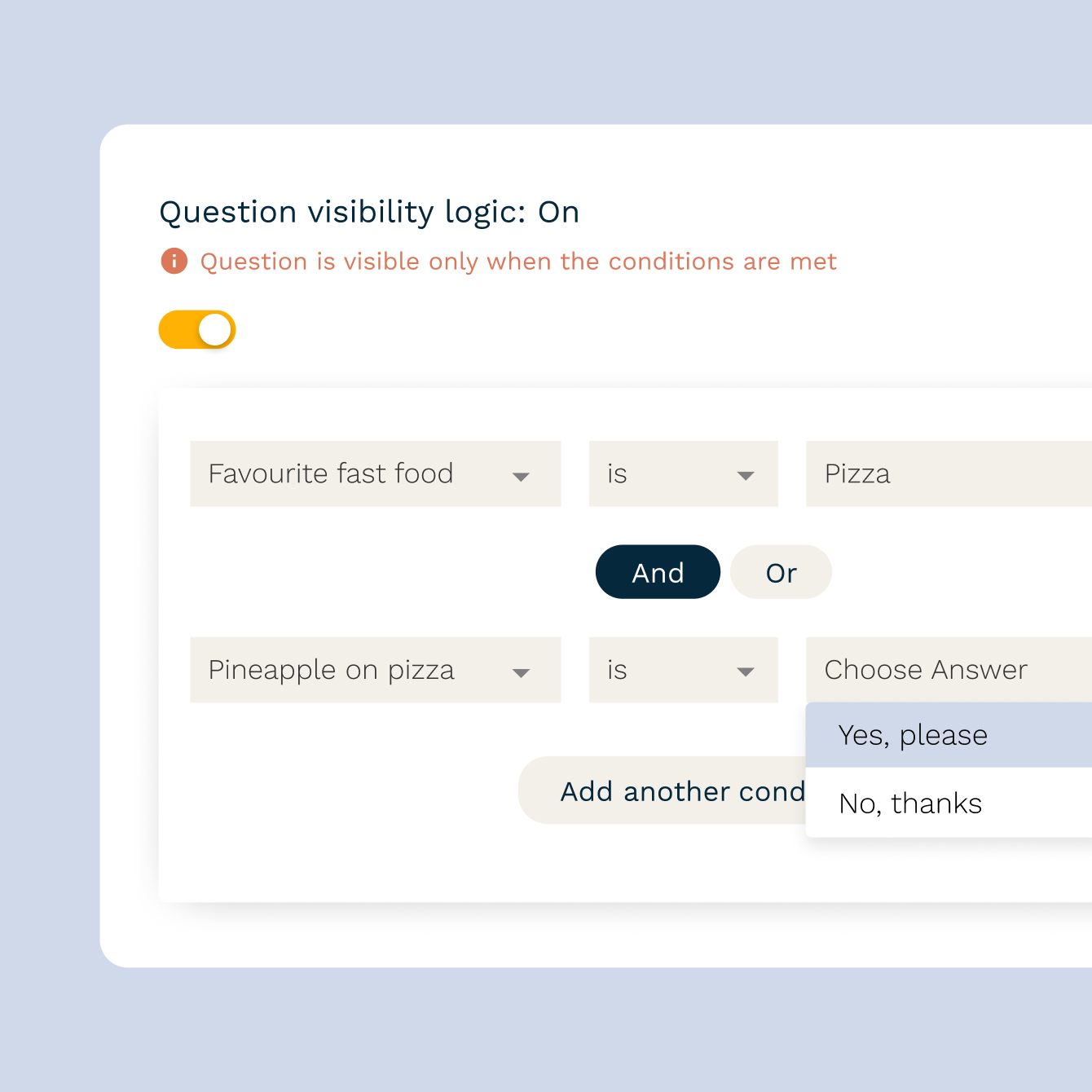
Show or hide questions based on any answer
Use Paperform's visual logic editor to define "if/then" rules without writing a single line of code. Show or hide individual questions, entire sections, or blocks of content based on what a respondent selects, types, or calculates. Combine multiple conditions with "and/or" logic for more complex branching. Every rule triggers in real time as your respondent moves through the form.

Personalized question paths for every respondent
Route different respondents through different question sequences based on who they are or what they need. A client intake form can surface service-specific questions based on what someone selects. A survey can skip irrelevant sections entirely. Smart branching means shorter forms, cleaner data, and higher completion rates — and respondents only ever see what's relevant to them.
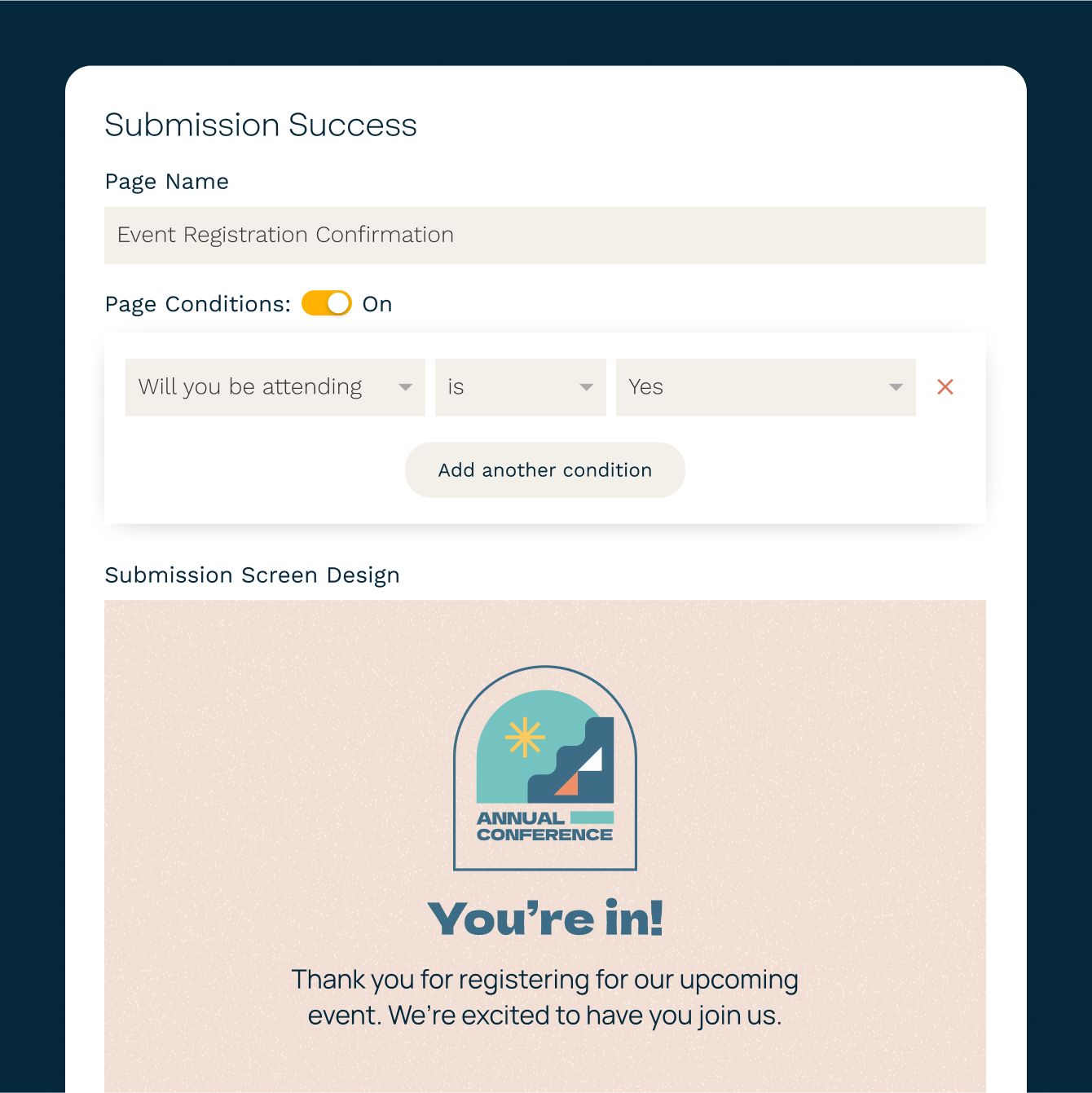
Conditional success pages and automated emails
What happens after someone submits matters too. Redirect respondents to different success pages, or trigger different automated emails, based on how they answered. Send a custom follow-up to high-value leads. Route new customers to an onboarding page. Show a tailored thank-you message to each respondent type — all set up in the form editor, no developer needed.
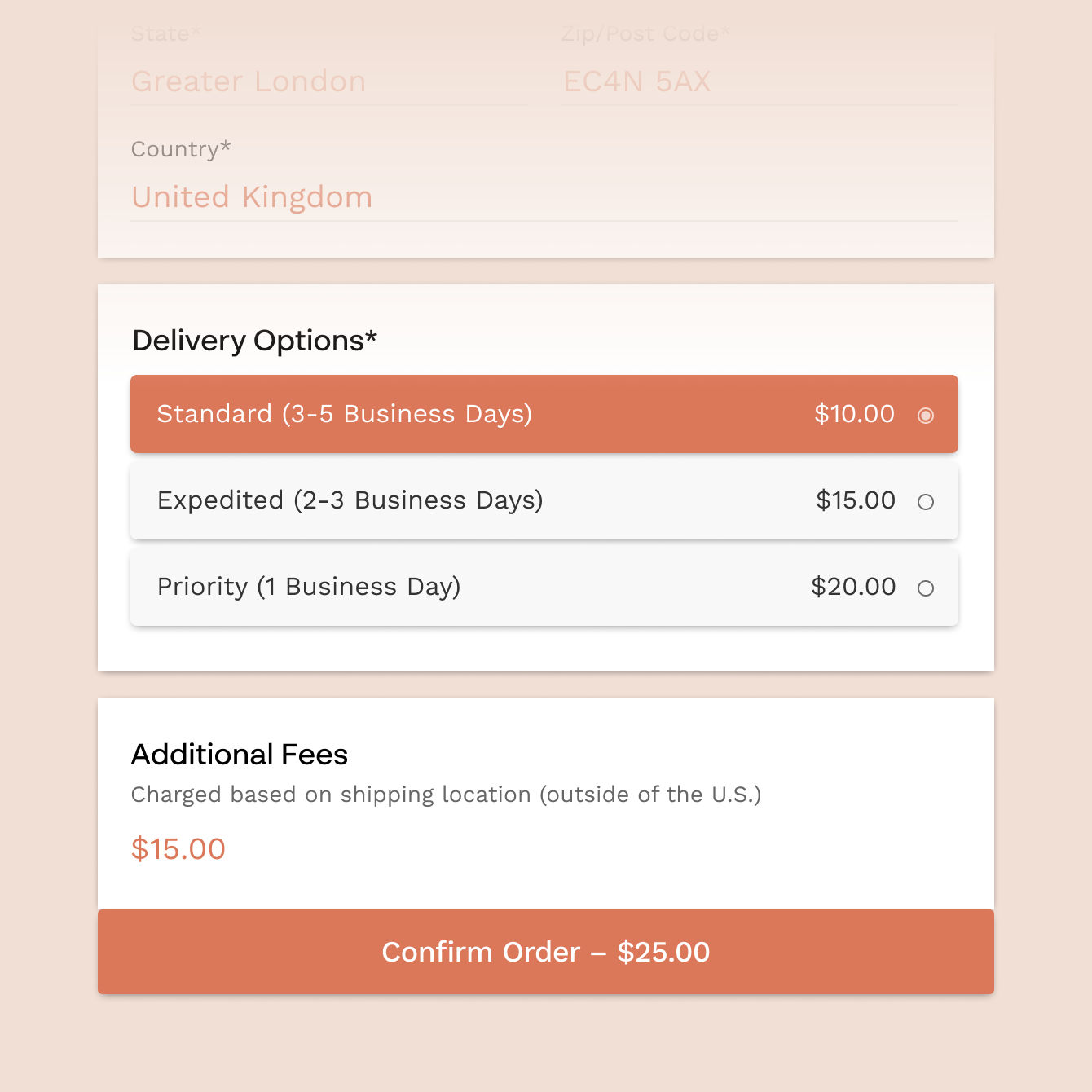
Conditional pricing that calculates in real time
Build forms where the price updates automatically based on what respondents choose. Add pricing rules that apply discounts, add fees, or calculate totals based on product selections, quantities, or any other variable. Paperform's calculations feature does the maths in real time, so respondents always see an accurate total before they submit. Connect with payment forms to collect payment in the same form.
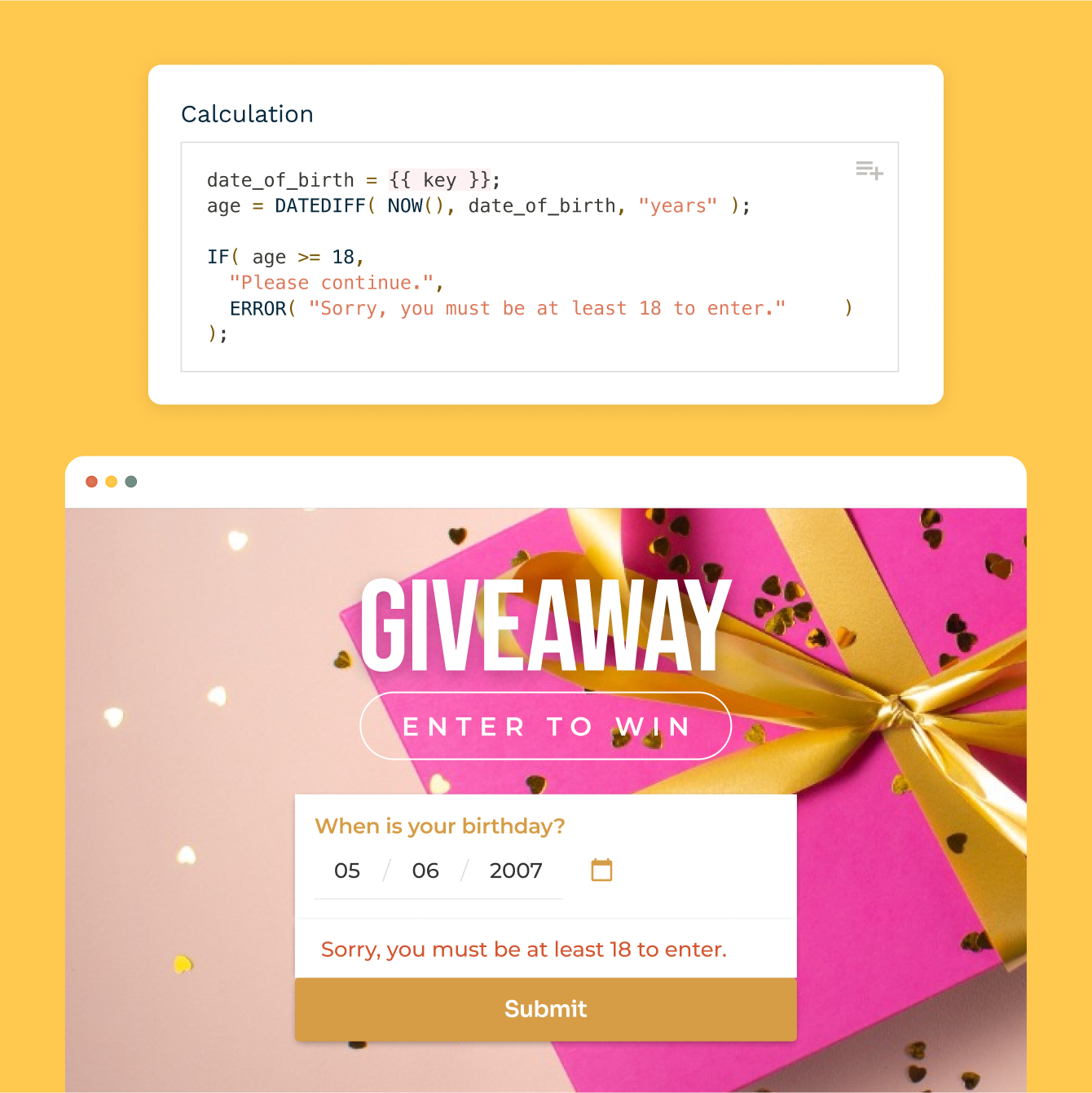
Complex logic with calculations and functions
Go beyond simple show/hide logic. Paperform's calculations let you build formulas that reference any answer in your form — score quiz responses, calculate project costs, or determine eligibility based on multiple inputs. Use the result to trigger conditional content, set dynamic prices, or route to a specific outcome. No spreadsheet skills needed.
Forever Free plan · No code needed · SOC 2 Type II & SSO · Trusted by 500K+ businesses
30,000+ form templates to choose from
From lead qualification forms and client intake surveys to quizzes, assessments, and order forms with conditional pricing — each template is fully customisable and ready to go.
“We AB tested our Paperform with our old form and found that our conversion rate increased by a staggering 91%.”
How Dealavo Increased Their Conversion Rate by 91% with Paperform
Read case study
Connect your conditional forms to HubSpot, Slack, Google Sheets, and 2,000+ tools
Every answer collected through your conditional logic form can flow directly into your CRM, email platform, or project management tool. Paperform connects with HubSpot, Mailchimp, ActiveCampaign, Google Sheets, Slack, Notion, and Airtable — plus thousands more via Zapier. Route different submissions to different places based on how people answered.
Conditional Logic Form FAQs
1. What is a conditional logic form?
A conditional logic form is a form that changes what it shows based on how a respondent answers. Questions, sections, content blocks, success pages, and automated emails can all be shown, hidden, or triggered based on specific answers. This creates a personalized experience for every respondent — no code required.
2. Does Paperform support conditional logic without coding?
Yes. Paperform's visual rule editor lets you set up "if/then" logic by selecting conditions from dropdowns. You can define multiple conditions per rule, combine them with "and/or" logic, and apply them to questions, sections, content, pricing, success pages, and email automations — all without touching code.
3. Can I show or hide entire sections of a form based on answers?
Yes. Paperform lets you apply logic rules to individual questions, entire sections, or any content block within your form. If someone selects "Business" you can reveal a full section of company-specific questions and keep it hidden for everyone else.
4. Can conditional logic affect the price shown in a form?
Yes. Paperform's calculations feature lets you set pricing rules that update in real time based on what respondents select. Add conditional fees, apply discounts, or calculate totals based on multiple inputs. The updated price displays dynamically before the respondent submits.
5. Can I send different emails to different respondents based on their answers?
Yes. Paperform supports conditional automated emails — you define which answers trigger which email. A respondent who selects "Enterprise" can receive a different follow-up than one who selects "Starter." All configured in the form editor, no third-party tool required for basic routing.
6. Can I redirect respondents to different pages after they submit?
Yes. You can configure conditional redirect rules so different respondents land on different success pages based on their answers. Send new signups to an onboarding guide, high-intent leads to a booking page, or applicants to a results page — all based on what they filled out.
7. How many conditions can I add to a single logic rule?
Paperform supports multiple conditions per rule using "and/or" logic, so you can stack as many as your use case requires. For more complex scenarios, Paperform's calculations feature lets you build formula-based conditions that reference multiple fields at once.
8. Can conditional logic be used in quizzes and assessments?
Yes. Conditional logic works across all Paperform form types including quizzes, assessments, and tests. Show different follow-up questions based on an answer, reveal feedback based on a score, or route respondents to a result page based on their total.
9. Are conditional logic forms mobile-friendly?
Yes. All Paperform forms — including those with complex conditional logic — are fully responsive. Logic rules trigger correctly on mobile, tablet, and desktop.
Build forms that adapt to every respondent.
Set up conditional logic in minutes — no code, no developer, no limitations on what you can create.
Start building free